





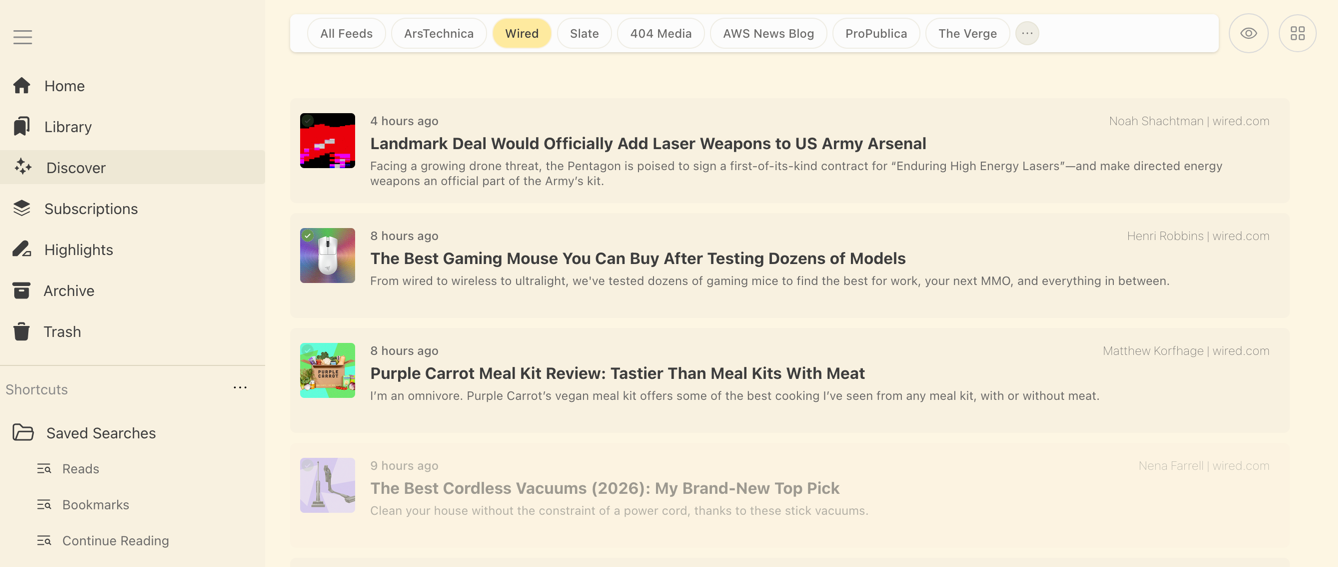
Что это?
 Omnivore — open source приложение типа «прочитать позже»: вы сохраняете статьи, PDF и выпуски рассылок в личную очередь чтения, а потом читаете их с выделениями, заметками, метками и поиском.
Omnivore — open source приложение типа «прочитать позже»: вы сохраняете статьи, PDF и выпуски рассылок в личную очередь чтения, а потом читаете их с выделениями, заметками, метками и поиском.Это просто сайт или есть и приложения?И то и другое: есть веб-приложение на Next.js, нативное приложение для iOS, приложение для Android плюс PWA, а также браузерные расширения для Chrome, Safari, Firefox и Edge. Все они работают с вашим собственным self-hosted сервером.
И то и другое: есть веб-приложение на Next.js, нативное приложение для iOS, приложение для Android плюс PWA, а также браузерные расширения для Chrome, Safari, Firefox и Edge. Все они работают с вашим собственным self-hosted сервером.Как запустить свой экземпляр?Есть гайд по запуску self-hosted сервера, а для локальной разработки весь стек поднимается командой docker compose up — она запускает Postgres, веб-фронтенд, API-сервер и микросервис загрузки контента, а также создаёт для вас демо-логин.
Есть гайд по запуску self-hosted сервера, а для локальной разработки весь стек поднимается командой docker compose up — она запускает Postgres, веб-фронтенд, API-сервер и микросервис загрузки контента, а также создаёт для вас демо-логин.Что нужно на машине, чтобы это запустилось?Docker для compose-стека. Для работы над кодом нужны Node.js v24.19 и Yarn (версиями управляет Volta), плюс Chromium, который используется парсером сохранения страниц.
Docker для compose-стека. Для работы над кодом нужны Node.js v24.19 и Yarn (версиями управляет Volta), плюс Chromium, который используется парсером сохранения страниц.Осталась ли облачная версия, куда можно просто зарегистрироваться?Нет — облачное приложение закрыли в ноябре 2024 года, и теперь Omnivore — полностью self-hosted приложение. Сообщество поддерживает обновления и исправление багов, так что рассчитывайте запускать и поддерживать свой экземпляр самостоятельно.
Нет — облачное приложение закрыли в ноябре 2024 года, и теперь Omnivore — полностью self-hosted приложение. Сообщество поддерживает обновления и исправление багов, так что рассчитывайте запускать и поддерживать свой экземпляр самостоятельно.Я читаю с телефона в метро — будет ли работать без интернета?Да, офлайн-поддержка — одна из ключевых функций, так что сохранённая очередь чтения остаётся доступной без подключения к сети.
Да, офлайн-поддержка — одна из ключевых функций, так что сохранённая очередь чтения остаётся доступной без подключения к сети.Если я доработаю его под свой сервер, нужно ли публиковать изменения?Да — Omnivore и его расширения к Readability.js распространяются по лицензии AGPL-3.0, поэтому использование по сети считается распространением, и вы обязаны предоставить исходники своей изменённой версии.
Да — Omnivore и его расширения к Readability.js распространяются по лицензии AGPL-3.0, поэтому использование по сети считается распространением, и вы обязаны предоставить исходники своей изменённой версии.Как статьи вообще попадают в мою очередь?Через кнопку Add Link в веб-приложении, через браузерные расширения или пересылкой выпусков рассылок по email. Сохранение идёт через микросервис puppeteer-parse, который загружает и рендерит страницу в Chromium (в dev-режиме порт 9090).
Через кнопку Add Link в веб-приложении, через браузерные расширения или пересылкой выпусков рассылок по email. Сохранение идёт через микросервис puppeteer-parse, который загружает и рендерит страницу в Chromium (в dev-режиме порт 9090).Он интегрируется с Obsidian или Logseq?Да, и с тем и с другим — есть официальный плагин для Logseq и официальный плагин для Obsidian, чтобы переносить туда свои выделения и заметки.
Да, и с тем и с другим — есть официальный плагин для Logseq и официальный плагин для Obsidian, чтобы переносить туда свои выделения и заметки.Может ли он читать статьи вслух?Функция озвучки текста поддерживается, но пока только в приложении для iOS.
Функция озвучки текста поддерживается, но пока только в приложении для iOS.What are similar projects?karakeep, linkwarden, linkding, ArchiveBox, edgeever, readest, Folo, rankme.fast
karakeep, linkwarden, linkding, ArchiveBox, edgeever, readest, Folo, rankme.fastWhich topics is it in?read-it-later, bookmarks, reader, reading, rss, postgres, firefox-extension, pwa, graphql, email, tts, chrome-extension
read-it-later, bookmarks, reader, reading, rss, postgres, firefox-extension, pwa, graphql, email, tts, chrome-extension