






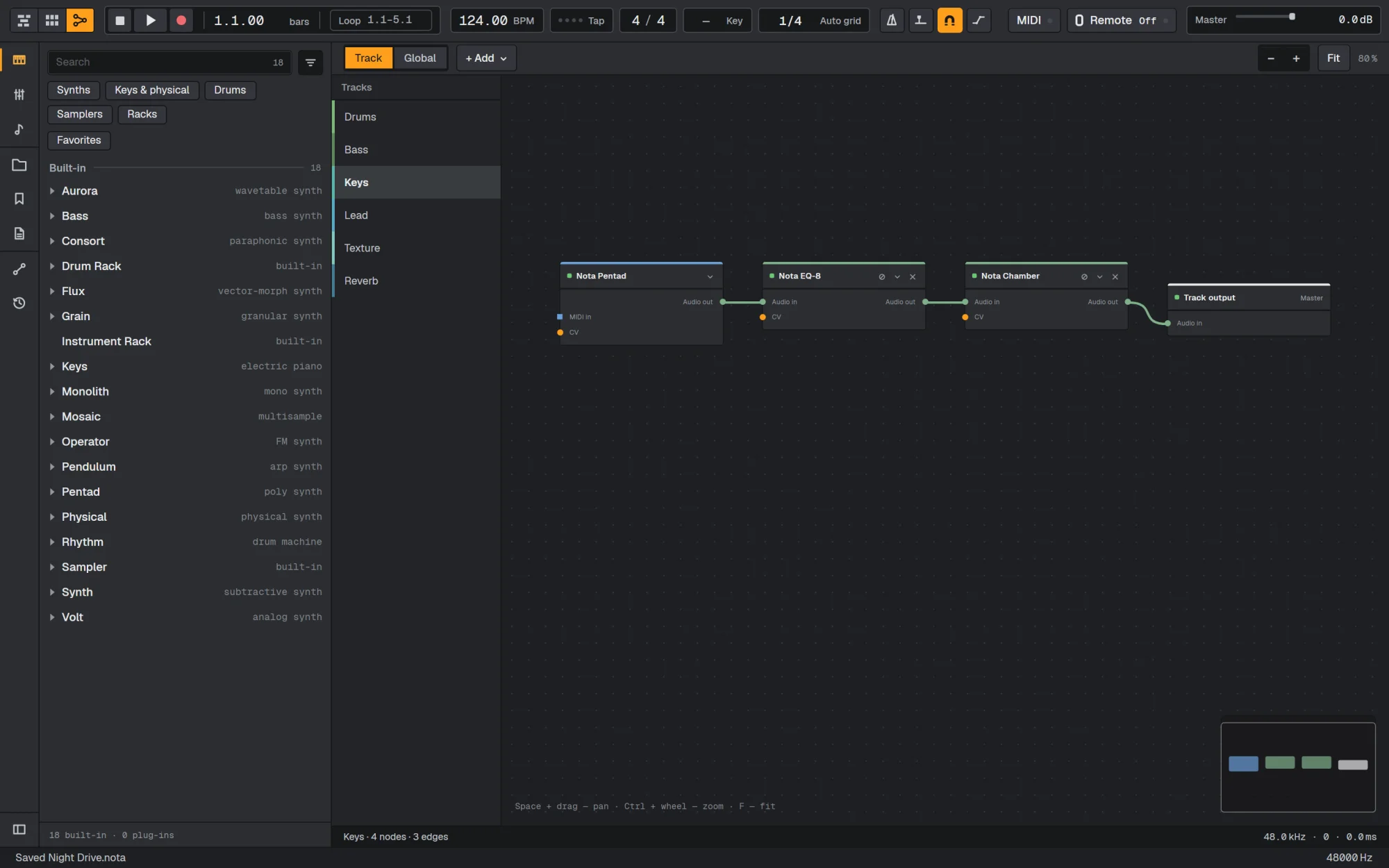

Что это такое?
 Nota — бесплатная цифровая аудиостанция (DAW) с открытым исходным кодом для macOS, Windows и Linux. Здесь нет подписки, аккаунта и платных тарифов.
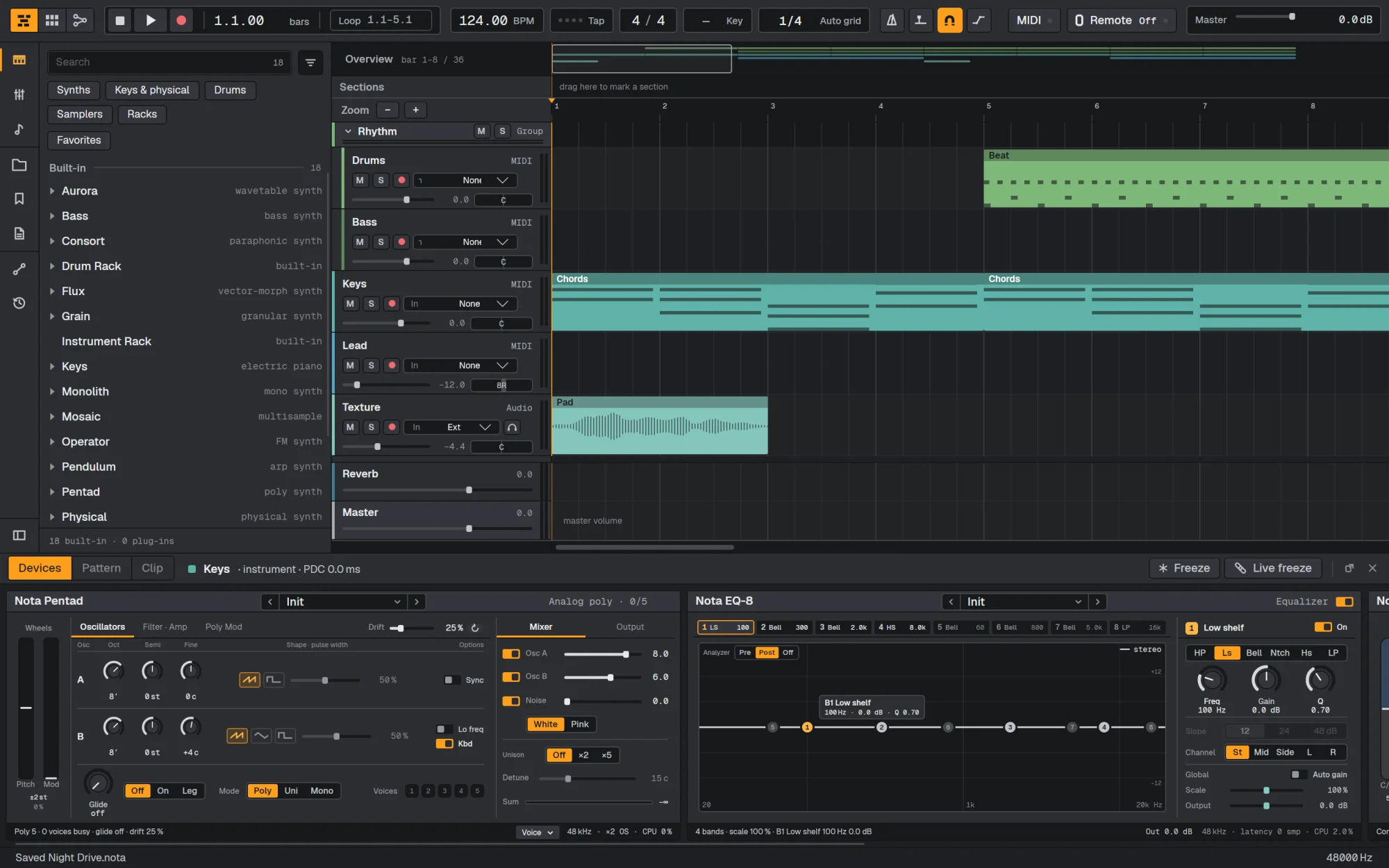
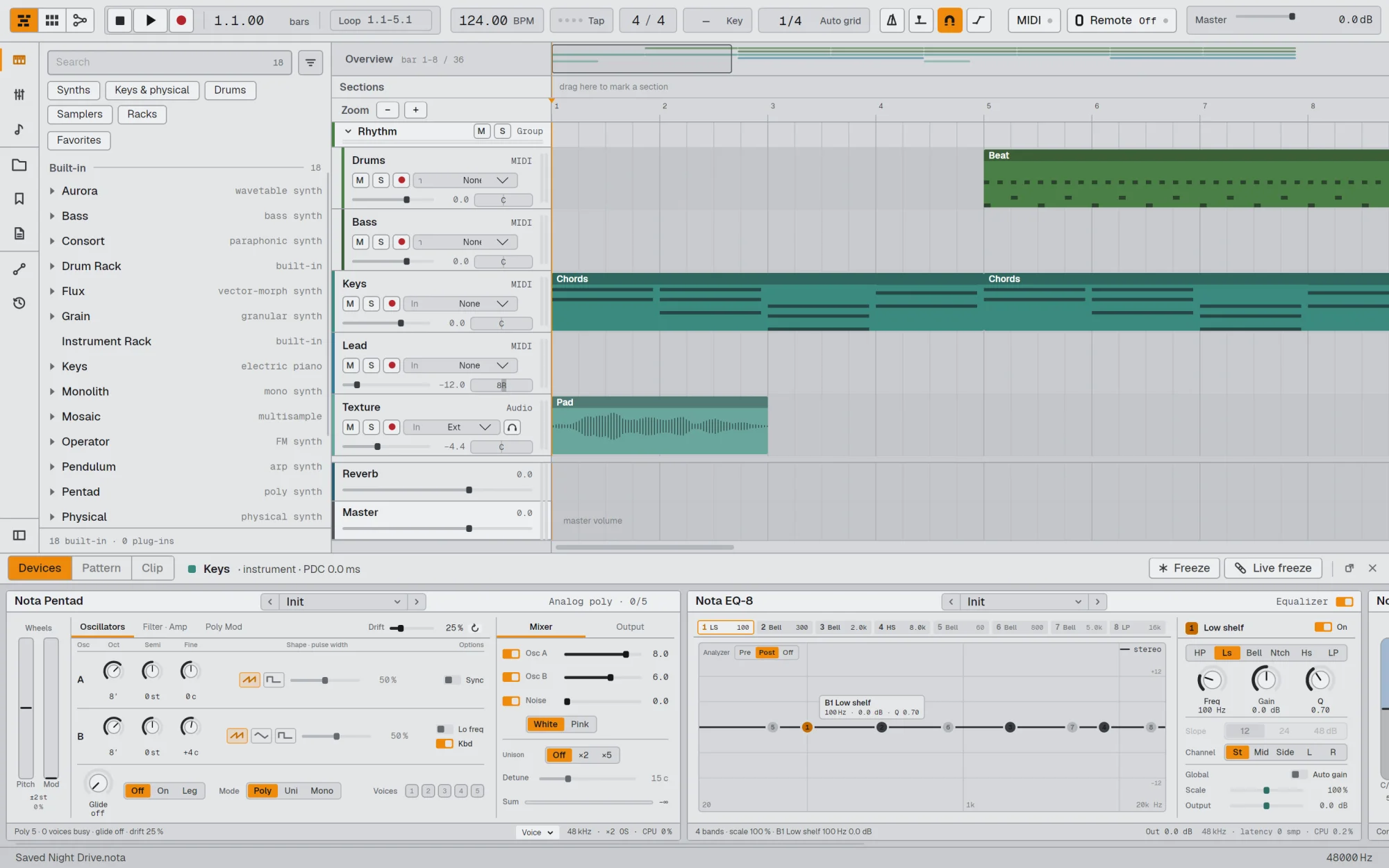
Это плагин или отдельное приложение?Это самостоятельная настольная музыкальная студия со своим таймлайном, сеткой клипов, пианороллом, микшером и встроенными инструментами. Также она может работать как хост для сторонних VST3-плагинов, а на macOS — и для Audio Units.
Это самостоятельная настольная музыкальная студия со своим таймлайном, сеткой клипов, пианороллом, микшером и встроенными инструментами. Также она может работать как хост для сторонних VST3-плагинов, а на macOS — и для Audio Units.Как запустить программу?Скачайте файл для своей системы из последнего релиза на GitHub: .dmg для macOS, Setup .exe для Windows или AppImage для Linux. Затем установите или запустите его.
Скачайте файл для своей системы из последнего релиза на GitHub: .dmg для macOS, Setup .exe для Windows или AppImage для Linux. Затем установите или запустите его.Нужно ли сначала что-то установить?Обычным пользователям достаточно выбрать сборку под свой процессор: Apple Silicon или Intel на macOS, x64 или ARM на Windows и Linux. Для сборки из исходного кода нужны .NET 10, Avalonia 12 и toolchain C++20, как описано в BUILD.md.
Обычным пользователям достаточно выбрать сборку под свой процессор: Apple Silicon или Intel на macOS, x64 или ARM на Windows и Linux. Для сборки из исходного кода нужны .NET 10, Avalonia 12 и toolchain C++20, как описано в BUILD.md.Могут ли возникнуть трудности при установке?Сборки не подписаны платным сертификатом Apple или Microsoft, поэтому при первом запуске появляется предупреждение. На macOS откройте System Settings > Privacy & Security и нажмите Open Anyway. На Windows нажмите More info, затем Run anyway. На Linux сделайте AppImage исполняемым командой chmod +x.
Сборки не подписаны платным сертификатом Apple или Microsoft, поэтому при первом запуске появляется предупреждение. На macOS откройте System Settings > Privacy & Security и нажмите Open Anyway. На Windows нажмите More info, затем Run anyway. На Linux сделайте AppImage исполняемым командой chmod +x.Какие системы и процессоры поддерживаются?macOS 13 или новее на Apple Silicon и Intel, Windows 10 и 11 на x64 и ARM, а также Linux на x64 и ARM в виде AppImage.
macOS 13 или новее на Apple Silicon и Intel, Windows 10 и 11 на x64 и ARM, а также Linux на x64 и ARM в виде AppImage.Отправляет ли ИИ-функция мой проект куда-то?Управление через ИИ необязательно и по умолчанию выключено. Оно работает как локальный MCP-сервер, поэтому такой ассистент, как Claude, может работать с открытым проектом только после того, как вы его включите.
Управление через ИИ необязательно и по умолчанию выключено. Оно работает как локальный MCP-сервер, поэтому такой ассистент, как Claude, может работать с открытым проектом только после того, как вы его включите.Что входит в программу сразу после установки?Около 35 встроенных инструментов и эффектов, включая субтрактивные, вейвтейбл, FM, гранулярные и синтезаторы с физическим моделированием, драм-машину, эквалайзер, компрессоры, ревербераторы, задержки и арпеджиатор.
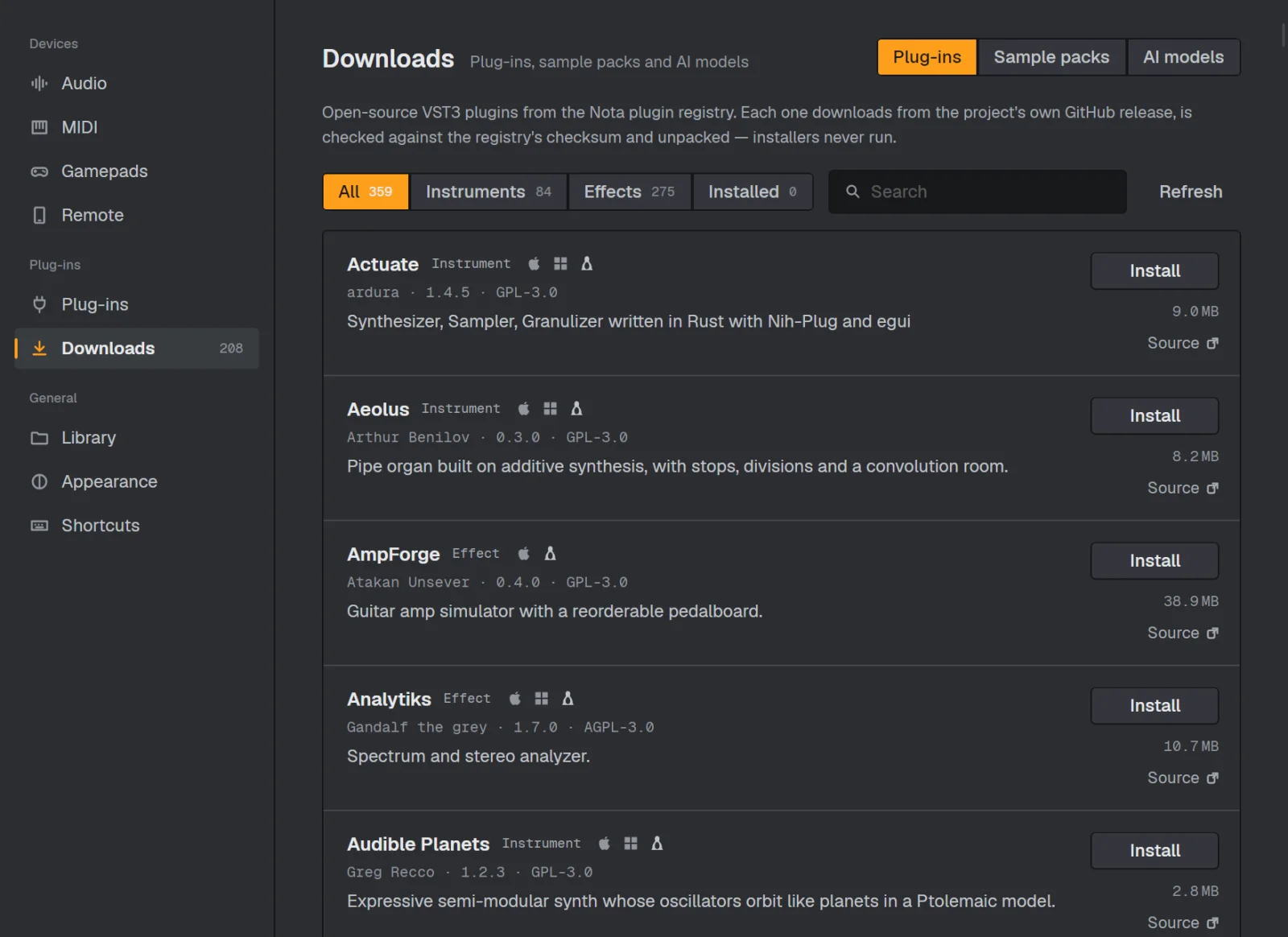
Около 35 встроенных инструментов и эффектов, включая субтрактивные, вейвтейбл, FM, гранулярные и синтезаторы с физическим моделированием, драм-машину, эквалайзер, компрессоры, ревербераторы, задержки и арпеджиатор.Можно ли использовать свои VST-плагины?Да. VST3 работает на всех платформах, а Audio Units — на macOS. В разделе Settings > Downloads можно в один клик установить более 200 бесплатных плагинов с открытым исходным кодом, например Surge XT и Dexed.
Да. VST3 работает на всех платформах, а Audio Units — на macOS. В разделе Settings > Downloads можно в один клик установить более 200 бесплатных плагинов с открытым исходным кодом, например Surge XT и Dexed.Может ли телефон работать как контроллер?Да. Отсканируйте QR-код приложением Nota Remote, чтобы играть на пэдах и клавишах, использовать XY-панель или управлять микшером по Wi-Fi или USB. На телефон ничего устанавливать не нужно.
Да. Отсканируйте QR-код приложением Nota Remote, чтобы играть на пэдах и клавишах, использовать XY-панель или управлять микшером по Wi-Fi или USB. На телефон ничего устанавливать не нужно.Зачем автор создал эту программу?Автор, Егор Хиндикайнен, он же Ambertape, сделал её для своей музыки, а позже открыл исходный код. Большая часть кода написана с помощью ИИ, а решения по проектированию принимал автор.
Автор, Егор Хиндикайнен, он же Ambertape, сделал её для своей музыки, а позже открыл исходный код. Большая часть кода написана с помощью ИИ, а решения по проектированию принимал автор.Какие есть похожие проекты?LYNX-SHARE, dexed, ableton-live-11-desktop, soundcraft, pro-tools-desktop, riff, lmms, 0700-AAM
LYNX-SHARE, dexed, ableton-live-11-desktop, soundcraft, pro-tools-desktop, riff, lmms, 0700-AAMВ каких он темах?daw, digital-audio-workstation, synthesizer, avalonia, dsp, music-production, midi, cpp20, audio-processing, music, plugin-system, c#
daw, digital-audio-workstation, synthesizer, avalonia, dsp, music-production, midi, cpp20, audio-processing, music, plugin-system, c#- Автор
- nota-daw
- Размер
- 229.1 MB
- Звёзды
- 630
- Обновлён
- КоммитNov 17Релизv0.60.2Nov 17
- Возраст
- 2 мес
- Коммиты · 90 дней