A free, open-source desktop music player for YouTube Music, SoundCloud, and local files.
riff (rootscripts/riff)
Searching Database…
The project's README from github.com/rootscripts/riff. As one markdown file: README.md.
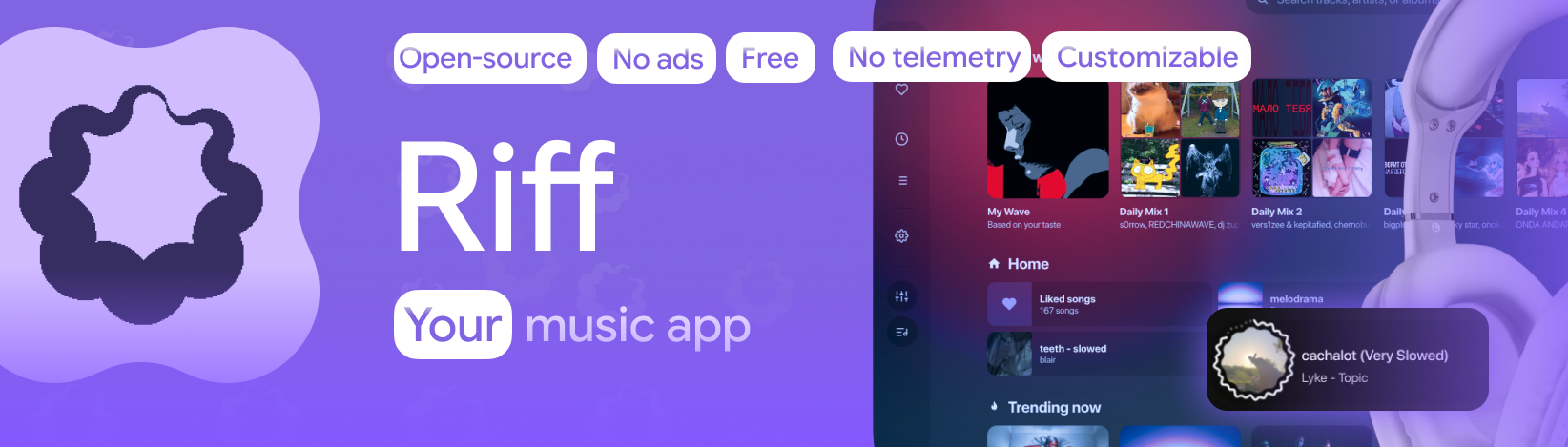





 Riff
Riff
A free, open-source desktop music player for YouTube Music, SoundCloud, and local files.
Built with Material Design 3, no tracking, and no account needed.


Features · Audio Suite · Interface · Install · FAQ · Build


[!NOTE] Pull requests are temporarily closed due to merge conflicts with an update coming soon (w global architecture change). Will be open when Riff updates.
Riff is an open-source, telemetry-free desktop music app and player for Windows, Linux, and macOS. It unifies playback across YouTube Music, YouTube, SoundCloud, and offline local media into a single high-performance interface without ads, subscriptions, or login constraints. Provides very fancy UI and layout.
Built with Electron, Vanilla JavaScript, and WebGL, Riff provides responsive UI interactions and hardware-accelerated audio visualization without runtime framework overhead. The project is distributed under the MIT license and enforces strict privacy: all configuration, cached streams, and playback history remain strictly on the local machine.
Riff includes an integrated audio engineering toolkit accessible directly within the player interface:
Riff implements the Material Design 3 (M3 Expressive) specification:
Migrate existing music libraries between platforms in a single operation:
Pre-built binaries are available on the Releases page.
Standard releases include all necessary dependencies (bundled yt-dlp and ffmpeg binaries). No secondary runtime configuration is required on Windows or Linux.
macOS support is currently experimental and compiled via continuous integration.
Riff-<version>-mac-arm64.dmg for Apple Silicon (M1 / M2 / M3 / M4)Riff-<version>-mac-x64.dmg for Intel-based hardwareApplications directory.Riff.app in Applications, select Open, and confirm the prompt.xattr -cr /Applications/Riff.app
.dmg itself, run:xattr -d -r com.apple.quarantine /path/to/Riff.dmg
brew install yt-dlp ffmpeg
macOS application data and local indexes are stored in ~/Library/Application Support/Riff.
Requires Node.js 18 or newer and npm.
git clone https://github.com/rootscripts/riff.git
cd riff
npm install
npm start        # run the dev version
npm run dist     # make a production build
The exact build output depends on the current project configuration.
Riff (single Electron renderer and server process) typically utilizes approximately 180 MB of RAM during steady-state playback. Actual footprint varies based on active visualizer modes, library size, and OS window compositing.
There is no official Riff client for Android or iOS. Third-party community forks are documented below:
Additional mobile implementations may be reviewed in future releases.
Is Riff free? Yes. Riff is free software published under the permissive MIT license. There are no subscriptions, paywalls, or premium tiers.
Does Riff display advertisements? No. Streams from YouTube Music, YouTube, and SoundCloud are resolved directly and play without advertisements.
Is an account or sign-in required? No. Riff requires no account creation, credentials, or authentication. Telemetry and analytic tracking are strictly omitted.
Which operating systems are supported? Windows 10/11, modern Linux distributions, and macOS (experimental).
Can Riff function as an offline local music player? Yes. Riff natively indexes local audio files (including lossless FLAC, WAV, MP3, and OGG), reads standard metadata tags and embedded artwork, and manages playlists without altering underlying disk files.
Can I use Riff entirely offline? Yes. Downloaded tracks, saved audio segments, and indexed local libraries function without an internet connection.
How does playlist migration work? Paste any public Spotify, Apple Music, YouTube Music, or SoundCloud playlist link. Riff extracts track titles and artists, batches requests to resolve streams on your active platform, and saves the result as an editable local playlist.
Does Riff support synchronized lyrics? Yes. Riff supports online synchronized lyrics, local LRC files, manual timing adjustments, and real-time synchronized karaoke display.
Does Riff integrate with Discord? Yes. Native Discord Rich Presence displays the currently playing track title, artist, elapsed time, and platform indicator.
Are there official mobile builds? No official mobile releases exist. See Mobile versions for community-maintained forks.
Pull requests are welcome. Please verify all changes locally, ensure code passes syntax validation (node --check), and confirm stability before submitting contributions. Untested pull requests or changes introducing regressions will not be merged.
You can support ongoing development via Ko-fi. Repository stars on GitHub are also appreciated.
Riff is developed for educational purposes and personal media management. Users are responsible for adhering to the terms of service of third-party platforms and applicable local copyright regulations.
Keywords: free music player, YouTube Music desktop app, SoundCloud desktop player, ad-free music player, Material Design 3, M3 Expressive, visual audio editor, lossless audio trimmer, 10-band equalizer, DSP effects, tempo changer, pitch shift, FLAC player, WAV playback, Spotify playlist import, Apple Music playlist migration, Electron music player, Vanilla JS, WebGL audio visualizer, Discord Rich Presence, open source music player, MIT license, telemetry-free desktop player.
A free, open-source desktop music player for YouTube Music, SoundCloud, and local files.