HTML Anything
From the team behind Open Design — 40k★ · 200+ contributors, production-grade and iterating faster. html-anything is the focused agent-era HTML editor; if it clicks for you, Open Design is where the same team ships at scale.
Live page: open-design.ai/html-anything/ — overview, surface modes, and showcase before you clone.
Markdown is the draft. HTML is what humans read. Your local agent writes it. The agentic HTML editor — in the agentic era, you don't hand-edit docs anymore, so the output format should be what the reader actually wants: HTML. Local-first, zero API key, reuses the CLI session you already have logged in — 9 coding-agent CLIs auto-detected on your PATH (Claude Code · Cursor Agent · Codex · Gemini CLI · GitHub Copilot CLI · OpenCode · Qwen Coder · Aider · IBM Bob), driven by 75 composable skill templates across 9 deliverable surfaces (magazine articles · keynote decks · résumés · posters · Xiaohongshu cards · tweet cards · web prototypes · data reports · Hyperframes videos). One-click export to WeChat / X / Zhihu, or download .html / .png.












English · 简体中文
Showcase
The eight skills that surface at the top of the picker's Featured / 推荐 group — sorted by their recommended: rank in SKILL.md frontmatter (lower = higher). Each ships a real example.html you can open straight from the repo, no auth, no setup.
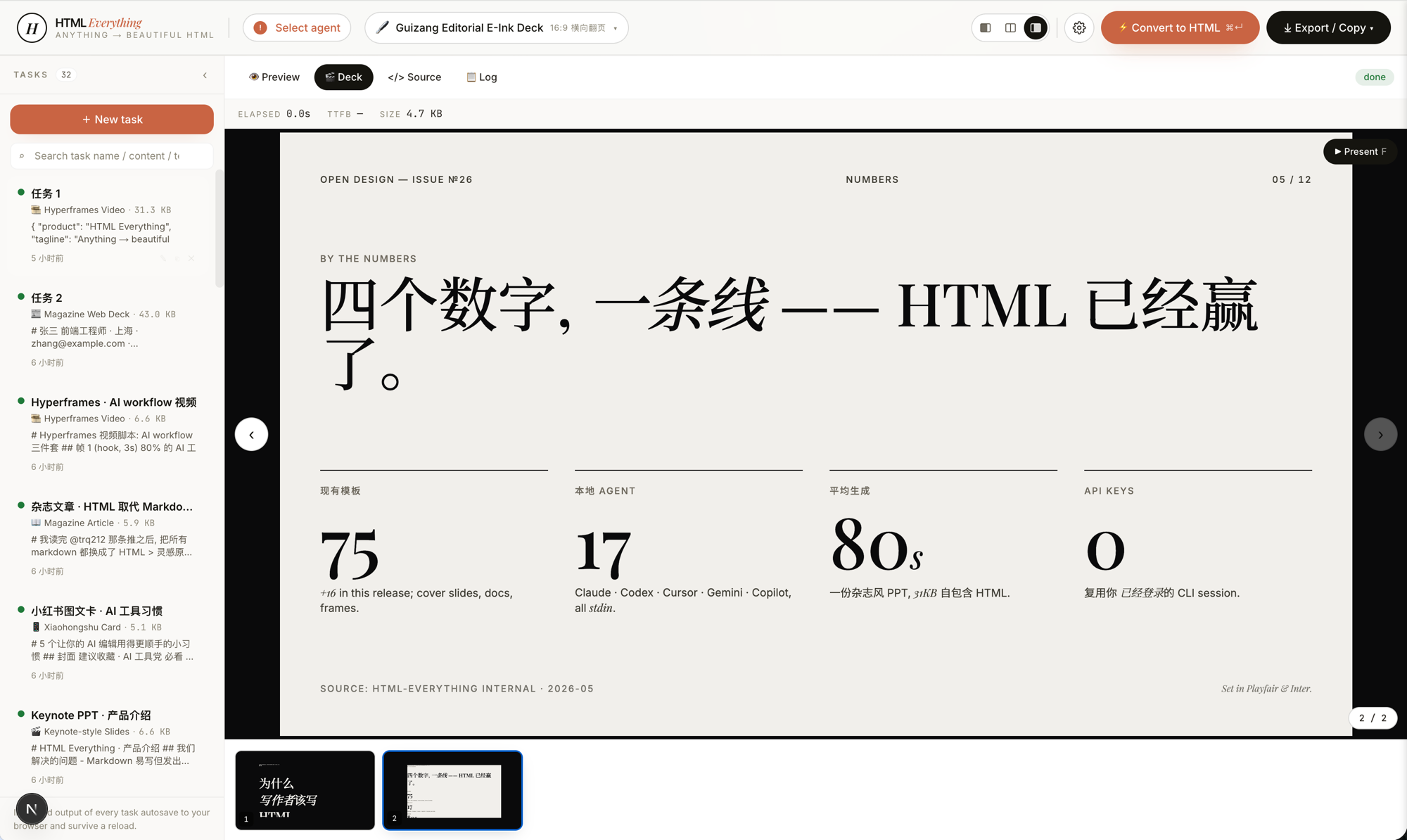
deck-guizang-editorial · deck · recommended: 1
Magazine × e-ink editorial deck, inspired by op7418/guizang-ppt-skill — 10 locked layouts × 5 palettes (Ink / Indigo Porcelain / Forest Ink / Kraft / Dune). Reads like a printed art-zine, not a slide deck.
|
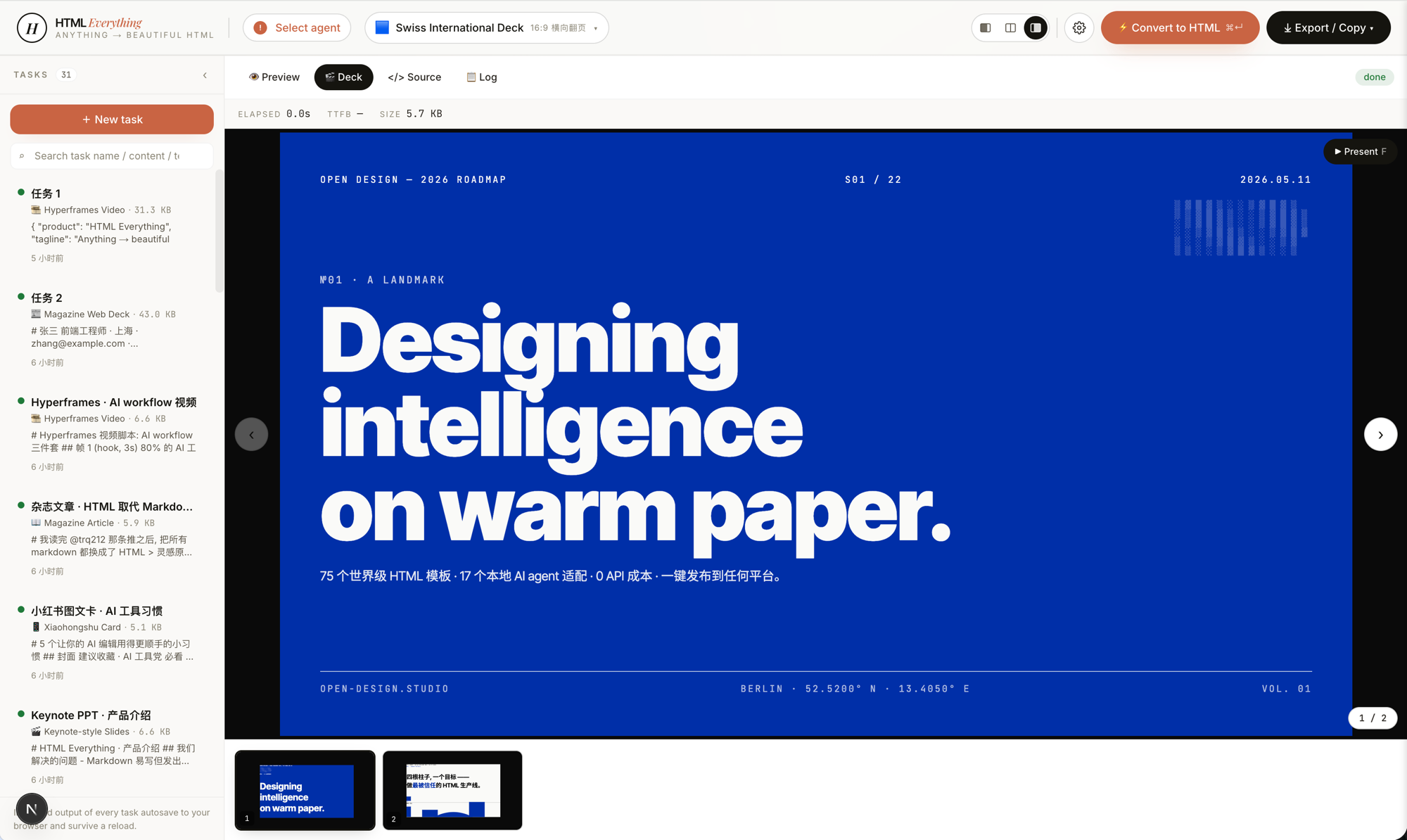
deck-swiss-international · deck · recommended: 2
Swiss International deck — 16-column grid + one saturated accent (Klein Blue / Lemon / Mint / Safety Orange) across 22 locked layouts. Cold, rational, institutional. The deck that reads "a designer made this" the moment it opens.
|
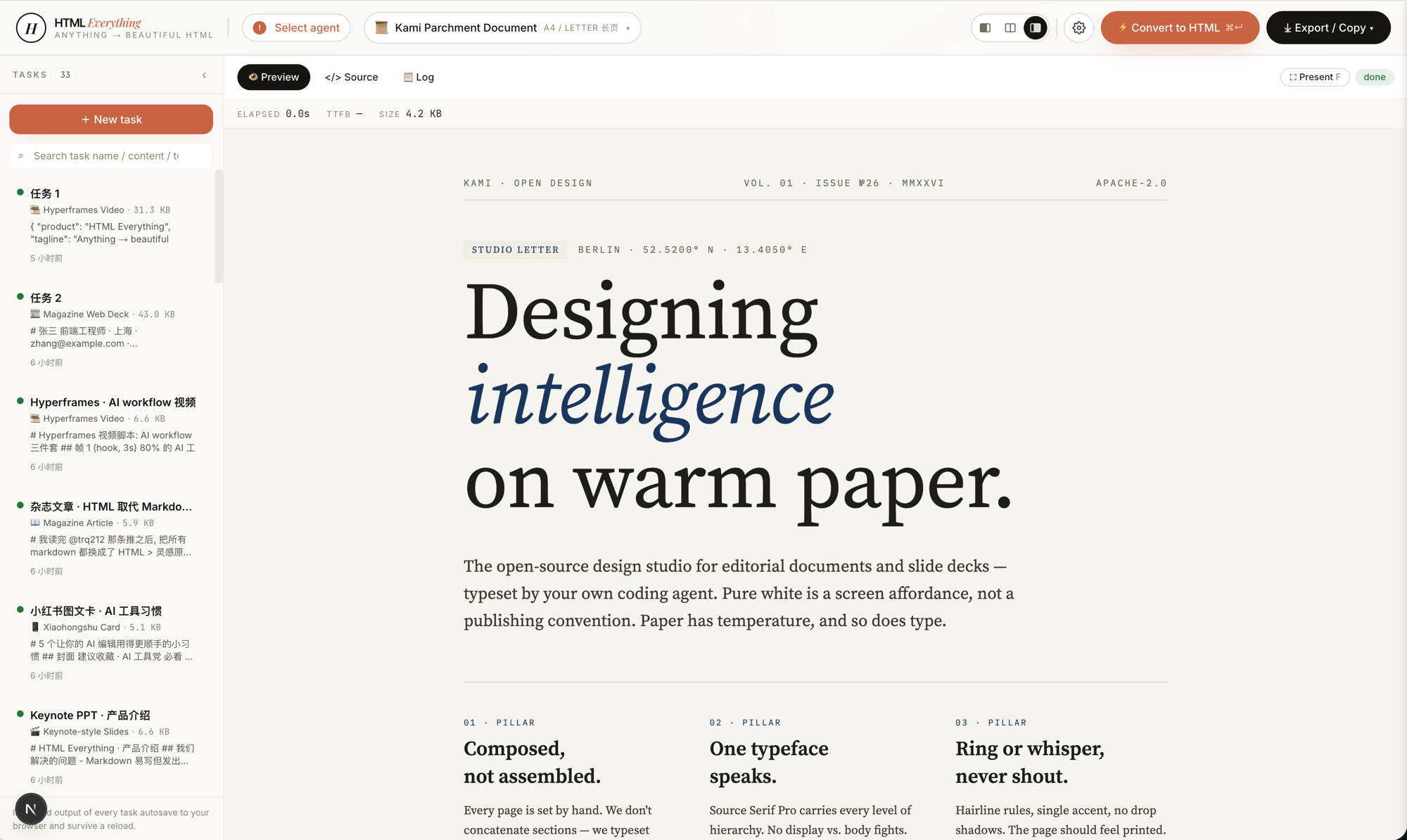
doc-kami-parchment · doc · recommended: 3
Warm-parchment editorial document, inspired by tw93/kami. #f5f4ed ground + ink-blue accent + single serif voice — a noticeably calmer reading surface than plain-white markdown for long essays, reports, and one-pagers.
|
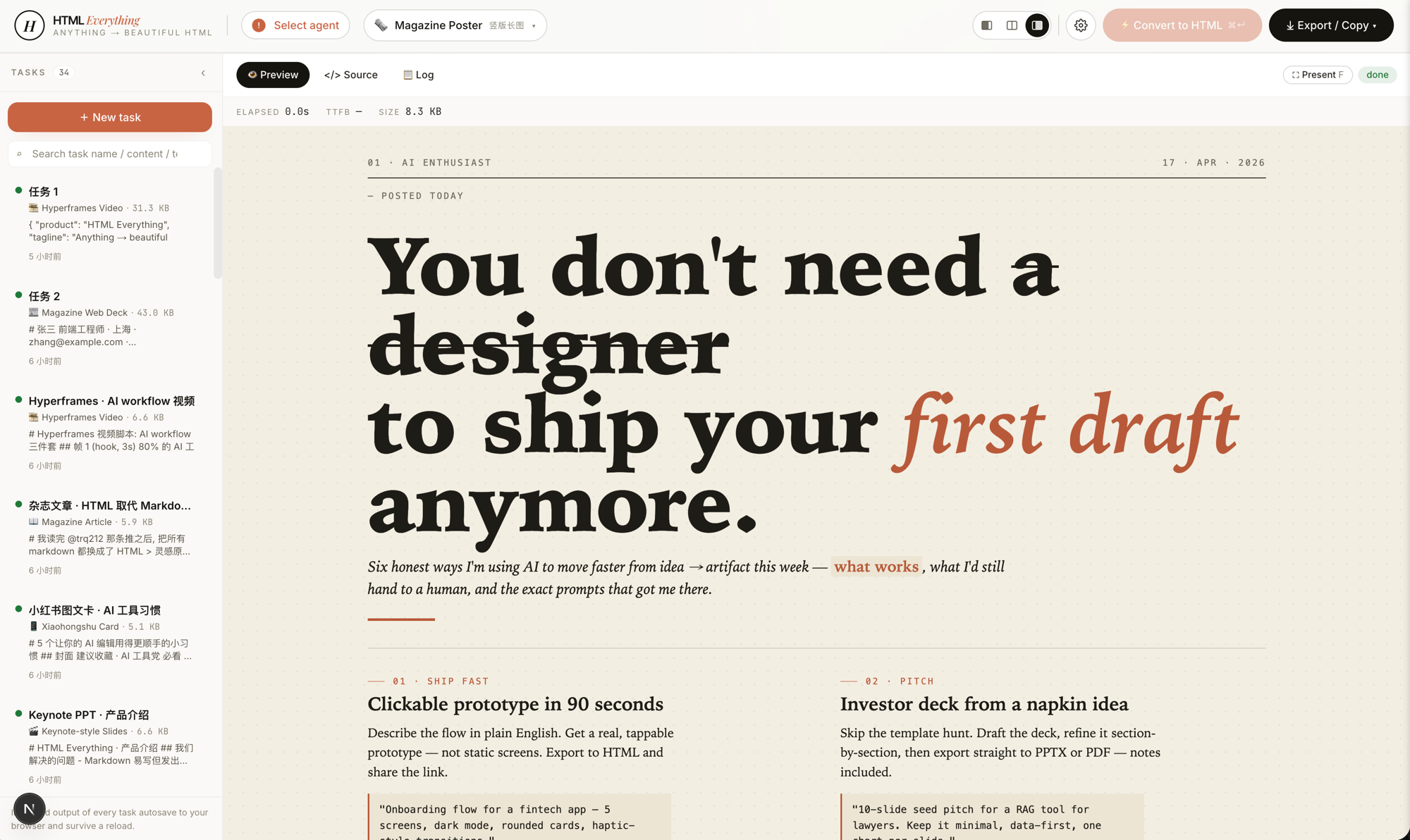
magazine-poster · poster · recommended: 4
Newsprint Sunday-paper poster — oversized serif headline, two-column body, six numbered sections, dot-pattern cream ground. Reads like a printed broadsheet, not a webpage.
|
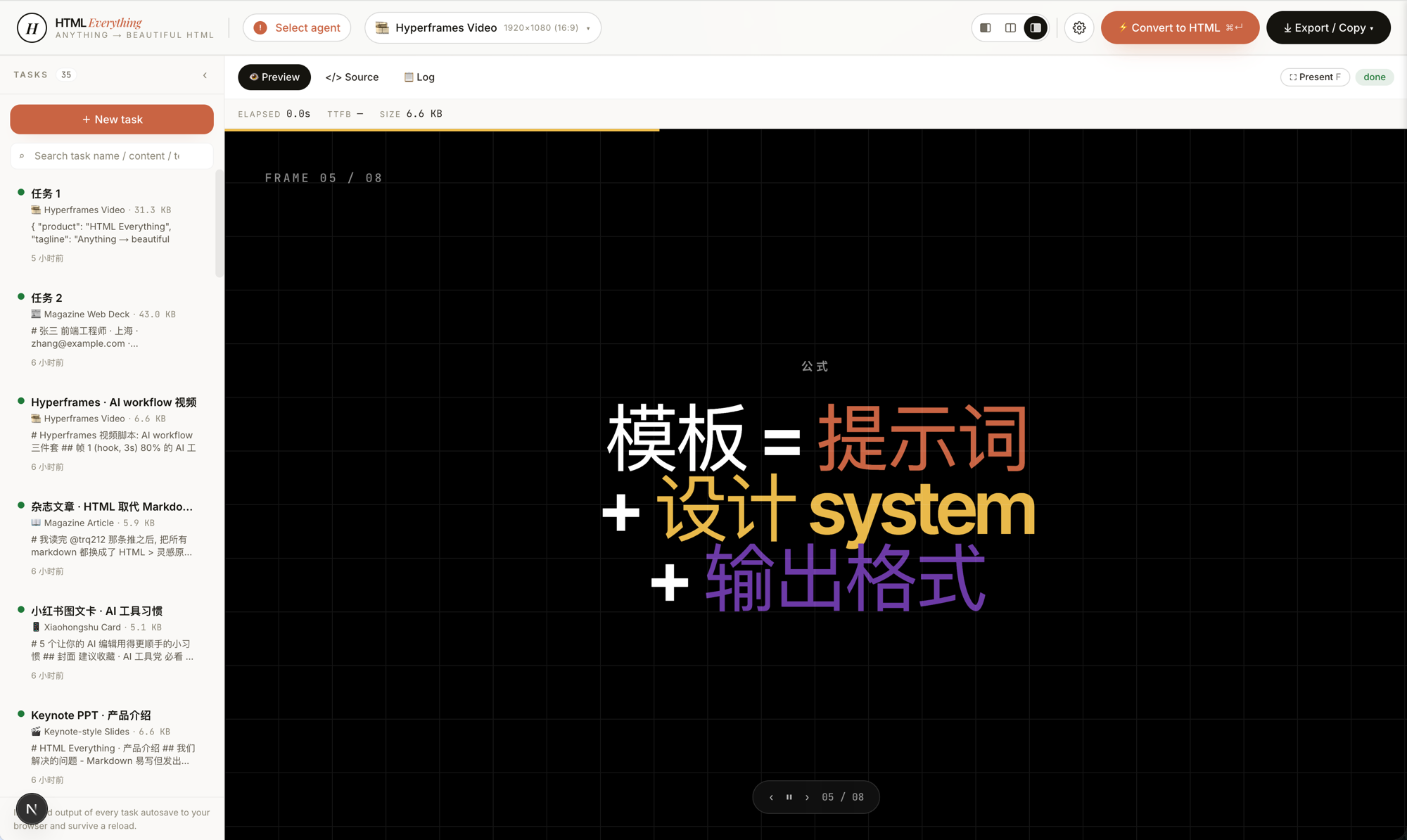
video-hyperframes · frame / video · recommended: 5
Hyperframes / Remotion-compatible storyboard — 6–10 sequential 1920×1080 frames with hidden duration + transition markers and an auto-play script. Hand straight to heygen-com/hyperframes or Remotion to render .mp4.
|
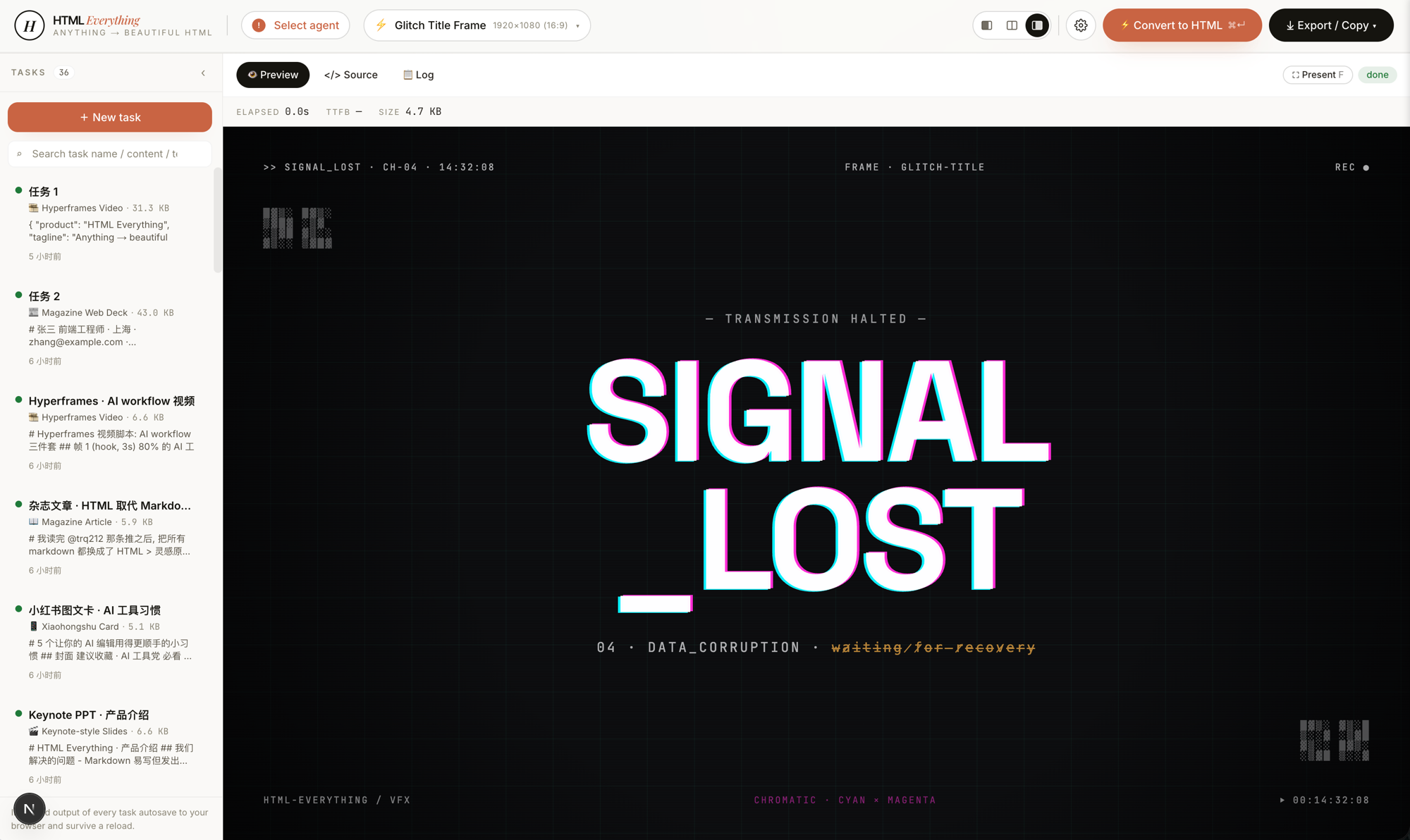
frame-glitch-title · frame · recommended: 6
Glitch title frame — cyan/magenta chromatic offset, CRT scanlines, corrupted-data subtitle, ASCII noise in the corners. Cyberpunk hero card or video transition.
|
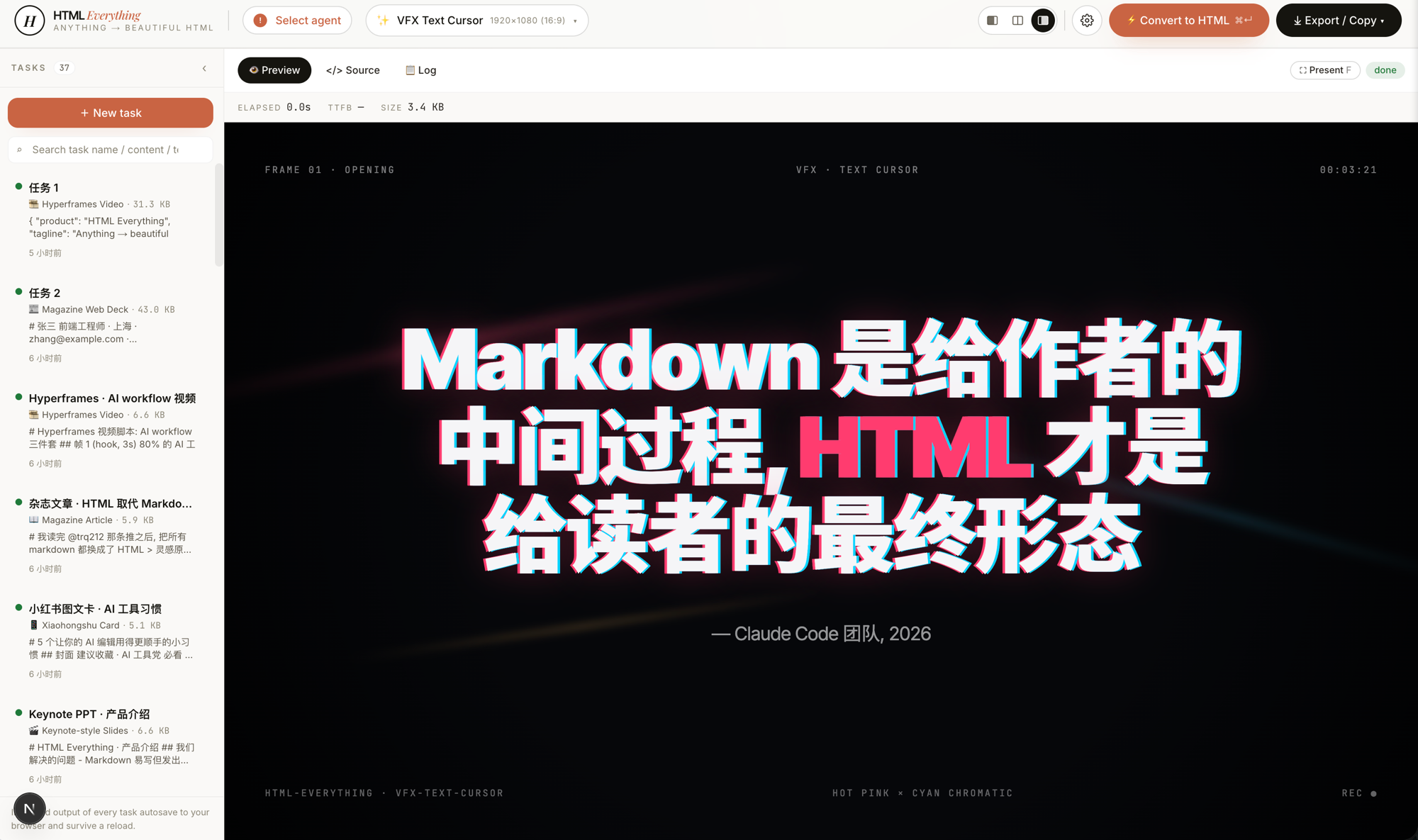
vfx-text-cursor · vfx · recommended: 7
VFX text-cursor opener — a cursor "types" across the canvas, each character revealed with a hot-pink × cyan chromatic trail and directional light leaks. Drop in a quote, get a film-grade opening frame.
|
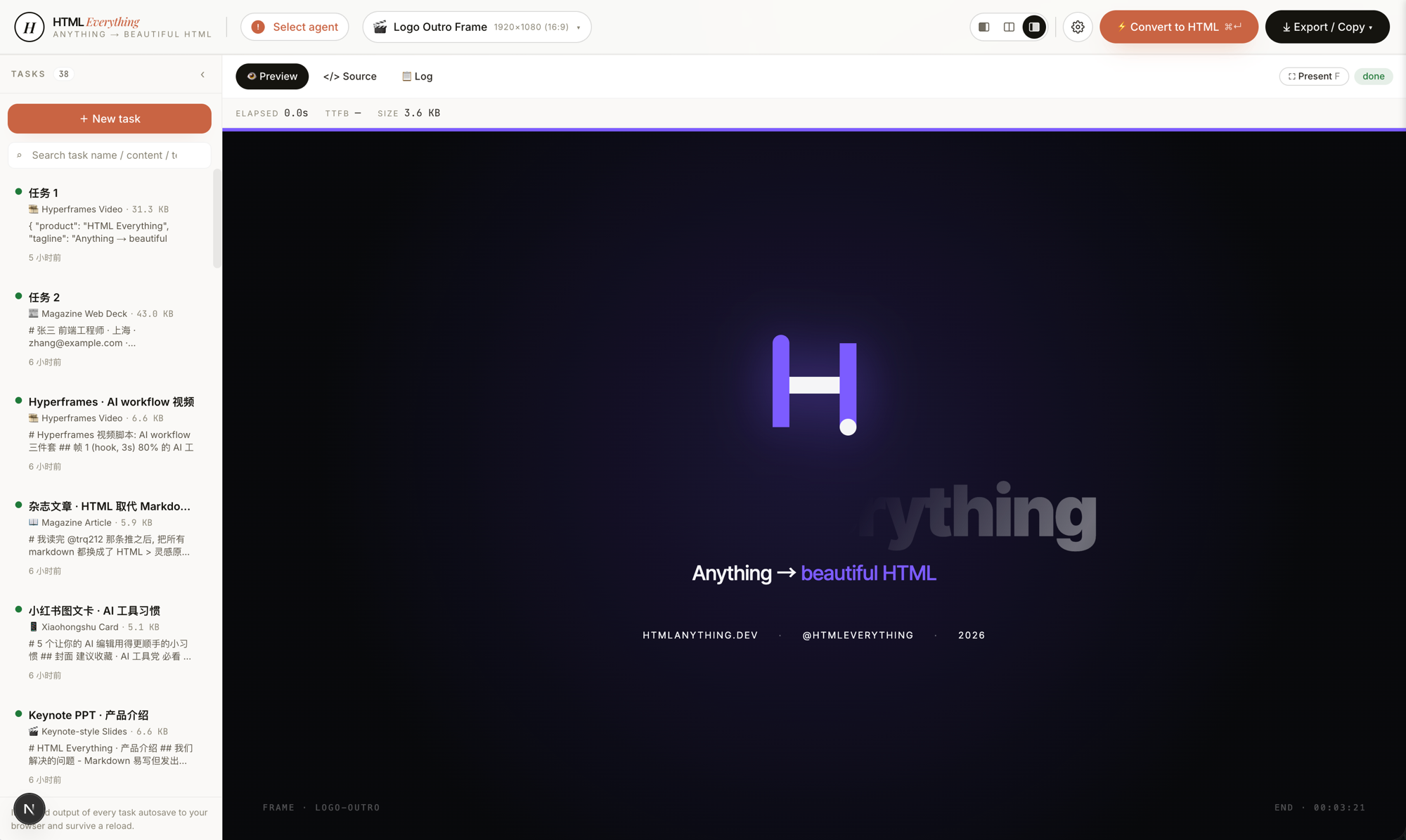
frame-logo-outro · frame · recommended: 8
Logo outro frame — logo assembles piece-by-piece with glow bloom, tagline rises, CTA appears. The closing card for a product reveal or brand film.
|
The full skill catalog (organized by mode) is in Skills below.
Why this exists
Anthropic's Claude Code team announced they stopped writing internal docs in Markdown — they ship HTML now. The argument is simple:
| Markdown |
HTML |
| Good for the writer |
Good for the reader |
| Layout limited to the renderer |
Layout is yours |
| Looks ugly screenshotted into a tweet |
Already looks like a designed image |
| Has to be re-flowed for WeChat / Zhihu / newsletter |
One-click format conversion |
HTML is the final form for humans. Markdown is just an intermediate state during writing.
But "writing HTML" used to mean writing CSS, picking type scales, snapping to a grid, doing responsive — most users won't, designers won't bother, writers don't have the patience. So what we built: after you press ⌘+Enter, your local AI agent turns any input (Markdown / CSV / Excel / JSON / SQL / raw notes) into a ship-ready single-file HTML in seconds, then one-click sends it to WeChat / X / Zhihu / anywhere. "Ship-ready" is the bar — when generation finishes, the artifact is what your audience actually sees. No "I'll touch it up later" pass.
We stand on four open-source shoulders:
nexu-io/open-design — the agent-detection layer, the design-system model, and the SKILL.md protocol. next/src/lib/agents/ and next/src/lib/templates/skills/* mirror this architecture directly.mdnice/markdown-nice — proof that juice-inlined CSS pastes cleanly into WeChat and Zhihu without per-platform manual fix-up.gcui-art/markdown-to-image — the iframe → high-DPI PNG export path.alchaincyf/huashu-md-html — the anti-AI-slop discipline that maps into the hard constraints inside every SKILL.md (CJK-first font stack, 8 px baseline grid, contrast ≥ 4.5, must-use-real-data rule).
At a glance
|
What you get |
| Coding-agent CLIs (8) |
Claude Code · Cursor Agent · OpenAI Codex · Gemini CLI · GitHub Copilot CLI · OpenCode · Qwen Coder · Aider — scanned on startup across PATH (including ~/.local/bin, ~/.bun/bin, /opt/homebrew/bin, ~/.npm-global/bin — directories a GUI-launched Node process normally misses), swap from the top-bar picker. |
| Zero API key |
We reuse the session you already have logged in via claude login · cursor login · gemini auth. Your existing subscription does the work; marginal cost is $0. |
| 75 skill templates |
prototype (web / SaaS landing / dashboard / data report) · deck (20 keynote skills incl. Swiss International, Guizang Editorial, XHS Pastel, Hermes Cyber, Replit, Magazine Web…) · frame (10 Hyperframes video frames — liquid hero, NYT data chart, sticky-note flowchart, glitch title, cinema light-leak, macOS notification, logo outro…) · social (X / Xiaohongshu / Spotify / Reddit cards) · office (PM spec · eng runbook · finance report · HR onboarding · invoice · OKRs · weekly update · meeting notes · kanban) · doc (Kami warm-parchment editorial) · mockup (3D device frame) · vfx (text-cursor effect). |
| 9 surface modes |
📖 magazine article · 🎬 keynote deck · 📄 résumé · 🖼️ poster · 📱 Xiaohongshu card · 🐦 tweet card · 🛠️ web prototype · 📊 data report · 🎞️ Hyperframes video. Each has multiple skills you can pick from. |
| One-click export |
juice inlines CSS → WeChat paste with zero re-formatting · modern-screenshot renders the iframe to a 2× PNG → ClipboardItem → drop straight into the tweet composer · <mjx-container> → data-eeimg placeholder → Zhihu equations render automatically · standalone .html download · high-DPI .png download. |
| Streaming render |
POST /api/convert over SSE. The agent's stdout JSON-line stream is parsed for text deltas → server-sent events → client appends → iframe srcdoc updates live. Waiting for an AI generation looks like watching it type in real time. |
| Sandboxed preview |
<iframe sandbox="allow-scripts allow-same-origin">. User-emitted HTML runs in an isolated origin — Tailwind CDN / Google Fonts / inline scripts work, but cookies and localStorage are quarantined from the host. |
| Format auto-detect |
The editor accepts Markdown / CSV / TSV / JSON / SQL / plain text. papaparse + xlsx parse tabular data in the browser — nothing is uploaded. |
| Deployable to |
Local (pnpm -F @html-anything/next dev) · Vercel for the web layer (the agent always stays on your laptop). |
| License |
Apache-2.0 |
Demo
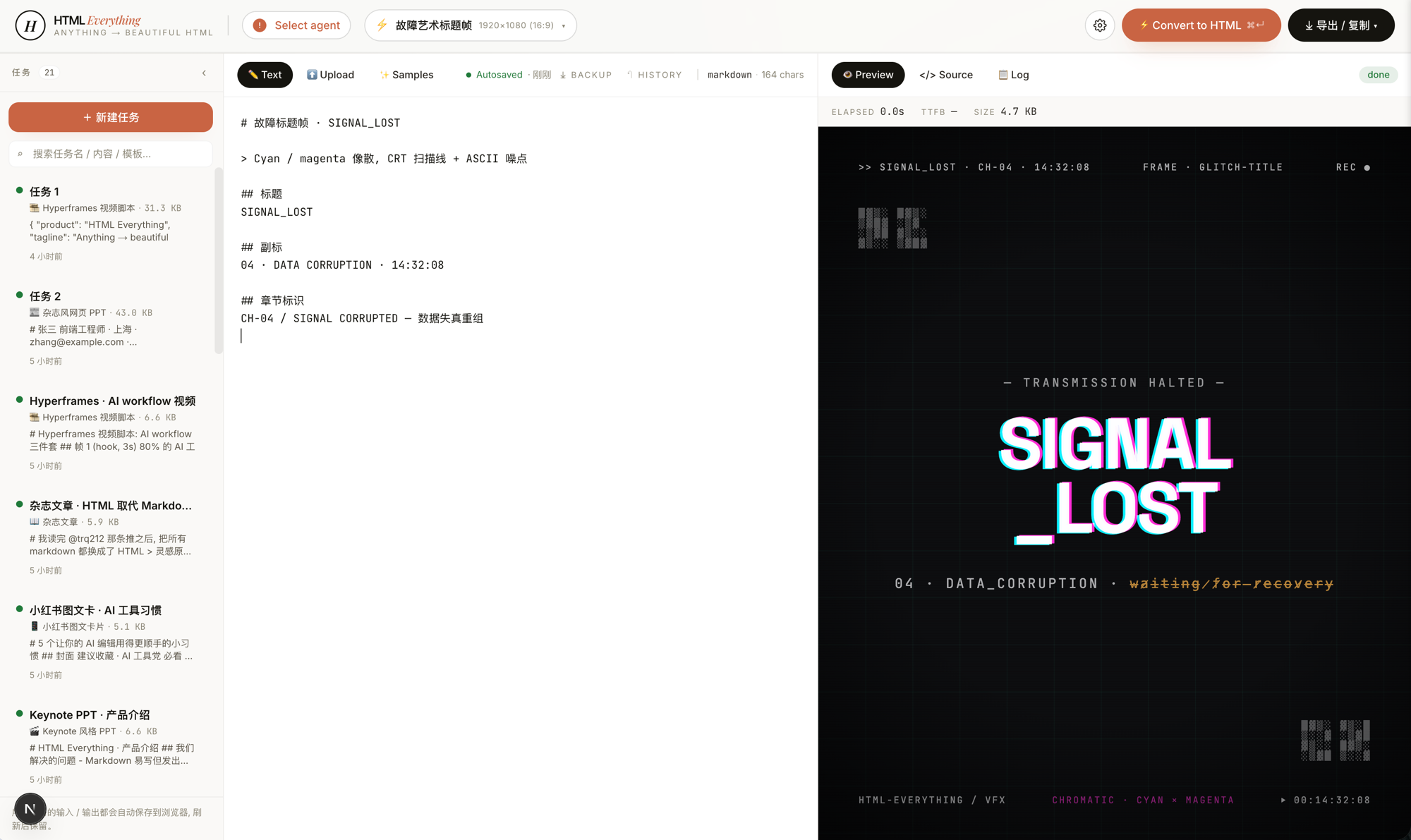
Entry view — the top bar shows your installed CLIs, the left pane is the editor, the middle is the template + design-system picker, the right is a live iframe preview. The same surface produces magazines, decks, posters, web prototypes, and Hyperframes frame scripts.
|
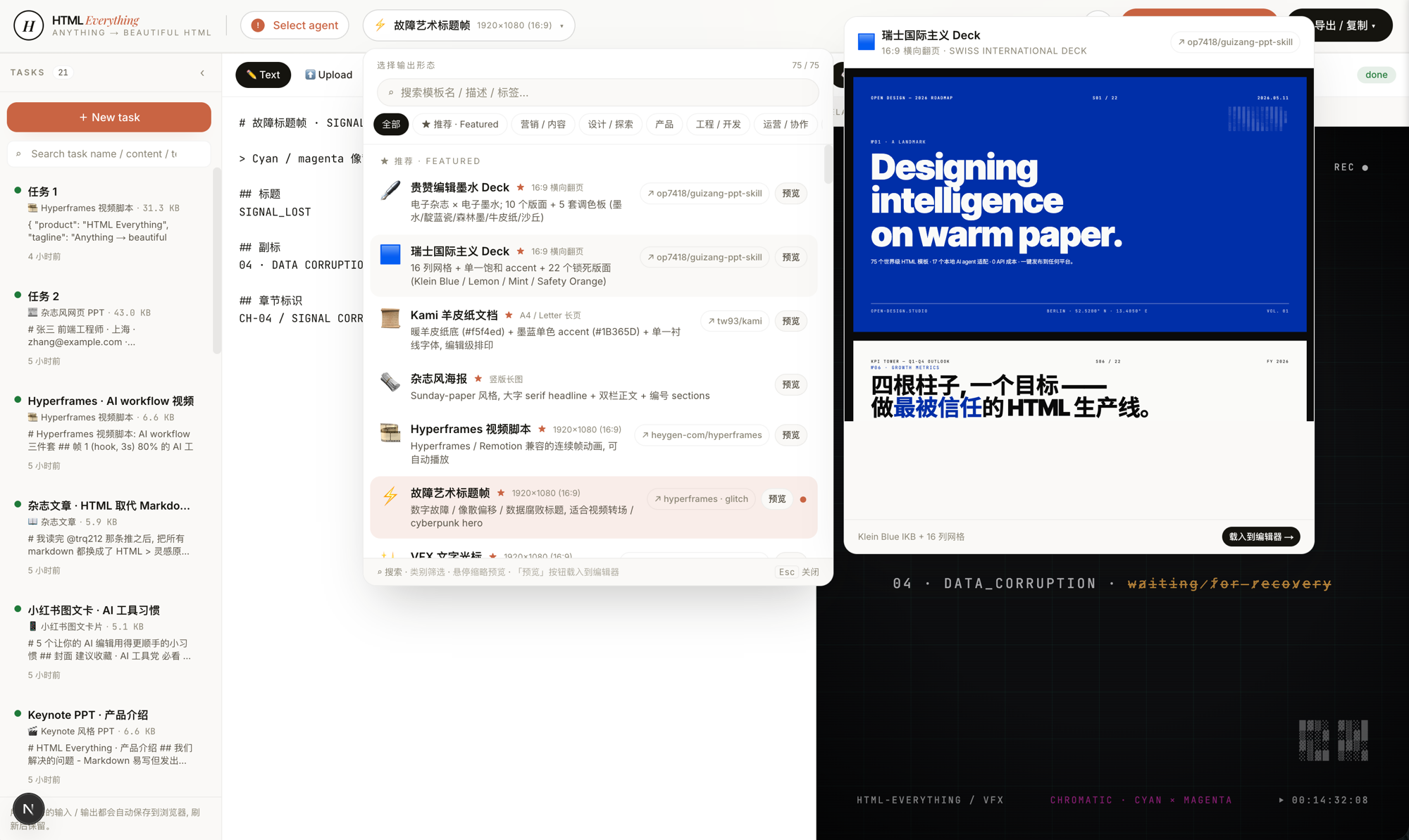
75 templates, searchable and filterable — pick by mode (prototype / deck / frame / social / office / doc) × scenario (design / marketing / engineering / product / personal). Every skill ships an example.html you can open straight from the repo to see what the agent will produce.
|
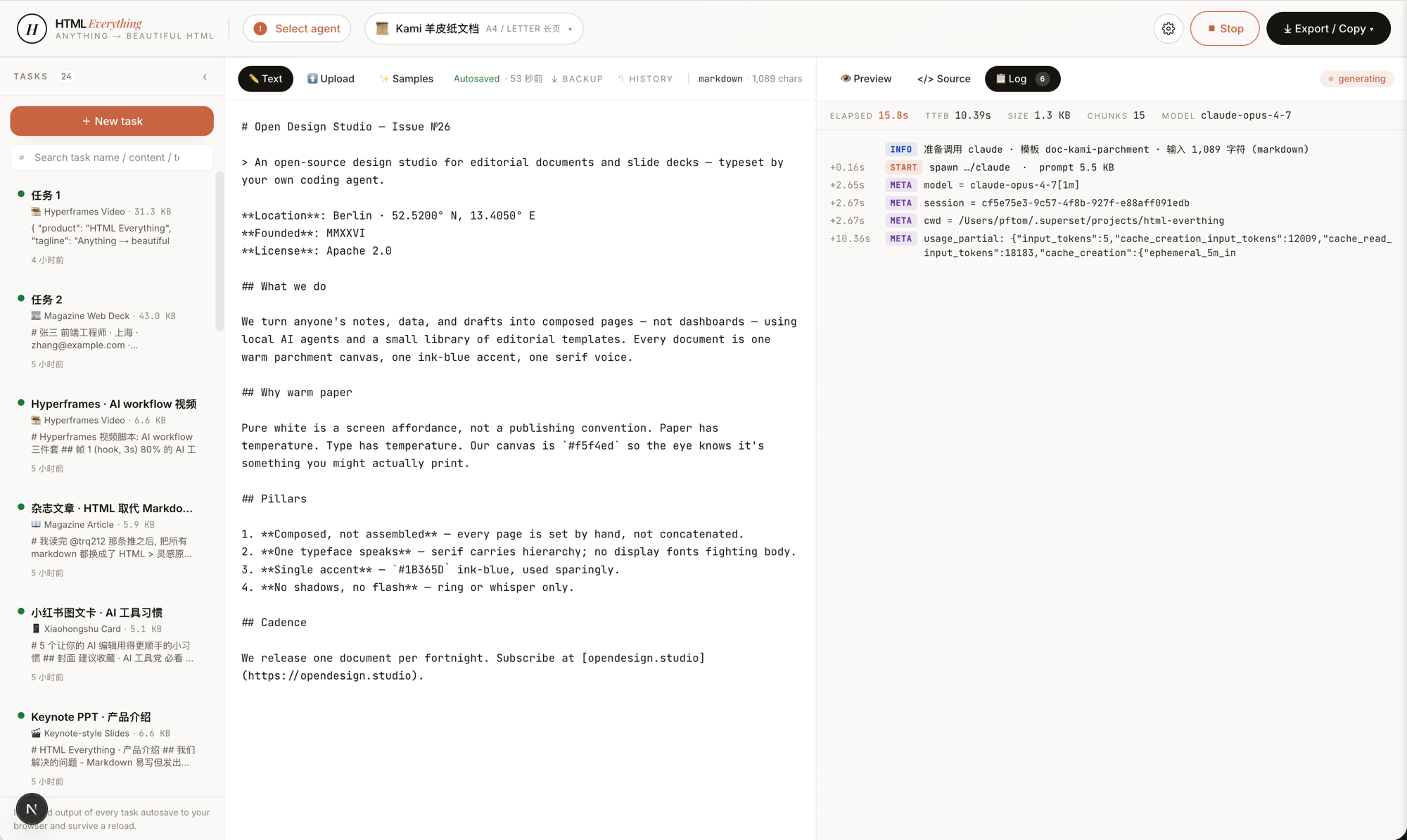
SSE streaming — agent stdout JSON-line is parsed for text deltas, appended into the iframe srcdoc in real time. You watch the page render line by line. Don't like where it's going? Interrupt and re-prompt — no wasted full generation.
|
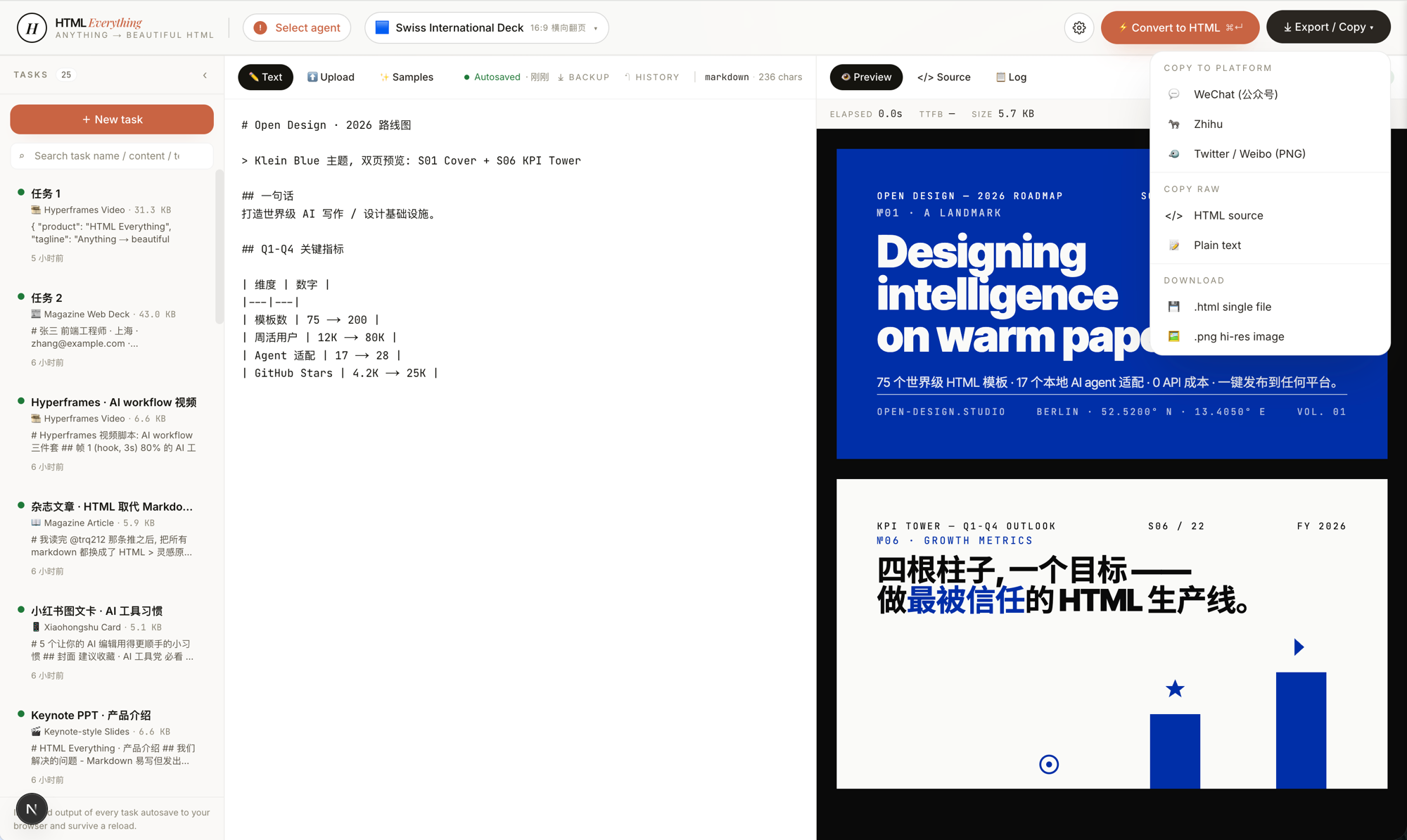
One-click export — WeChat (juice-inlined CSS) · X / Weibo / Xiaohongshu (modern-screenshot → 2× PNG → ClipboardItem) · Zhihu (LaTeX image placeholders) · download .html · download .png. Paste straight in, no second pass of manual formatting.
|
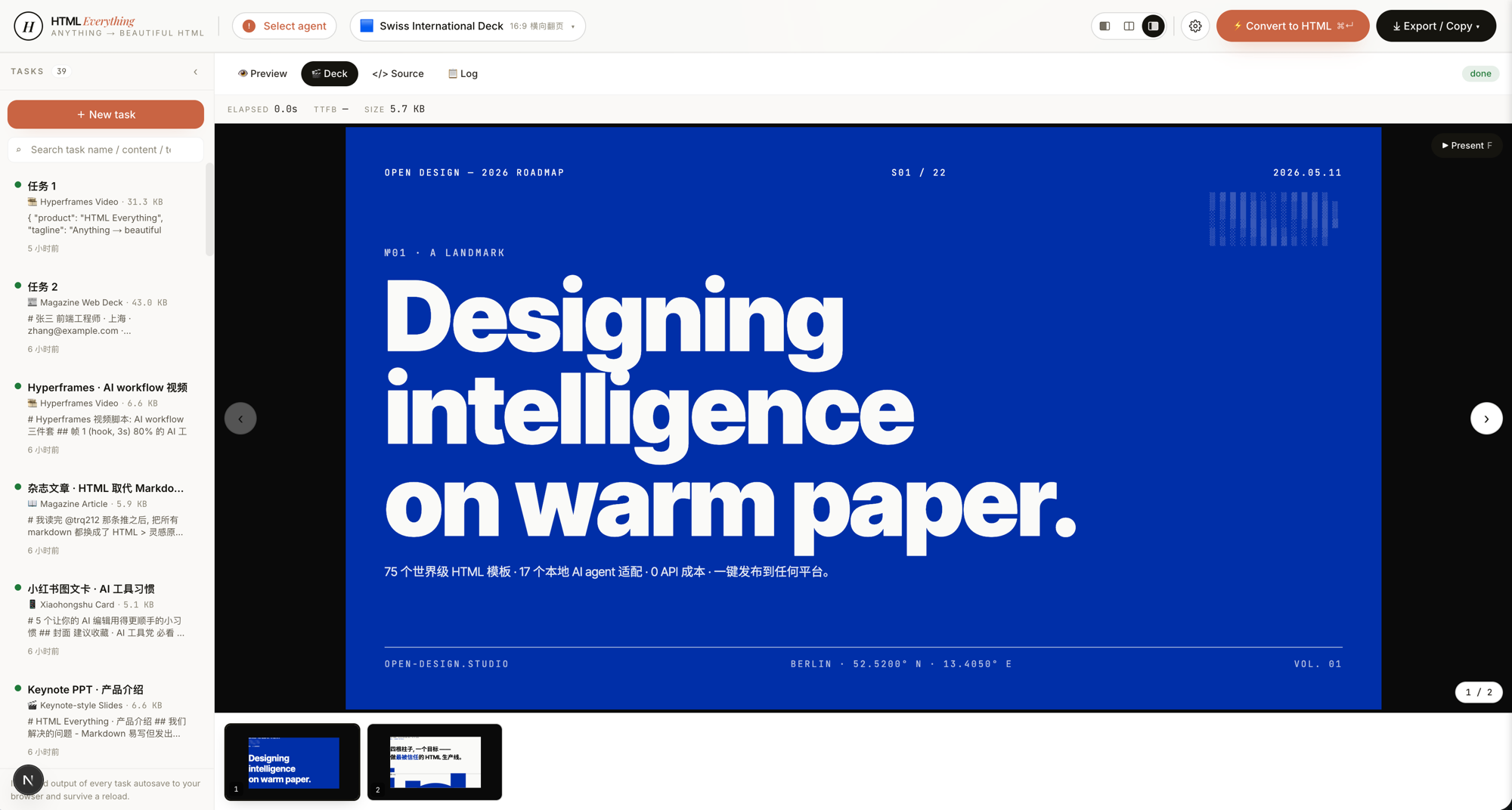
Deck mode — 20 keynote skills, including Swiss International (Helvetica grid maximalism), Guizang Editorial (magazine ink), Open Slide Canvas (1920×1080 agent-native), Magazine Web, XHS Pastel, Hermes Cyber, Replit Style. ←/→ to navigate slides, presenter notes, PDF export.
|
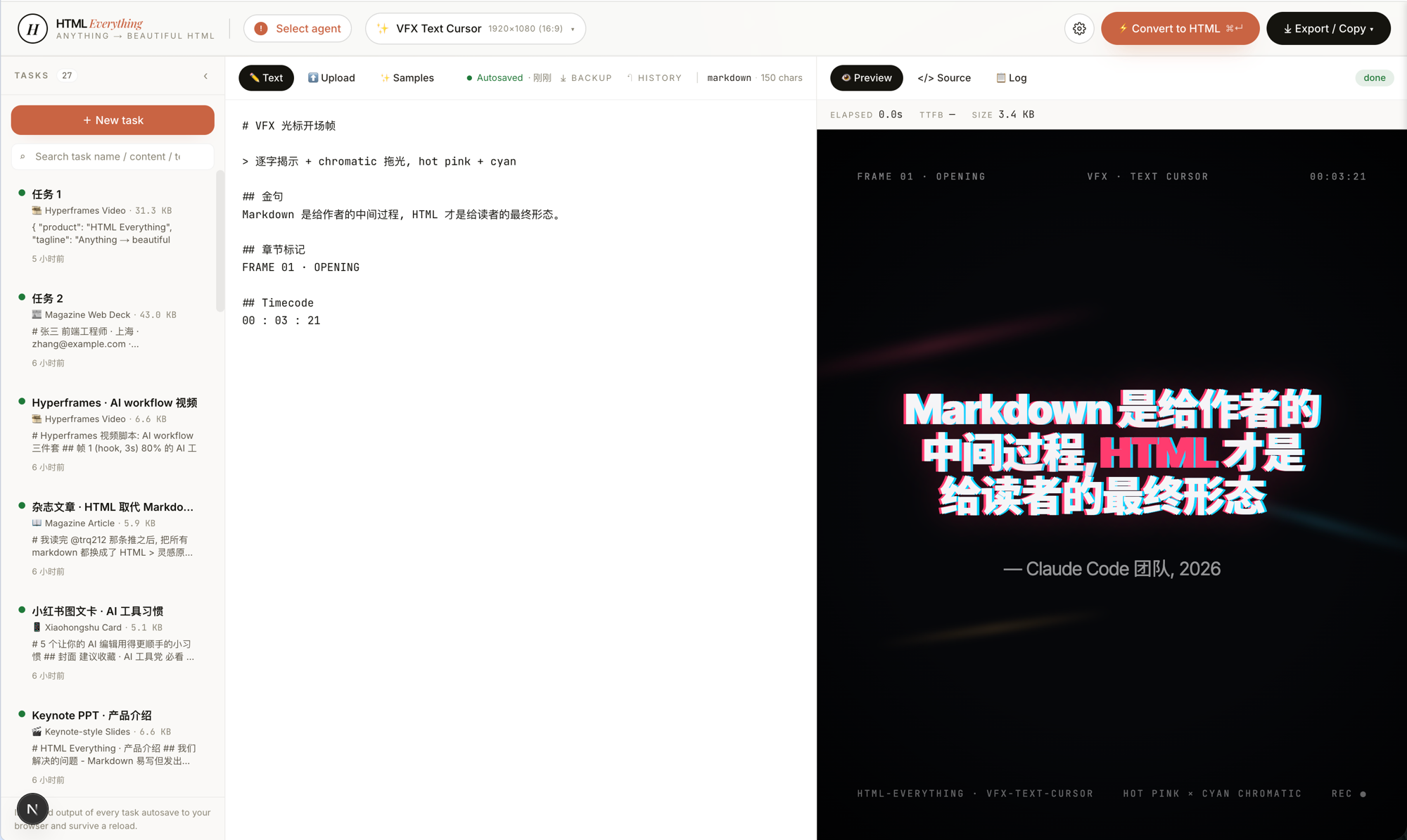
Hyperframes frames — 10 motion frame scripts (liquid hero, NYT data chart, sticky-note flowchart, glitch title, cinema light-leak, macOS notification, brand logo outro, text-cursor VFX, 3D device mockup, …) conforming to heygen-com/hyperframes; hand off straight to Remotion to render .mp4.
|
Quickstart
git clone https://github.com/nexu-io/html-anything
cd html-anything
pnpm install
pnpm -F @html-anything/next dev
# → http://localhost:3000
Open the browser → the top bar auto-detects whichever coding-agent CLI you already have signed in → pick a template → paste content → ⌘+Enter.
No API key required. We reuse the session you already have logged in (Claude / Cursor / Codex / Gemini / Copilot subscriptions all work).
Workspace
This repo is a small pnpm workspace:
next/ is the complete Next app (@html-anything/next).e2e/ is the browser-test package (@html-anything/e2e) and the only source of truth for Playwright cases.- root owns CI, docs, and
scripts/guard.ts; root package.json intentionally does not proxy app or e2e commands.
Run package commands from the repo root:
pnpm exec tsx scripts/guard.ts
pnpm -F @html-anything/next dev
pnpm -F @html-anything/next typecheck
pnpm -F @html-anything/next test
pnpm -F @html-anything/next build
pnpm -F @html-anything/e2e typecheck
pnpm -F @html-anything/e2e test
Supported coding agents
On startup we scan PATH (including ~/.local/bin, ~/.bun/bin, /opt/homebrew/bin, ~/.npm-global/bin — directories normally missed by GUI-launched Node) and surface every CLI we recognize:
| Agent |
Detection binary |
Invocation |
| Claude Code |
claude |
claude -p --output-format stream-json |
| OpenAI Codex |
codex |
codex exec --json --sandbox workspace-write |
| Cursor Agent |
cursor-agent |
cursor-agent --print --output-format stream-json --force --trust |
| Gemini CLI |
gemini |
gemini --output-format stream-json --yolo |
| GitHub Copilot CLI |
copilot |
copilot --allow-all-tools --output-format json |
| OpenCode |
opencode-cli / opencode |
opencode run --format json --dangerously-skip-permissions - |
| Qwen Coder |
qwen |
qwen --yolo - |
| Aider |
aider |
aider --no-pretty --no-stream --yes-always --message-file - |
| IBM Bob |
bob |
bob --output-format stream-json --hide-intermediary-output |
The detection strategy and per-CLI adapter shape are borrowed directly from nexu-io/open-design and multica-ai/multica: one privileged process spawns CLIs, JSON-line is the wire protocol, every CLI gets a thin adapter in next/src/lib/agents/argv.ts.
If you've already done claude login / cursor login / gemini auth in your terminal, HTML Anything reuses that session. No second copy of the API key required.
Skills
75 skills under next/src/lib/templates/skills/, each a folder following the Claude Code SKILL.md convention plus an extended frontmatter (mode · scenario · surface · preview · design_system).
The two axes the picker uses:
- mode —
prototype (web / SaaS landing / dashboard / data report / résumé / doc) · deck (20 horizontal-swipe presentations) · frame (10 Hyperframes motion frames) · social (4 social-card formats) · office (PM / engineering / finance / HR / operations document surfaces).
- scenario —
design · marketing · engineering · product · finance · hr · sale · personal. Used to group skills in the picker.
Web prototypes & marketing pages (prototype mode)

 一个智能体化的 HTML 编辑器:一个本地网页应用,由你自己的 AI 编程智能体把 Markdown、笔记或数据变成可直接交付的单文件 HTML 页面——文章、幻灯片、海报或社交卡片——一键即可导出或发布。