Self-hosted AI starter kit
Self-hosted AI Starter Kit is an open-source Docker Compose template designed to swiftly initialize a comprehensive local AI and low-code development environment.
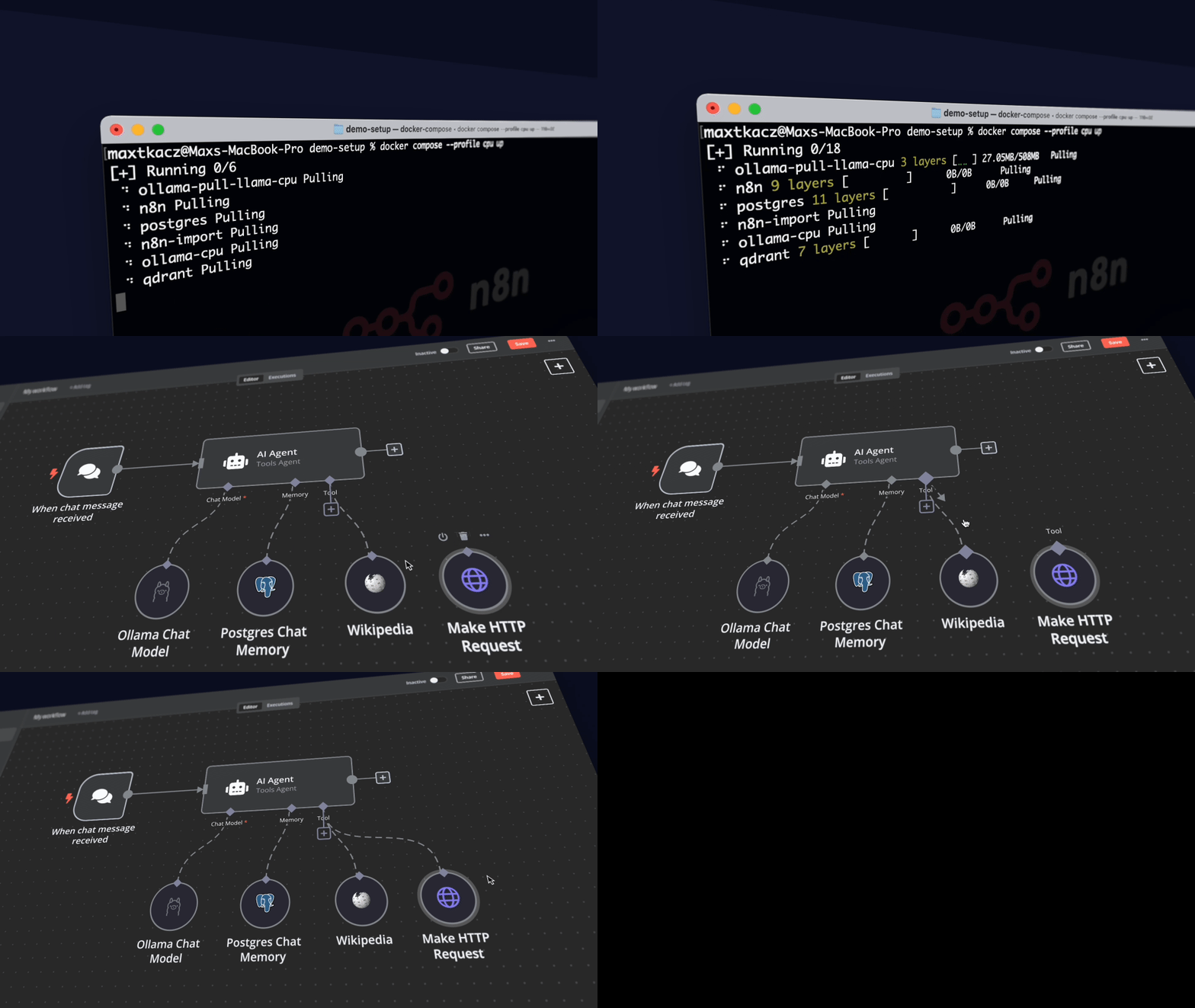
Curated by https://github.com/n8n-io, it combines the self-hosted n8n
platform with a curated list of compatible AI products and components to
quickly get started with building self-hosted AI workflows.
[!TIP]
Read the announcement
What’s included
✅ Self-hosted n8n - Low-code platform with over 400
integrations and advanced AI components
✅ Ollama - Cross-platform LLM platform to install
and run the latest local LLMs
✅ Qdrant - Open-source, high performance vector
store with an comprehensive API
✅ PostgreSQL - Workhorse of the Data
Engineering world, handles large amounts of data safely.
What you can build
⭐️ AI Agents for scheduling appointments
⭐️ Summarize Company PDFs securely without data leaks
⭐️ Smarter Slack Bots for enhanced company communications and IT operations
⭐️ Private Financial Document Analysis at minimal cost
Installation
Cloning the Repository
git clone https://github.com/n8n-io/self-hosted-ai-starter-kit.git
cd self-hosted-ai-starter-kit
cp .env.example .env # you should update secrets and passwords inside
Running n8n using Docker Compose
For Nvidia GPU users
git clone https://github.com/n8n-io/self-hosted-ai-starter-kit.git
cd self-hosted-ai-starter-kit
cp .env.example .env # you should update secrets and passwords inside
docker compose --profile gpu-nvidia up
[!NOTE]
If you have not used your Nvidia GPU with Docker before, please follow the
Ollama Docker instructions.
For AMD GPU users on Linux
git clone https://github.com/n8n-io/self-hosted-ai-starter-kit.git
cd self-hosted-ai-starter-kit
cp .env.example .env # you should update secrets and passwords inside
docker compose --profile gpu-amd up
For Mac / Apple Silicon users
If you’re using a Mac with an M1 or newer processor, you can't expose your GPU
to the Docker instance, unfortunately. There are two options in this case:
- Run the starter kit fully on CPU, like in the section "For everyone else"
below
- Run Ollama on your Mac for faster inference, and connect to that from the
n8n instance
If you want to run Ollama on your mac, check the
Ollama homepage
for installation instructions, and run the starter kit as follows:
git clone https://github.com/n8n-io/self-hosted-ai-starter-kit.git
cd self-hosted-ai-starter-kit
cp .env.example .env # you should update secrets and passwords inside
docker compose up
For Mac users running OLLAMA locally
If you're running OLLAMA locally on your Mac (not in Docker), you need to modify the OLLAMA_HOST environment variable
Set OLLAMA_HOST to host.docker.internal:11434 in your .env file.
Additionally, after you see "Editor is now accessible via: http://localhost:5678/":
- Head to http://localhost:5678/home/credentials
- Click on "Local Ollama service"
- Change the base URL to "http://host.docker.internal:11434/"
For everyone else
git clone https://github.com/n8n-io/self-hosted-ai-starter-kit.git
cd self-hosted-ai-starter-kit
cp .env.example .env # you should update secrets and passwords inside
docker compose --profile cpu up
⚡️ Quick start and usage
The core of the Self-hosted AI Starter Kit is a Docker Compose file, pre-configured with network and storage settings, minimizing the need for additional installations.
After completing the installation steps above, simply follow the steps below to get started.
- Open http://localhost:5678/ in your browser to set up n8n. You’ll only
have to do this once.
- Open the included workflow:
http://localhost:5678/workflow/srOnR8PAY3u4RSwb
- Click the Chat button at the bottom of the canvas, to start running the workflow.
- If this is the first time you’re running the workflow, you may need to wait
until Ollama finishes downloading Llama3.2. You can inspect the docker
console logs to check on the progress.
To open n8n at any time, visit http://localhost:5678/ in your browser.
With your n8n instance, you’ll have access to over 400 integrations and a
suite of basic and advanced AI nodes such as
AI Agent,
Text classifier,
and Information Extractor
nodes. To keep everything local, just remember to use the Ollama node for your
language model and Qdrant as your vector store.
[!NOTE]
This starter kit is designed to help you get started with self-hosted AI
workflows. While it’s not fully optimized for production environments, it
combines robust components that work well together for proof-of-concept
projects. You can customize it to meet your specific needs
Upgrading
docker compose --profile gpu-nvidia pull
docker compose create && docker compose --profile gpu-nvidia up
For Mac / Apple Silicon users
docker compose pull
docker compose create && docker compose up
docker compose --profile cpu pull
docker compose create && docker compose --profile cpu up
👓 Recommended reading
n8n is full of useful content for getting started quickly with its AI concepts
and nodes. If you run into an issue, go to support.
🎥 Video walkthrough
🛍️ More AI templates
For more AI workflow ideas, visit the official n8n AI template
gallery. From each workflow,
select the Use workflow button to automatically import the workflow into
your local n8n instance.
Learn AI key concepts
Local AI templates
Tips & tricks
Accessing local files
The self-hosted AI starter kit will create a shared folder (by default,
located in the same directory) which is mounted to the n8n container and
allows n8n to access files on disk. This folder within the n8n container is
located at /data/shared -- this is the path you’ll need to use in nodes that
interact with the local filesystem.
Nodes that interact with the local filesystem
📜 License
This project is licensed under the Apache License 2.0 - see the
LICENSE file for details.
💬 Support
Join the conversation in the n8n Forum, where you
can:
- Share Your Work: Show off what you’ve built with n8n and inspire others
in the community.
- Ask Questions: Whether you’re just getting started or you’re a seasoned
pro, the community and our team are ready to support with any challenges.
- Propose Ideas: Have an idea for a feature or improvement? Let us know!
We’re always eager to hear what you’d like to see next.

 这是一个 Docker Compose 模板,可以一键启动完整的本地 AI 与低代码开发环境,集成了 n8n、Ollama、Qdrant 和 PostgreSQL,让你无需把数据发送到外部服务,就能搭建自托管的 AI 工作流。