

























37.7K ·GitHub
What is this?
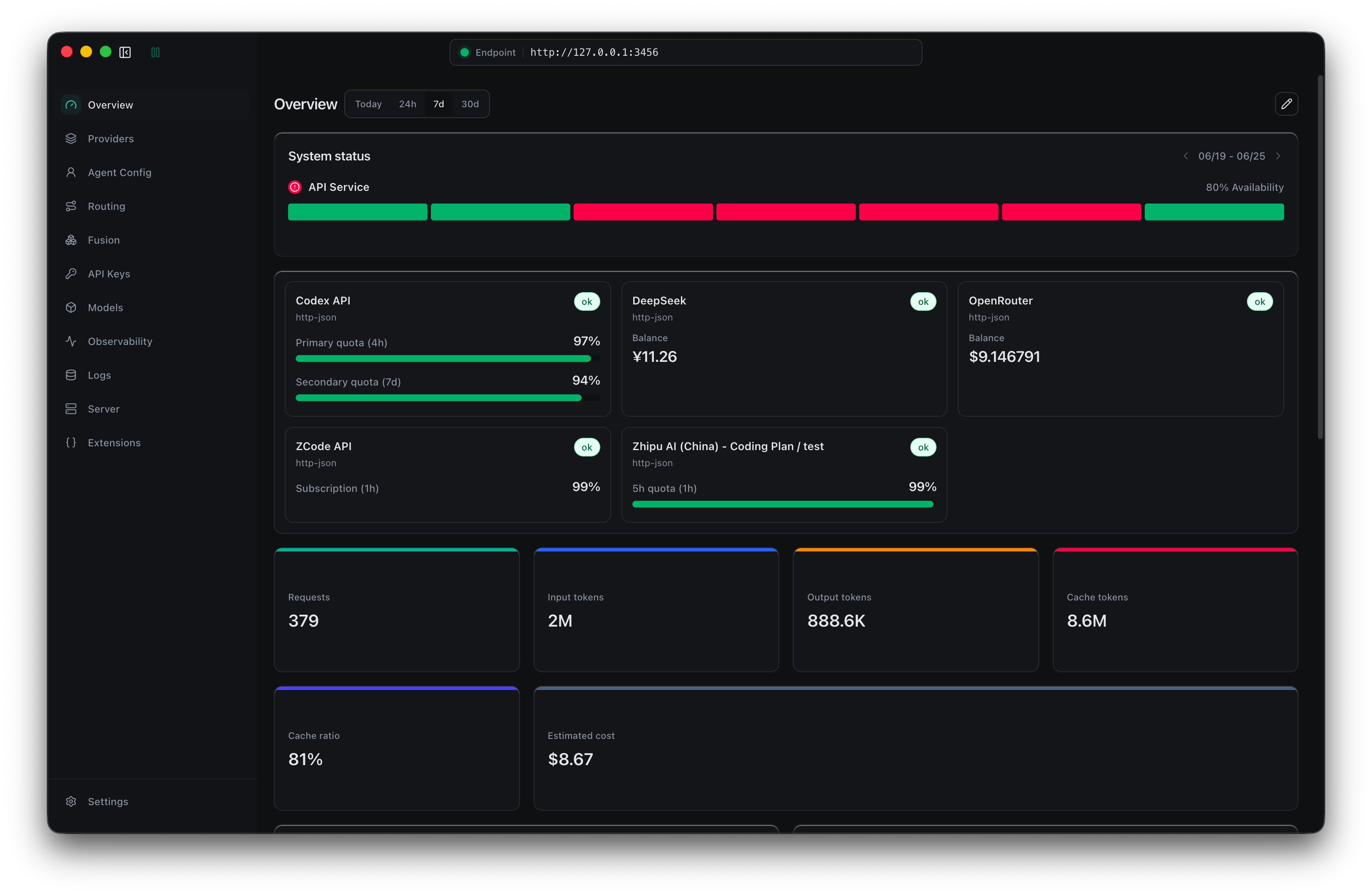
 Claude Code Router (CCR) is a local model gateway and control plane for coding agents: your agents get one stable local endpoint while you manage providers, models, routing rules, and tools from one app.
Claude Code Router (CCR) is a local model gateway and control plane for coding agents: your agents get one stable local endpoint while you manage providers, models, routing rules, and tools from one app.Is this a desktop app or a CLI tool?Both. The recommended path is a desktop app for macOS, Windows, and Linux; an npm CLI runs the same gateway with a browser-based management UI instead of Electron, and there is a Docker image too.
Both. The recommended path is a desktop app for macOS, Windows, and Linux; an npm CLI runs the same gateway with a browser-based management UI instead of Electron, and there is a Docker image too.How do I get it running?Launch the app, add a provider (pick a preset, paste the API key, select models), click Start on the Server page, then in Agent Config pick your agent and a model and apply the profile.
Launch the app, add a provider (pick a preset, paste the API key, select models), click Start on the Server page, then in Agent Config pick your agent and a model and apply the profile.Which coding agents can I point at it?Claude Code and Codex in CLI and app form, Grok CLI, Kimi CLI, Kilo Code, and Pi as CLIs, OpenCode in both, and ZCode, Claude Design, and WorkBuddy as apps — plus any compatible API client.
Claude Code and Codex in CLI and app form, Grok CLI, Kimi CLI, Kilo Code, and Pi as CLIs, OpenCode in both, and ZCode, Claude Design, and WorkBuddy as apps — plus any compatible API client.Any install pitfalls to know about?The CLI needs Node.js 22 or newer, and building the Windows installer must happen on Windows x64 because better-sqlite3 ships a native Electron module; Docker deployments should follow the deployment guide first.
The CLI needs Node.js 22 or newer, and building the Windows installer must happen on Windows x64 because better-sqlite3 ships a native Electron module; Docker deployments should follow the deployment guide first.Does my traffic stay on my machine?Yes — CCR is a local gateway that runs on your machine and forwards requests to the providers you configure; the docs only warn to read the Docker deployment guide before exposing it remotely.
Yes — CCR is a local gateway that runs on your machine and forwards requests to the providers you configure; the docs only warn to read the Docker deployment guide before exposing it remotely.Why use one control plane instead of configuring each agent separately?Without CCR you maintain a separate model configuration for every client. With CCR, agents and providers are managed together: switching models or providers means applying a profile in one app instead of repeatedly editing each agent's config files.
Without CCR you maintain a separate model configuration for every client. With CCR, agents and providers are managed together: switching models or providers means applying a profile in one app instead of repeatedly editing each agent's config files.Can I control who is allowed to use my gateway?Yes — you can issue separate CCR client keys with expiration and set local limits on requests, tokens, and images, so shared access stays under your control.
Yes — you can issue separate CCR client keys with expiration and set local limits on requests, tokens, and images, so shared access stays under your control.What is AgentClaw?A built-in relay that connects your agents to chat platforms: Weixin iLink, WeCom, Slack, Discord, Telegram, LINE, Feishu, and DingTalk — so agents can be driven from messengers you already use.
A built-in relay that connects your agents to chat platforms: Weixin iLink, WeCom, Slack, Discord, Telegram, LINE, Feishu, and DingTalk — so agents can be driven from messengers you already use.What are similar projects?gateway, bifrost, casbin-gateway, ThinkWatch-Lite, litellm, OmniRoute, PilotDeck, evenfire
gateway, bifrost, casbin-gateway, ThinkWatch-Lite, litellm, OmniRoute, PilotDeck, evenfireWhich topics is it in?model-router, gateway, api-gateway, observability, electron, proxy, desktop, codex, claude-code, mcp, ai-agents, server
model-router, gateway, api-gateway, observability, electron, proxy, desktop, codex, claude-code, mcp, ai-agents, server