Learn PyTorch for Deep Learning
Welcome to the Zero to Mastery Learn PyTorch for Deep Learning course, the second best place to learn PyTorch on the internet (the first being the PyTorch documentation).
- Update April 2023: New tutorial for PyTorch 2.0 is live! And because PyTorch 2.0 is an additive (new features) and backward-compatible release, all previous course materials will still work with PyTorch 2.0.
Contents of this page
Course materials/outline
Status
All materials completed and videos published on Zero to Mastery!
See the project page for work-in-progress board - https://github.com/users/mrdbourke/projects/1
- Total video count: 321
- Done skeleton code for: 00, 01, 02, 03, 04, 05, 06, 07, 08, 09
- Done annotations (text) for: 00, 01, 02, 03, 04, 05, 06, 07, 08, 09
- Done images for: 00, 01, 02, 03, 04, 05, 06, 07, 08, 09
- Done keynotes for: 00, 01, 02, 03, 04, 05, 06, 07, 08, 09
- Done exercises and solutions for: 00, 01, 02, 03, 04, 05, 06, 07, 08, 09
See the log for almost daily updates.
About this course
Who is this course for?
You: Are a beginner in the field of machine learning or deep learning and would like to learn PyTorch.
This course: Teaches you PyTorch and many machine learning concepts in a hands-on, code-first way.
If you already have 1-year+ experience in machine learning, this course may help but it is specifically designed to be beginner-friendly.
What are the prerequisites?
- 3-6 months coding Python.
- At least one beginner machine learning course (however this might be able to be skipped, resources are linked for many different topics).
- Experience using Jupyter Notebooks or Google Colab (though you can pick this up as we go along).
- A willingness to learn (most important).
For 1 & 2, I'd recommend the Zero to Mastery Data Science and Machine Learning Bootcamp, it'll teach you the fundamentals of machine learning and Python (I'm biased though, I also teach that course).
How is the course taught?
All of the course materials are available for free in an online book at learnpytorch.io. If you like to read, I'd recommend going through the resources there.
If you prefer to learn via video, the course is also taught in apprenticeship-style format, meaning I write PyTorch code, you write PyTorch code.
There's a reason the course motto's include if in doubt, run the code and experiment, experiment, experiment!.
My whole goal is to help you to do one thing: learn machine learning by writing PyTorch code.
The code is all written via Google Colab Notebooks (you could also use Jupyter Notebooks), an incredible free resource to experiment with machine learning.
What will I get if I finish the course?
There's certificates and all that jazz if you go through the videos.
But certificates are meh.
You can consider this course a machine learning momentum builder.
By the end, you'll have written hundreds of lines of PyTorch code.
And will have been exposed to many of the most important concepts in machine learning.
So when you go to build your own machine learning projects or inspect a public machine learning project made with PyTorch, it'll feel familiar and if it doesn't, at least you'll know where to look.
What will I build in the course?
We start with the barebone fundamentals of PyTorch and machine learning, so even if you're new to machine learning you'll be caught up to speed.
Then we’ll explore more advanced areas including PyTorch neural network classification, PyTorch workflows, computer vision, custom datasets, experiment tracking, model deployment, and my personal favourite: transfer learning, a powerful technique for taking what one machine learning model has learned on another problem and applying it to your own!
Along the way, you’ll build three milestone projects surrounding an overarching project called FoodVision, a neural network computer vision model to classify images of food.
These milestone projects will help you practice using PyTorch to cover important machine learning concepts and create a portfolio you can show employers and say "here's what I've done".
How do I get started?
You can read the materials on any device but this course is best viewed and coded along within a desktop browser.
The course uses a free tool called Google Colab. If you've got no experience with it, I'd go through the free Introduction to Google Colab tutorial and then come back here.
To start:
- Click on one of the notebook or section links above like "00. PyTorch Fundamentals".
- Click the "Open in Colab" button up the top.
- Press SHIFT+Enter a few times and see what happens.
My question isn't answered
Please leave a discussion or send me an email directly: daniel (at) mrdbourke (dot) com.
Log
Almost daily updates of what's happening.
- 15 May 2023 - PyTorch 2.0 tutorial finished + videos added to ZTM/Udemy, see code: https://www.learnpytorch.io/pytorch_2_intro/
- 13 Apr 2023 - update PyTorch 2.0 notebook
- 30 Mar 2023 - update PyTorch 2.0 notebook with more info/clean code
- 23 Mar 2023 - upgrade PyTorch 2.0 tutorial with annotations and images
- 13 Mar 2023 - add starter code for PyTorch 2.0 tutorial
- 18 Nov 2022 - add a reference for 3 most common errors in PyTorch + links to course sections for more: https://www.learnpytorch.io/pytorch_most_common_errors/
- 9 Nov 2022 - add PyTorch cheatsheet for a very quick overview of the main features of PyTorch + links to course sections: https://www.learnpytorch.io/pytorch_cheatsheet/
- 9 Nov 2022 - full course materials (300+ videos) are now live on Udemy! You can sign up here: https://www.udemy.com/course/pytorch-for-deep-learning/?couponCode=ZTMGOODIES7 (launch deal code valid for 3-4 days from this line)
- 4 Nov 2022 - add a notebook for PyTorch Cheatsheet in
extras/ (a simple overview of many of the most important functionality of PyTorch)
- 2 Oct 2022 - all videos for section 08 and 09 published (100+ videos for the last two sections)!
- 30 Aug 2022 - recorded 15 videos for 09, total videos: 321, finished section 09 videos!!!! ... even bigger than 08!!
- 29 Aug 2022 - recorded 16 videos for 09, total videos: 306
- 28 Aug 2022 - recorded 11 videos for 09, total videos: 290
- 27 Aug 2022 - recorded 16 videos for 09, total videos: 279
- 26 Aug 2022 - add finishing touchs to notebook 09, add slides for 09, create solutions and exercises for 09
- 25 Aug 2022 - add annotations and cleanup 09, remove TK's, cleanup images, make slides for 09
- 24 Aug 2022 - add annotations to 09, main takeaways, exercises and extra-curriculum done
- 23 Aug 2022 - add annotations to 09, add plenty of images/slides
- 22 Aug 2022 - add annotations to 09, start working on slides/images
- 20 Aug 2022 - add annotations to 09
- 19 Aug 2022 - add annotations to 09, check out the awesome demos!
- 18 Aug 2022 - add annotations to 09
- 17 Aug 2022 - add annotations to 09
- 16 Aug 2022 - add annotations to 09
- 15 Aug 2022 - add annotations to 09
- 13 Aug 2022 - add annotations to 09
- 12 Aug 2022 - add demo files for notebook 09 to
demos/, start annotating notebook 09 with explainer text
- 11 Aug 2022 - finish skeleton code for notebook 09, course finishes deploying 2x models, one for FoodVision Mini & one for (secret)
- 10 Aug 2022 - add section for PyTorch Extra Resources (places to learn more about PyTorch/deep learning): https://www.learnpytorch.io/pytorch_extra_resources/
- 09 Aug 2022 - add more skeleton code to notebook 09
- 08 Aug 2022 - create draft notebook for 09, end goal to deploy FoodVision Mini model and make it publically accessible
- 05 Aug 2022 - recorded 11 videos for 08, total videos: 263, section 08 videos finished!... the biggest section so far
- 04 Aug 2022 - recorded 13 videos for 08, total videos: 252
- 03 Aug 2022 - recorded 3 videos for 08, total videos: 239
- 02 Aug 2022 - recorded 12 videos for 08, total videos: 236
- 30 July 2022 - recorded 11 videos for 08, total videos: 224
- 29 July 2022 - add exercises + solutions for 08, see live walkthrough on YouTube: https://youtu.be/tjpW_BY8y3g
- 28 July 2022 - add slides for 08
- 27 July 2022 - cleanup much of 08, start on slides for 08, exercises and extra-curriculum next
- 26 July 2022 - add annotations and images for 08
- 25 July 2022 - add annotations for 08
- 24 July 2022 - launched first half of course (notebooks 00-04) in a single video (25+ hours!!!) on YouTube: https://youtu.be/Z_ikDlimN6A
- 21 July 2022 - add annotations and images for 08
- 20 July 2022 - add annotations and images for 08, getting so close! this is an epic section
- 19 July 2022 - add annotations and images for 08
- 15 July 2022 - add annotations and images for 08
- 14 July 2022 - add annotations for 08
- 12 July 2022 - add annotations for 08, woo woo this is bigggg section!
- 11 July 2022 - add annotations for 08
- 9 July 2022 - add annotations for 08
- 8 July 2022 - add a bunch of annotations to 08
- 6 July 2022 - course launched on ZTM Academy with videos for sections 00-07! 🚀 - https://dbourke.link/ZTMPyTorch
- 1 July 2022 - add annotations and images for 08
- 30 June 2022 - add annotations for 08
- 28 June 2022 - recorded 11 videos for section 07, total video count 213, all videos for section 07 complete!
- 27 June 2022 - recorded 11 videos for section 07, total video count 202
- 25 June 2022 - recreated 7 videos for section 06 to include updated APIs, total video count 191
- 24 June 2022 - recreated 12 videos for section 06 to include updated APIs
- 23 June 2022 - finish annotations for 07, add exercise template and solutions for 07 + video walkthrough on YouTube: https://youtu.be/cO_r2FYcAjU
- 21 June 2022 - make 08 runnable end-to-end, add images and annotations for 07
- 17 June 2022 - fix up 06, 07 v2 for upcoming torchvision version upgrade, add plenty of annotations to 08
- 13 June 2022 - add notebook 08 first version, starting to replicate the Vision Transformer paper
- 10 June 2022 - add annotations for 07 v2
- 09 June 2022 - create 07 v2 for
torchvision v0.13 (this will replace 07 v1 when torchvision=0.13 is released)
- 08 June 2022 - adapt 06 v2 for
torchvision v0.13 (this will replace 06 v1 when torchvision=0.13 is released)
- 07 June 2022 - create notebook 06 v2 for upcoming
torchvision v0.13 update (new transfer learning methods)
- 04 June 2022 - add annotations for 07
- 03 June 2022 - huuuuuuge amount of annotations added to 07
- 31 May 2022 - add a bunch of annotations for 07, make code runnable end-to-end
- 30 May 2022 - record 4 videos for 06, finished section 06, onto section 07, total videos 186
- 28 May 2022 - record 10 videos for 06, total videos 182
- 24 May 2022 - add solutions and exercises for 06
- 23 May 2022 - finished annotations and images for 06, time to do exercises and solutions
- 22 May 2202 - add plenty of images to 06
- 18 May 2022 - add plenty of annotations to 06
- 17 May 2022 - added a bunch of annotations for section 06
- 16 May 2022 - recorded 10 videos for section 05, finish videos for section 05 ✅
- 12 May 2022 - added exercises and solutions for 05
- 11 May 2022 - clean up part 1 and part 2 notebooks for 05, make slides for 05, start on exercises and solutions for 05
- 10 May 2022 - huuuuge updates to the 05 section, see the website, it looks pretty: https://www.learnpytorch.io/05_pytorch_going_modular/
- 09 May 2022 - add a bunch of materials for 05, cleanup docs
- 08 May 2022 - add a bunch of materials for 05
- 06 May 2022 - continue making materials for 05
- 05 May 2022 - update section 05 with headings/outline
- 28 Apr 2022 - recorded 13 videos for 04, finished videos for 04, now to make materials for 05
- 27 Apr 2022 - recorded 3 videos for 04
- 26 Apr 2022 - recorded 10 videos for 04
- 25 Apr 2022 - recorded 11 videos for 04
- 24 Apr 2022 - prepared slides for 04
- 23 Apr 2022 - recorded 6 videos for 03, finished videos for 03, now to 04
- 22 Apr 2022 - recorded 5 videos for 03
- 21 Apr 2022 - recorded 9 videos for 03
- 20 Apr 2022 - recorded 3 videos for 03
- 19 Apr 2022 - recorded 11 videos for 03
- 18 Apr 2022 - finish exercises/solutions for 04, added live-coding walkthrough of 04 exercises/solutions on YouTube: https://youtu.be/vsFMF9wqWx0
- 16 Apr 2022 - finish exercises/solutions for 03, added live-coding walkthrough of 03 exercises/solutions on YouTube: https://youtu.be/_PibmqpEyhA
- 14 Apr 2022 - add final images/annotations for 04, begin on exercises/solutions for 03 & 04
- 13 Apr 2022 - add more images/annotations for 04
- 3 Apr 2022 - add more annotations for 04
- 2 Apr 2022 - add more annotations for 04
- 1 Apr 2022 - add more annotations for 04
- 31 Mar 2022 - add more annotations for 04
- 29 Mar 2022 - add more annotations for 04
- 27 Mar 2022 - starting to add annotations for 04
- 26
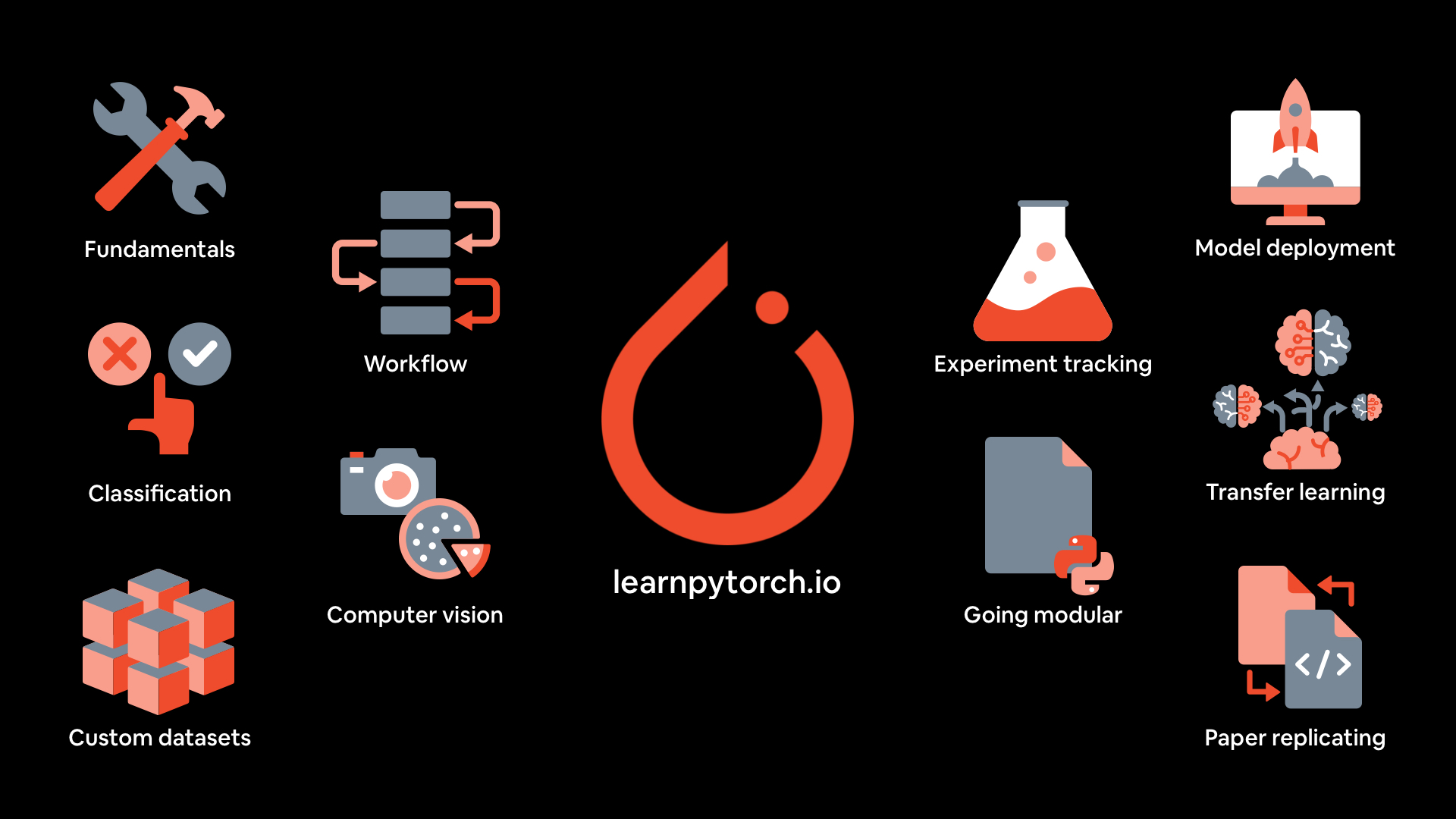

 Free course materials for the Zero to Mastery Learn PyTorch for Deep Learning course — a hands-on, code-first introduction to deep learning. The author jokes it's the second best place to learn PyTorch on the internet, after the official docs.