



14.4K ·GitHub
Что это такое?
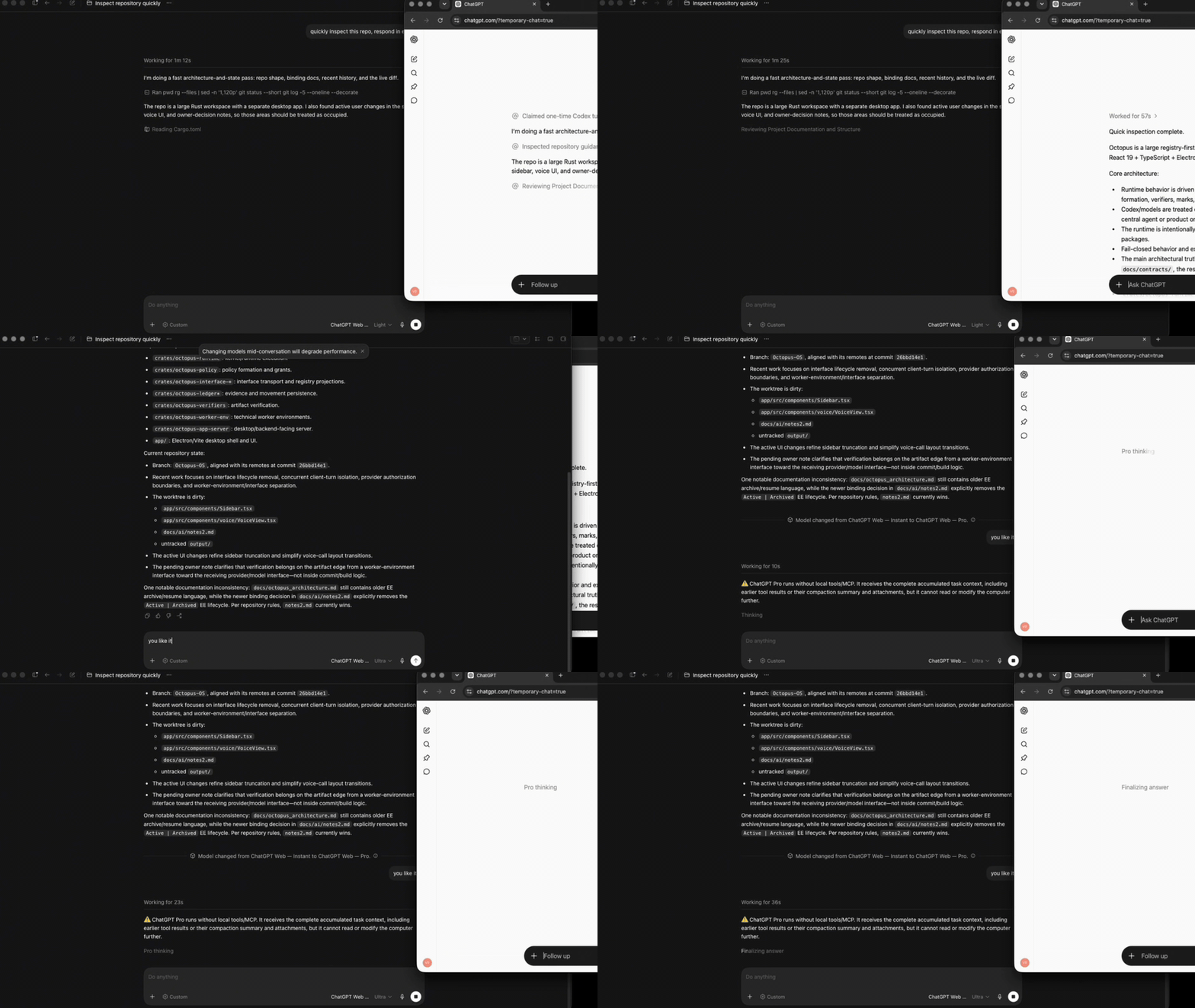
 Десктопный лаунчер, который позволяет Codex использовать ChatGPT Web (включая Pro) как нативную модель. Контекст задачи, изображения, инструменты и потоковый вывод передаются через браузерный режим ChatGPT Temporary Chat, а не через Codex API.
Десктопный лаунчер, который позволяет Codex использовать ChatGPT Web (включая Pro) как нативную модель. Контекст задачи, изображения, инструменты и потоковый вывод передаются через браузерный режим ChatGPT Temporary Chat, а не через Codex API.Это плагин внутри Codex или отдельное приложение, которое с ним связывается?Это самостоятельное кроссплатформенное приложение-лаунчер. Оно запускает встроенную браузерную сессию и через MCP связывает её с выбором моделей в Codex. При этом Codex сохраняет свой родной интерфейс задач, контекст и обвязку инструментов (tool harness).
Это самостоятельное кроссплатформенное приложение-лаунчер. Оно запускает встроенную браузерную сессию и через MCP связывает её с выбором моделей в Codex. При этом Codex сохраняет свой родной интерфейс задач, контекст и обвязку инструментов (tool harness).Как вывести ChatGPT Web в выборе моделей Codex?Установите десктопный лаунчер командой для macOS/Linux или командой Windows PowerShell, войдите в аккаунт во встроенном браузере лаунчера, запустите тест браузера (browser smoke test), затем нажмите «Install models» и перезапустите Codex, чтобы выбрать модель ChatGPT Web.
Установите десктопный лаунчер командой для macOS/Linux или командой Windows PowerShell, войдите в аккаунт во встроенном браузере лаунчера, запустите тест браузера (browser smoke test), затем нажмите «Install models» и перезапустите Codex, чтобы выбрать модель ChatGPT Web.Нужен ли мне ключ API OpenAI или какое-то ПО, которое надо установить заранее?Ключ API модели не нужен. Для собранного лаунчера в системе не требуются Chrome/Chromium, Node или Bun. При запуске из исходников нужен Bun 1.4.0.
Ключ API модели не нужен. Для собранного лаунчера в системе не требуются Chrome/Chromium, Node или Bun. При запуске из исходников нужен Bun 1.4.0.В чём подвох? Это официальная интеграция OpenAI?Нет, это неофициальная браузерная автоматизация. Если интерфейс ChatGPT изменится, селекторы могут сломаться. В таком случае проект явно выдаёт ошибку и не переключает модель или транспорт молча. Кроме того, релизные сборки пока не подписаны платформенной подписью, поэтому Gatekeeper или SmartScreen могут выдавать предупреждение.
Нет, это неофициальная браузерная автоматизация. Если интерфейс ChatGPT изменится, селекторы могут сломаться. В таком случае проект явно выдаёт ошибку и не переключает модель или транспорт молча. Кроме того, релизные сборки пока не подписаны платформенной подписью, поэтому Gatekeeper или SmartScreen могут выдавать предупреждение.Какие операционные системы лаунчер реально поддерживает?Релизные пакеты рассчитаны на macOS 13+ (arm64/x64), Windows x64 и Linux x64. Все три платформы проверяются в CI.
Релизные пакеты рассчитаны на macOS 13+ (arm64/x64), Windows x64 и Linux x64. Все три платформы проверяются в CI.Может ли это подвергнуть риску мой аккаунт ChatGPT и куда уходят мои данные?Состояние входа в браузере — чувствительные данные, которые должны храниться только на доверенном компьютере. Temporary Chat — это лишь режим приватности: ваши запросы всё равно отправляются в OpenAI и обрабатываются там по политике Temporary Chat, а не выполняются локально.
Состояние входа в браузере — чувствительные данные, которые должны храниться только на доверенном компьютере. Temporary Chat — это лишь режим приватности: ваши запросы всё равно отправляются в OpenAI и обрабатываются там по политике Temporary Chat, а не выполняются локально.Какие три режима работы: Browser-only, Full harness, Zero Risk?Browser-only даёт доступ к моделям ChatGPT без доступа к локальным инструментам. Full harness (With Automation) позволяет каждому уровню усилий, включая Pro, использовать файловую систему, shell и инструменты текущей задачи Codex через MCP. Zero Risk сохраняет полную обвязку Codex, но вам нужно вручную скопировать подготовленный запрос, вставить его и отправить. Так исчезает риск для аккаунта из-за браузерной автоматизации.
Browser-only даёт доступ к моделям ChatGPT без доступа к локальным инструментам. Full harness (With Automation) позволяет каждому уровню усилий, включая Pro, использовать файловую систему, shell и инструменты текущей задачи Codex через MCP. Zero Risk сохраняет полную обвязку Codex, но вам нужно вручную скопировать подготовленный запрос, вставить его и отправить. Так исчезает риск для аккаунта из-за браузерной автоматизации.Это действительно экономит мою квоту Codex?Да: выбранный ход модели направляется через Temporary Chat в ChatGPT Web, а не через Codex API, поэтому квота Codex не расходуется. Однако на эту модель по-прежнему распространяются собственные лимиты сообщений вашего аккаунта ChatGPT для данного уровня.
Да: выбранный ход модели направляется через Temporary Chat в ChatGPT Web, а не через Codex API, поэтому квота Codex не расходуется. Однако на эту модель по-прежнему распространяются собственные лимиты сообщений вашего аккаунта ChatGPT для данного уровня.Для чего нужен коннектор «Codex Native2»?Это коннектор ChatGPT Developer Mode Tunnel (создаётся с Authentication: None и Allow all actions), который обязательно должен называться «Codex Native2». Благодаря ему режим Full harness может возвращать вызовы инструментов ChatGPT в запущенную задачу Codex через официальный клиент туннеля OpenAI (tunnel-client).
Это коннектор ChatGPT Developer Mode Tunnel (создаётся с Authentication: None и Allow all actions), который обязательно должен называться «Codex Native2». Благодаря ему режим Full harness может возвращать вызовы инструментов ChatGPT в запущенную задачу Codex через официальный клиент туннеля OpenAI (tunnel-client).Может ли бесплатный аккаунт ChatGPT использовать это или нужен Plus/Pro?Аккаунты Free/Go видят только уровень «Luna». Аккаунты Plus получают уровни от Instant до High effort, а аккаунты Pro дополнительно открывают уровни Extra High и Pro effort. Лаунчер сам определяет, какие уровни доступны вашему аккаунту.
Аккаунты Free/Go видят только уровень «Luna». Аккаунты Plus получают уровни от Instant до High effort, а аккаунты Pro дополнительно открывают уровни Extra High и Pro effort. Лаунчер сам определяет, какие уровни доступны вашему аккаунту.What are similar projects?reticle, chat-on-steroids, OmniRoute, newsjack, holaOS, mixdog, cc-haha, rowboat
reticle, chat-on-steroids, OmniRoute, newsjack, holaOS, mixdog, cc-haha, rowboatWhich topics is it in?free-ai, bun, playwright, gpt, browser-automation, chatgpt, electron, artificial-intelligence, coding-agent, desktop, openai, codex
free-ai, bun, playwright, gpt, browser-automation, chatgpt, electron, artificial-intelligence, coding-agent, desktop, openai, codex