



14.4K ·GitHub
What is this?
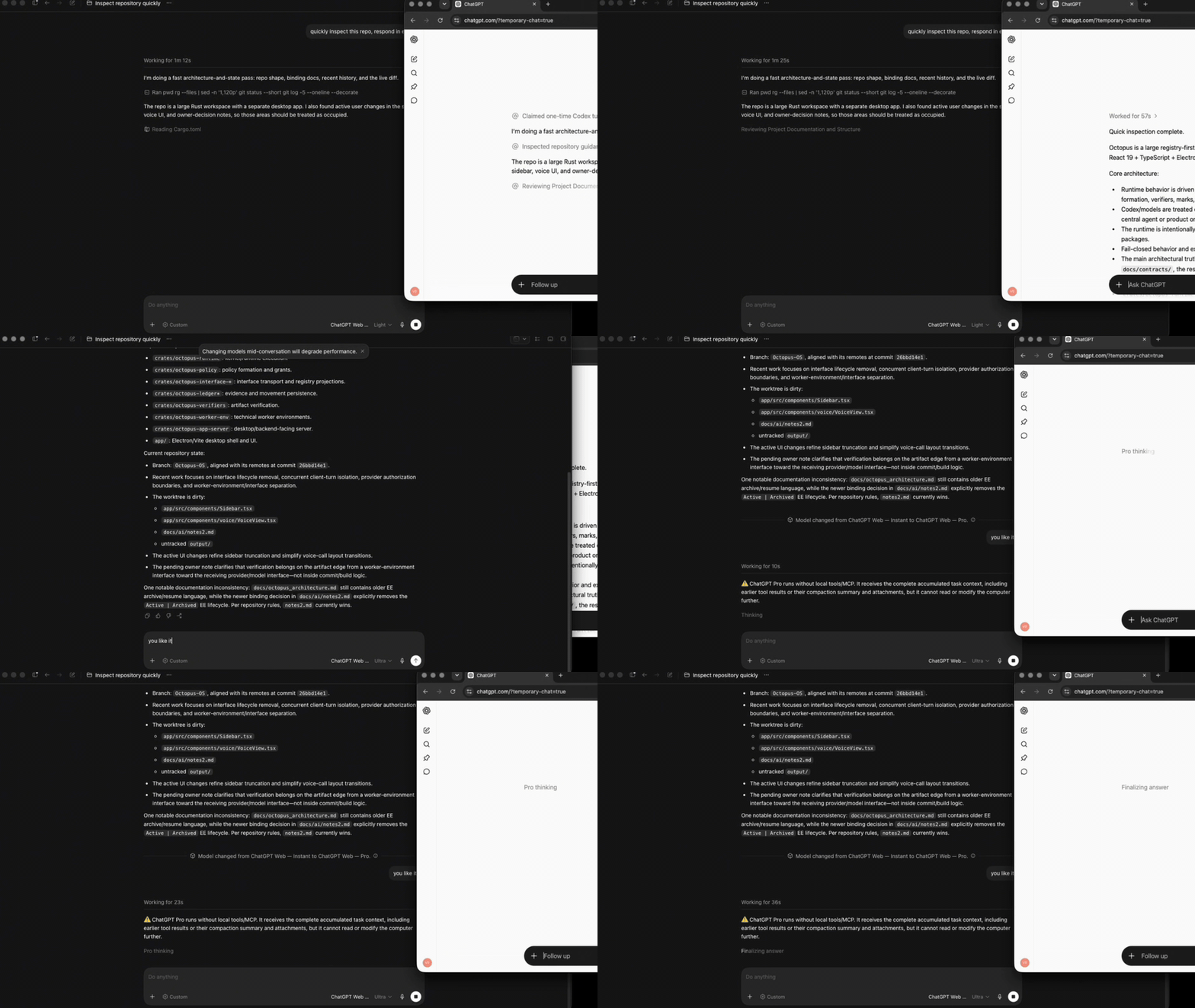
 A desktop launcher that lets Codex use ChatGPT Web (including Pro) as a native model, piping task context, images, tools, and streaming output through a browser-based ChatGPT Temporary Chat instead of the Codex API.
A desktop launcher that lets Codex use ChatGPT Web (including Pro) as a native model, piping task context, images, tools, and streaming output through a browser-based ChatGPT Temporary Chat instead of the Codex API.Is this a plugin inside Codex, or a separate app that bridges to it?It is a standalone cross-platform launcher app that runs an embedded browser session and bridges it to Codex's model picker over MCP, while Codex keeps its native task UI, context, and tool harness.
It is a standalone cross-platform launcher app that runs an embedded browser session and bridges it to Codex's model picker over MCP, while Codex keeps its native task UI, context, and tool harness.How do I get ChatGPT Web showing up in Codex's model picker?Install the desktop launcher with the macOS/Linux or Windows PowerShell command, sign in inside the launcher's embedded browser, run the browser smoke test, then press Install models and restart Codex to pick a ChatGPT Web model.
Install the desktop launcher with the macOS/Linux or Windows PowerShell command, sign in inside the launcher's embedded browser, run the browser smoke test, then press Install models and restart Codex to pick a ChatGPT Web model.Do I need an OpenAI API key or extra software installed first?No model API key is required, and you don't need Chrome/Chromium, Node, or Bun on the system for the packaged launcher; running from source instead requires Bun 1.4.0.
No model API key is required, and you don't need Chrome/Chromium, Node, or Bun on the system for the packaged launcher; running from source instead requires Bun 1.4.0.What's the catch — is this an official OpenAI integration?No, it's unofficial browser automation, so if ChatGPT's UI changes, selectors can break; the project fails explicitly in that case instead of silently switching model or transport, and release builds aren't yet platform-signed so Gatekeeper/SmartScreen may warn.
No, it's unofficial browser automation, so if ChatGPT's UI changes, selectors can break; the project fails explicitly in that case instead of silently switching model or transport, and release builds aren't yet platform-signed so Gatekeeper/SmartScreen may warn.Which operating systems does the launcher actually support?Release packages target macOS 13+ (arm64/x64), Windows x64, and Linux x64, and all three are gated in CI.
Release packages target macOS 13+ (arm64/x64), Windows x64, and Linux x64, and all three are gated in CI.Does using this put my ChatGPT account at risk, and where does my data go?Browser login state is a sensitive artifact that should stay on a trusted workstation, and Temporary Chat is only a privacy mode — your prompts are still sent to and processed by OpenAI under its Temporary Chat policy, not run locally.
Browser login state is a sensitive artifact that should stay on a trusted workstation, and Temporary Chat is only a privacy mode — your prompts are still sent to and processed by OpenAI under its Temporary Chat policy, not run locally.What are the three operating modes — Browser-only, Full harness, Zero Risk?Browser-only gives you ChatGPT models with no local tool access; Full harness (With Automation) lets every effort, including Pro, use the current Codex task's filesystem, shell, and tools via MCP; Zero Risk keeps the full Codex harness but has you manually copy, paste, and send the prepared prompt, removing any browser-automation account risk.
Browser-only gives you ChatGPT models with no local tool access; Full harness (With Automation) lets every effort, including Pro, use the current Codex task's filesystem, shell, and tools via MCP; Zero Risk keeps the full Codex harness but has you manually copy, paste, and send the prepared prompt, removing any browser-automation account risk.Does this actually save my Codex quota?Yes — it routes the selected model turn through a ChatGPT Web Temporary Chat instead of the Codex API, so it runs without consuming Codex quota, though your ChatGPT account's own message limits for that model tier still apply.
Yes — it routes the selected model turn through a ChatGPT Web Temporary Chat instead of the Codex API, so it runs without consuming Codex quota, though your ChatGPT account's own message limits for that model tier still apply.What is the 'Codex Native2' connector for?It's a ChatGPT Developer Mode Tunnel connector (created with Authentication: None, Allow all actions) that must be named exactly 'Codex Native2' so Full harness mode can route ChatGPT's tool calls back into the running Codex task over the official OpenAI tunnel-client.
It's a ChatGPT Developer Mode Tunnel connector (created with Authentication: None, Allow all actions) that must be named exactly 'Codex Native2' so Full harness mode can route ChatGPT's tool calls back into the running Codex task over the official OpenAI tunnel-client.Can a free ChatGPT account use this, or do I need Plus/Pro?Free/Go accounts only see the 'Luna' model tier, Plus accounts get Instant through High effort, and Pro accounts additionally unlock Extra High and Pro effort — the launcher auto-detects which tiers your signed-in account exposes.
Free/Go accounts only see the 'Luna' model tier, Plus accounts get Instant through High effort, and Pro accounts additionally unlock Extra High and Pro effort — the launcher auto-detects which tiers your signed-in account exposes.What are similar projects?reticle, chat-on-steroids, OmniRoute, newsjack, holaOS, mixdog, cc-haha, rowboat
reticle, chat-on-steroids, OmniRoute, newsjack, holaOS, mixdog, cc-haha, rowboatWhich topics is it in?free-ai, bun, playwright, gpt, browser-automation, chatgpt, electron, artificial-intelligence, coding-agent, desktop, openai, codex
free-ai, bun, playwright, gpt, browser-automation, chatgpt, electron, artificial-intelligence, coding-agent, desktop, openai, codex