[!IMPORTANT]
Experimental reference implementation. Astra-Ares has a straightforward setup, but runs a separate, patched version of Codex CLI. It is primarily a reference for bringing adaptive reasoning effort into your own agent systems; it is still an early preview for everyday development.
Most of my projects focus on ready-to-download, user-friendly apps: Persona Voice adds custom voices to AI assistants, and Codex ChatGPT Web brings ChatGPT Web models into Codex. Astra-Ares is a more technical project intended for experimentation and integration.
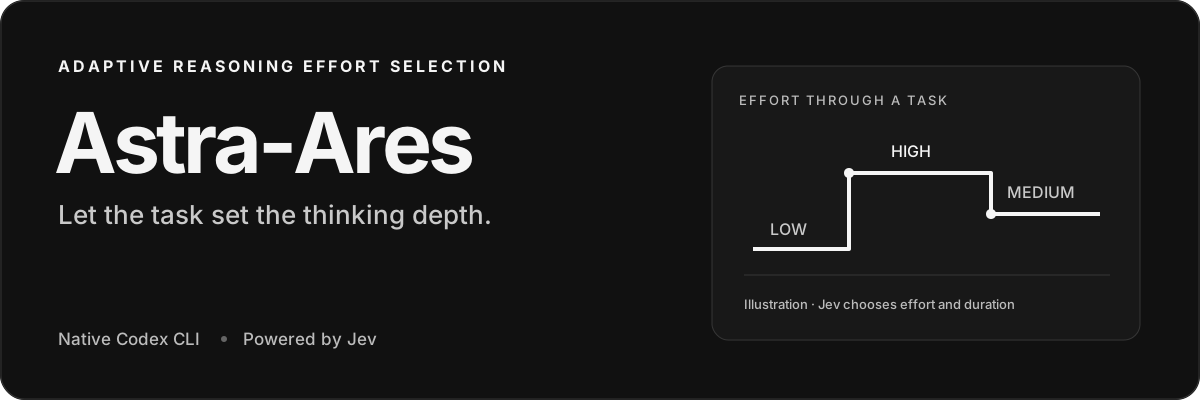
Adaptive Reasoning Effort Selection for GPT-6 Astra, Sol and Luna while your Codex task runs.
Get started ·
How it works ·
Configuration ·
Troubleshooting
Astra-Ares is the first tool to let Jev adapt GPT-6's reasoning effort while a Codex task runs. The goal is to reduce token usage by matching reasoning depth to the next step. Jev reads bounded task context, chooses how much your selected model should think next, and decides how many generations that effort should last. Codex applies the choice while work continues.
This is possible because GPT-6 models can change reasoning effort without invalidating the original prompt prefix used for caching. Ares uses that native mechanism, keeping the same model, conversation, and direct OpenAI connection. How GPT-6 preserves the prefix →
Get started
You install a separate, patched Codex CLI. Setup downloads a pinned Codex version, applies the included patch, and builds it automatically. You do not edit Codex yourself. Your existing codex command and Codex desktop app stay as they are.
You need Node.js 22+, npm, Git, curl, tar, a native C/C++ build toolchain, and Rust via rustup. Allow about 10 GB free for the first build and several minutes to compile. The build installs upstream's pinned Rust toolchain. On macOS, install the Xcode Command Line Tools if needed: xcode-select --install.
| Platform |
Status |
| macOS · Apple Silicon |
Built and tested locally |
| macOS Intel / Linux |
Build paths provided; not yet acceptance-tested |
| Windows |
Not supported by this Unix-socket integration |
1. Install from source
Clone the repository:
git clone https://github.com/miuuyy/Astra-Ares.git
cd Astra-Ares
npm ci
npm run setup
npm link
npm link makes astra-ares and ares available in your terminal. This preview is distributed as source; there is no published npm package or prebuilt Ares download yet. See installation details for build reuse, updates, and running without a global link.
2. Add your Jev key
Create an OpenRouter API key with funded credits, then run:
ares configure
Paste the key into the hidden prompt. OpenRouter is the default for new installs. The key is saved in your private user configuration, outside the repository.
Your selected model uses your existing Codex login with access to that model, separately from the Jev key. If needed, sign in with astra-ares login. Other Jev providers and environment variables →
3. Start Codex
astra-ares
The normal Codex terminal opens. In /model, select Astra Ares, Sol Ares, or Luna Ares. Each entry keeps its underlying model fixed while Jev chooses the reasoning effort. Entries appear when the corresponding model is available in your Codex catalog. New Ares profiles select Astra Ares by default.
Confirmed effort changes appear directly in the transcript. Example display:
Jev  LOW → HIGH  ✓ APPLIED
     Step 3 · next 2 generation(s) · 321 ms
APPLIED means Codex confirmed the settings for the next generation. The notification is emitted after native application, not when Jev merely suggests a value.
Everyday use
astra-ares -C /path/to/project   # work in a repository
astra-ares resume --last        # continue your last Ares session
ares configure                 # replace the Jev key
ares doctor                    # check installation and configuration locally
ares doctor --probe            # make one small, billable Jev request
Codex still owns the terminal UI, tools, approvals, cancellation, and history. Choose ordinary Astra or another model in /model to work without Jev routing. Ares uses a separate Codex profile; resuming refers to that profile's sessions.
How it works
Your task + public progress + recent tool results
                       │
                       ▼
               Jev chooses effort
             and 1 / 2 / 5 / 10 steps
                       │
                       ▼
           Codex applies native settings
                       │
                       ▼
      Selected model generates → tools run
                       │
              repeat when due
A step is one model generation, which may produce several tool calls. The decision happens before the next generation, after available tool results enter the conversation. Jev judges the reasoning needed next, in the context of the user's goal. Reading a file does not automatically imply low effort: interpreting what was found may be the difficult part.
Jev also selects how long to keep its choice. If it selects ten generations, Ares asks at step 1 and again at step 11. Steps 2–10 use the accepted choice with no extra Jev requests. New user input, a tool failure, a model switch, or a manual effort change ends the current lease and triggers a fresh decision at the next eligible checkpoint. A failure asks Jev to reassess; it does not force a hardcoded escalation.
What Jev sees
| Context |
Limit |
| Original/current task and retained previous user requests |
Preserved in the evaluator context |
| Public progress, plans, and published reasoning summaries |
Preserved; private/encrypted reasoning is excluded |
| Recent tool calls and paired results |
Last 6 calls |
| Combined result text for each call |
1,000 local tokens, with explicit head/tail truncation |
| Complete evaluator request |
28,000 local-token guard; oversized requests stop explicitly |
These limits apply to Jev's view. Your selected model keeps its native conversation. The local tokenizer is a budget estimate, not Jev's exact tokenizer. This bounded task context is sent to your selected Jev provider; configuration and logs explain what is stored.
Native effort changes
These GPT-6 models support configuration_update between generations. Codex retains the original request-level effort and prompt prefix, and records the new effort in conversation history. That allows effort changes while preserving the prefix for prompt-cache reuse. Normal cache eligibility and retention rules still apply.
The bridge stays outside the selected model's network path: Codex talks directly to OpenAI. A new decision adds a Jev round trip and local checkpoint processing; an active lease needs only the local checkpoint. Native fixture tests verify settings application and prefix preservation. Workload cache hit rates and savings against fixed effort have not yet been measured. Architecture →
If something fails
Run ares doctor, then ares doctor --probe to check the provider. Logs live in ~/.local/share/astra-ares/runs/<run>/decisions.jsonl by default.
429 means a rate or capacity rejection; it does not by itself mean the context is too large. Transient HTTP errors receive at most three attempts against the same provider within a 30-second deadline. Exhausted errors stop the current turn visibly. Ares never silently switches providers, substitutes another model, or invents an effort choice. Troubleshooting →
Development
npm ci
npm test
# Native integration fixtures also need Bun and the patched binary:
JEV_TEST_BINARY="$HOME/.local/share/astra-ares/bin/codex" npm run test:native
The patch and upstream source checksums are pinned in patches/upstream.json. The architecture explains the native checkpoint, leases, and acknowledgements.
Local fixture tests require no API keys.
Installation & removal · Configuration · Validation · MIT license
Independent software, unaffiliated with OpenAI, TypeSafe, OpenRouter, or Vercel. The bridge is MIT-licensed; the patched Codex source is Apache-2.0. See third-party notices.

 Astra-Ares 是一个实验性工具,让 Jev(AI 评估器)在 Codex 任务运行期间动态调整 GPT-6 的推理力度,为每一步匹配相应的思考深度,以减少 token 消耗。