307 ·GitHub
Что это такое?
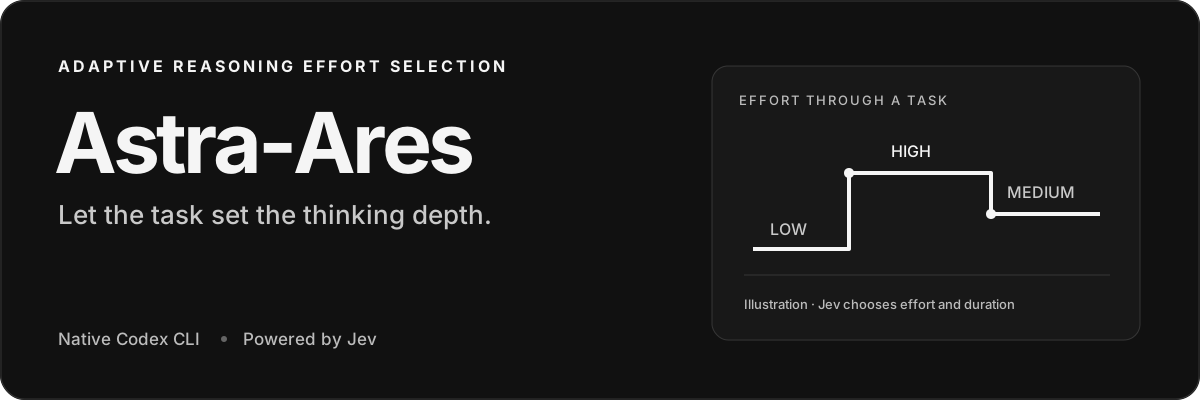
 Astra-Ares — это экспериментальный инструмент, который позволяет Jev, ИИ-оценщику, подстраивать уровень усилий рассуждения GPT-6 прямо во время выполнения задачи в Codex, подбирая глубину размышлений под каждый следующий шаг, чтобы тратить меньше токенов.
Astra-Ares — это экспериментальный инструмент, который позволяет Jev, ИИ-оценщику, подстраивать уровень усилий рассуждения GPT-6 прямо во время выполнения задачи в Codex, подбирая глубину размышлений под каждый следующий шаг, чтобы тратить меньше токенов.Он заменит мой нынешний Codex или будет работать рядом с ним?Он работает рядом: setup устанавливает отдельную, пропатченную версию Codex CLI, а ваша существующая команда codex и настольное приложение Codex остаются нетронутыми. Ares работает в собственном профиле Codex, а терминальный интерфейс, инструменты, подтверждения и история остаются во владении Codex.
Он работает рядом: setup устанавливает отдельную, пропатченную версию Codex CLI, а ваша существующая команда codex и настольное приложение Codex остаются нетронутыми. Ares работает в собственном профиле Codex, а терминальный интерфейс, инструменты, подтверждения и история остаются во владении Codex.Что нужно на компьютере для сборки?Node.js 22+, npm, Git, curl, tar, нативный тулчейн C/C++ и Rust через rustup. Заложите около 10 ГБ свободного места на диске и несколько минут на первую сборку; на macOS может понадобиться Xcode Command Line Tools (xcode-select --install).
Node.js 22+, npm, Git, curl, tar, нативный тулчейн C/C++ и Rust через rustup. Заложите около 10 ГБ свободного места на диске и несколько минут на первую сборку; на macOS может понадобиться Xcode Command Line Tools (xcode-select --install).Это уже готово для повседневной работы или всё ещё эксперимент?Это прямо позиционируется как экспериментальная референсная реализация, задуманная прежде всего как образец для добавления адаптивных усилий рассуждения в ваши собственные агентные системы — для повседневной разработки это ранняя превью-версия, а не готовый продукт.
Это прямо позиционируется как экспериментальная референсная реализация, задуманная прежде всего как образец для добавления адаптивных усилий рассуждения в ваши собственные агентные системы — для повседневной разработки это ранняя превью-версия, а не готовый продукт.Он запустится у меня — на Windows, Linux, Mac?Собирается и тестируется только macOS на Apple Silicon. Для macOS на Intel и Linux есть пути сборки, но приёмочное тестирование не проводилось, а Windows не поддерживается, потому что интеграция опирается на Unix-сокеты.
Собирается и тестируется только macOS на Apple Silicon. Для macOS на Intel и Linux есть пути сборки, но приёмочное тестирование не проводилось, а Windows не поддерживается, потому что интеграция опирается на Unix-сокеты.Что именно Jev видит из моих задач?Только ограниченный срез: саму задачу, публичный прогресс и ваши последние 6 вызовов инструментов с результатами, обрезанными до 1 000 локальных токенов каждый, в рамках общего лимита в 28 000 токенов — приватные/зашифрованные рассуждения туда не попадают. Этот срез уходит вашему провайдеру Jev, а подключение к модели остаётся прямым путём Codex — OpenAI.
Только ограниченный срез: саму задачу, публичный прогресс и ваши последние 6 вызовов инструментов с результатами, обрезанными до 1 000 локальных токенов каждый, в рамках общего лимита в 28 000 токенов — приватные/зашифрованные рассуждения туда не попадают. Этот срез уходит вашему провайдеру Jev, а подключение к модели остаётся прямым путём Codex — OpenAI.Есть ли подвох в лицензии?Лицензия разделена: сам мост Astra-Ares распространяется под MIT, а пропатченный исходный код Codex, который он собирает, — под Apache-2.0. Проект также независим и не связан с OpenAI, TypeSafe, OpenRouter или Vercel.
Лицензия разделена: сам мост Astra-Ares распространяется под MIT, а пропатченный исходный код Codex, который он собирает, — под Apache-2.0. Проект также независим и не связан с OpenAI, TypeSafe, OpenRouter или Vercel.Как модель может поменять уровень усилий рассуждения посреди задачи и не сломать кэш?Модели GPT-6 поддерживают обновление конфигурации между генерациями: Codex сохраняет исходный уровень усилий на уровне запроса и префикс промпта, поэтому переиспользование промпт-кэша не прерывается, а новый уровень усилий просто записывается в историю разговора.
Модели GPT-6 поддерживают обновление конфигурации между генерациями: Codex сохраняет исходный уровень усилий на уровне запроса и префикс промпта, поэтому переиспользование промпт-кэша не прерывается, а новый уровень усилий просто записывается в историю разговора.Jev выбирает новый уровень усилий перед каждым шагом?Нет — он ещё и выбирает длину аренды (lease). Если выбрано десять генераций, решение принимается на шаге 1 и снова на шаге 11, без обращений к Jev между ними. Новый ввод от пользователя, сбой инструмента, смена модели или ручное изменение уровня усилий завершают аренду раньше срока.
Нет — он ещё и выбирает длину аренды (lease). Если выбрано десять генераций, решение принимается на шаге 1 и снова на шаге 11, без обращений к Jev между ними. Новый ввод от пользователя, сбой инструмента, смена модели или ручное изменение уровня усилий завершают аренду раньше срока.На какие модели его можно переключить?В меню /model в Codex вы выбираете Astra Ares, Sol Ares или Luna Ares — каждый пункт закрепляет свою базовую модель GPT-6, а уровень усилий выбирает Jev. Пункты появляются, только если модель доступна в вашем каталоге Codex, а выбор обычной модели запускает Codex без маршрутизации через Jev.
В меню /model в Codex вы выбираете Astra Ares, Sol Ares или Luna Ares — каждый пункт закрепляет свою базовую модель GPT-6, а уровень усилий выбирает Jev. Пункты появляются, только если модель доступна в вашем каталоге Codex, а выбор обычной модели запускает Codex без маршрутизации через Jev.Так экономит он токены или нет?Пока неизвестно — в README сказано, что доли попаданий в кэш рабочих нагрузок и экономия по сравнению с фиксированным уровнем усилий ещё не измерялись. Считайте это экспериментом, за которым интересно наблюдать, а не гарантированной экономией.
Пока неизвестно — в README сказано, что доли попаданий в кэш рабочих нагрузок и экономия по сравнению с фиксированным уровнем усилий ещё не измерялись. Считайте это экспериментом, за которым интересно наблюдать, а не гарантированной экономией.What are similar projects?billion-context, headroom, cost-xray, claude-context, jev-router, casbin-gateway, tokscale, astra-advisor
billion-context, headroom, cost-xray, claude-context, jev-router, casbin-gateway, tokscale, astra-advisorWhich topics is it in?jev-model, cost-optimization, token-optimization, reasoning, token-usage, codex-cli, openrouter, ai-coding, gpt, reference, coding-agent, ai-agent
jev-model, cost-optimization, token-optimization, reasoning, token-usage, codex-cli, openrouter, ai-coding, gpt, reference, coding-agent, ai-agent