



Что это?
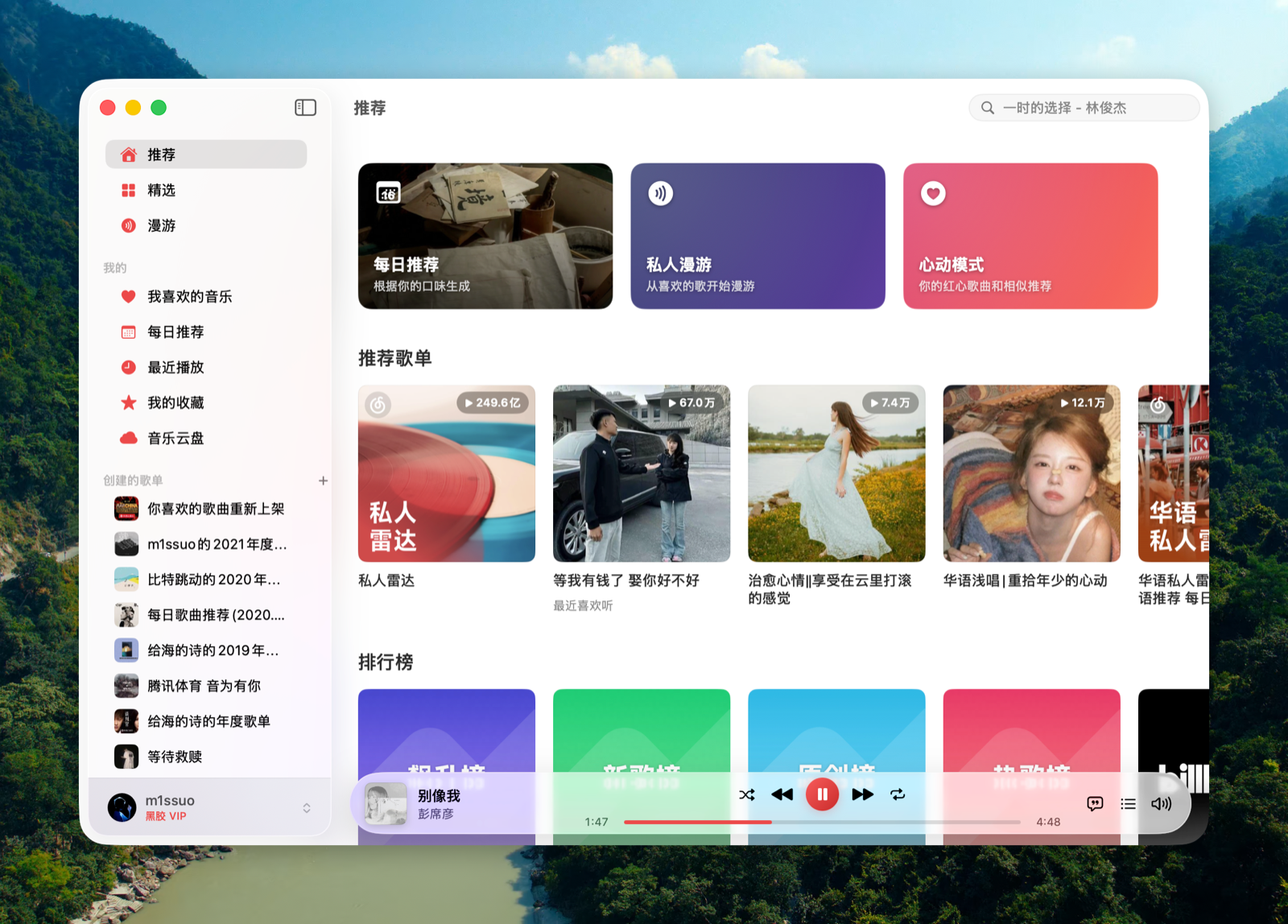
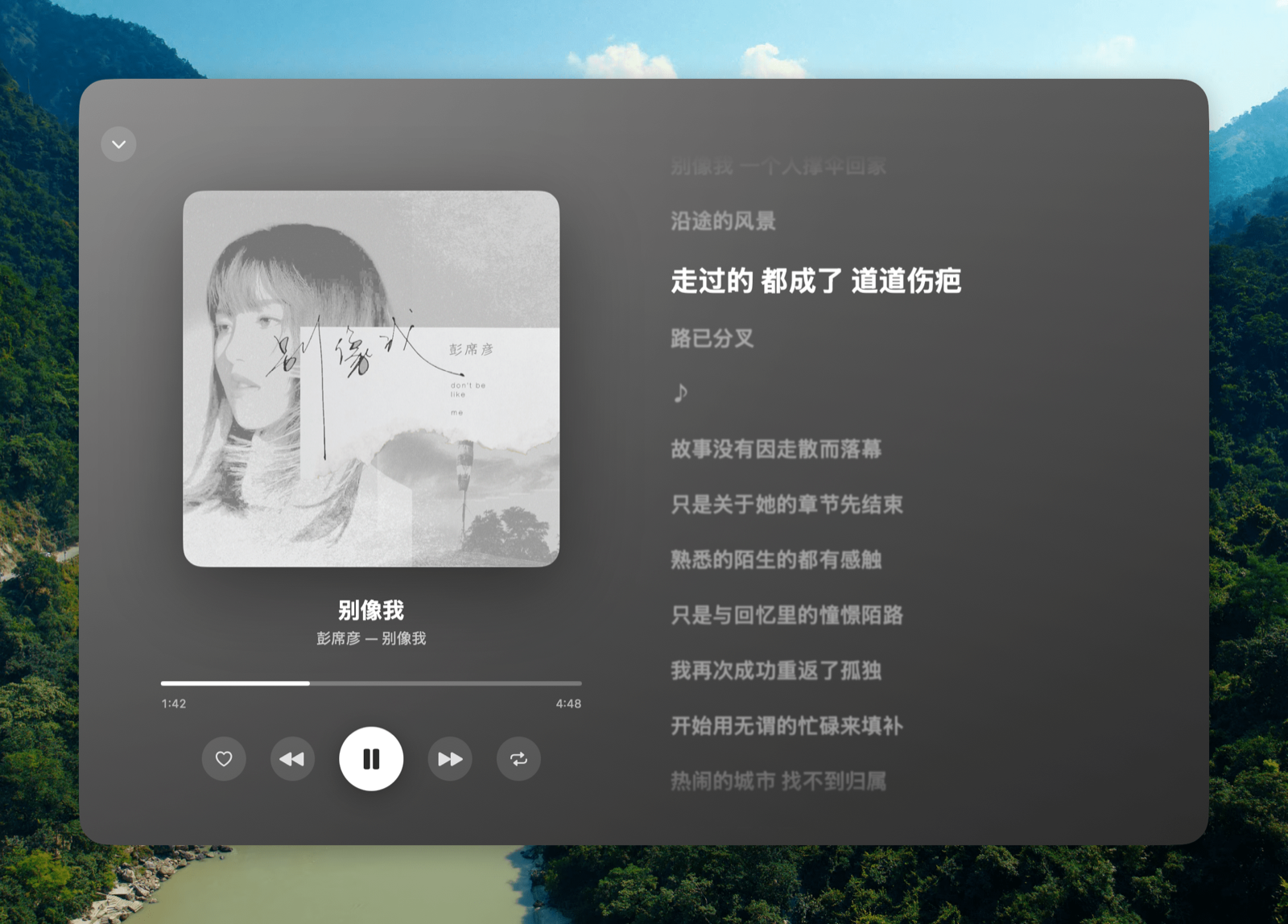
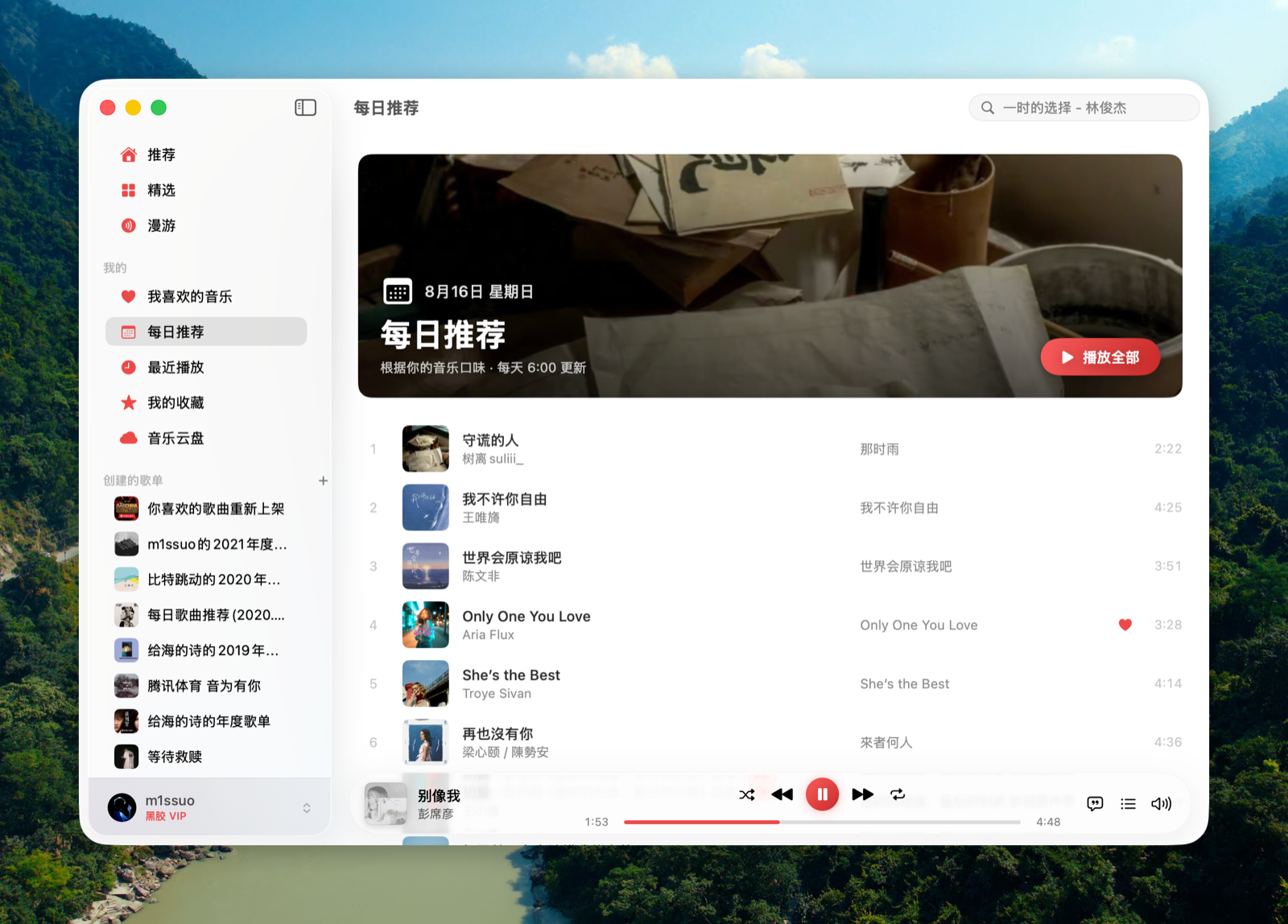
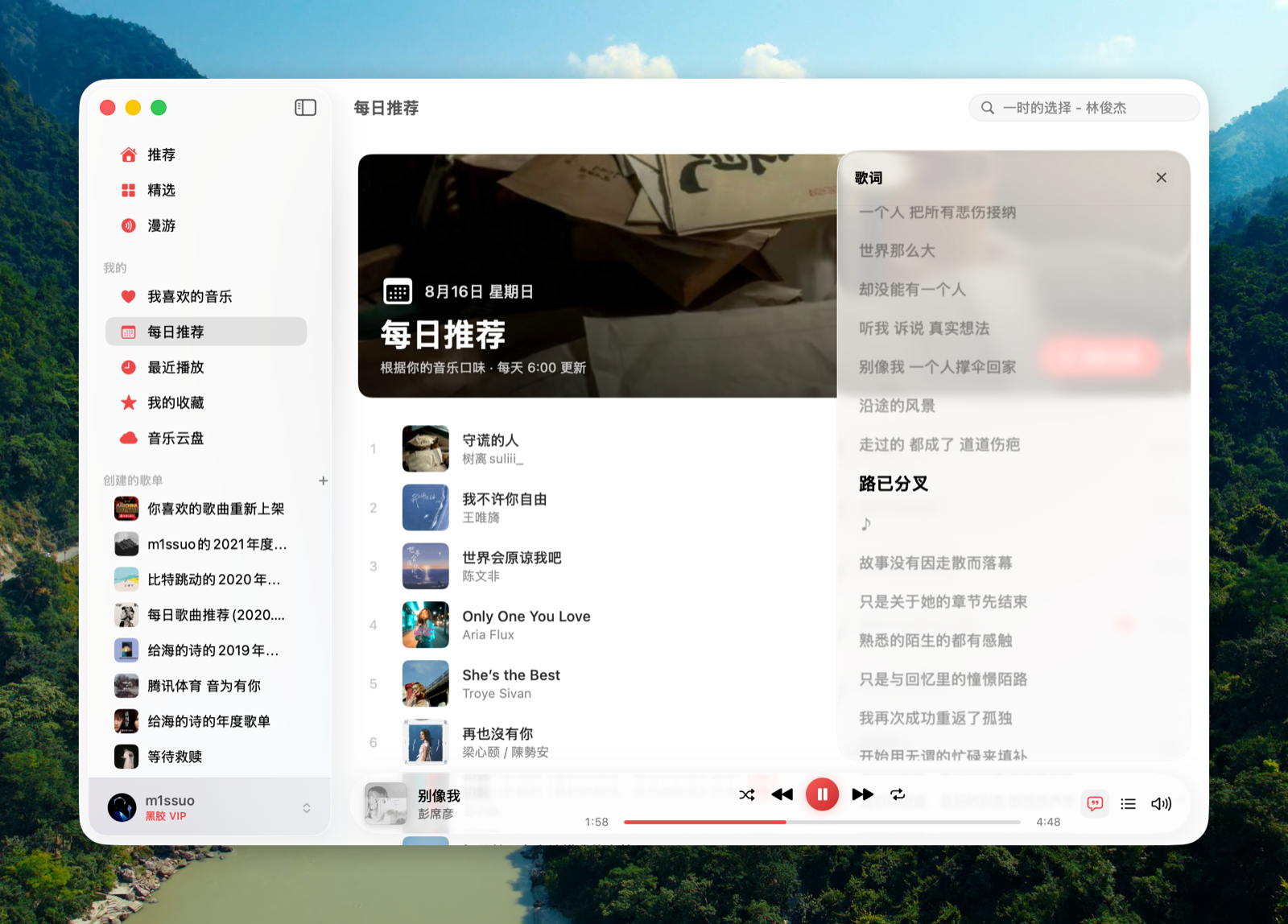
 Kumone — неофициальное нативное macOS-приложение (есть и сборка для sideload на iOS), выступающее клиентом NetEase Cloud Music: написано на SwiftUI и общается напрямую с настоящим API NetEase без каких-либо сторонних серверов-посредников.
Kumone — неофициальное нативное macOS-приложение (есть и сборка для sideload на iOS), выступающее клиентом NetEase Cloud Music: написано на SwiftUI и общается напрямую с настоящим API NetEase без каких-либо сторонних серверов-посредников.Нужен ли аккаунт NetEase Cloud Music, чтобы им пользоваться?Да, вход выполняется сканированием QR-кода через официальное приложение NetEase Cloud Music; полученные cookies хранятся локально и дальше обновляются автоматически. Также требуется macOS 15+ (Universal-сборка для Apple Silicon и Intel) или iOS 16+.
Да, вход выполняется сканированием QR-кода через официальное приложение NetEase Cloud Music; полученные cookies хранятся локально и дальше обновляются автоматически. Также требуется macOS 15+ (Universal-сборка для Apple Silicon и Intel) или iOS 16+.Есть ли подводные камни, о которых стоит знать заранее?Поддержка CarPlay встроена в бинарник, но по умолчанию поставляется выключенной, потому что Apple редко выдаёт entitlement на CarPlay-аудио; лицензия также явно ограничивает приложение личным/учебным использованием без скачивания и без социальных функций.
Поддержка CarPlay встроена в бинарник, но по умолчанию поставляется выключенной, потому что Apple редко выдаёт entitlement на CarPlay-аудио; лицензия также явно ограничивает приложение личным/учебным использованием без скачивания и без социальных функций.Работает ли и на Apple Silicon, и на Intel Mac?Да, macOS-сборка — это Universal-бинарник, работающий нативно и на Apple Silicon, и на Intel Mac, требуется macOS 15 или новее.
Да, macOS-сборка — это Universal-бинарник, работающий нативно и на Apple Silicon, и на Intel Mac, требуется macOS 15 или новее.Что на самом деле делает разблокировка «серых» треков?Это нативная реализация на Swift ключевых источников UnblockNeteaseMusic (pyncmd, Kuwo, Kugou), которая автоматически находит треки, помеченные NetEase как недоступные или доступные только в ознакомительном режиме, подтягивая их из сторонних источников.
Это нативная реализация на Swift ключевых источников UnblockNeteaseMusic (pyncmd, Kuwo, Kugou), которая автоматически находит треки, помеченные NetEase как недоступные или доступные только в ознакомительном режиме, подтягивая их из сторонних источников.Можно включить поддержку CarPlay самостоятельно?Только если ваш собственный аккаунт Apple Developer получит одобрение entitlement CarPlay Audio; тогда 'make configure-carplay' сгенерирует нужные конфиги, и вы пересоберёте проект в Xcode — в сборке по умолчанию это выключено.
Только если ваш собственный аккаунт Apple Developer получит одобрение entitlement CarPlay Audio; тогда 'make configure-carplay' сгенерирует нужные конфиги, и вы пересоберёте проект в Xcode — в сборке по умолчанию это выключено.Есть ли текст песни поверх экрана, как плавающее окно?Да, строка текста песни в стиле LyricsX — всегда поверх всех окон, с переводом; её можно перетаскивать, а позиция сохраняется между Spaces и полноэкранными приложениями.
Да, строка текста песни в стиле LyricsX — всегда поверх всех окон, с переводом; её можно перетаскивать, а позиция сохраняется между Spaces и полноэкранными приложениями.Откуда взялось имя Kumone?Это стяжение японской фразы 雲の音 (kumo no ne, «звук облаков»), отсылка к «облаку» в NetEase Cloud Music.
Это стяжение японской фразы 雲の音 (kumo no ne, «звук облаков»), отсылка к «облаку» в NetEase Cloud Music.What are similar projects?Beans-Music, textream, tvbox-silicon, zulu, CodeEdit, KiwiDesk, awesome-mac, opendisplay
Beans-Music, textream, tvbox-silicon, zulu, CodeEdit, KiwiDesk, awesome-mac, opendisplayWhich topics is it in?audio-streaming, media-player, lgpl, music-player, qr-code, ios-app, swiftui, apple, macos-app, app, i18n, reverse-engineering
audio-streaming, media-player, lgpl, music-player, qr-code, ios-app, swiftui, apple, macos-app, app, i18n, reverse-engineering