







Что это такое?
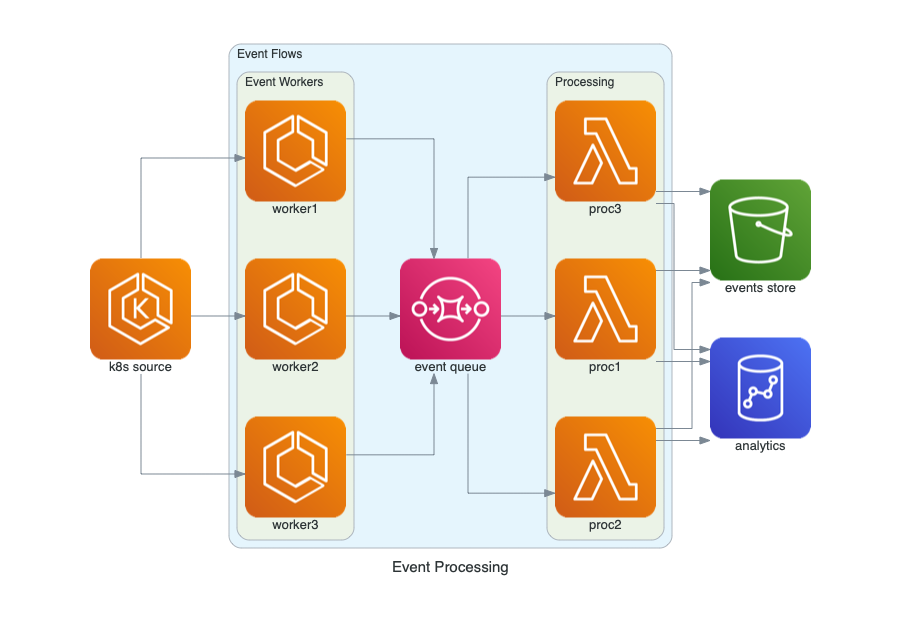
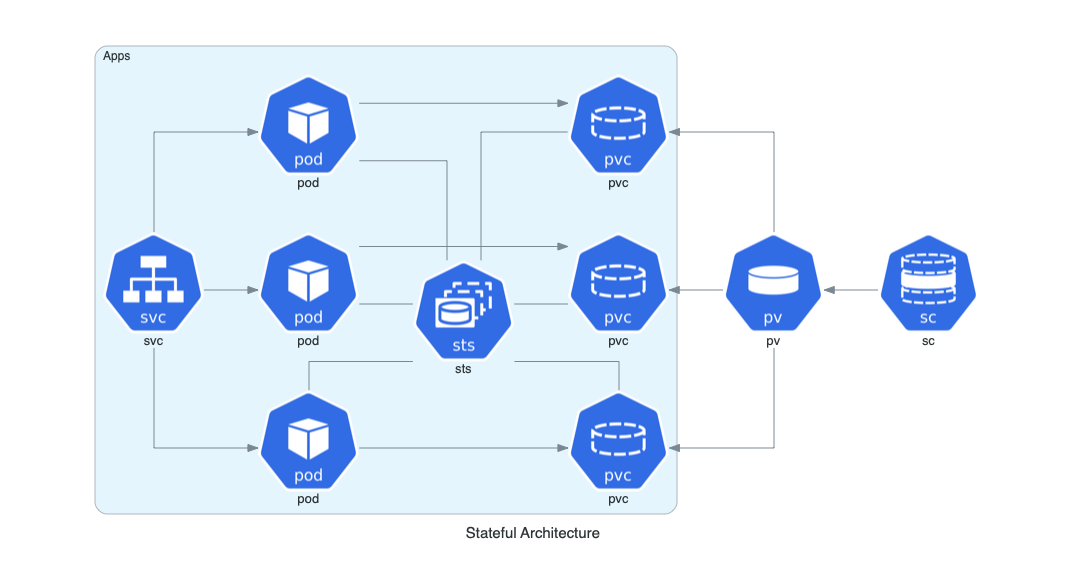
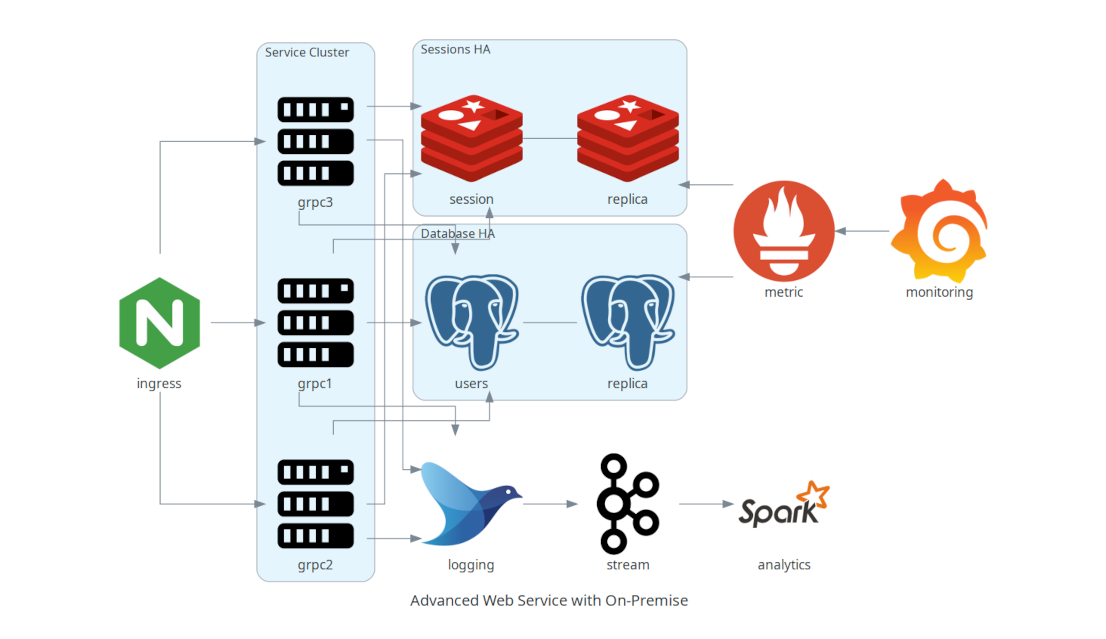
 Diagrams — это библиотека для Python, которая рисует архитектуру облачных систем в виде кода: вы описываете свою конфигурацию AWS, Azure, GCP или Kubernetes на Python и получаете готовую диаграмму. Она создана для быстрого прототипирования архитектуры без дизайнерских инструментов.
Diagrams — это библиотека для Python, которая рисует архитектуру облачных систем в виде кода: вы описываете свою конфигурацию AWS, Azure, GCP или Kubernetes на Python и получаете готовую диаграмму. Она создана для быстрого прототипирования архитектуры без дизайнерских инструментов.Это библиотека, с которой я пишу код, или приложение для рисования?Библиотека для Python: вы описываете узлы и связи в коде, а Graphviz отрисовывает картинку. Есть ещё онлайн-песочница в браузере, так что попробовать можно без всякой локальной настройки.
Библиотека для Python: вы описываете узлы и связи в коде, а Graphviz отрисовывает картинку. Есть ещё онлайн-песочница в браузере, так что попробовать можно без всякой локальной настройки.Как это запустить?Сначала установите Python 3.9+ и Graphviz (на macOS через Homebrew: brew install graphviz), затем pip install diagrams. А чтобы вовсе обойтись без локальной установки — начните с онлайн-песочницы.
Сначала установите Python 3.9+ и Graphviz (на macOS через Homebrew: brew install graphviz), затем pip install diagrams. А чтобы вовсе обойтись без локальной установки — начните с онлайн-песочницы.Оно разворачивает или управляет моими реальными облачными ресурсами?Нет — оно только рисует. Инструмент не управляет настоящими облачными ресурсами и не генерирует код CloudFormation или Terraform; на выходе — просто схема архитектуры.
Нет — оно только рисует. Инструмент не управляет настоящими облачными ресурсами и не генерирует код CloudFormation или Terraform; на выходе — просто схема архитектуры.Какие облачные провайдеры она поддерживает?Все основные: AWS, Azure, GCP, Kubernetes, Alibaba Cloud, Oracle Cloud, плюс локальные (on-premises) узлы, SaaS и популярные фреймворки и языки программирования. Полный список узлов есть по ссылке в README.
Все основные: AWS, Azure, GCP, Kubernetes, Alibaba Cloud, Oracle Cloud, плюс локальные (on-premises) узлы, SaaS и популярные фреймворки и языки программирования. Полный список узлов есть по ссылке в README.Почему описывать архитектуру кодом, а не рисовать в редакторе?Потому что диаграмма лежит в репозитории, как исходный код: подход Diagram as Code позволяет отслеживать изменения схемы в любой системе контроля версий, поэтому архитектуру ревьюят и сравнивают версий так же, как и весь остальной код.
Потому что диаграмма лежит в репозитории, как исходный код: подход Diagram as Code позволяет отслеживать изменения схемы в любой системе контроля версий, поэтому архитектуру ревьюят и сравнивают версий так же, как и весь остальной код.Могу ли я попробовать без установки Python и Graphviz?Да — песочница на diagrams.mingrammer.com/playground запускает настоящий пакет diagrams прямо в браузере через Pyodide: есть поиск узлов, автодополнение, экспорт в PNG/SVG/JPEG и ссылки, которыми можно поделиться.
Да — песочница на diagrams.mingrammer.com/playground запускает настоящий пакет diagrams прямо в браузере через Pyodide: есть поиск узлов, автодополнение, экспорт в PNG/SVG/JPEG и ссылки, которыми можно поделиться.Кто использует её на практике?Apache Airflow генерирует с её помощью диаграммы архитектуры в своей документации, а Cloudiscovery, Airflow Diagrams, KubeDiagrams и CLI для диаграмм AWS CloudFormation построены поверх неё.
Apache Airflow генерирует с её помощью диаграммы архитектуры в своей документации, а Cloudiscovery, Airflow Diagrams, KubeDiagrams и CLI для диаграмм AWS CloudFormation построены поверх неё.What are similar projects?drawio-skill, d2, system-atlas, awesome-software-architecture, architecture-diagram-generator, plantuml, gitdiagram, live-panel-skill
drawio-skill, d2, system-atlas, awesome-software-architecture, architecture-diagram-generator, plantuml, gitdiagram, live-panel-skillWhich topics is it in?prototype, diagram, system-design, examples, infrastructure, architecture, visualization, kubernetes, documentation, cloud, devops, free
prototype, diagram, system-design, examples, infrastructure, architecture, visualization, kubernetes, documentation, cloud, devops, free