Mailcheap
Mailcheap is a self-hosted newsletter app on Amazon SES. Write an issue, send it to your list, publish it on the web. About $0.10 per 1,000 emails.

[!IMPORTANT]
No support. This is a one-time open-source release. Issues are off, and setup questions go unanswered. Fork it, deploy it, make it yours.
Why
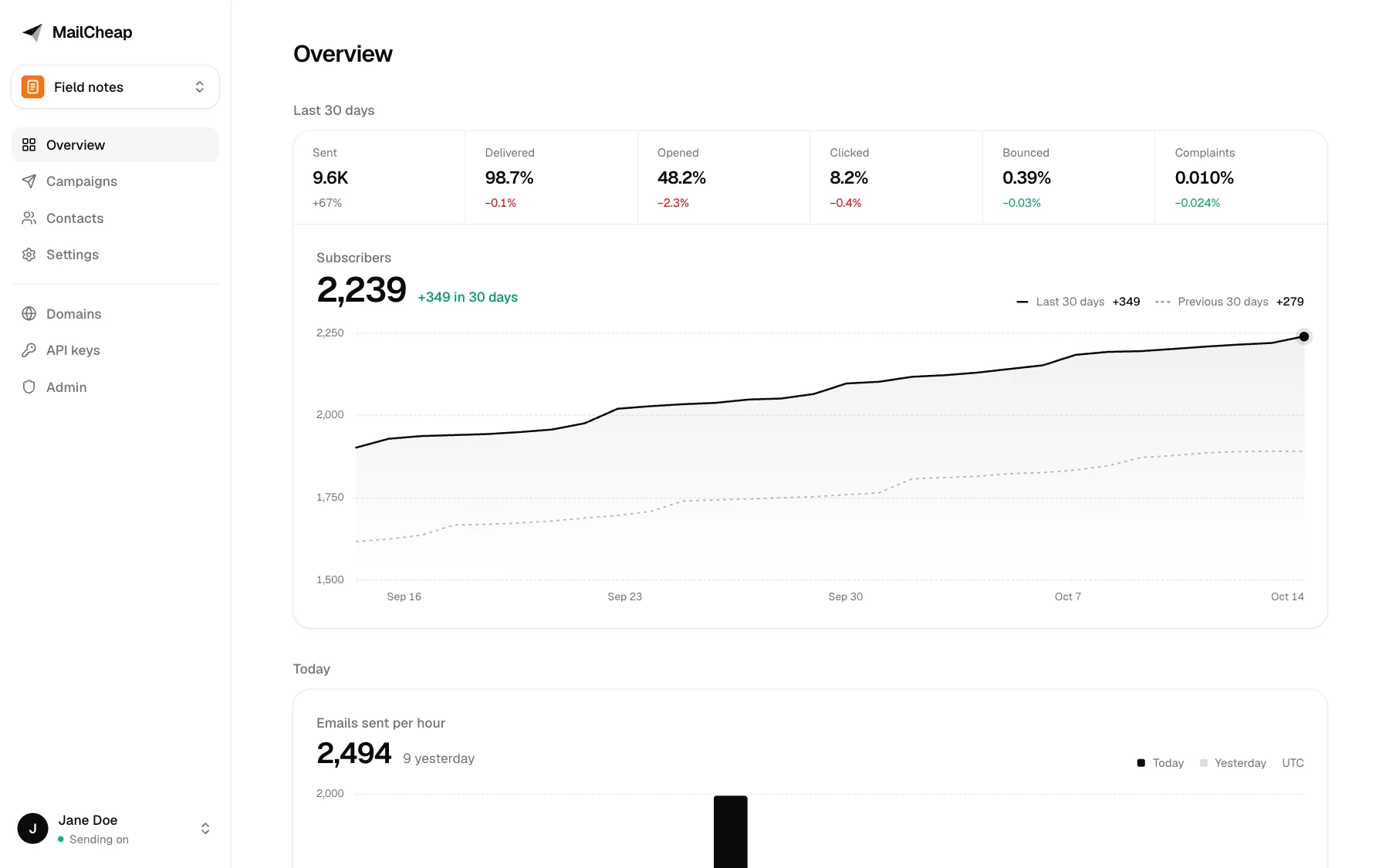
Newsletter platforms charge for every subscriber, every month. With your own SES account you pay for the emails you send: 10,000 readers and 4 issues a month is 40,000 emails, about $4.
Mailcheap is the rest of what a newsletter needs, in one small Next.js app: an editor, a list, signup forms, unsubscribe handling, bounce and complaint handling, stats and a public archive. One admin, no teams, no plans. Your list stays in your database.
Features
Write and send
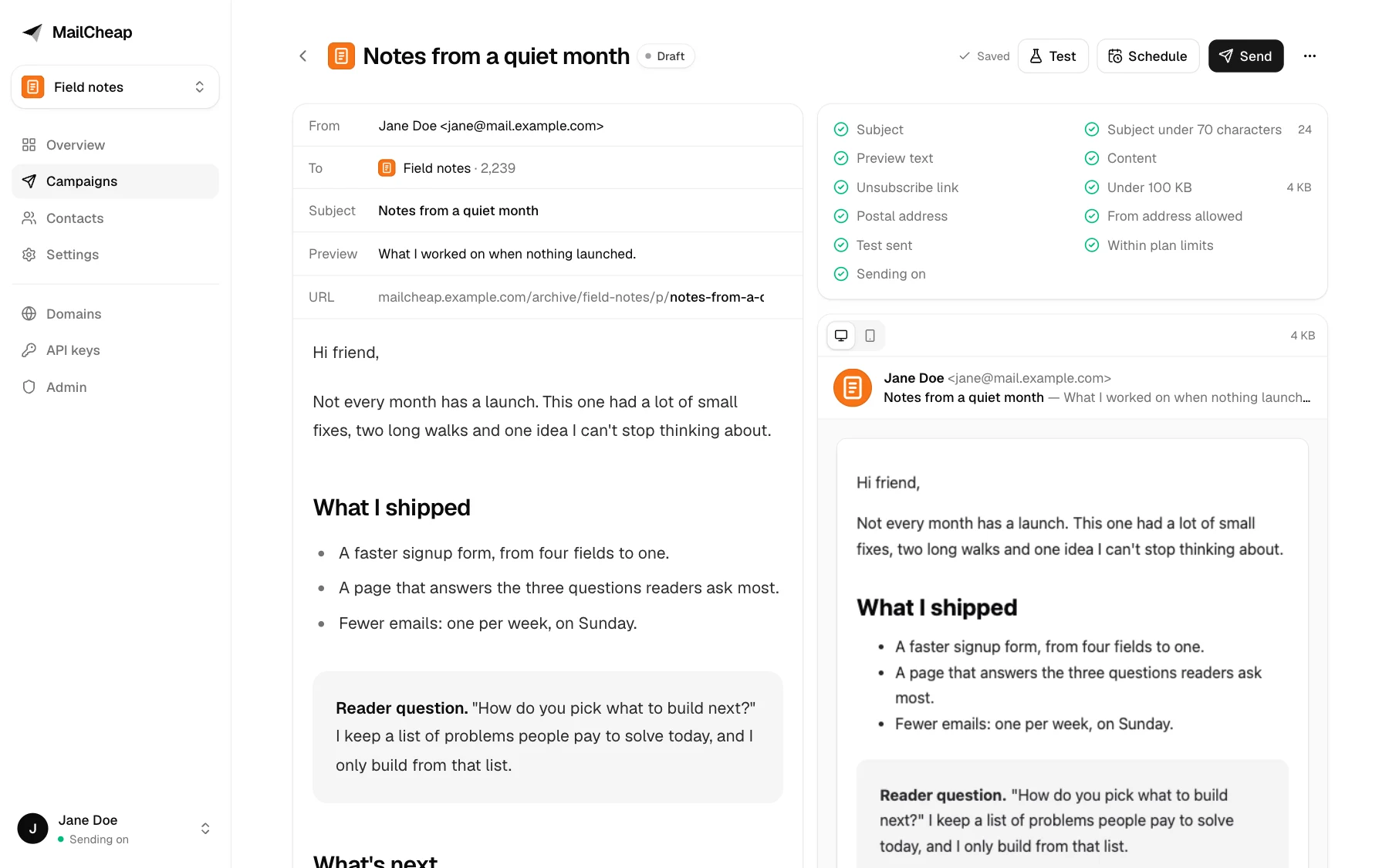
- Editor with a live email preview, slash commands, image uploads and boxes. Markdown and raw HTML work too.
- Checks before every send: subject, preview text, unsubscribe link, size under Gmail's 100 KB clip, postal address, verified domain.
- Test emails, scheduling, and sending in batches through QStash at the rate you set.
- Send in steps: start with your most engaged readers, then send to more.
Grow the list
- Several newsletters in one install, each with its own from address, reply-to and postal address.
- A signup form on each newsletter's archive, and a signup API with API keys.
- Confirmed opt-in per newsletter, off by default. Welcome email.
- Rate limits on signups, login, unsubscribes and the API, on by default.
Keep it healthy
- SES events (deliveries, bounces, complaints) and a suppression list shared by every newsletter.
- A send pauses itself when bounces pass 2% or complaints pass 0.08%.
- One-click unsubscribe (RFC 8058
List-Unsubscribe headers) and an unsubscribe page, with signed links.
- List cleanup, off by default: readers who ignored several issues get one "do you still want this?" email, then stop getting issues.
- Open and click tracking on your own domain, with link scanners filtered out.
Publish and measure
- A public archive for each newsletter: issue pages, author page, share images, sitemap. Optional custom domain.
- Overview with subscribers over time, emails per hour, and delivery, open, click, bounce and complaint rates.
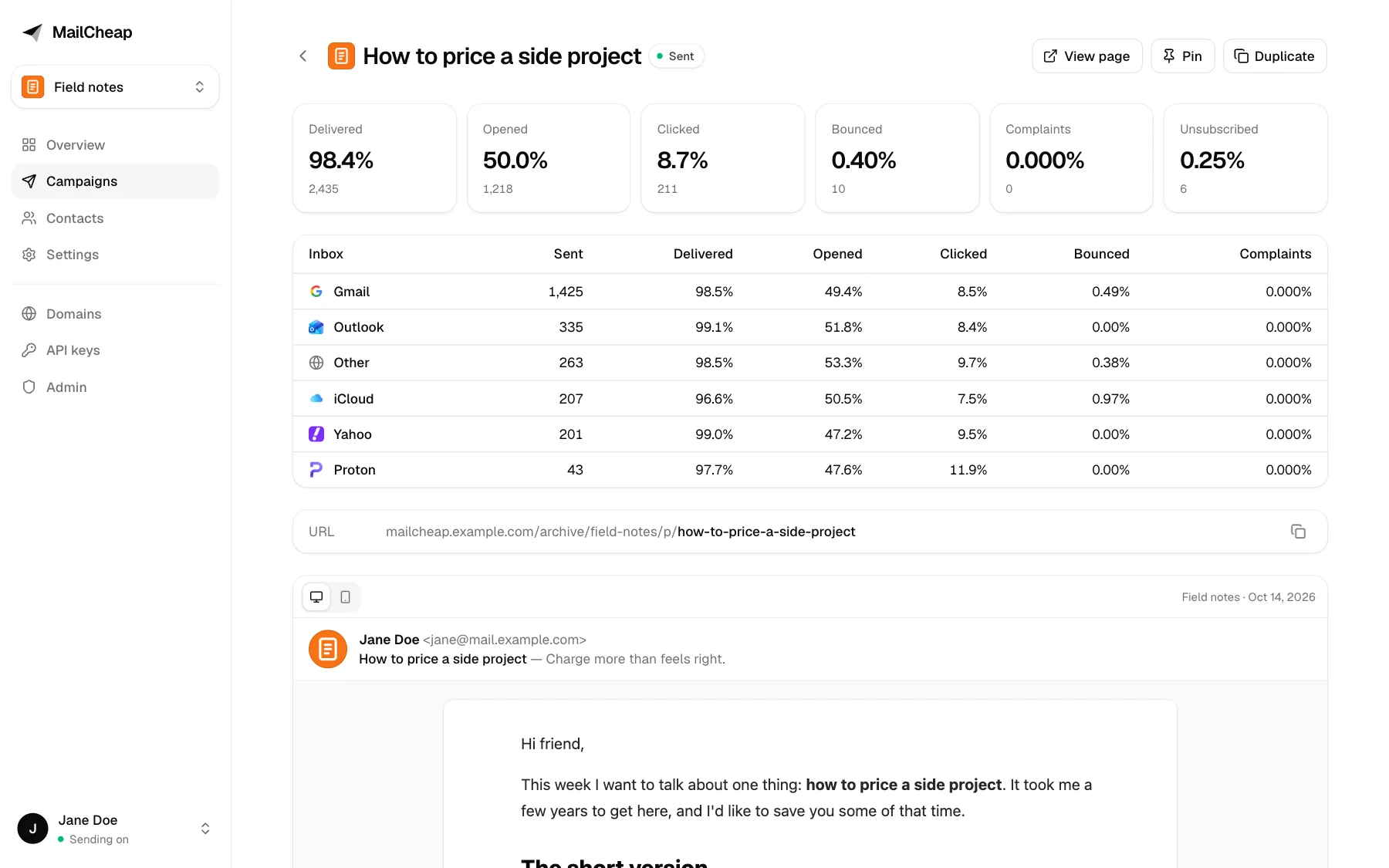
- Campaign reports by mailbox provider (Gmail, Outlook, Yahoo, iCloud...).
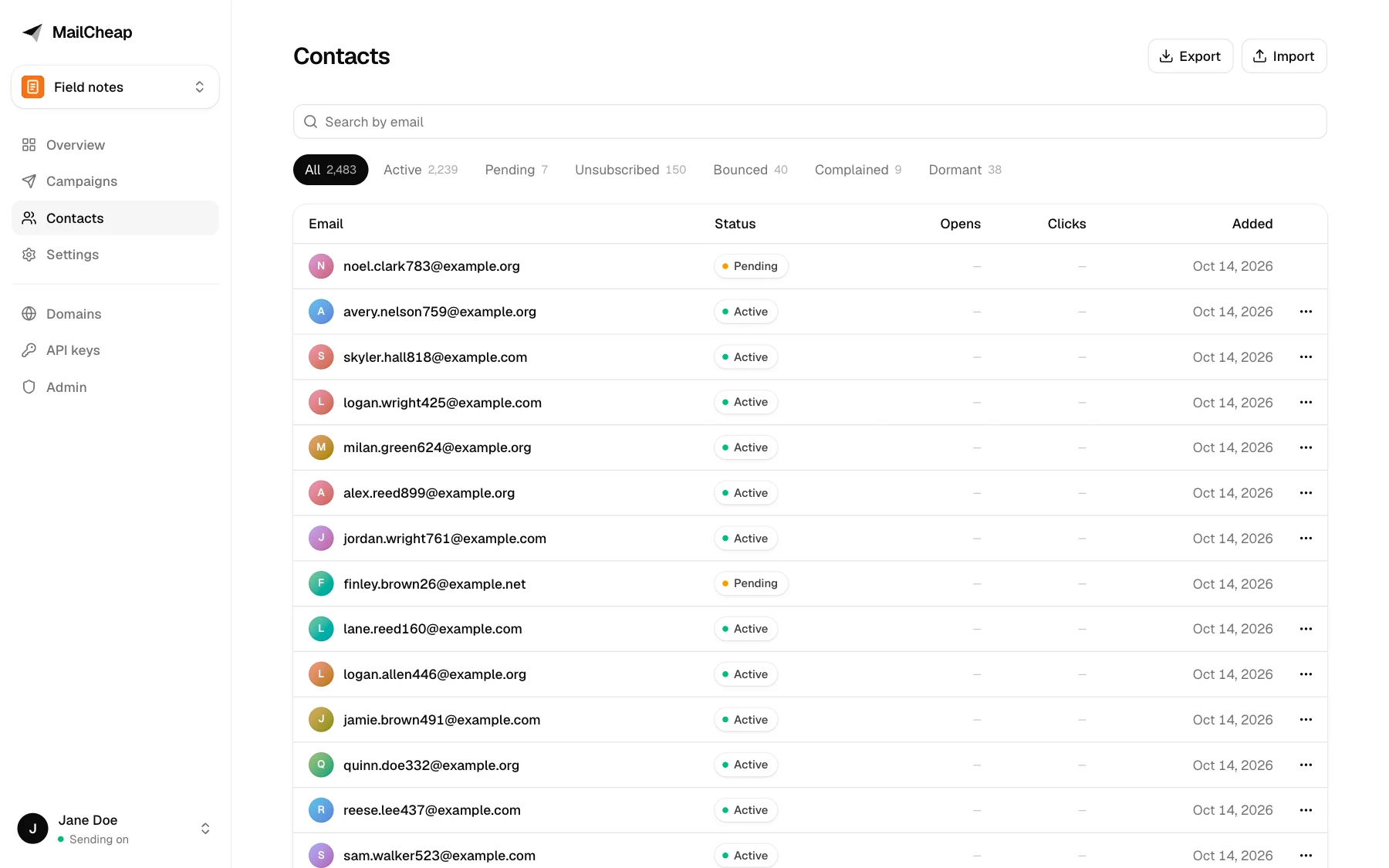
- Contacts with search, status filters and CSV import from any platform.
- A domains page with each SES identity's DKIM and MAIL FROM status and the DNS records to add.
Screenshots
| Editor |
Campaign report |
 |
 |
| Contacts |
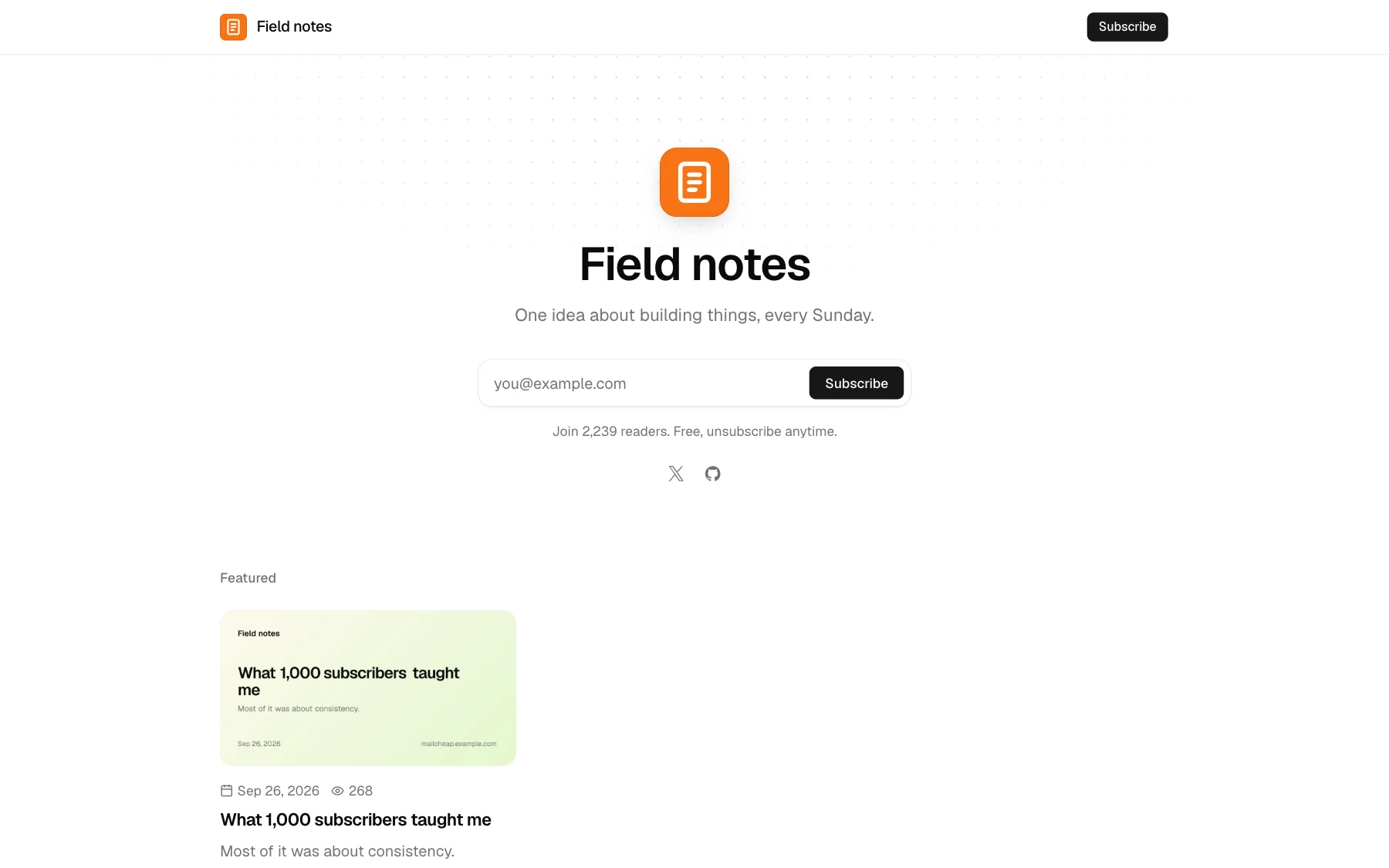
Public archive |
 |
 |
Issue page
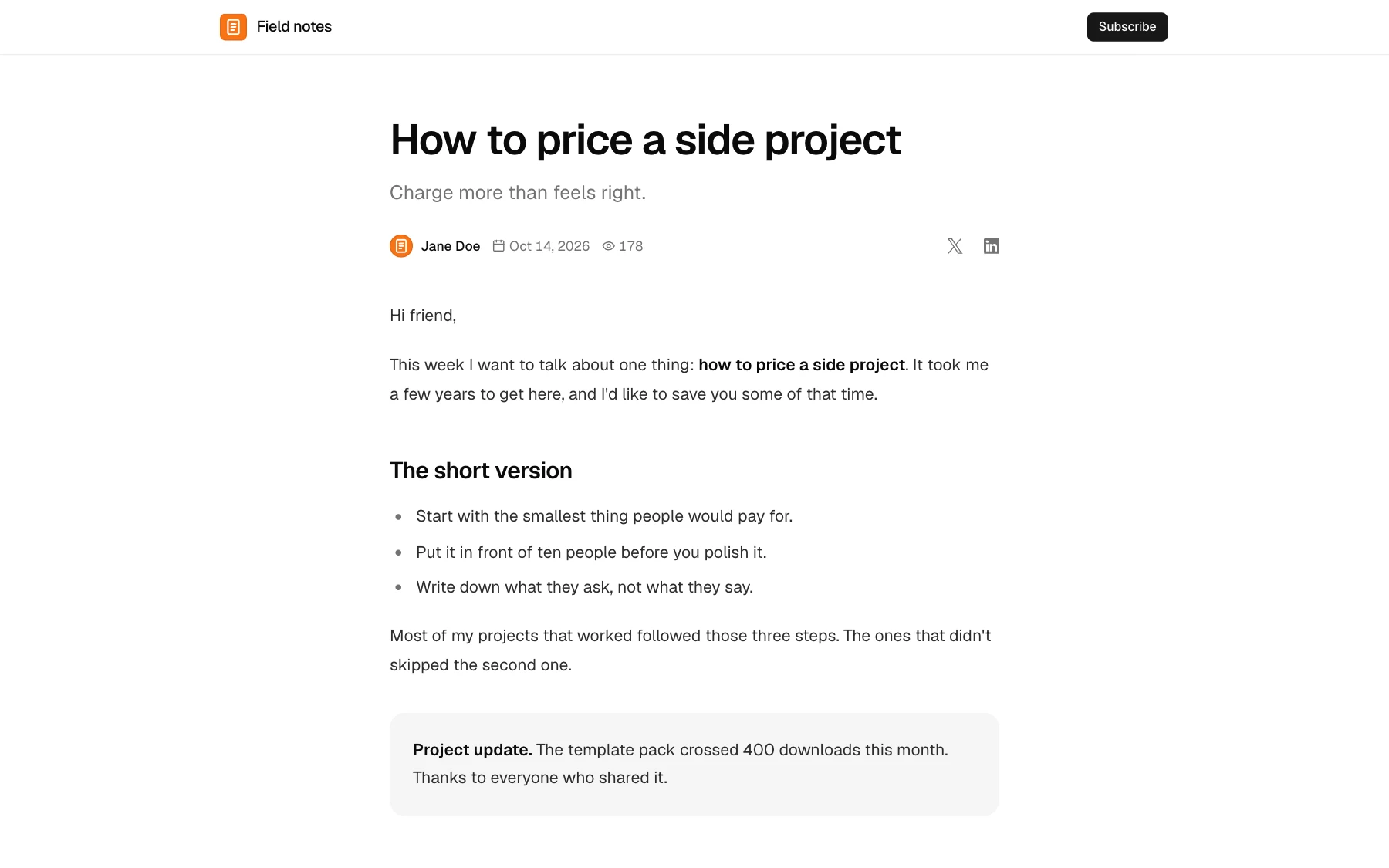
All names and addresses in the screenshots are made up.
What you need
| Service |
For |
Cost |
| MongoDB |
Contacts, campaigns, stats |
Free tier works |
| Amazon SES |
Sending |
About $0.10 per 1,000 emails |
| Upstash QStash |
Background sending and scheduling |
Free tier to start, then pay per message. One message sends 50 emails. |
| Vercel or any Node.js host |
Hosting |
Free tier works |
| Upstash Redis (optional) |
Rate limits shared by every server instance |
Free tier |
| Vercel Blob (optional) |
Image uploads in the editor |
Free tier |
Without Redis, Mailcheap counts the same rate limits in each server instance's memory. That still stops a script hammering a form, but on serverless hosts the limits aren't shared between instances and reset on each deploy. Add Redis before you put a signup form on a busy site.
Without Blob, image uploads in the editor are off. HTML and Markdown campaigns can still use images hosted anywhere.
Setup
Plan for about an hour, most of it waiting for DNS and for AWS to approve production access.
1. Database
- Create a free cluster on MongoDB Atlas.
- Database Access: add a user with a password and the "Read and write to any database" role.
- Network Access: allow
0.0.0.0/0. Vercel doesn't have fixed IP addresses.
- Connect > Drivers: copy the connection string and add a database name before the
?, like ...mongodb.net/mailcheap?retryWrites=true. That's your MONGODB_URI.
2. Deploy
- Click Deploy above.
- Fill in
MONGODB_URI, ADMIN_EMAIL, ADMIN_PASSWORD (at least 12 characters) and SESSION_SECRET (at least 32; generate it with openssl rand -base64 48). With shorter ones, Mailcheap refuses to start and the logs say which one to fix.
- Open
https://<your-project>.vercel.app/login and log in.
Sending is off until you finish the next steps, so nothing can go out by mistake. On any other Node.js host: npm ci && npm run build && npm start, with the same variables, behind HTTPS.
If you plan to use your own domain for the dashboard (like mailcheap.example.com), add it in Vercel now and set APP_URL to it. Links in your emails use APP_URL, so it should be final before your first send.
3. Amazon SES
Use one AWS region for everything below (the examples use us-east-1).
- Verify a sending domain. In the SES console, go to Identities > Create identity > Domain. Use a subdomain like
mail.example.com, so your main domain's email is unaffected. Keep Easy DKIM with RSA 2048 and add the 3 CNAME records SES gives you at your DNS provider.
- Set a custom MAIL FROM domain. On the identity, open Custom MAIL FROM domain > Edit, use
bounce.mail.example.com, and add the MX and TXT records SES shows. This aligns SPF with your domain.
- Add DMARC if your root domain doesn't have one: a TXT record at
_dmarc.example.com with v=DMARC1; p=none; to start. Gmail and Yahoo require DMARC from bulk senders.
- Request production access. New accounts are in the sandbox (200 emails a day, verified recipients only). In Account dashboard > Request production access, pick Marketing, and explain that readers opt in, that bounces and complaints are suppressed automatically, and that every email has one-click unsubscribe. AWS usually answers within a day.
- Create a configuration set, named
mailcheap for example, under Configuration sets. Leave SES open and click tracking off: Mailcheap tracks on your own domain.
- Create an SNS topic. In the SNS console, create a standard topic, like
mailcheap-ses-events, and copy its ARN. Then switch it to signature version 2, which signs messages with SHA256 instead of SHA1: aws sns set-topic-attributes --topic-arn <topic-arn> --attribute-name SignatureVersion --attribute-value 2.
- Send SES events to the topic. In the configuration set, open Event destinations > Add destination. Select hard bounces, complaints, deliveries, delivery delays, rejects and rendering failures, then pick Amazon SNS and your topic.
- Create an IAM user for Mailcheap with this policy, then create an access key for it:
{
  "Version": "2012-10-17",
  "Statement": [
    {
      "Effect": "Allow",
      "Action": ["ses:SendEmail", "ses:SendRawEmail"],
      "Resource": [
        "arn:aws:ses:us-east-1:<account-id>:identity/mail.example.com",
        "arn:aws:ses:us-east-1:<account-id>:configuration-set/mailcheap"
      ]
    },
    {
      "Effect": "Allow",
      "Action": ["ses:GetAccount", "ses:ListEmailIdentities", "ses:GetEmailIdentity"],
      "Resource": "*"
    }
  ]
}
- Add the variables in Vercel and redeploy:
SES_REGION, SES_ACCESS_KEY_ID, SES_SECRET_ACCESS_KEY, SES_CONFIGURATION_SET and SES_SNS_TOPIC_ARN.
- Subscribe Mailcheap to the topic. In the SNS topic, Create subscription with protocol HTTPS and endpoint
https://<your-app>/api/webhooks/ses. Leave raw message delivery off. Mailcheap confirms the subscription by itself; refresh and the status turns to Confirmed.
The Domains page in Mailcheap now shows your domain with its DKIM and MAIL FROM status. Optional: in SES Account dashboard > Suppression list, turn on the account-level list for bounces and complaints too.
4. QStash
- In the Upstash console, open QStash and copy
QSTASH_TOKEN, QSTASH_CURRENT_SIGNING_KEY and QSTASH_NEXT_SIGNING_KEY (and QSTASH_URL if you picked a region other than the default).
- Add them in Vercel and redeploy.
QStash calls APP_URL/api/jobs/... to send each batch, so the app has to be reachable on the internet. Mailcheap checks QStash's signature on every job.
5. Turn sending on
- In Mailcheap, create a newsletter. The from address must be on your verified domain, and the postal address shows in every email's footer (anti-spam laws require one).
- Set
SENDING_ENABLED=true in Vercel and redeploy.
- Write a campaign, send yourself a test, then send. For a new domain, set a limit to reach your most engaged readers first, and use Send to more on the report once the first step looks healthy.
Optional
Archive on its own domain: add the domain to your Vercel project, then set ARCHIVE_HOSTS=news.example.com=<newsletter-slug> and redeploy. That domain serves only the archive and the unsubscribe page, never the dashboard, and the app domain's /archive/<newsletter-slug> pages redirect there.
This is the safer setup: issue pages show HTML from your editor and from API keys, and on their own domain that HTML never shares the dashboard's origin. Without one, the archive stays on the app domain, where the sanitizer, the sandboxed frame and the Content Security Policy protect it.
Image uploads: in Vercel, Storage > Create > Blob, connect it to the project, and redeploy.
Shared rate limits: create a Redis database in the Upstash console and add UPSTASH_REDIS_REST_URL and UPSTASH_REDIS_REST_TOKEN.
Alerts: set ALERT_FROM (like Mailcheap <[email protected]>) to get alerts by email at ADMIN_EMAIL: spam complaints, paused sends, signup floods and rate limiter outages, plus every login, new API key and send. Otherwise they only show in the logs.
Local development
git clone https://github.com/<you>/mailcheap.git && cd mailcheap
npm install
cp .env.example .env.local   # set MONGODB_URI, ADMIN_EMAIL, ADMIN_PASSWORD, SESSION_SECRET
npm run dev
A local MongoDB works: docker run -d -p 27017:27017 mongo and MONGODB_URI=mongodb://127.0.0.1:27017/mailcheap.
- Sending stays off locally unless you set
SENDING_ENABLED=true. When the SES keys are empty, the AWS SDK falls back to your default AWS credentials (~/.aws), so the domains page can show real data.
- QStash can't reach
localhost. To try a full send locally, run the QStash dev server (npx @upstash/qstash-cli dev) and use the URL, token and signing keys it prints.
npm test runs the unit tests and npm run lint runs ESLint.
Deliverability basics
- Send from a subdomain (
mail.example.com), so a bad week doesn't affect your main domain's email.
- Authenticate everything: DKIM (Easy DKIM), SPF through the custom MAIL FROM domain, and DMARC on the root domain.
- Only email people who asked. Never import a bought or scraped list. If bots fill your forms, turn on confirmed opt-in.
- Warm up a new domain. Send to your most engaged readers first, and grow each send over a few weeks.
- Watch complaints and bounces. Keep complaints under 0.1% and bounces under 2%. Mailcheap pauses a send above 0.08% complaints or 2% bounces. Add your domain to Google Postmaster Tools to see your spam rate at Gmail.
- Make leaving easy. Every email has one-click unsubscribe headers and a footer link, which Gmail and Yahoo require.
- Clean your list. Turn on list cleanup in each newsletter's settings to stop emailing people who never open.
- Keep emails under 100 KB, or Gmail clips them and hides the unsubscribe link.
Environment variables
| Variable |
Required |
What it does |
MONGODB_URI |
Yes |
MongoDB connection string with a database name |
ADMIN_EMAIL |
Yes |
Dashboard login, and where test emails and alerts go |
ADMIN_PASSWORD |
Yes |
Dashboard password, 12+ characters. Changing it signs out every session. |
SESSION_SECRET |
Yes |
Signs sessions and email links. 32+ random characters. Changing it breaks links in sent emails. |
APP_URL |
On other hosts |
Public URL of the app. On Vercel it defaults to the production domain. |
SENDING_ENABLED |
To send |
Nothing is sent unless it's true |
SES_REGION |
To send |
SES region, us-east-1 by default |
SES_ACCESS_KEY_ID, SES_SECRET_ACCESS_KEY |
To send |
IAM user keys |
SES_CONFIGURATION_SET |
To send |
Configuration set that publishes events to SNS |
SES_SNS_TOPIC_ARN |
To send |
SNS topic Mailcheap accepts at /api/webhooks/ses |
QSTASH_TOKEN, QSTASH_CURRENT_SIGNING_KEY, QSTASH_NEXT_SIGNING_KEY |
To send campaigns |
Background sending and scheduling |
QSTASH_URL |
No |
QStash region other than the default, or a local QStash dev server |
SEND_RATE_PER_SECOND |
No |
Emails per second, 1 to 14 (default 10). Use 6 on a free Atlas cluster. |
ARCHIVE_HOSTS |
No |
Archive domains, like news.example.com=weekly,letters.example.org=monthly |
UPSTASH_REDIS_REST_URL, UPSTASH_REDIS_REST_TOKEN |
No |
Shared rate limits |
BLOB_READ_WRITE_TOKEN |
No |
Image uploads in the editor (set by Vercel Blob) |
ALERT_FROM |
No |
From address for alert emails, on a verified domain |
.env.example has the same list with more detail.
API
Create a key on the API keys page and send it as Authorization: Bearer <key>.
Add a contact: POST /api/v1/contacts
curl -X POST https://<your-app>/api/v1/contacts \
  -H "Authorization: Bearer $MAILCHEAP_API_KEY" \
  -H "Content-Type: application/json" \
  -d '{"newsletter":"weekly","email":"[email protected]","source":"website","ip":"203.0.113.7"}'
newsletter (slug) and email are required. source labels where the signup came from.resubscribe: true brings back someone who unsubscribed (never someone who bounced or complained).- Pass your visitor's IP as
ip to get the per-visitor limit of 5 signups per 10 minutes. Each key is also limited to 600 signups an hour.
- Answers
201 for a new contact, 200 if it already existed, with { id, status, created }. When the newsletter confirms signups, status is pending and inbox links to the reader's email provider for your "check your inbox" message.
Create a draft: POST /api/v1/campaigns with newsletter, subject, previewText (optional), html or markdown, and archiveSlug (optional). Answers 201 with the draft's id and dashboard URL. Sending stays a click in the dashboard.
List sent issues: GET /api/v1/campaigns?newsletter=<slug> returns each issue's id, subject, preview text, archive URL and send date.
How it works
- Next.js App Router, JavaScript, Tailwind CSS with shadcn/ui, MongoDB through Mongoose.
- Send picks the audience (active contacts, suppressions left out, most engaged first), creates one message per reader, and queues one QStash job per batch of 50. Each job sends through the SES v2 API at
SEND_RATE_PER_SECOND and pauses the campaign if bounce or complaint rates pass the limits.
- Welcome and confirmation emails go out right away, capped at 100 every 10 minutes per newsletter.
- SES publishes events to SNS, which posts them to
/api/webhooks/ses. Mailcheap verifies the SNS signature, updates the message, the campaign stats and the contact, and suppresses bounced and complaining addresses for every newsletter.
- Opens and clicks go through
/o/... and /c/... on your app's domain. Clicks within 30 seconds of the send, or from known link scanners, don't count.
- Archive pages are static and refresh when you send or save.
Support
There's none: issues are off and pull requests may not be reviewed. This is a one-time release, with no updates planned. See SECURITY.md for what's built in.
License
MIT. Made by Marc Lou.

 Mailcheap 是一个自托管新闻通讯(newsletter)应用,通过你自己的 Amazon SES 账户发送,让你撰写一期内容、发送给订阅列表并发布到网上,成本约为每千封邮件 0.10 美元。