



13.1K ·GitHub
Что это?
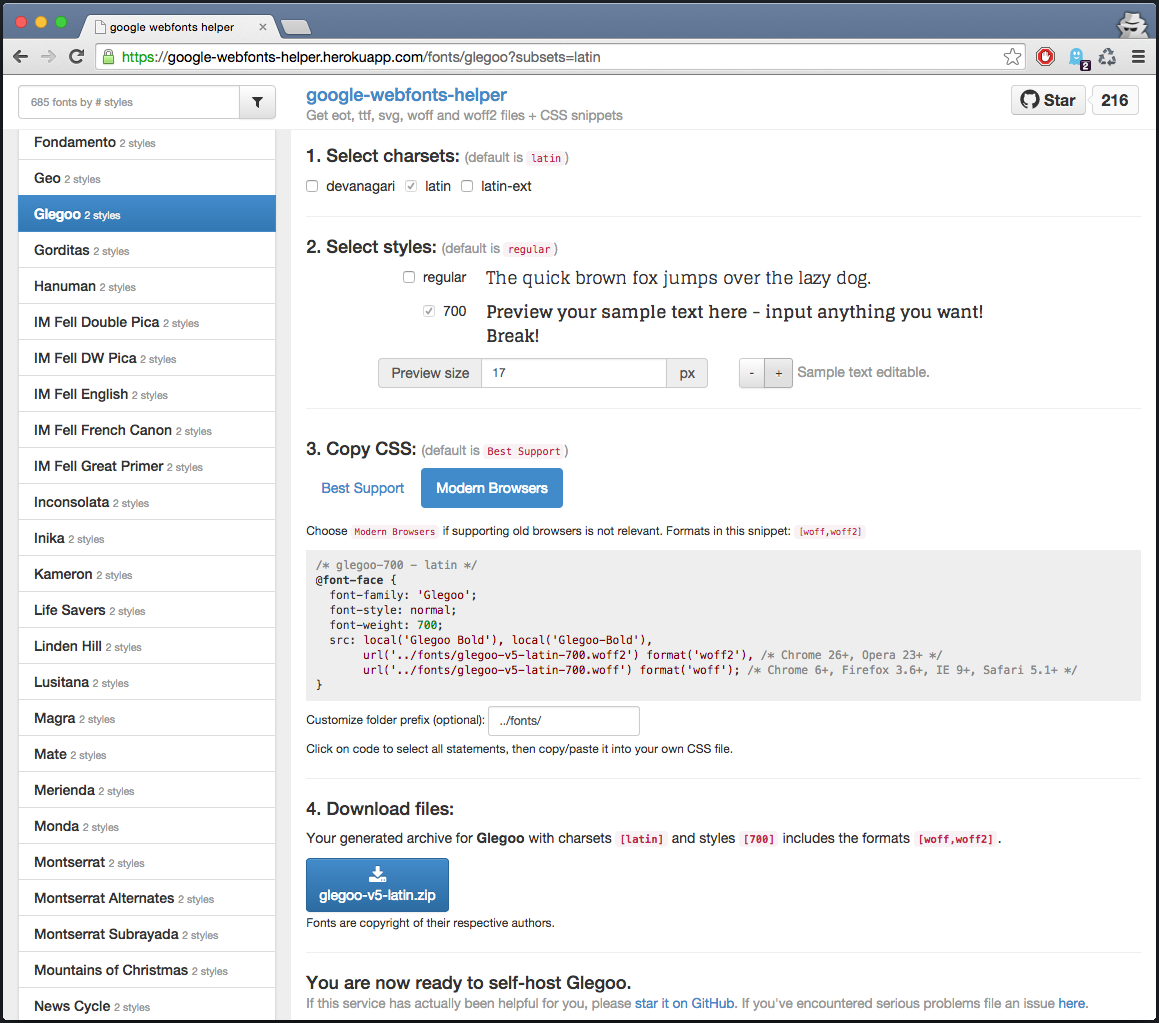
 google-webfonts-helper — это самостоятельно размещаемый сервис, который позволяет скачивать файлы шрифтов Google (eot, ttf, svg, woff, woff2) и готовые фрагменты CSS, чтобы отдавать шрифты со своего сервера, а не с CDN Google.
google-webfonts-helper — это самостоятельно размещаемый сервис, который позволяет скачивать файлы шрифтов Google (eot, ttf, svg, woff, woff2) и готовые фрагменты CSS, чтобы отдавать шрифты со своего сервера, а не с CDN Google.Это веб-приложение, которым я пользуюсь напрямую, или сервер, который я запускаю сам?Это веб-сервер/приложение с JSON API: можно либо пользоваться публично размещённым экземпляром, либо запустить собственную копию через Docker, чтобы генерировать файлы шрифтов и CSS.
Это веб-сервер/приложение с JSON API: можно либо пользоваться публично размещённым экземпляром, либо запустить собственную копию через Docker, чтобы генерировать файлы шрифтов и CSS.Как запустить собственный экземпляр?Проект предоставляет готовые Docker-образы через GitHub Packages, которые можно сразу загрузить и запустить, либо можно настроить локальную среду разработки с помощью входящих в проект скриптов (ts-node, grunt build/serve).
Проект предоставляет готовые Docker-образы через GitHub Packages, которые можно сразу загрузить и запустить, либо можно настроить локальную среду разработки с помощью входящих в проект скриптов (ts-node, grunt build/serve).Что нужно для сборки или локального запуска?Node.js (продакшен-образ работает на node:22) и стандартные npm-зависимости из package.json (express, axios, jszip и др.) для среды разработки; Docker нужен, если вы хотите просто запустить готовый образ.
Node.js (продакшен-образ работает на node:22) и стандартные npm-зависимости из package.json (express, axios, jszip и др.) для среды разработки; Docker нужен, если вы хотите просто запустить готовый образ.Можно ли пользоваться этим без собственного хостинга?Да, публичный API на размещённом экземпляре можно вызывать напрямую и бесплатно, хотя могут действовать ограничения по частоте запросов.
Да, публичный API на размещённом экземпляре можно вызывать напрямую и бесплатно, хотя могут действовать ограничения по частоте запросов.Как получить файлы конкретного шрифта через API?GET /api/fonts/[id]?subsets=latin,latin-ext возвращает ссылки на сами файлы шрифтов; также можно скачать zip-архив с помощью GET /api/fonts/[id]?download=zip&subsets=latin&formats=woff,woff2&variants=regular.
GET /api/fonts/[id]?subsets=latin,latin-ext возвращает ссылки на сами файлы шрифтов; также можно скачать zip-архив с помощью GET /api/fonts/[id]?download=zip&subsets=latin&formats=woff,woff2&variants=regular.Как получить список всех доступных шрифтов?GET /api/fonts возвращает все шрифты, отсортированные по популярности.
GET /api/fonts возвращает все шрифты, отсортированные по популярности.Откуда взялась идея этого инструмента?Он начинался в 2014 году как прототип для изучения Angular и Express и был вдохновлён bash-скриптом Клеменса Ланга для загрузки шрифтов Google во всех форматах.
Он начинался в 2014 году как прототип для изучения Angular и Express и был вдохновлён bash-скриптом Клеменса Ланга для загрузки шрифтов Google во всех форматах.Безопасен ли продакшен-образ Docker?Да, итоговый образ работает без прав root, построен на минимальной базе контейнера и не содержит зависимостей для разработки, чтобы уменьшить поверхность атаки.
Да, итоговый образ работает без прав root, построен на минимальной базе контейнера и не содержит зависимостей для разработки, чтобы уменьшить поверхность атаки.What are similar projects?3d-asset-server, kutt, habitica, rankme.fast, Instatic, trpc, linksift, parse-server
3d-asset-server, kutt, habitica, rankme.fast, Instatic, trpc, linksift, parse-serverWhich topics is it in?fonts, static-site-generator, express, downloader, css, rest-api, api, server, nodejs, docker, typescript, self-hosted
fonts, static-site-generator, express, downloader, css, rest-api, api, server, nodejs, docker, typescript, self-hosted