



13.1K ·GitHub
What is this?
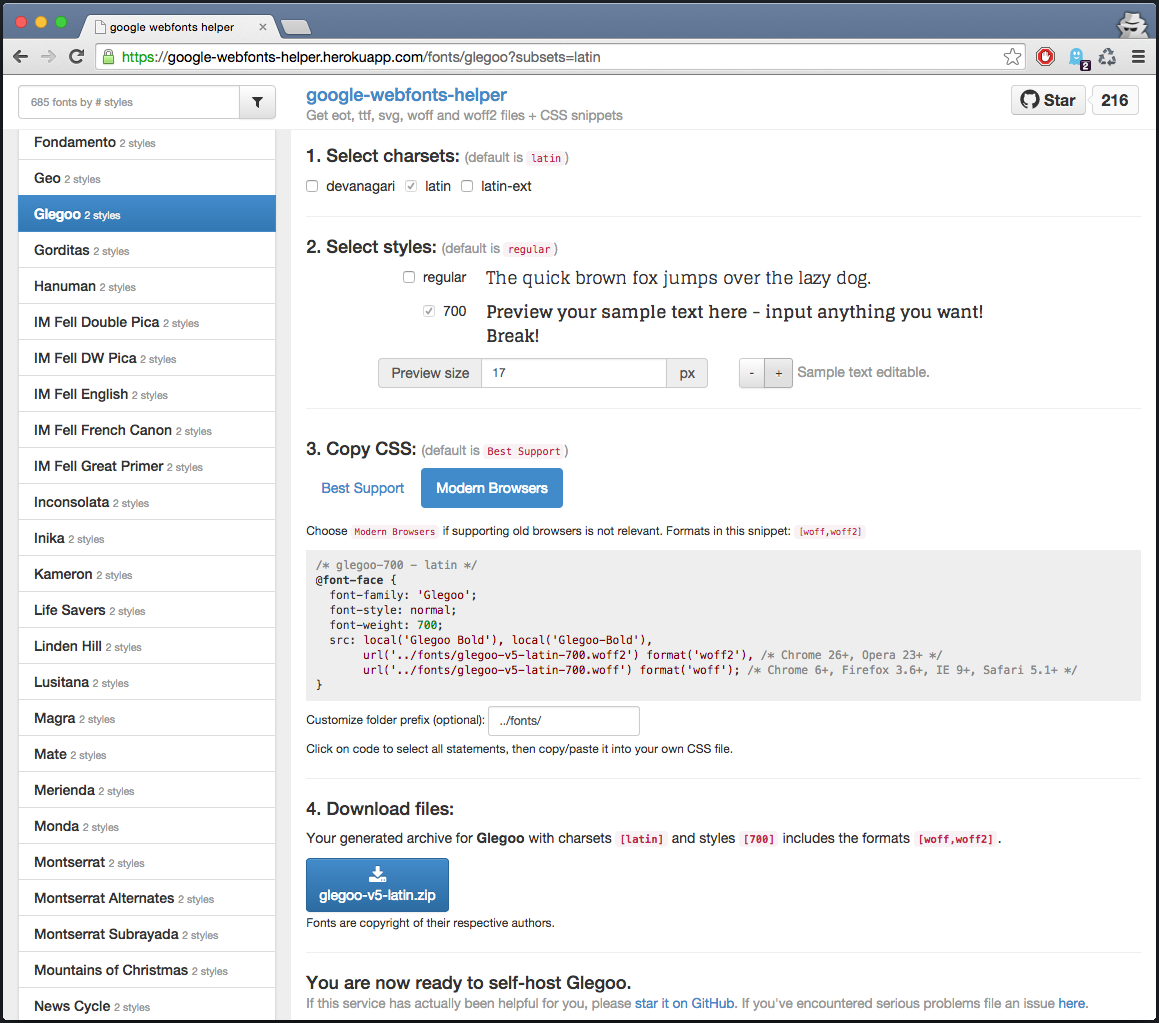
 google-webfonts-helper is a self-hosted service that lets you grab Google Fonts files (eot, ttf, svg, woff, woff2) plus ready-made CSS snippets, so you can serve the fonts from your own server instead of Google's CDN.
google-webfonts-helper is a self-hosted service that lets you grab Google Fonts files (eot, ttf, svg, woff, woff2) plus ready-made CSS snippets, so you can serve the fonts from your own server instead of Google's CDN.Is this a web app I use directly, or a server I run myself?It is a web server/app with a JSON API: you either use the public hosted instance or run your own copy via Docker to generate font files and CSS.
It is a web server/app with a JSON API: you either use the public hosted instance or run your own copy via Docker to generate font files and CSS.How do I run my own instance?The project provides prebuilt Docker images via GitHub Packages that you can pull and run directly, or you can set up a local dev environment with the included scripts (ts-node, grunt build/serve).
The project provides prebuilt Docker images via GitHub Packages that you can pull and run directly, or you can set up a local dev environment with the included scripts (ts-node, grunt build/serve).What do I need to build or run it locally?Node.js (the production image runs on node:22) and the standard npm dependencies listed in package.json (express, axios, jszip, etc.) for a dev setup; Docker if you just want to run the prebuilt image.
Node.js (the production image runs on node:22) and the standard npm dependencies listed in package.json (express, axios, jszip, etc.) for a dev setup; Docker if you just want to run the prebuilt image.Can I just use it without hosting anything?Yes, the public API at the hosted instance is free to call directly, though rate-limits may apply.
Yes, the public API at the hosted instance is free to call directly, though rate-limits may apply.How do I fetch a specific font's files via the API?GET /api/fonts/[id]?subsets=latin,latin-ext returns URLs to the actual font files; you can also download a zipped archive with GET /api/fonts/[id]?download=zip&subsets=latin&formats=woff,woff2&variants=regular.
GET /api/fonts/[id]?subsets=latin,latin-ext returns URLs to the actual font files; you can also download a zipped archive with GET /api/fonts/[id]?download=zip&subsets=latin&formats=woff,woff2&variants=regular.How do I list all available fonts?GET /api/fonts returns all fonts sorted by popularity.
GET /api/fonts returns all fonts sorted by popularity.Where did the idea for this tool come from?It started in 2014 as a prototype to learn Angular and Express, inspired by Clemens Lang's bash script for downloading Google fonts in all formats.
It started in 2014 as a prototype to learn Angular and Express, inspired by Clemens Lang's bash script for downloading Google fonts in all formats.Is the production Docker image secure?Yes, the final image runs rootless, is built on a minimal container base, and strips out development dependencies to limit the attack surface.
Yes, the final image runs rootless, is built on a minimal container base, and strips out development dependencies to limit the attack surface.What are similar projects?3d-asset-server, kutt, habitica, rankme.fast, Instatic, trpc, linksift, parse-server
3d-asset-server, kutt, habitica, rankme.fast, Instatic, trpc, linksift, parse-serverWhich topics is it in?fonts, static-site-generator, express, downloader, css, rest-api, api, server, nodejs, docker, typescript, self-hosted
fonts, static-site-generator, express, downloader, css, rest-api, api, server, nodejs, docker, typescript, self-hosted