


这是什么?
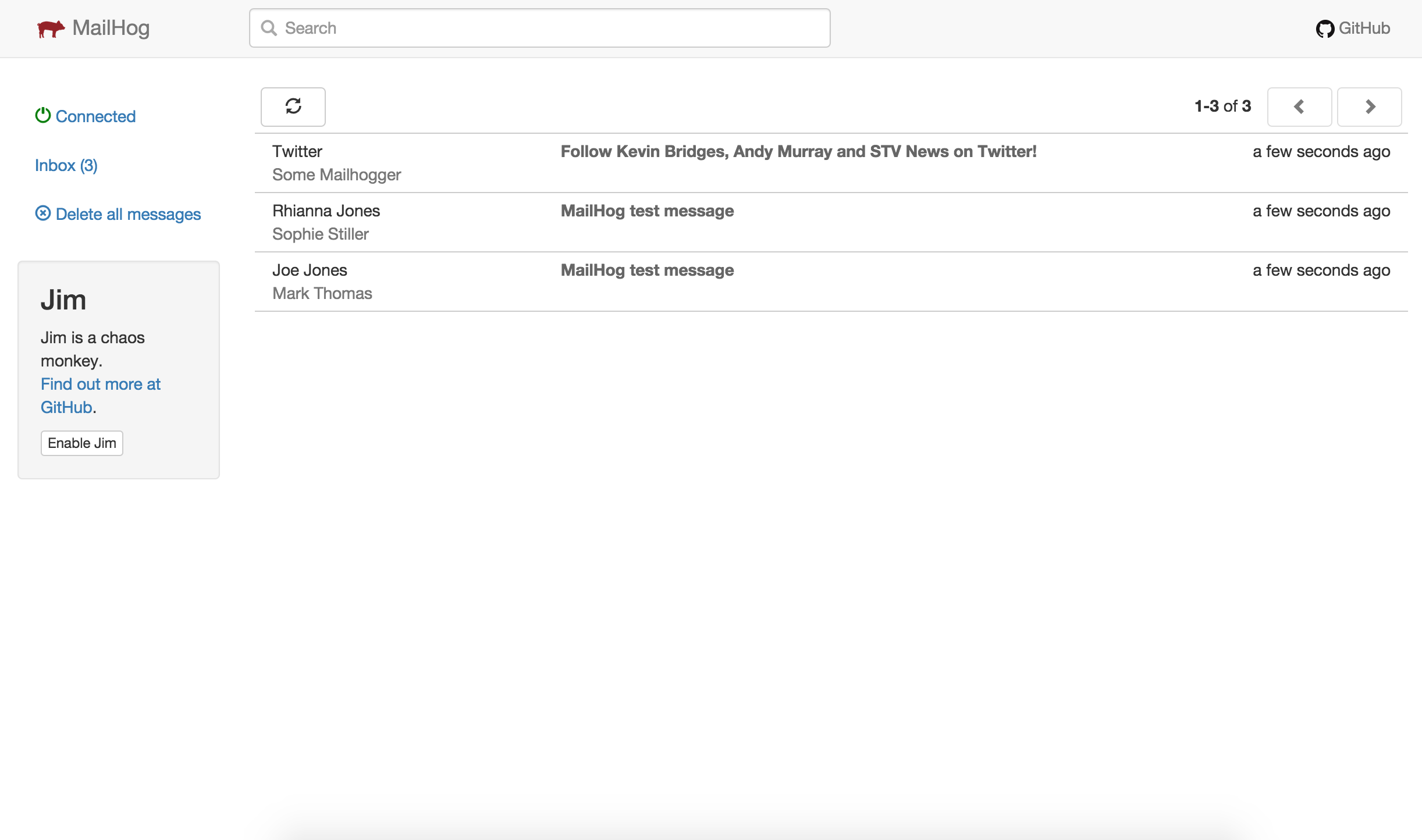
 MailHog 是一款面向开发者的邮件测试工具。你把应用程序的出站 SMTP 指向它,然后就可以在 Web 界面里查看被截获的邮件,或者通过 JSON API 获取邮件,而不是真的把邮件发送出去。
MailHog 是一款面向开发者的邮件测试工具。你把应用程序的出站 SMTP 指向它,然后就可以在 Web 界面里查看被截获的邮件,或者通过 JSON API 获取邮件,而不是真的把邮件发送出去。这是一个我要加到代码里的库,还是一个单独运行的服务?它是单独运行的:一个用 Go 编写的单一二进制文件,充当一个假的 SMTP 服务器,内置 Web 界面和 HTTP API。你的应用不会内嵌 MailHog —— 只是像对待普通 SMTP 服务器一样把邮件发给它。
它是单独运行的:一个用 Go 编写的单一二进制文件,充当一个假的 SMTP 服务器,内置 Web 界面和 HTTP API。你的应用不会内嵌 MailHog —— 只是像对待普通 SMTP 服务器一样把邮件发给它。我该怎么把它跑起来?下载适合你平台的最新版本并运行二进制文件,或者运行 Docker Hub 上的 Docker 镜像。使用默认设置时,SMTP 服务器监听 1025 端口,Web 界面监听 8025 端口。
下载适合你平台的最新版本并运行二进制文件,或者运行 Docker Hub 上的 Docker 镜像。使用默认设置时,SMTP 服务器监听 1025 端口,Web 界面监听 8025 端口。我需要先安装 Go 之类的环境吗?不需要 —— 它用 Go 编写,在多个平台上无需安装即可运行。只有当你想自己从源码编译时,才需要 Go 工具链(1.4+)。
不需要 —— 它用 Go 编写,在多个平台上无需安装即可运行。只有当你想自己从源码编译时,才需要 Go 工具链(1.4+)。重启之后测试邮件还在吗?默认情况下邮件保存在内存里,MailHog 一停止它们就没了。如果想持久化保存,可以切换到 MongoDB 或基于文件的存储。
默认情况下邮件保存在内存里,MailHog 一停止它们就没了。如果想持久化保存,可以切换到 MongoDB 或基于文件的存储。我的测试邮件会不会发到真实的收件人那里?不会 —— 被截获的邮件会一直留在 MailHog 里,除非你明确把它们释放到真实的 SMTP 服务器去投递。
不会 —— 被截获的邮件会一直留在 MailHog 里,除非你明确把它们释放到真实的 SMTP 服务器去投递。它是免费的吗?是的 —— MailHog 采用 MIT 许可证发布,可以免费使用、修改和再分发。
是的 —— MailHog 采用 MIT 许可证发布,可以免费使用、修改和再分发。我该怎么把应用程序连到 MailHog?把应用的出站 SMTP 服务器设置为 MailHog 的 1025 端口。另外还有 mhsendmail,一个 sendmail 的替代品,可以通过 SMTP 把邮件转到 MailHog —— 例如 PHP 应用可以在 php.ini 里把 sendmail_path 指向它。
把应用的出站 SMTP 服务器设置为 MailHog 的 1025 端口。另外还有 mhsendmail,一个 sendmail 的替代品,可以通过 SMTP 把邮件转到 MailHog —— 例如 PHP 应用可以在 php.ini 里把 sendmail_path 指向它。邮件被 MailHog 截获之后会怎么样?它会实时出现在 Web 界面里(通过 EventSource 更新),你可以按纯文本、HTML 或原始源码查看,还能下载单独的 MIME 部分。你也可以通过 HTTP API(v1 和 v2)列出、获取和删除邮件,并可用可选的 basic auth 加以保护。
它会实时出现在 Web 界面里(通过 EventSource 更新),你可以按纯文本、HTML 或原始源码查看,还能下载单独的 MIME 部分。你也可以通过 HTTP API(v1 和 v2)列出、获取和删除邮件,并可用可选的 basic auth 加以保护。MailHog 能模拟投递失败吗?可以 —— 它内置了 Jim,一个用于故障测试的 Chaos Monkey 功能,可以让你检验当 SMTP 投递出问题时应用如何应对。
可以 —— 它内置了 Jim,一个用于故障测试的 Chaos Monkey 功能,可以让你检验当 SMTP 投递出问题时应用如何应对。MailHog 和 MailCatcher 有什么区别?它受 MailCatcher 启发,但安装更简单:由于用 Go 编写,它以轻量的二进制文件发布,在多个平台上无需安装即可运行,还提供 Docker 镜像。
它受 MailCatcher 启发,但安装更简单:由于用 Go 编写,它以轻量的二进制文件发布,在多个平台上无需安装即可运行,还提供 Docker 镜像。What are similar projects?mailpit, glances, agentsview, parse-server, postal, listmonk, BillionMail, yapi
mailpit, glances, agentsview, parse-server, postal, listmonk, BillionMail, yapi