





What is this?
 Mailpit is a small, fast, low-memory email testing tool and API for developers. It acts as a local SMTP server that captures every message your app sends, shows them in a web UI, and offers a REST API for automated integration testing.
Mailpit is a small, fast, low-memory email testing tool and API for developers. It acts as a local SMTP server that captures every message your app sends, shows them in a web UI, and offers a REST API for automated integration testing.So is this a hosted service I sign up for, or something I run myself?You run it yourself: it ships as a single static binary or multi-architecture Docker image that starts an SMTP server, a web UI and a REST API wherever you launch it. No accounts or external services are involved.
You run it yourself: it ships as a single static binary or multi-architecture Docker image that starts an SMTP server, a web UI and a REST API wherever you launch it. No accounts or external services are involved.How do I get it running?On macOS run brew install mailpit (brew services start mailpit to keep it running in the background); on Linux/Mac a one-line install script puts it in /usr/local/bin. Static binaries for Windows/Linux/Mac are on the releases page, and Docker images (386/amd64/arm64) exist too.
On macOS run brew install mailpit (brew services start mailpit to keep it running in the background); on Linux/Mac a one-line install script puts it in /usr/local/bin. Static binaries for Windows/Linux/Mac are on the releases page, and Docker images (386/amd64/arm64) exist too.How much do I need to change in my app to route its mail through it?Just point your application's SMTP settings at Mailpit, which listens on 0.0.0.0:1025 by default. If your app sends via sendmail, Mailpit can act as a sendmail substitute instead. The binary itself is zero-dependency.
Just point your application's SMTP settings at Mailpit, which listens on 0.0.0.0:1025 by default. If your app sends via sendmail, Mailpit can act as a sendmail substitute instead. The binary itself is zero-dependency.How much mail can it hold before messages start disappearing?It ingests 200-300 emails per second and easily handles tens of thousands, but storage is pruned automatically — by default only the most recent 500 emails are kept. You can adjust pruning by volume or message age.
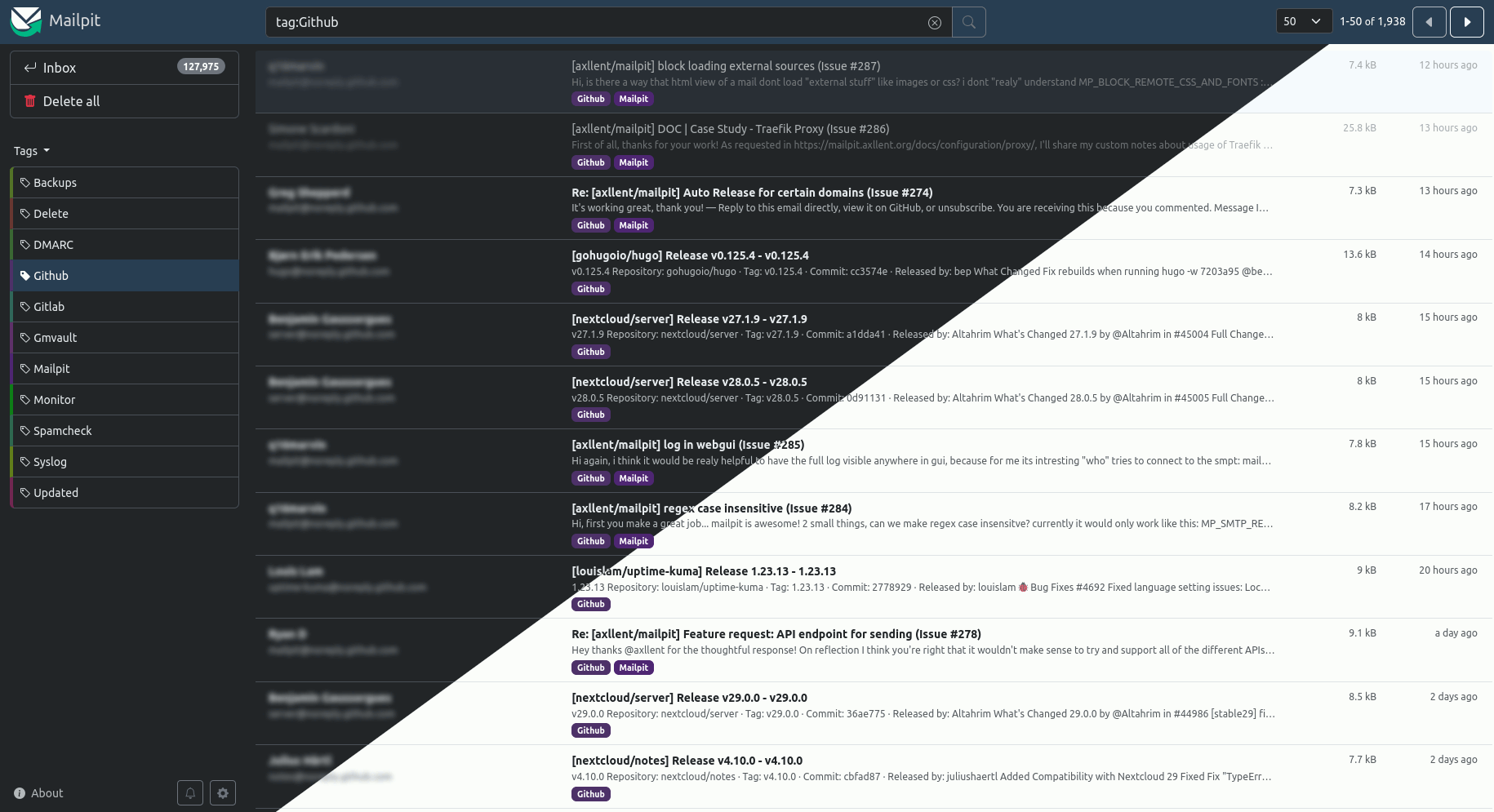
It ingests 200-300 emails per second and easily handles tens of thousands, but storage is pruned automatically — by default only the most recent 500 emails are kept. You can adjust pruning by volume or message age.What can I do with a captured email in the web UI?Inspect it as formatted HTML, highlighted HTML source, plain text, headers or raw source, with MIME attachments and image thumbnails. There's advanced mail search, manual or automated message tagging, HTML screenshots and a mobile/tablet preview toggle, plus an HTML check that scores mail-client compatibility, a link check, and a spam check via a running SpamAssassin server.
Inspect it as formatted HTML, highlighted HTML source, plain text, headers or raw source, with MIME attachments and image thumbnails. There's advanced mail search, manual or automated message tagging, HTML screenshots and a mobile/tablet preview toggle, plus an HTML check that scores mail-client compatibility, a link check, and a spam check via a running SpamAssassin server.Can it be part of automated integration tests?Yes — Mailpit ships a REST API built for automated integration testing, and new mail appears in real time via web sockets. You can also set an optional webhook to fire when a message is received, and enable the chaos feature to inject configurable SMTP errors so you can test how your application handles failures.
Yes — Mailpit ships a REST API built for automated integration testing, and new mail appears in real time via web sockets. You can also set an optional webhook to fire when a message is received, and enable the chaos feature to inject configurable SMTP errors so you can test how your application handles failures.Can I get captured messages into a real inbox or another server?Yes. SMTP relaying lets you release messages via a different SMTP server, with an optional allowlist of accepted recipients; SMTP forwarding automatically sends copies to predefined addresses. Alternatively, enable the optional POP3 server and download captured mail straight into your email client.
Yes. SMTP relaying lets you release messages via a different SMTP server, with an optional allowlist of accepted recipients; SMTP forwarding automatically sends copies to predefined addresses. Alternatively, enable the optional POP3 server and download captured mail straight into your email client.Why use this instead of MailHog?Mailpit was originally inspired by MailHog, which the README notes is no longer maintained and hasn't seen active development or security updates for a few years. Mailpit is the actively developed alternative: one zero-dependency binary ingesting 200-300 emails per second.
Mailpit was originally inspired by MailHog, which the README notes is no longer maintained and hasn't seen active development or security updates for a few years. Mailpit is the actively developed alternative: one zero-dependency binary ingesting 200-300 emails per second.