




openchart README

The project's README from github.com/longsurf-ai/openchart. As one markdown file: README.md.

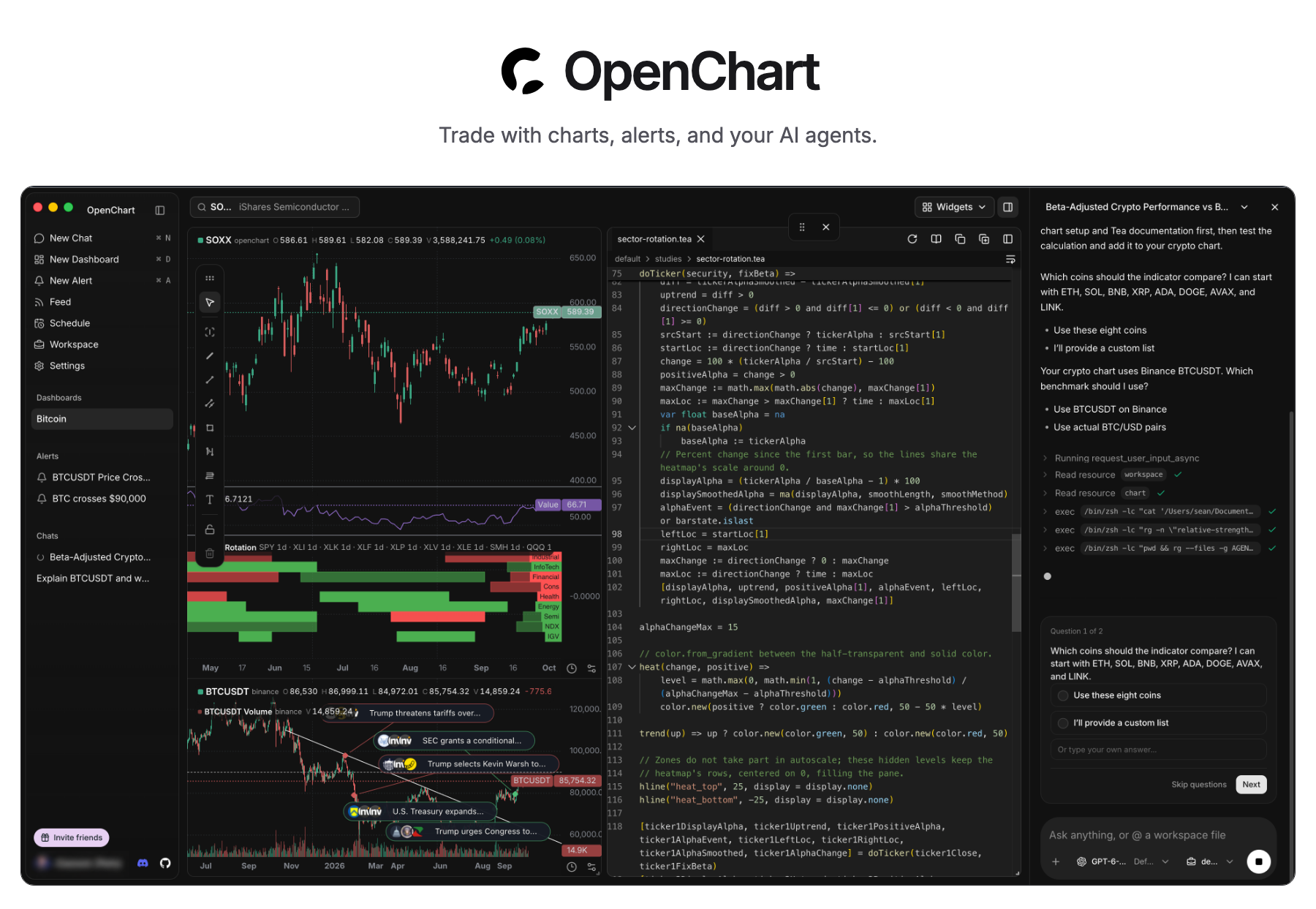
OpenChart — Trade with charts, alerts, and your AI agents. Desktop screenshot with SOXX and Bitcoin charts, indicators, the Tea editor, and an AI agent conversation.

Download Desktop · Self-hosting · Features · Tea

Product: OpenChart Desktop pricing: free Chat on Discord Follow @OpenChartHQ on X Join r/OpenChartOfficial on Reddit Build status on main

OpenChart brings AI agents into every step of your investment journey: statistical and technical analysis with code and charts, real-time responses to market events with alerts, opportunity discovery through agentic research, and more.

OpenChart is not built to monetize software, but to explore a future where humans and agents manage assets together. If you believe in this future and want to join forces, we want to talk to you.

Quick start

Download Desktop for macOS (Apple Silicon), open the disk image, and install OpenChart.

To run Desktop from source, install Node.js 24, npm 11.11.1, Bun 1.4.2, and Just, then run:

git clone https://github.com/longsurf-ai/openchart.git
cd openchart
just install --frozen-lockfile
just desktop

just install also initializes and builds Tea, a programming language built for analyzing market, by the same team. Follow the setup guide for your first chart and alert, or the development guide for building and packaging the app.

Desktop is free. AI usage follows your agent provider's plan; optional Cloud market data is priced separately.

Key features

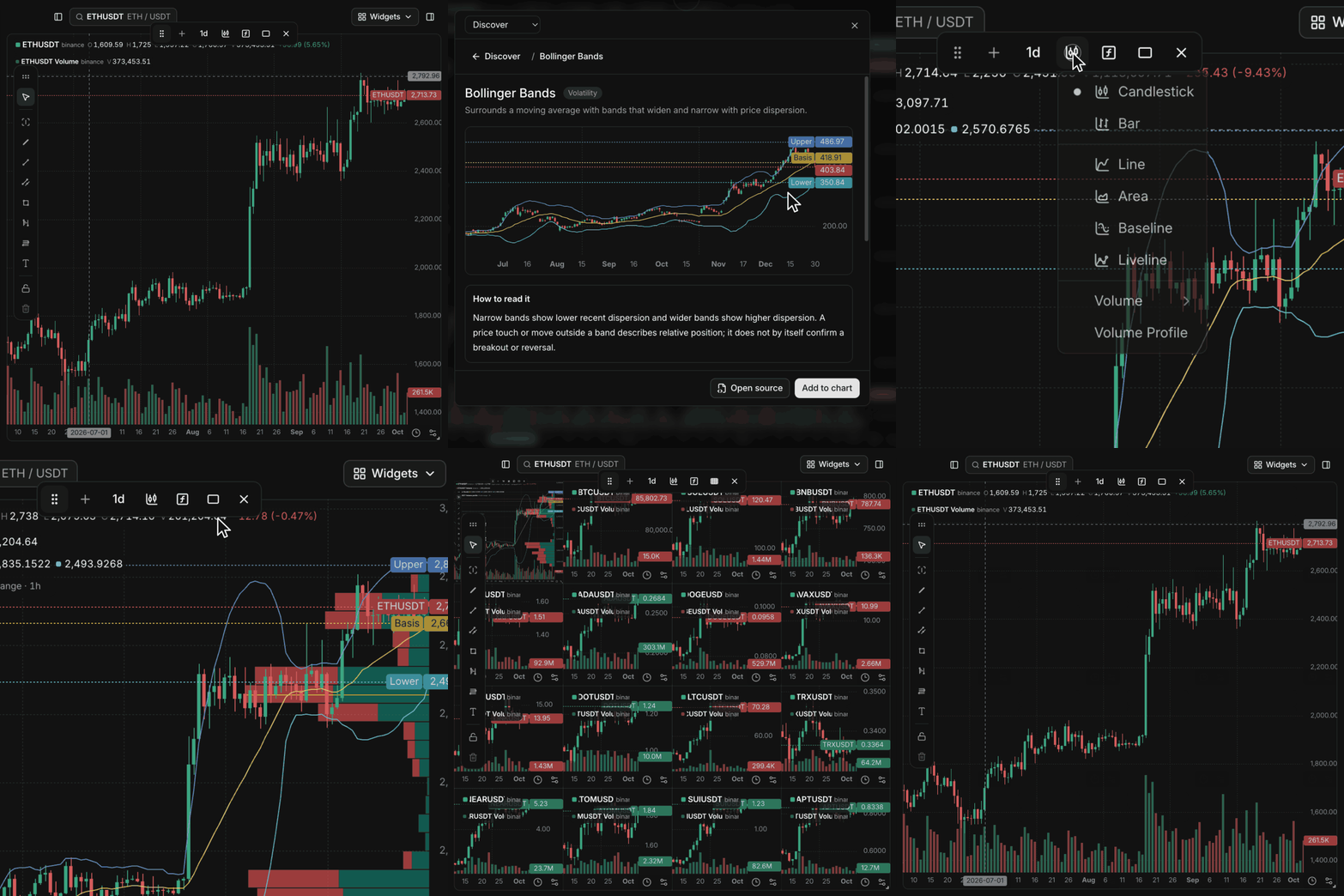
A real OpenChart chart gains Bollinger Bands and Volume Profile, then expands to a sixteen-chart 4-by-4 grid.

Charts without software quotas

Add indicators and Volume Profile, then expand to a 4×4 grid. No software plan limits on charts, indicators, or price and indicator alerts.

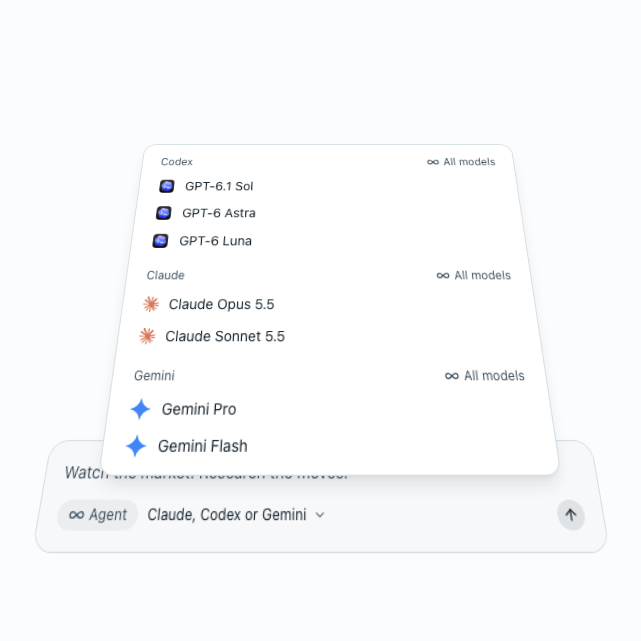
Codex, Claude, and Gemini models in a floating model-list illustration.

Use your own agents

Use your Claude, Codex, and Gemini models to research markets, build indicators, and set up alerts with the accounts you already have.

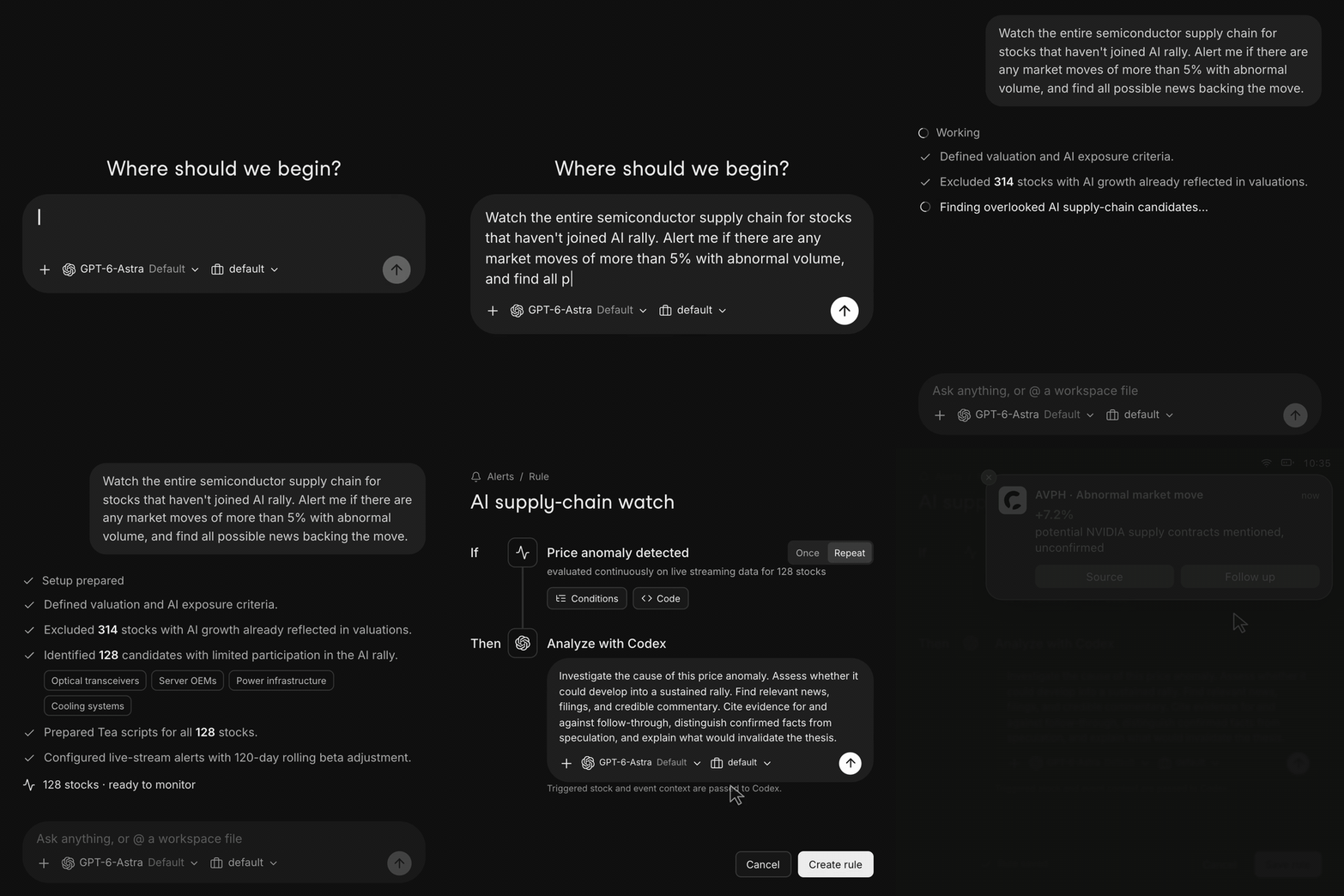
A plain-language request becomes Tea monitors and an alert that asks Codex to investigate an illustrative market move.

Describe what to watch

Tell your agent what matters. It builds Tea monitors that evaluate incoming data and investigate when a condition fires.

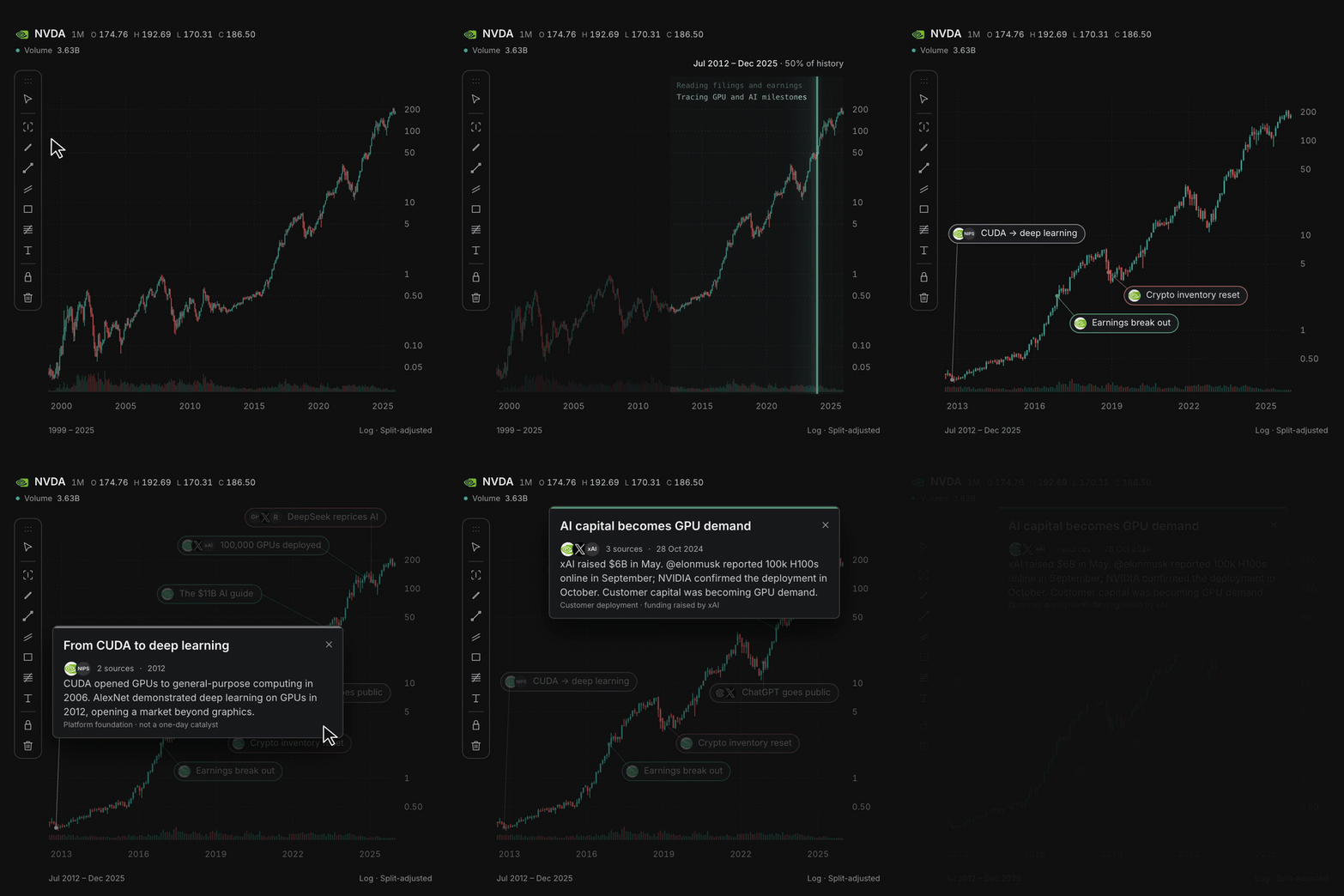
Select a chart range, research the move, and expand annotations with linked sources.

Explain what moved the chart

Select a range and let your agent research the move, with source-linked annotations pinned to the bars.

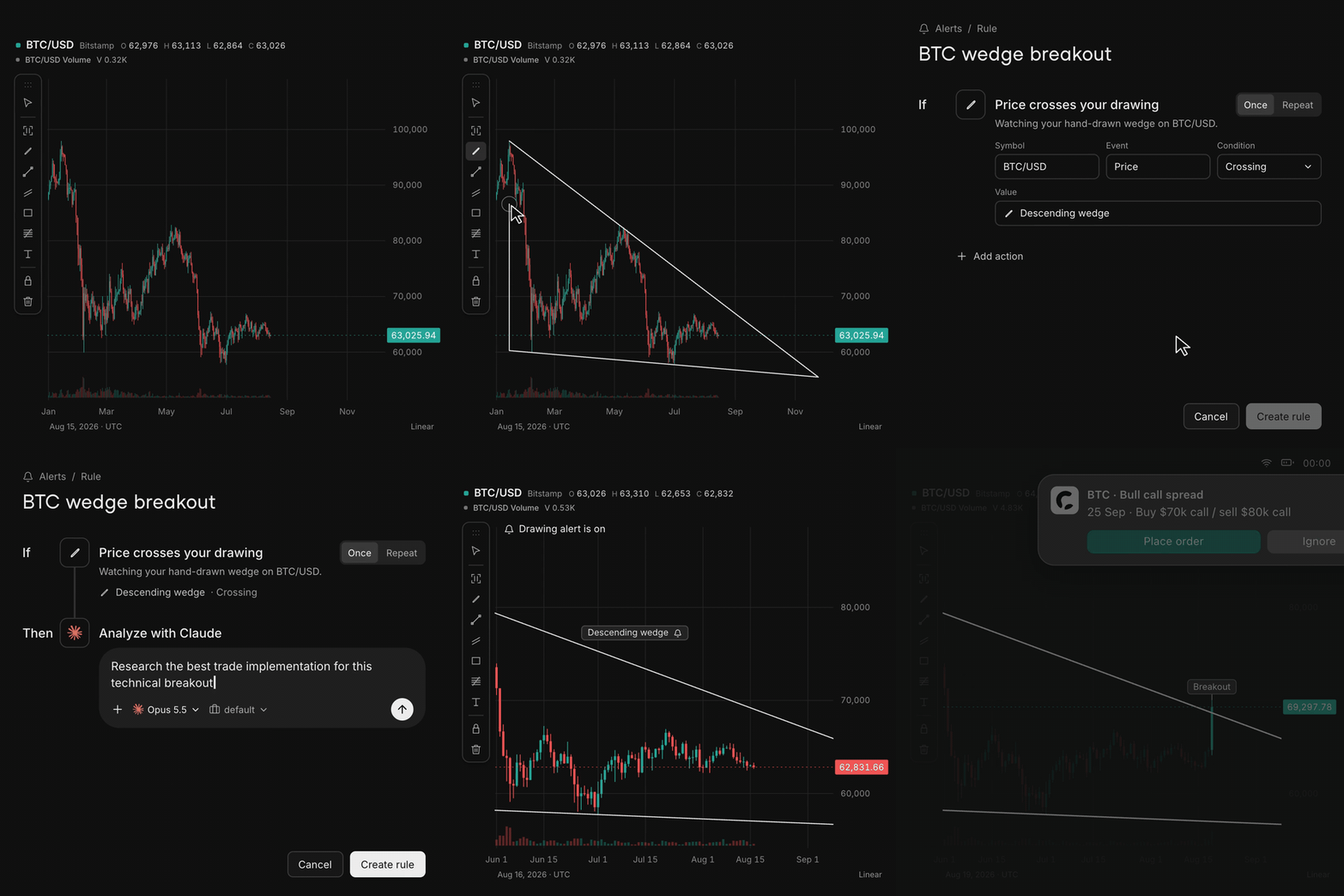
Draw a wedge, create an alert, and watch a breakout trigger agent research in this illustrated workflow.

Draw it, get alerted

Draw a line or zone on the chart. When price crosses it, an alert can ask your agent to research the move.

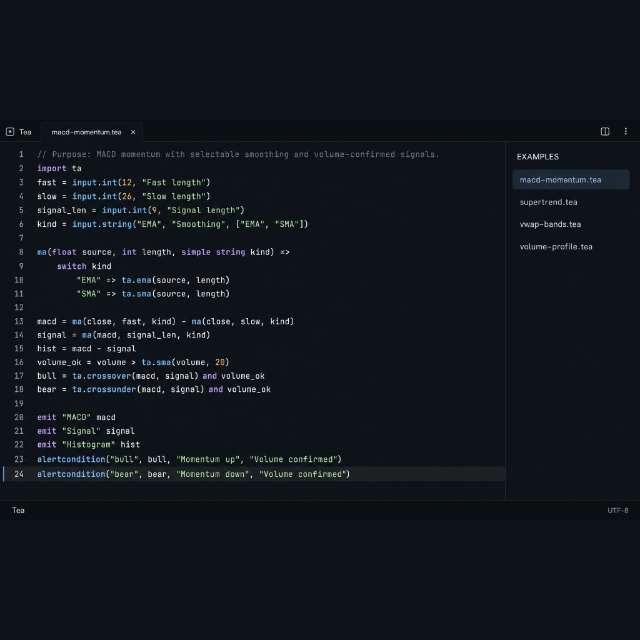
The website's Tea editor illustration showing a custom MACD indicator and volume-confirmed alerts.

Write your own market logic in Tea

Build custom indicators and conditions with functions, loops, state, and collections that evaluate as data flows in. Explore Tea →

Staying updated

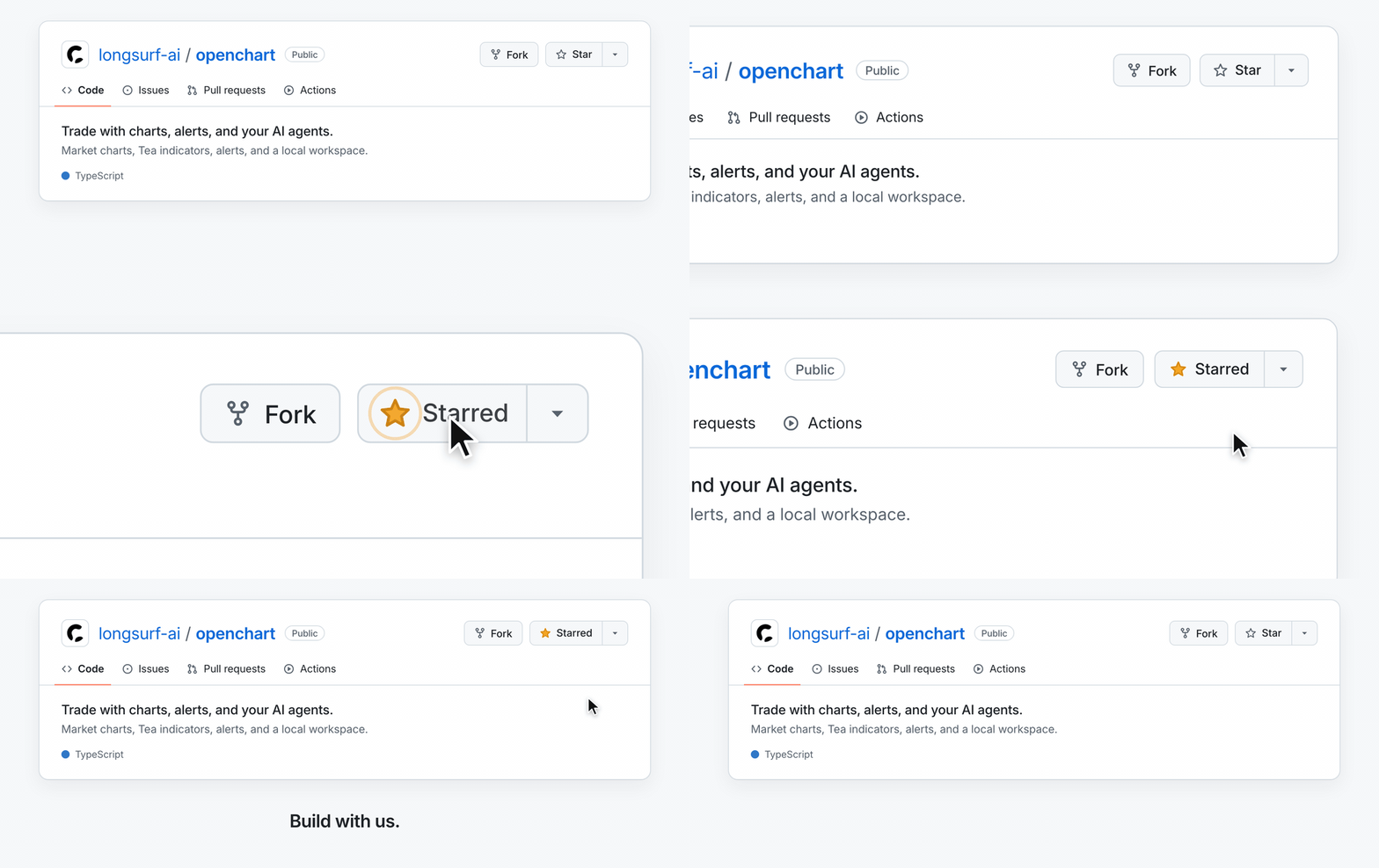
Star OpenChart to support the project and help more people discover it.

A cursor clicks Star on the OpenChart GitHub repository, changing it to Starred.

Credits

Thank you to the projects and people whose work helps shape OpenChart:

Thanks also to the maintainers of the many other open-source dependencies that make OpenChart possible.

Contributing

Help improve OpenChart through code, indicators, documentation, and feedback.

Contributors

Thanks to everyone helping build OpenChart.

OpenChart contributors Codex — AI coding collaborator Claude — AI coding collaborator

Community & contact

Security disclosure

Report vulnerabilities privately to [email protected], following our security policy. Please do not disclose vulnerabilities in public issues, pull requests, or community channels.

License

OpenChart uses the OpenChart License, based on Apache 2.0 with additional conditions. See the license for usage and commercial terms. For commercial licensing, contact [email protected].

openchart (longsurf-ai/openchart)

Searching Database…

这是什么?OpenChart 是一个开源的交易工作区,把 AI 智能体引入图表、技术分析、市场提醒和研究,让你可以使用自己的 Claude、Codex 或 Gemini 模型来分析市场。
这是网页应用还是桌面应用?它是一个以 macOS 磁盘映像形式分发的原生桌面应用,既不是网页应用,也不是浏览器扩展。
我怎么把它跑起来?下载适用于 macOS (Apple Silicon) 的 Desktop 版本并从磁盘映像安装;也可以从源码运行:先安装 Node.js 24、npm 11.11.1、Bun 1.4.2 和 Just,然后运行 'just install'。
用这个软件需要我自己有 AI 账号吗?需要。你要使用自己的 Claude、Codex 或 Gemini 账号来驱动研究、指标构建和提醒设置;AI 的用量按你所选智能体服务商的套餐计费。
它在 Windows 或 Linux 上也能运行吗?README 只提到了面向 Apple Silicon 的 macOS Desktop 下载版本,没有提到 Windows 或 Linux 版本。
Tea 是什么?Tea 是 OpenChart 团队自研的一种编程语言,专门用来编写市场指标和提醒条件,支持函数、循环、状态和集合,设计灵感来自 TradingView 的 Pine Script。
我在图表上画一条线会发生什么?你可以画一条线或一个区域,当价格穿越它时,OpenChart 可以触发提醒,自动让你的智能体去研究这次行情变动。
团队为什么不做一个常见的付费看图软件,而要做 OpenChart?作者明确表示,OpenChart 不是为了靠软件赚钱,而是为了探索人类与 AI 智能体共同管理资产的未来,图表和提醒都没有软件配额限制。
Size
55.4 MB
Stars
242
Age
12d
Commits · 90 Days