





Что это такое?
 Locust — это инструмент с открытым исходным кодом для нагрузочного тестирования и тестирования производительности HTTP и других протоколов: тесты вы описываете обычным кодом на Python и запускаете из командной строки или через веб-интерфейс.
Locust — это инструмент с открытым исходным кодом для нагрузочного тестирования и тестирования производительности HTTP и других протоколов: тесты вы описываете обычным кодом на Python и запускаете из командной строки или через веб-интерфейс.То есть мне нужно кликать по графическому интерфейсу или писать код?Вы пишете сценарии тестов на обычном Python (циклы, условия, вычисления — всё как обычно), а запускаете их из командной строки или через веб-интерфейс. Тесты хранятся в виде кода, поэтому IDE и система контроля версий работают как обычно.
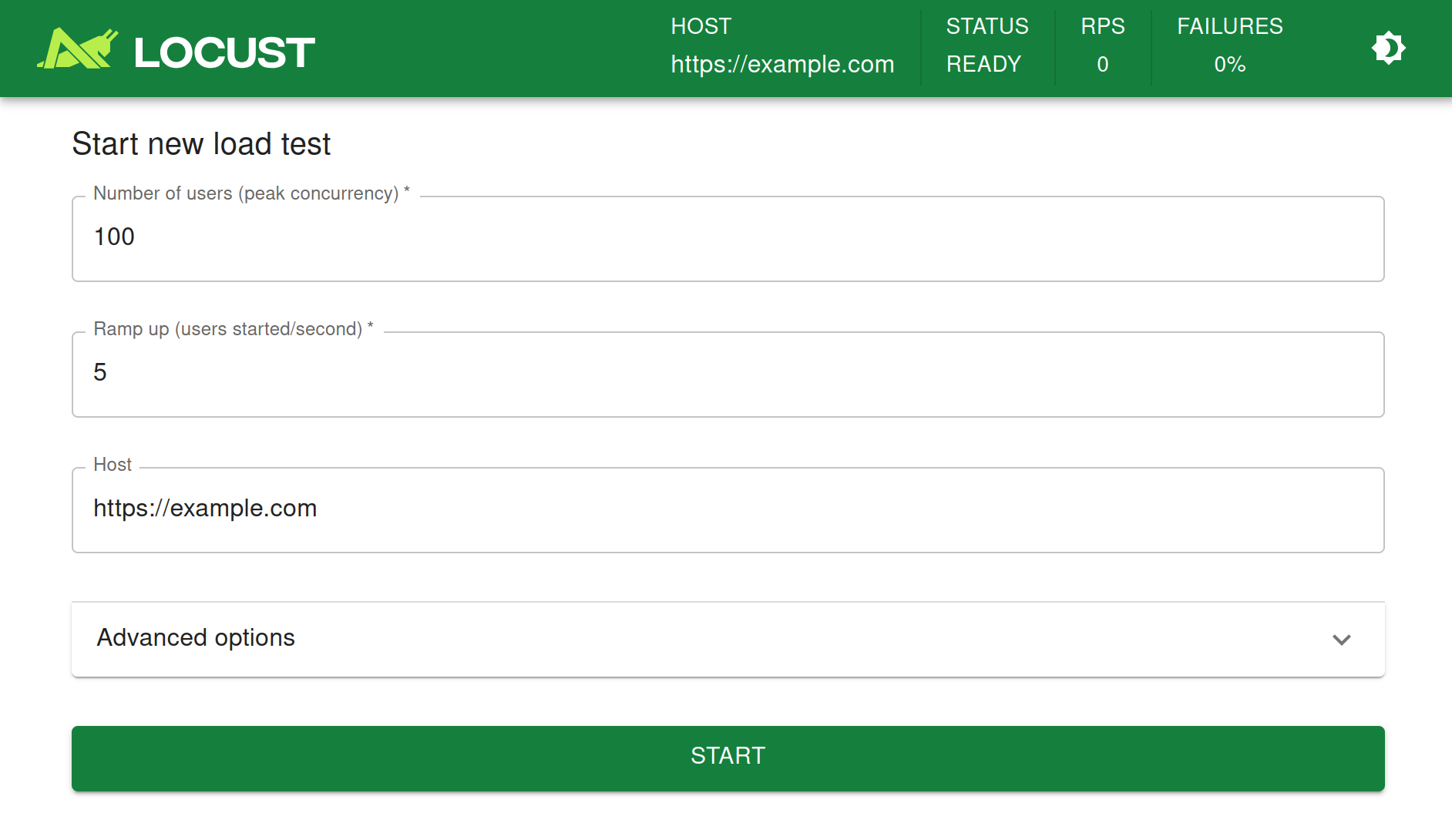
Вы пишете сценарии тестов на обычном Python (циклы, условия, вычисления — всё как обычно), а запускаете их из командной строки или через веб-интерфейс. Тесты хранятся в виде кода, поэтому IDE и система контроля версий работают как обычно.Как мне запустить свой первый тест?Установите пакет командой pip install locust, опишите сценарий пользователя в Python-файле и выполните команду locust — она поднимет веб-интерфейс, где вы запустите «рой» виртуальных пользователей и настроите его параметры. Подробное руководство — на docs.locust.io.
Установите пакет командой pip install locust, опишите сценарий пользователя в Python-файле и выполните команду locust — она поднимет веб-интерфейс, где вы запустите «рой» виртуальных пользователей и настроите его параметры. Подробное руководство — на docs.locust.io.В чём подвох — что у него не очень хорошо получается?Некоторые другие инструменты на том же железе выдают больше запросов в секунду — зато накладные расходы на каждого виртуального пользователя здесь очень низкие, что идеально для сценариев с высокой конкурентностью. К тому же кодовая база намеренно небольшая и не решает все задачи «из коробки».
Некоторые другие инструменты на том же железе выдают больше запросов в секунду — зато накладные расходы на каждого виртуального пользователя здесь очень низкие, что идеально для сценариев с высокой конкурентностью. К тому же кодовая база намеренно небольшая и не решает все задачи «из коробки».Как он имитирует тысячи пользователей одновременно?Каждый виртуальный пользователь работает внутри собственного greenlet — лёгкой корутины, поэтому сценарии вы пишете как обычный блокирующий код на Python, а не возитесь с колбэками.
Каждый виртуальный пользователь работает внутри собственного greenlet — лёгкой корутины, поэтому сценарии вы пишете как обычный блокирующий код на Python, а не возитесь с колбэками.Есть ли поддержка редакторов или IDE для написания тестов?Да — Microsoft сделала расширение для VS Code, которое с помощью Copilot помогает создавать и запускать тесты Locust; кроме того, Microsoft участвует в разработке и спонсирует поддержку проекта.
Да — Microsoft сделала расширение для VS Code, которое с помощью Copilot помогает создавать и запускать тесты Locust; кроме того, Microsoft участвует в разработке и спонсирует поддержку проекта.Могу ли я запускать тесты в управляемом облачном сервисе?Azure Load Testing сам запускает и масштабирует тесты Locust — размещать инфраструктуру не нужно; он может сопоставлять результаты с метриками ресурсов, чтобы находить узкие места, и интегрируется с Azure DevOps и CI-пайплайнами GitHub.
Azure Load Testing сам запускает и масштабирует тесты Locust — размещать инфраструктуру не нужно; он может сопоставлять результаты с метриками ресурсов, чтобы находить узкие места, и интегрируется с Azure DevOps и CI-пайплайнами GitHub.Which topics is it in?load-testing, socket-io, benchmarking, concurrency, http, distributed-systems, testing, devops, performance, framework, tool, docker
load-testing, socket-io, benchmarking, concurrency, http, distributed-systems, testing, devops, performance, framework, tool, docker