What is this?
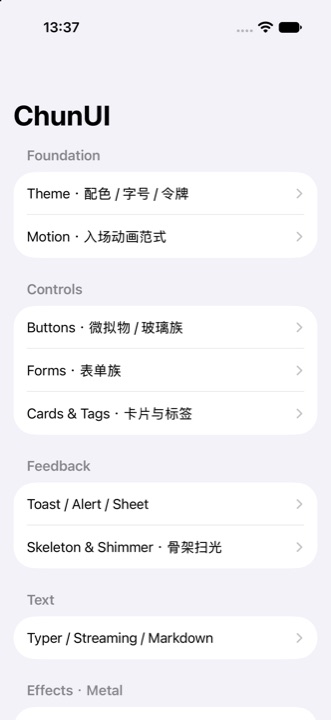
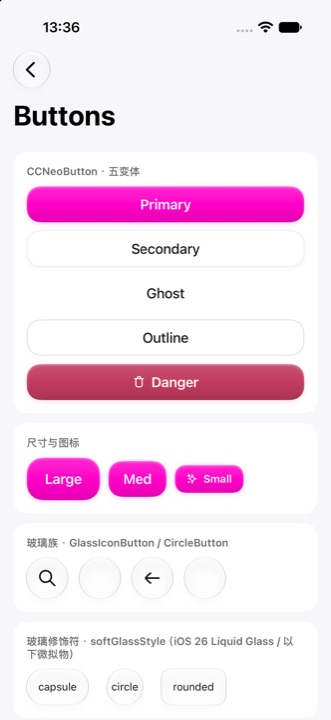
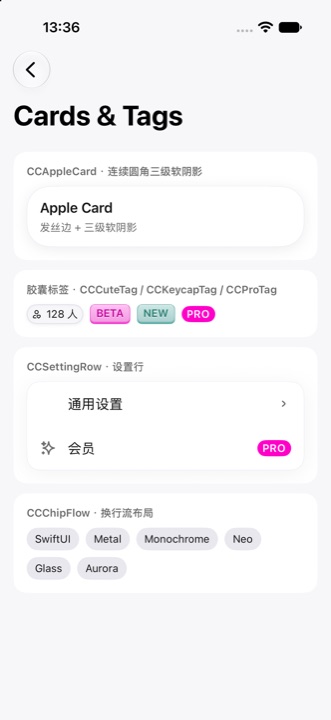
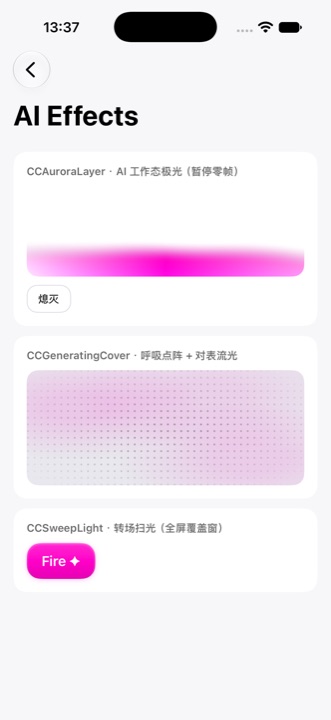
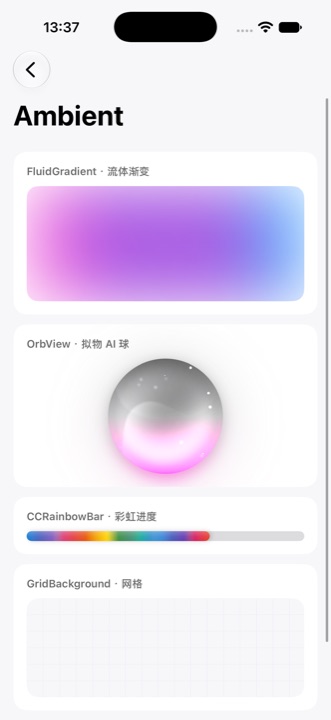
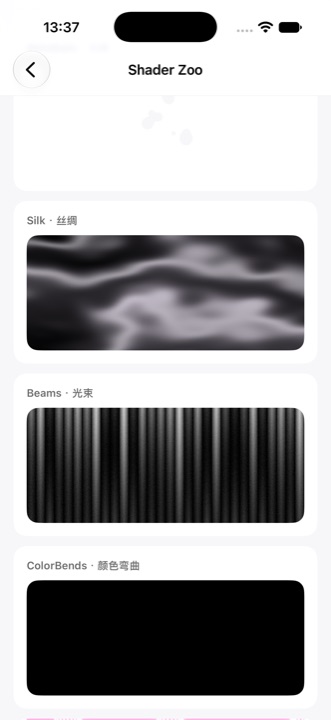
 ChunUI is a SwiftUI design system extracted from the production iOS app Zinner, giving you a ready-made monochrome visual language: grayscale plus one brand color, neumorphic buttons, native sheet presentation, Metal shader effects and dot-matrix animations.
ChunUI is a SwiftUI design system extracted from the production iOS app Zinner, giving you a ready-made monochrome visual language: grayscale plus one brand color, neumorphic buttons, native sheet presentation, Metal shader effects and dot-matrix animations.Is this a UI framework or a component library I drop into my own app?It's a Swift Package of SwiftUI components, theme tokens and effects you add to an existing app, not a standalone framework that runs on its own.
It's a Swift Package of SwiftUI components, theme tokens and effects you add to an existing app, not a standalone framework that runs on its own.How do I add it to my project?Add it as a dependency via Swift Package Manager; it targets iOS 18.6 or later.
Add it as a dependency via Swift Package Manager; it targets iOS 18.6 or later.Does it pull in any third-party dependencies?Just one — Pow (MIT), used for the button press glow/shake feedback.
Just one — Pow (MIT), used for the button press glow/shake feedback.Do I need iOS 26 to get the Liquid Glass look?No — on iOS 26 real Liquid Glass kicks in automatically, while iOS 18.6 through 25 fall back to a visually matching neumorphic style instead.
No — on iOS 26 real Liquid Glass kicks in automatically, while iOS 18.6 through 25 fall back to a visually matching neumorphic style instead.Who gets the most out of this — any SwiftUI dev, or teams using AI coding agents?Any iOS developer can use the components directly, but the repo also ships skills/chunui/, which teaches AI coding assistants like Claude Code, Codex or Cursor ChunUI's conventions so they can build matching screens automatically.
Any iOS developer can use the components directly, but the repo also ships skills/chunui/, which teaches AI coding assistants like Claude Code, Codex or Cursor ChunUI's conventions so they can build matching screens automatically.How do I apply my own color palette?Call ChunUI.configure(colors:strings:) once — it's the single initialization entry point for theming, and the CCStrings text table can be fully overridden for localization.
Call ChunUI.configure(colors:strings:) once — it's the single initialization entry point for theming, and the CCStrings text table can be fully overridden for localization.What does the bundled AI Agent Skill folder actually contain?skills/chunui/ includes a SKILL.md entry point with architecture rules, usage guides for theming/presentation/effects, a full component reference, and five real production screen examples agents can learn from.
skills/chunui/ includes a SKILL.md entry point with architecture rules, usage guides for theming/presentation/effects, a full component reference, and five real production screen examples agents can learn from.What is PikaIcon?PikaIcon is a set of 1,225 24x24 stroke vector icons bundled with the package that can be freely tinted and scaled.
PikaIcon is a set of 1,225 24x24 stroke vector icons bundled with the package that can be freely tinted and scaled.Why does ChunUI limit itself to one brand color and three font sizes?The design philosophy is that grayscale carries all visual hierarchy while a single brand color stays the only pop of color, and sticking to just three font sizes (13/17/24) keeps every screen visually consistent.
The design philosophy is that grayscale carries all visual hierarchy while a single brand color stays the only pop of color, and sticking to just three font sizes (13/17/24) keeps every screen visually consistent.What are similar projects?swiftui-logo-draw, app-store-screenshots, gpui-kit, react-native-ui-kitten, animated-tab-bar, bolt-slides, tabler, animal-island-ui
swiftui-logo-draw, app-store-screenshots, gpui-kit, react-native-ui-kitten, animated-tab-bar, bolt-slides, tabler, animal-island-uiWhich topics is it in?liquid-glass, swift-package-manager, shaders, ui-kit, icons, swiftui, design-system, agent-skill, theme, apple, component-library, cursor
liquid-glass, swift-package-manager, shaders, ui-kit, icons, swiftui, design-system, agent-skill, theme, apple, component-library, cursor