 μPlot
μPlot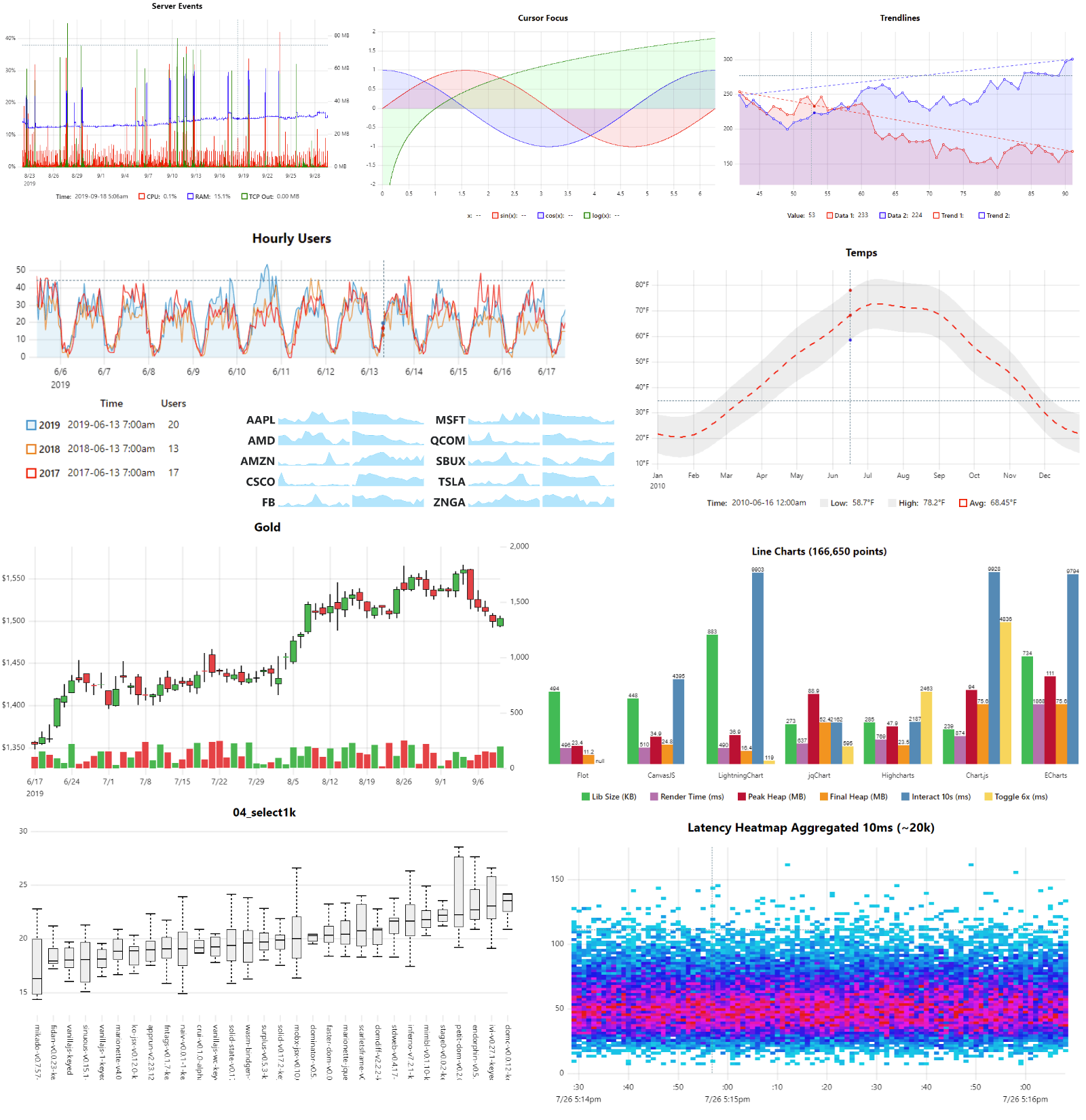
Что это такое?
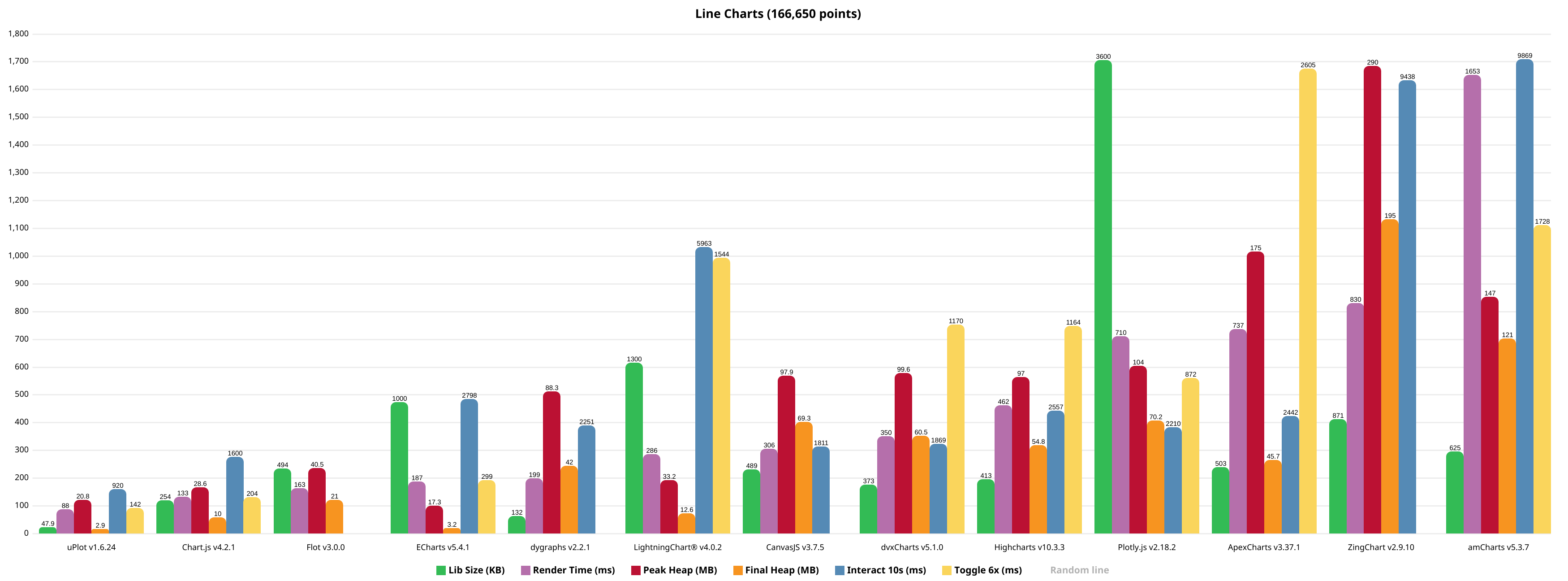
 uPlot — это небольшая (около 50 КБ в минифицированном виде), быстрая JavaScript-библиотека для построения графиков под лицензией MIT. Она предназначена для временных рядов, линейных графиков, графиков с областями, свечных (OHLC) и столбчатых диаграмм и рисует всё на Canvas 2D прямо в браузере.
uPlot — это небольшая (около 50 КБ в минифицированном виде), быстрая JavaScript-библиотека для построения графиков под лицензией MIT. Она предназначена для временных рядов, линейных графиков, графиков с областями, свечных (OHLC) и столбчатых диаграмм и рисует всё на Canvas 2D прямо в браузере.Это библиотека, которую я подключаю к своей странице, или онлайн-сервис для графиков?Это клиентская библиотека, которую вы подключаете к веб-странице и управляете ею через API; всё рисуется на Canvas 2D в браузере, никакой сервер не нужен.
Это клиентская библиотека, которую вы подключаете к веб-странице и управляете ею через API; всё рисуется на Canvas 2D в браузере, никакой сервер не нужен.Как подключить её к проекту и насколько хороша документация?Ничего устанавливать или размещать не нужно — достаточно подключить библиотеку к странице. Документация, честно говоря, ещё в процессе разработки: начните с /docs/README.md, чтобы понять общую идею, почитайте комментарии к API в файле /dist/uPlot.d.ts и учитесь на работающих примерах из /demos.
Ничего устанавливать или размещать не нужно — достаточно подключить библиотеку к странице. Документация, честно говоря, ещё в процессе разработки: начните с /docs/README.md, чтобы понять общую идею, почитайте комментарии к API в файле /dist/uPlot.d.ts и учитесь на работающих примерах из /demos.А есть вещи, которые она принципиально не умеет?Да, это сделано намеренно: нет разбора данных, агрегации и статистики (данные готовьте заранее), нет переходов и анимаций, нет накопительных (stacked) серий, нет защиты от наложения подписей осей, а перетаскивание графика мышью доступно только через плагины zoom-wheel/zoom-touch.
Да, это сделано намеренно: нет разбора данных, агрегации и статистики (данные готовьте заранее), нет переходов и анимаций, нет накопительных (stacked) серий, нет защиты от наложения подписей осей, а перетаскивание графика мышью доступно только через плагины zoom-wheel/zoom-touch.Почему автор создал uPlot, вместо того чтобы улучшить dygraphs?У него в репозитории dygraphs Дэна Вандеркама (Dan Vanderkam) «висел» заброшенный пул-реквест (#948), и именно этот заброшенный PR стал главным поводом для создания uPlot; dygraphs при этом упоминается как источник вдохновения.
У него в репозитории dygraphs Дэна Вандеркама (Dan Vanderkam) «висел» заброшенный пул-реквест (#948), и именно этот заброшенный PR стал главным поводом для создания uPlot; dygraphs при этом упоминается как источник вдохновения.uPlot использует WebGL или WebGPU ради скорости?Нет. Это чистый Canvas 2D — автор считает именно это причиной маленького размера и быстрого запуска. Если для потоковых данных возможностей Canvas перестанет хватать, предлагаются варианты на WebGL/WebGPU: webgl-plot, TimeChart и ImPlot.
Нет. Это чистый Canvas 2D — автор считает именно это причиной маленького размера и быстрого запуска. Если для потоковых данных возможностей Canvas перестанет хватать, предлагаются варианты на WebGL/WebGPU: webgl-plot, TimeChart и ImPlot.Может ли она рисовать плавные сплайны и графики с накоплением?Интерполяция сглаженными сплайнами есть в виде подключаемого рендерера путей, но README настоятельно не рекомендует её использовать, потому что она искажает ваши данные. А накопительные (stacked) серии добавляться не будут вообще.
Интерполяция сглаженными сплайнами есть в виде подключаемого рендерера путей, но README настоятельно не рекомендует её использовать, потому что она искажает ваши данные. А накопительные (stacked) серии добавляться не будут вообще.What are similar projects?apexcharts.js, Chart.js, bokeh, lightweight-charts, charts, d3, sigma.js, G2
apexcharts.js, Chart.js, bokeh, lightweight-charts, charts, d3, sigma.js, G2Which topics is it in?graphs, plotting, charting-library, chart, time-series, zero-dependency, graph, realtime, plugins, interactive, charts, lightweight
graphs, plotting, charting-library, chart, time-series, zero-dependency, graph, realtime, plugins, interactive, charts, lightweight