



Что это такое?
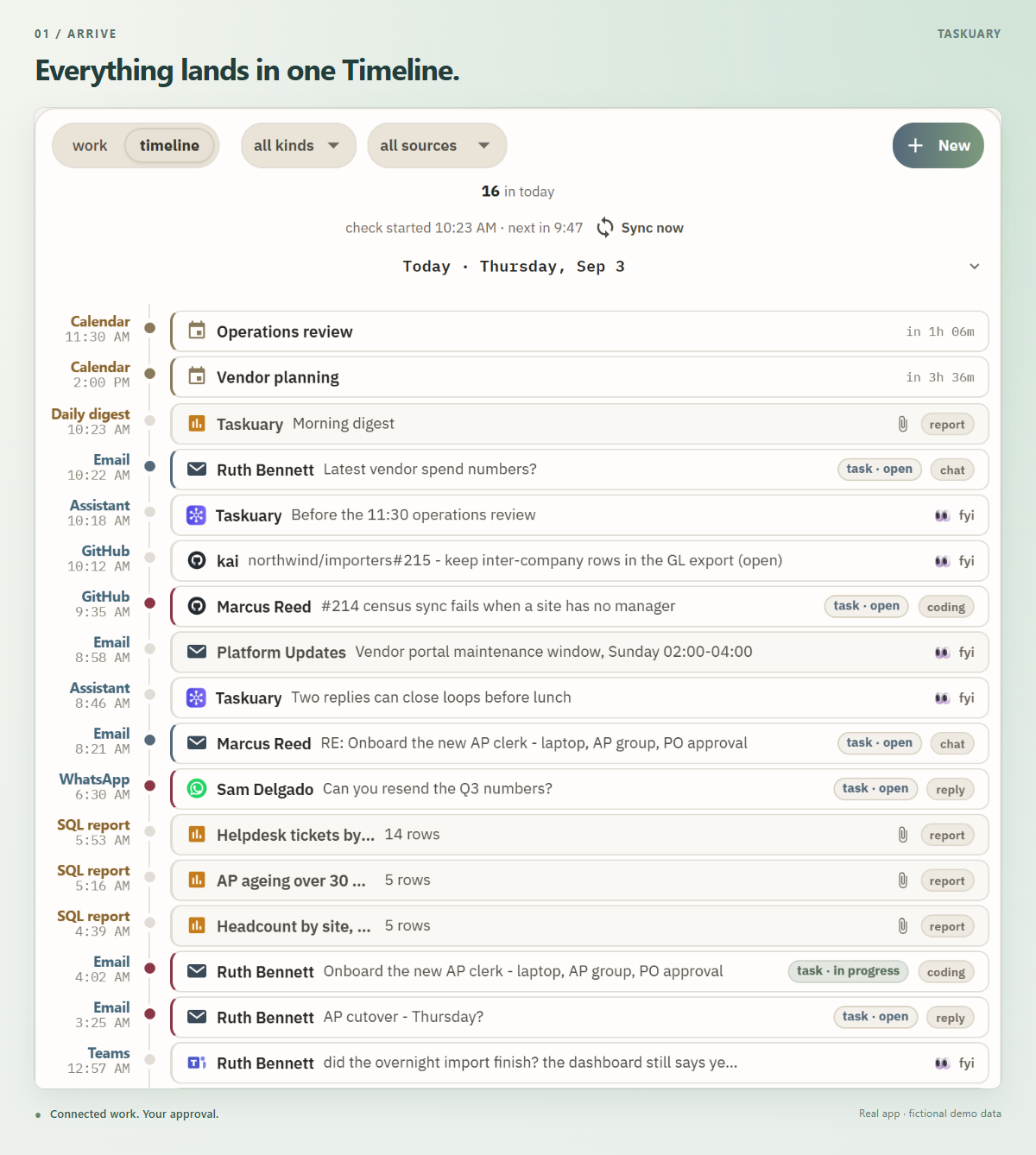
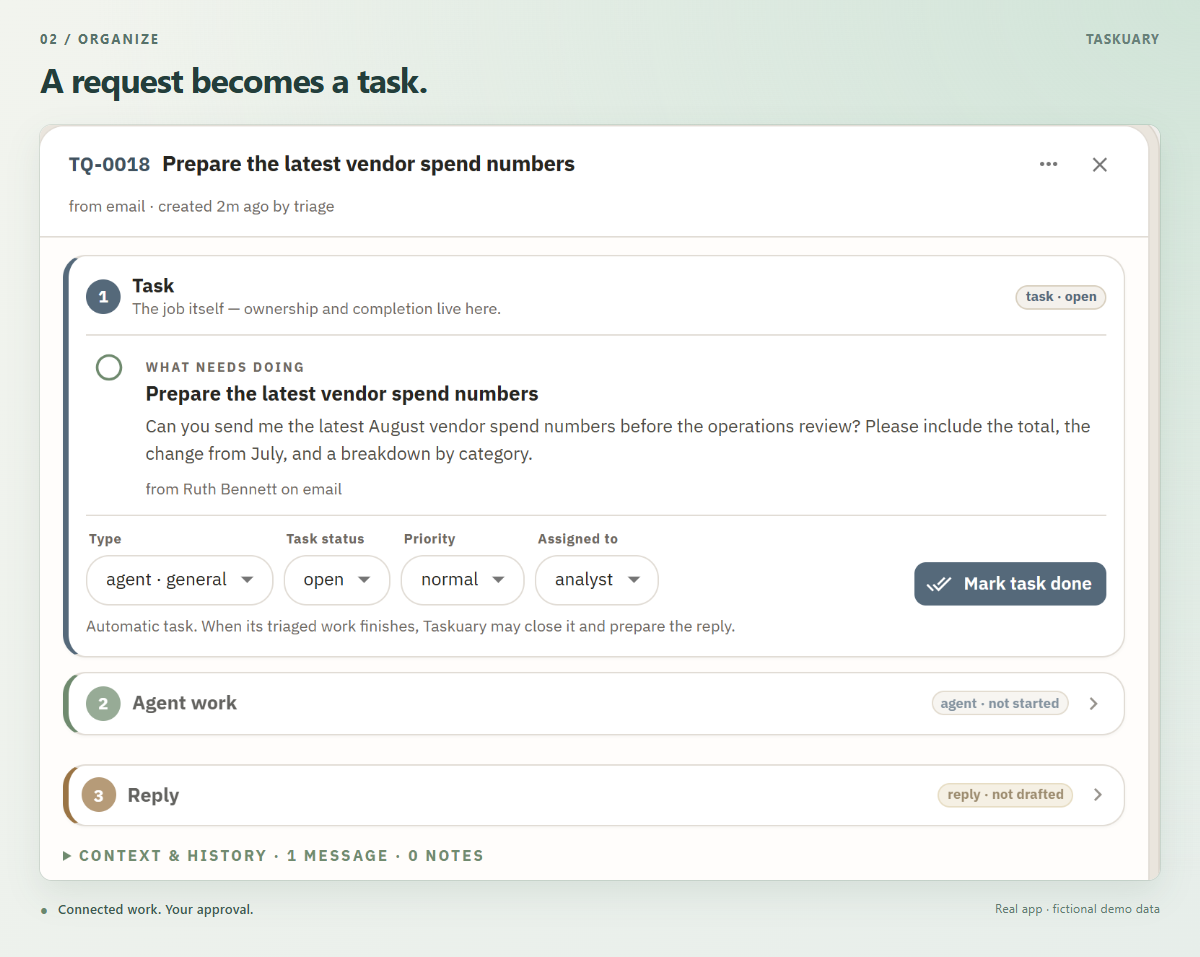
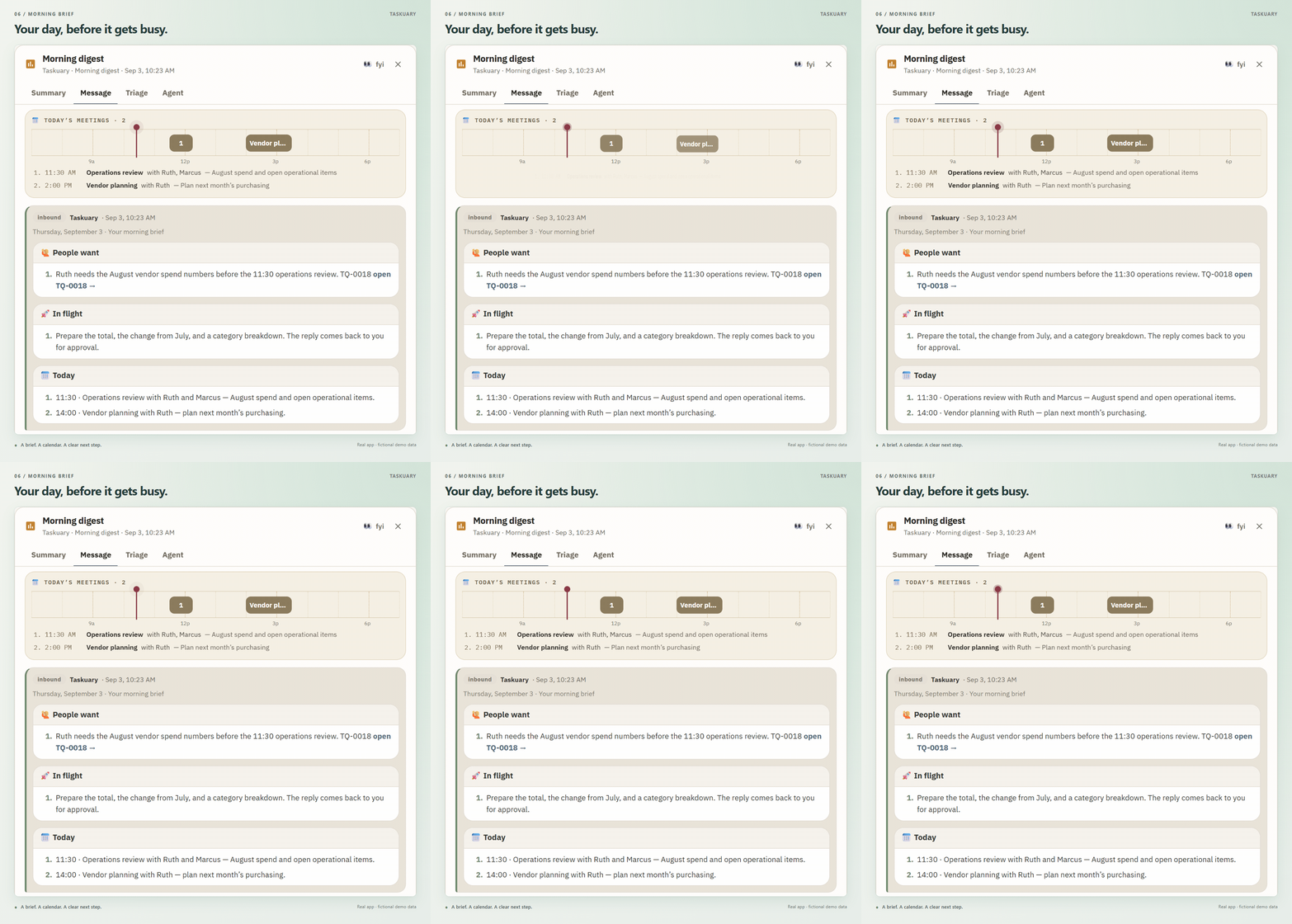
 Личный ИИ-ассистент для работы: почта, чаты и тикеты превращаются в задачи, работу выполняют уже привычные вам coding-агенты, и ничего не уходит наружу, пока вы не одобрите. Работает локально на вашем компьютере.
Личный ИИ-ассистент для работы: почта, чаты и тикеты превращаются в задачи, работу выполняют уже привычные вам coding-агенты, и ничего не уходит наружу, пока вы не одобрите. Работает локально на вашем компьютере.Это веб-приложение или десктопное?Локальное веб-приложение на FastAPI и React. На Windows можно запустить однофайловый Taskuary.exe, пользователи Python могут добавить нативное окно через taskuary-desktop, есть и вариант с Docker.
Локальное веб-приложение на FastAPI и React. На Windows можно запустить однофайловый Taskuary.exe, пользователи Python могут добавить нативное окно через taskuary-desktop, есть и вариант с Docker.Как его запустить?Быстрее всего: скачать однофайловый Taskuary.exe и открыть его — Python или установщик не нужны. Иначе возьмите Python 3.10+ на Windows, macOS или Linux, либо используйте Docker. Мастер первого запуска подключит ИИ-провайдера или локальную модель Ollama, входящий канал и coding-CLI.
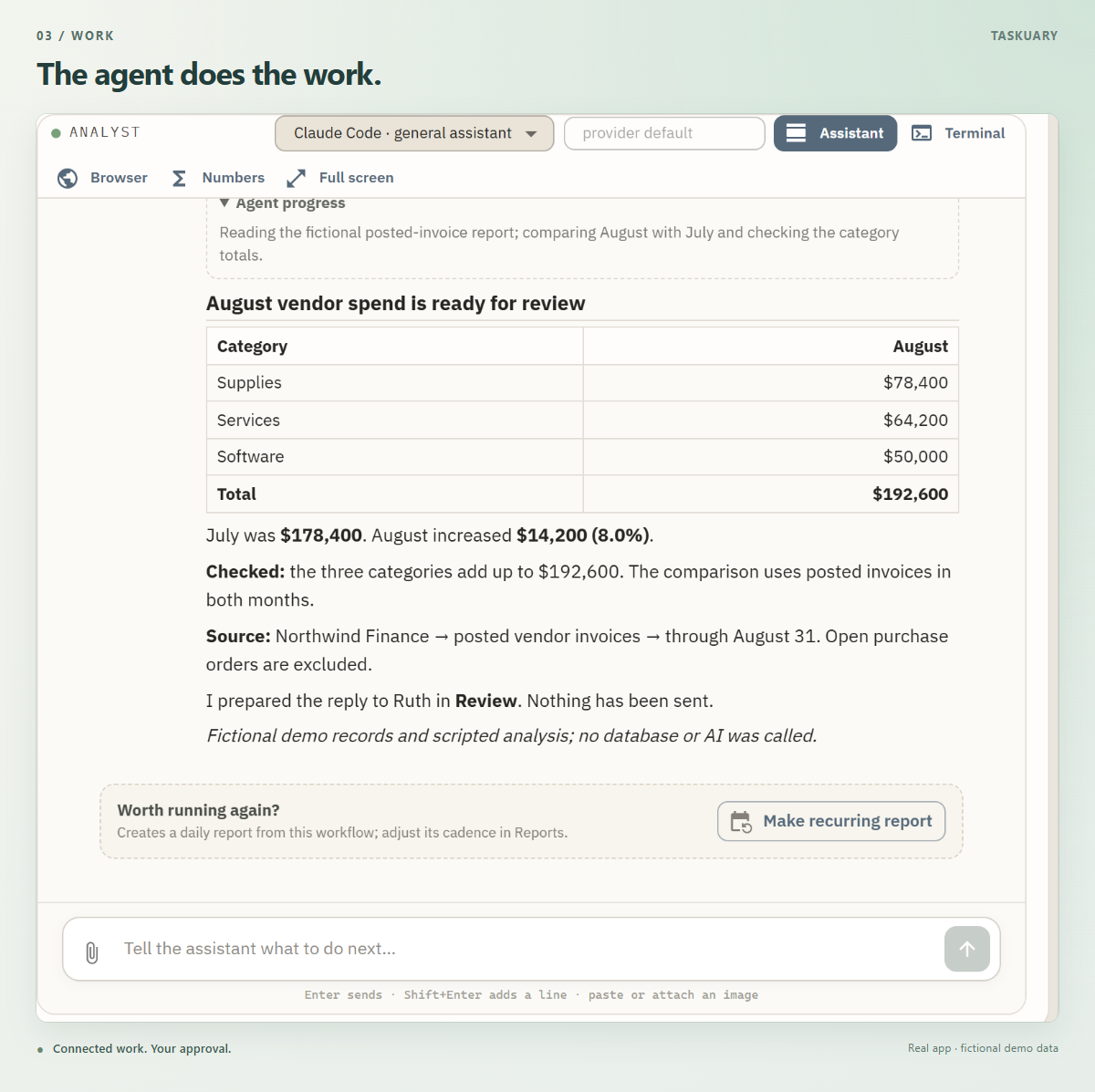
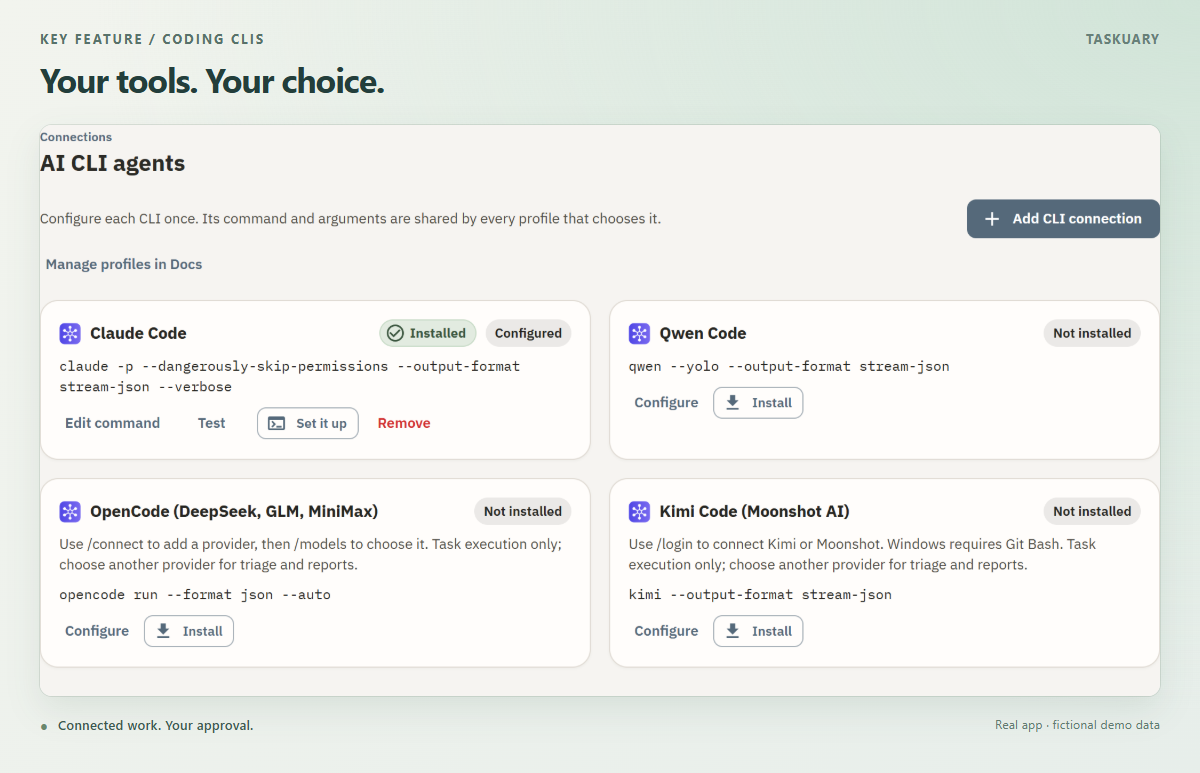
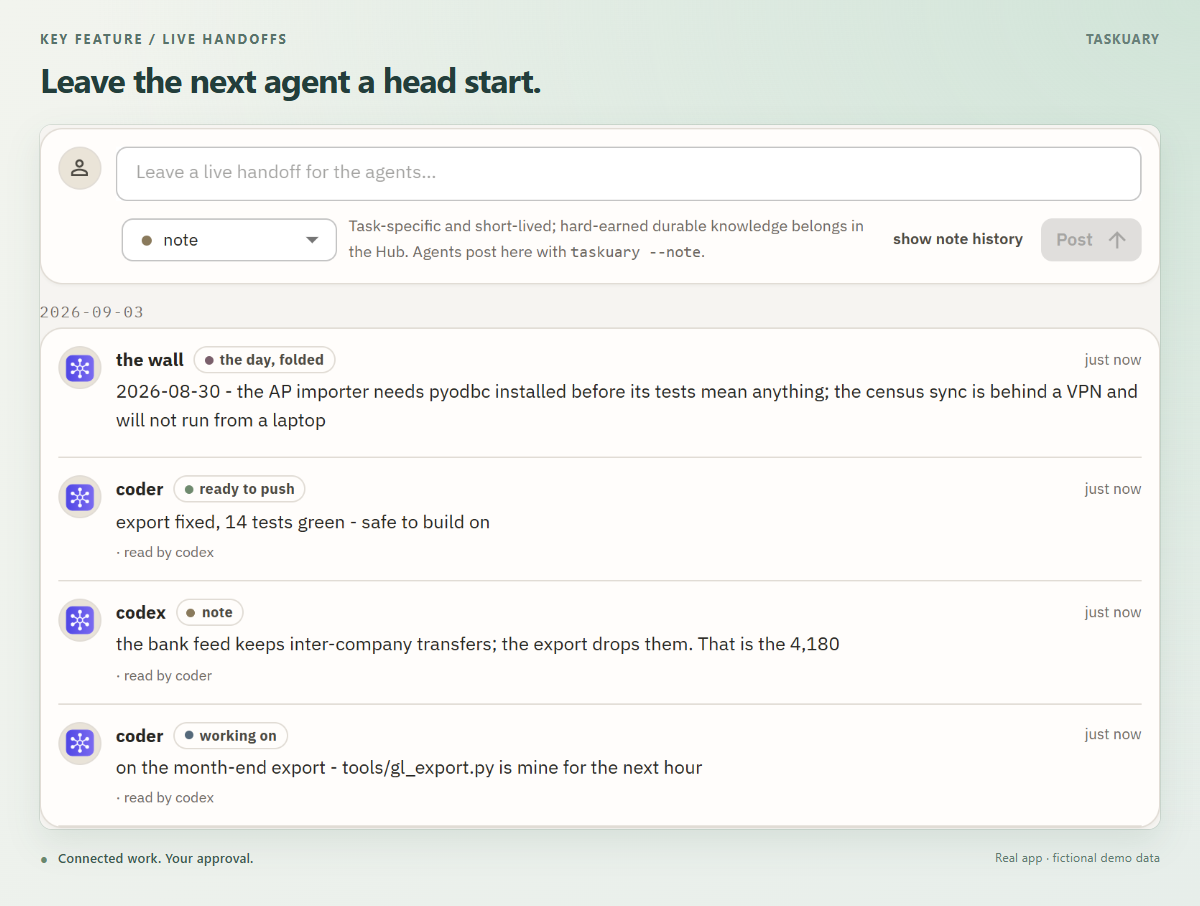
Быстрее всего: скачать однофайловый Taskuary.exe и открыть его — Python или установщик не нужны. Иначе возьмите Python 3.10+ на Windows, macOS или Linux, либо используйте Docker. Мастер первого запуска подключит ИИ-провайдера или локальную модель Ollama, входящий канал и coding-CLI.Каким агентам он передаёт задачи?Тем coding-CLI, которыми вы уже пользуетесь: Claude Code, Codex, Qwen Code, OpenCode, Kimi Code, Gemini, Cursor, Copilot, Muse Code или любому другому CLI. Каждое подключение настраивается один раз, и агентам можно задавать собственные профили инструкций.
Тем coding-CLI, которыми вы уже пользуетесь: Claude Code, Codex, Qwen Code, OpenCode, Kimi Code, Gemini, Cursor, Copilot, Muse Code или любому другому CLI. Каждое подключение настраивается один раз, и агентам можно задавать собственные профили инструкций.Насколько это стабильно, можно ли полагаться?Проект ещё ранний — v0.3.6.3, — поэтому до версии 1.0 возможны ломающие изменения. Учтите также, что coding-CLI и опциональный мост WhatsApp запускаются на хосте, а не внутри Docker.
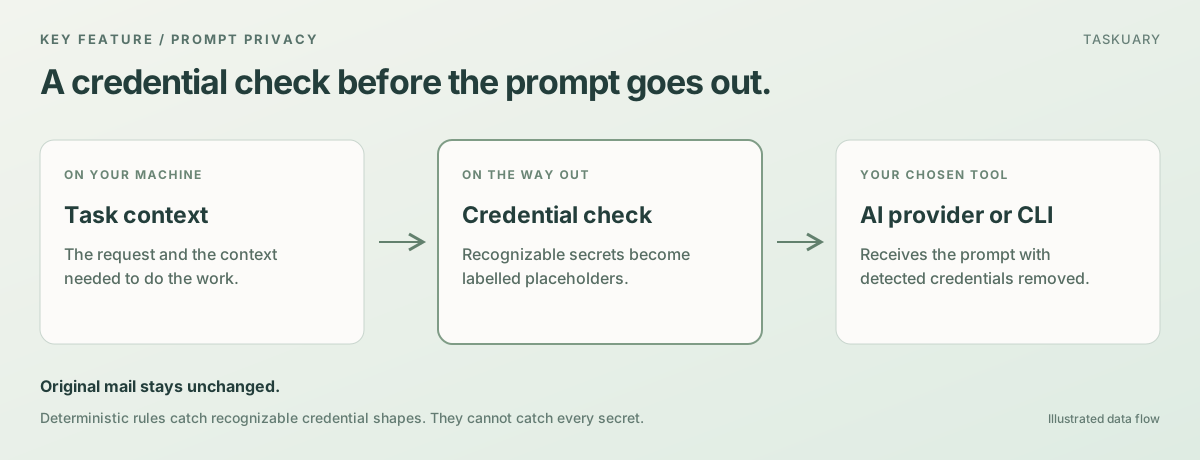
Проект ещё ранний — v0.3.6.3, — поэтому до версии 1.0 возможны ломающие изменения. Учтите также, что coding-CLI и опциональный мост WhatsApp запускаются на хосте, а не внутри Docker.Что уходит с моего компьютера?Taskuary работает локально, а с локальной моделью Ollama ИИ-запросы тоже остаются локальными. Учётные данные заменяются помеченными плейсхолдерами вроде [redacted:aws-key] перед отправкой любого запроса, а ответ, в котором такой плейсхолдер остался, отклоняется.
Taskuary работает локально, а с локальной моделью Ollama ИИ-запросы тоже остаются локальными. Учётные данные заменяются помеченными плейсхолдерами вроде [redacted:aws-key] перед отправкой любого запроса, а ответ, в котором такой плейсхолдер остался, отклоняется.Это open source?Да — лицензия MIT, бесплатно и с открытым исходным кодом; issues и pull requests приветствуются.
Да — лицензия MIT, бесплатно и с открытым исходным кодом; issues и pull requests приветствуются.Какие источники входящих задач он может отслеживать?Почта, чаты, трекеры задач, оповещения и отчёты — всё попадает на одну Timeline. Поимённо поддерживаются Slack, Microsoft Teams и Outlook, плюс опциональный мост WhatsApp.
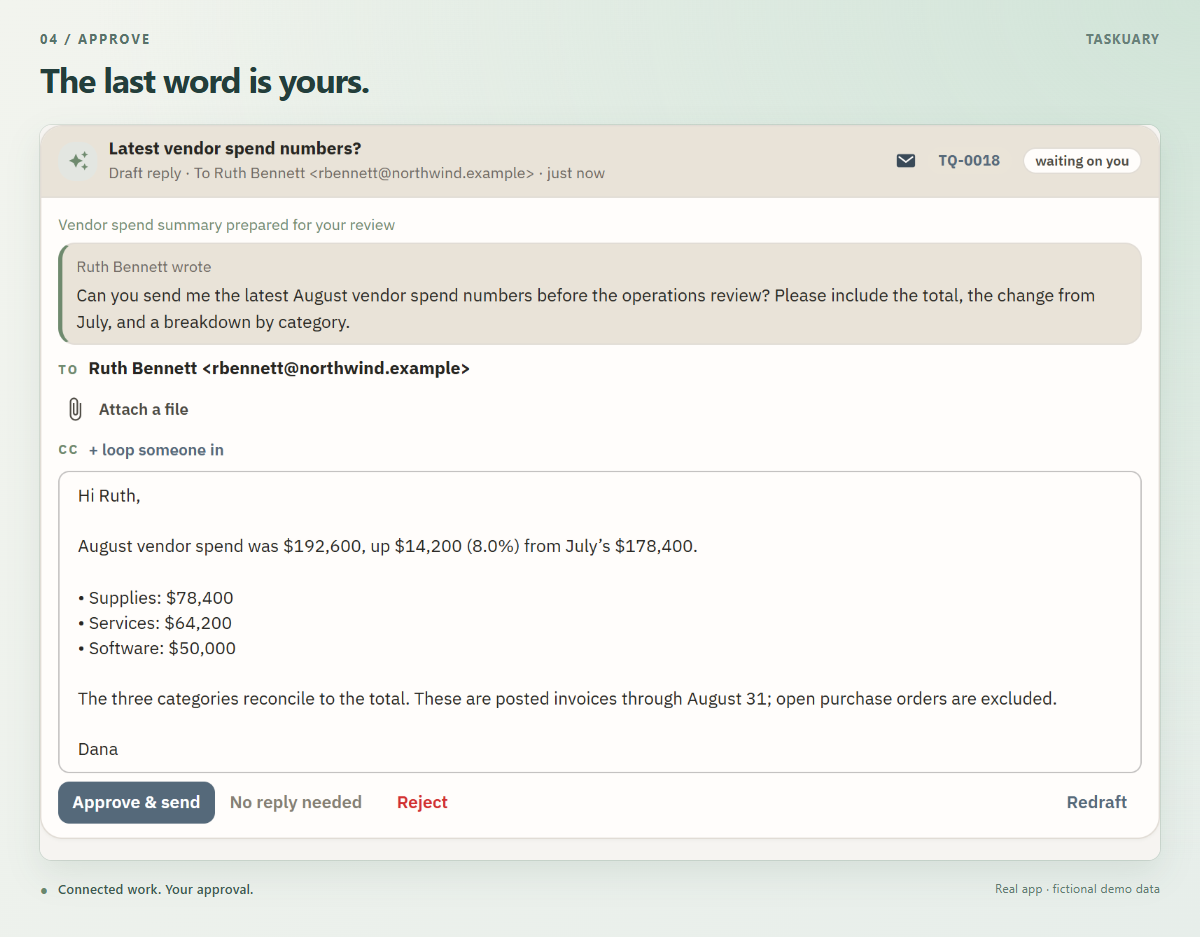
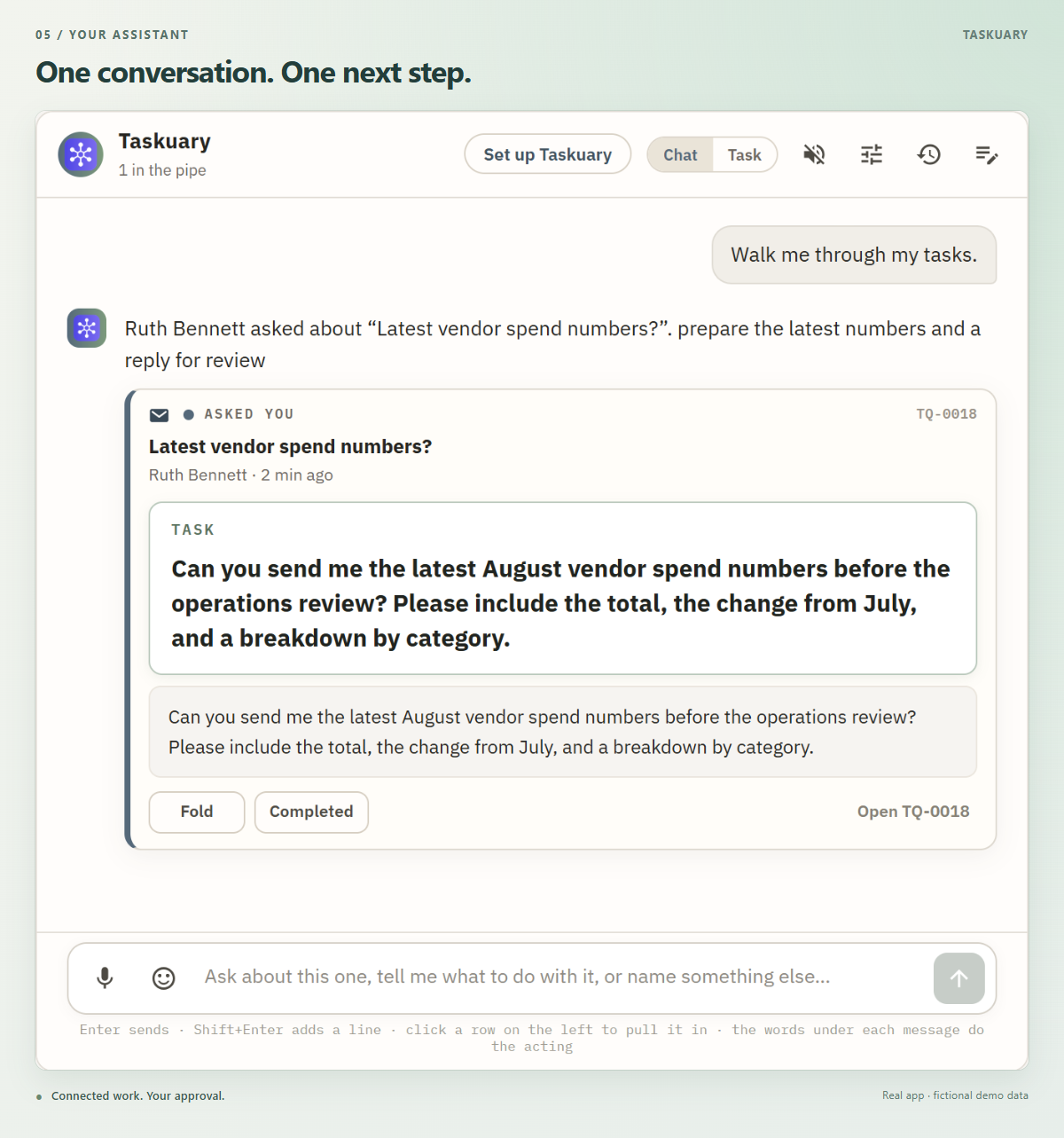
Почта, чаты, трекеры задач, оповещения и отчёты — всё попадает на одну Timeline. Поимённо поддерживаются Slack, Microsoft Teams и Outlook, плюс опциональный мост WhatsApp.Как выглядит одобрение работы агента?Готовый ответ ждёт в разделе Review рядом с запросом, с которого всё началось; вы читаете его, правите и выбираете Approve & send — без этого ничего не отправляется. Можно следить за сессией агента, пока он работает, а Ассистент проведёт вас по задачам по одной.
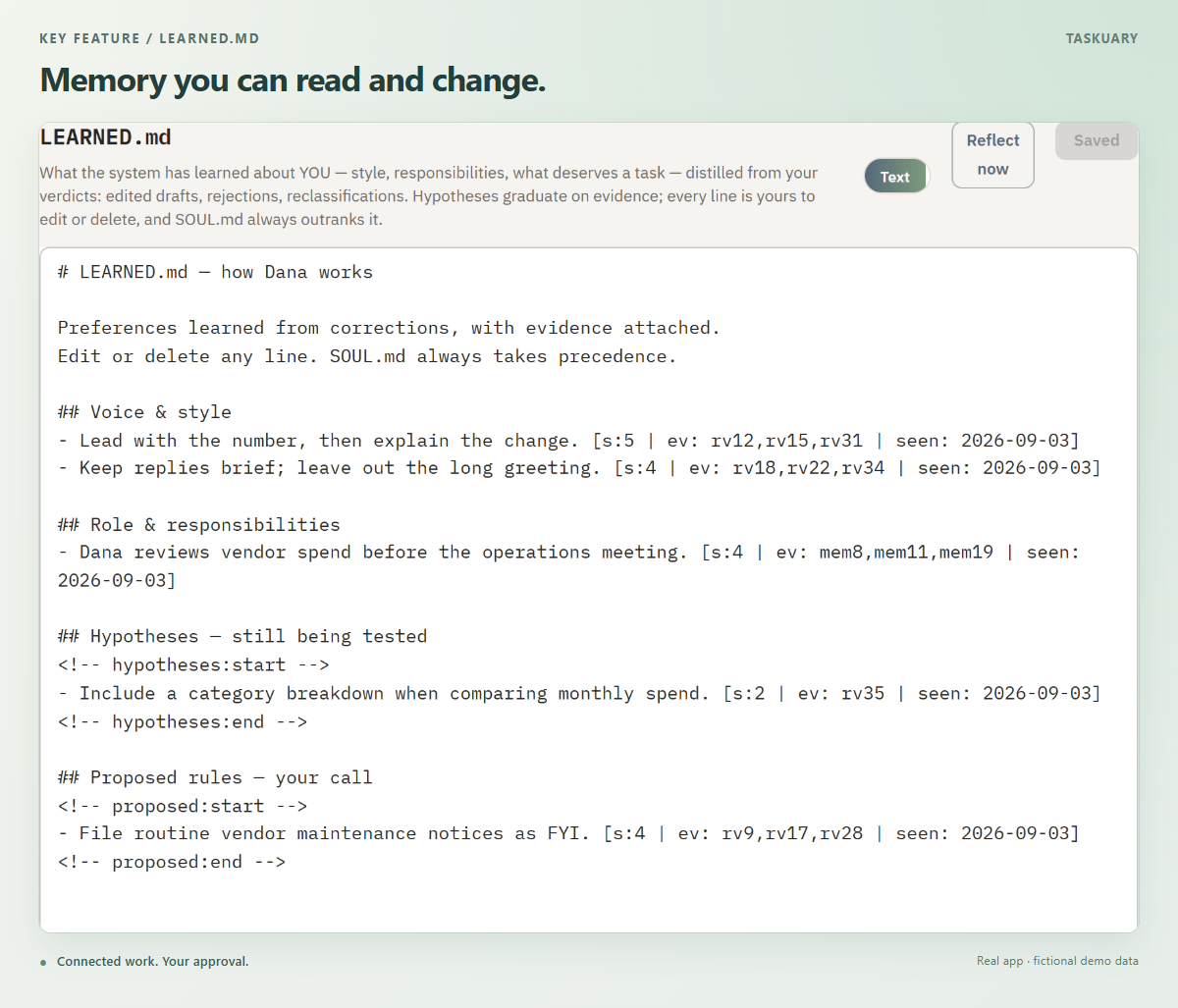
Готовый ответ ждёт в разделе Review рядом с запросом, с которого всё началось; вы читаете его, правите и выбираете Approve & send — без этого ничего не отправляется. Можно следить за сессией агента, пока он работает, а Ассистент проведёт вас по задачам по одной.Как он запоминает мои предпочтения?Каждый отредактированный вами черновик и каждая переклассифицированная задача становятся данными для обучения; устойчивые закономерности превращаются в уроки в Docs → LEARNED.md, которые можно читать, править или удалять. Ваши письменные инструкции в SOUL.md имеют приоритет, а обучение можно отключить в настройках.
Каждый отредактированный вами черновик и каждая переклассифицированная задача становятся данными для обучения; устойчивые закономерности превращаются в уроки в Docs → LEARNED.md, которые можно читать, править или удалять. Ваши письменные инструкции в SOUL.md имеют приоритет, а обучение можно отключить в настройках.Можно попробовать без установки?Да — демо представляет собой настоящий интерфейс с вымышленными задачами и заготовленными ответами. Оно не может подключаться к внешним системам, отправлять сообщения, запускать инструменты или агентов, а его изменения сбрасываются при перезагрузке.
Да — демо представляет собой настоящий интерфейс с вымышленными задачами и заготовленными ответами. Оно не может подключаться к внешним системам, отправлять сообщения, запускать инструменты или агентов, а его изменения сбрасываются при перезагрузке.What are similar projects?brigade, openworker, hermes-agent, laya, ruflo, nocobase, tinyagi, casbin-gateway
brigade, openworker, hermes-agent, laya, ruflo, nocobase, tinyagi, casbin-gatewayWhich topics is it in?kanban, assistant, agentic-workflow, whatsapp, task-management, human-in-the-loop, local-ai, ai-assistant, slack, privacy-first, fastapi, email
kanban, assistant, agentic-workflow, whatsapp, task-management, human-in-the-loop, local-ai, ai-assistant, slack, privacy-first, fastapi, email