这是什么?
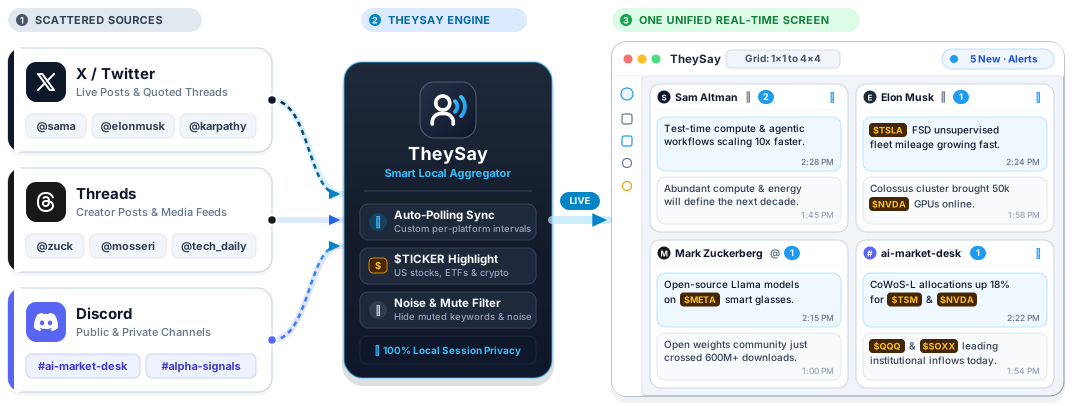
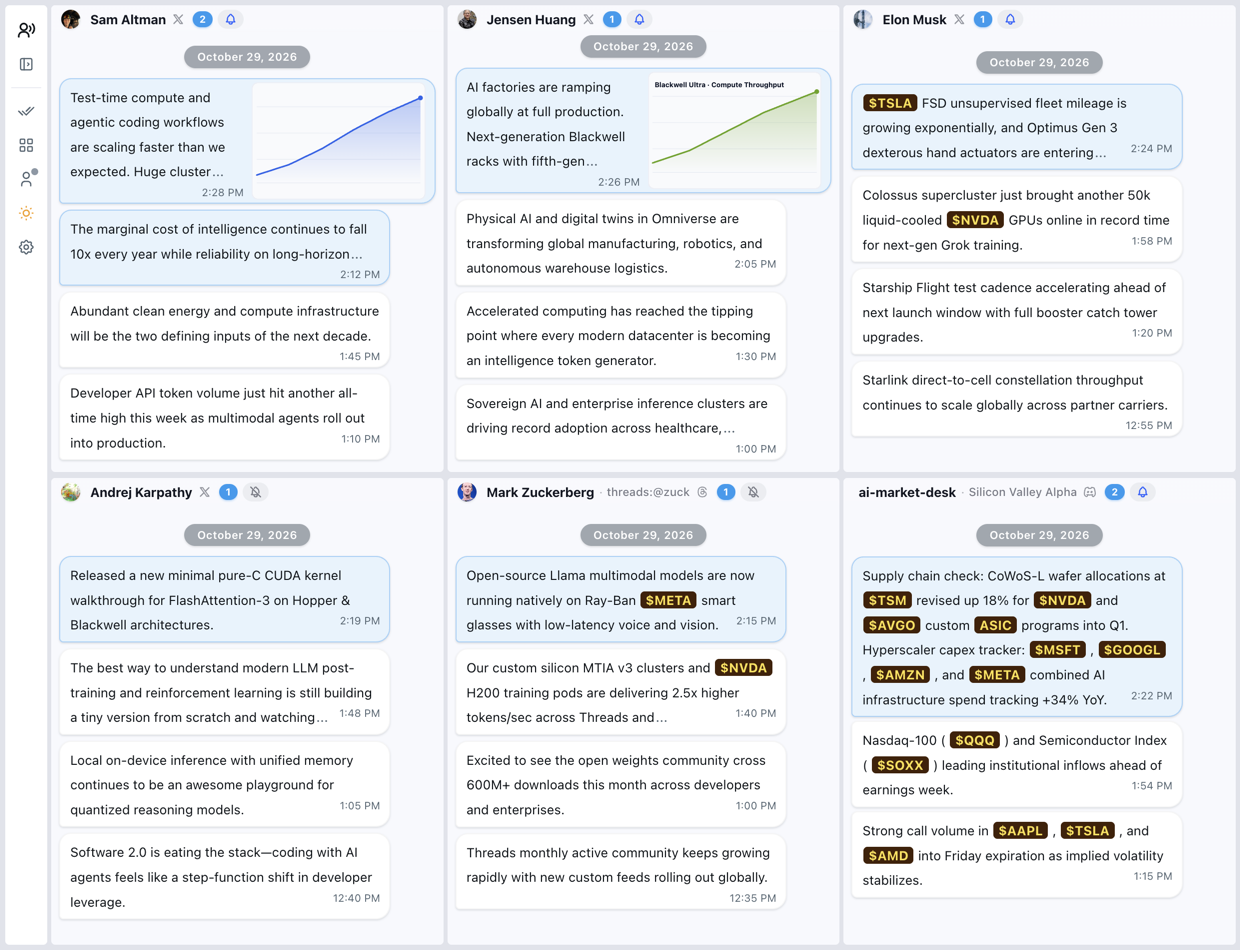
 一款桌面仪表盘,可以把你关注的 X(Twitter)、Threads 和 Discord 账号集中在一个屏幕上,以可自定义的卡片网格呈现。
这是网页应用还是需要安装的程序?这是需要安装的桌面应用,在 GitHub Releases 上发布了 macOS、Windows 和 Linux 版本。
这是需要安装的桌面应用,在 GitHub Releases 上发布了 macOS、Windows 和 Linux 版本。怎么让它运行起来?下载安装程序并打开应用,然后使用左侧边栏登录 X、Threads 或 Discord;首次启动时会有引导指南带你完成设置。之后选择一种网格布局,点击卡片标题,通过 @用户名、Threads 个人主页或 Discord 频道链接添加账号。
下载安装程序并打开应用,然后使用左侧边栏登录 X、Threads 或 Discord;首次启动时会有引导指南带你完成设置。之后选择一种网格布局,点击卡片标题,通过 @用户名、Threads 个人主页或 Discord 频道链接添加账号。每个平台都需要有账号吗?需要,你要使用自己的 X、Threads 或 Discord 账号登录。README 中没有提及需要 API 密钥或额外安装的软件。
需要,你要使用自己的 X、Threads 或 Discord 账号登录。README 中没有提及需要 API 密钥或额外安装的软件。有什么需要注意的地方吗?README 没有列出已知限制或系统要求。
README 没有列出已知限制或系统要求。我的登录信息会保留在我的电脑上吗?会的,README 中说明你的会话 100% 保存在本地设备上。
会的,README 中说明你的会话 100% 保存在本地设备上。我可以用于工作或公司吗?它采用 PolyForm Noncommercial 1.0.0 许可证授权,因此该许可证仅涵盖非商业用途。
它采用 PolyForm Noncommercial 1.0.0 许可证授权,因此该许可证仅涵盖非商业用途。我可以只为最重要的账号开启通知吗?可以。点击任意卡片上的铃铛图标即可切换桌面通知,这样你可以只保留重要账号的提醒,屏蔽其他账号。
可以。点击任意卡片上的铃铛图标即可切换桌面通知,这样你可以只保留重要账号的提醒,屏蔽其他账号。它会高亮显示股票或加密货币提及吗?会的,它会自动识别并高亮美股、ETF 和加密货币代码,例如 $NVDA、$TSLA 和 $BTC,并且徽章颜色可自定义。
会的,它会自动识别并高亮美股、ETF 和加密货币代码,例如 $NVDA、$TSLA 和 $BTC,并且徽章颜色可自定义。每张卡片上的帖子是如何显示的?更新内容会以时间顺序排列的聊天气泡形式显示,链接标题清晰可读;点击某条消息,会在专注的弹窗阅读器中打开完整帖子。
更新内容会以时间顺序排列的聊天气泡形式显示,链接标题清晰可读;点击某条消息,会在专注的弹窗阅读器中打开完整帖子。我可以备份我的仪表盘吗?可以,你随时可以导出和导入完整的仪表盘布局及关注列表,备份文件为 .json 格式。
可以,你随时可以导出和导入完整的仪表盘布局及关注列表,备份文件为 .json 格式。有哪些类似的项目?activitywatch, nectarlink, daily_stock_analysis, TwinDesk, cockpit-tools, riff, zulu, DuoDesk
activitywatch, nectarlink, daily_stock_analysis, TwinDesk, cockpit-tools, riff, zulu, DuoDesk它属于哪些主题?social-network, multi-account, twitter, crypto, stock-market, messaging, notifications, discord, dashboard, local-first, productivity, gui
social-network, multi-account, twitter, crypto, stock-market, messaging, notifications, discord, dashboard, local-first, productivity, gui