What is this?
 kind (Kubernetes IN Docker) runs local Kubernetes clusters using Docker containers as 'nodes'. It was primarily designed for testing Kubernetes itself, but also works for local development or CI.
kind (Kubernetes IN Docker) runs local Kubernetes clusters using Docker containers as 'nodes'. It was primarily designed for testing Kubernetes itself, but also works for local development or CI.Is kind a CLI I run, or a Go library I import?You run it as a CLI. Go packages implement cluster creation and image building, the kind command wraps them, and there are node images that run systemd and Kubernetes inside Docker containers.
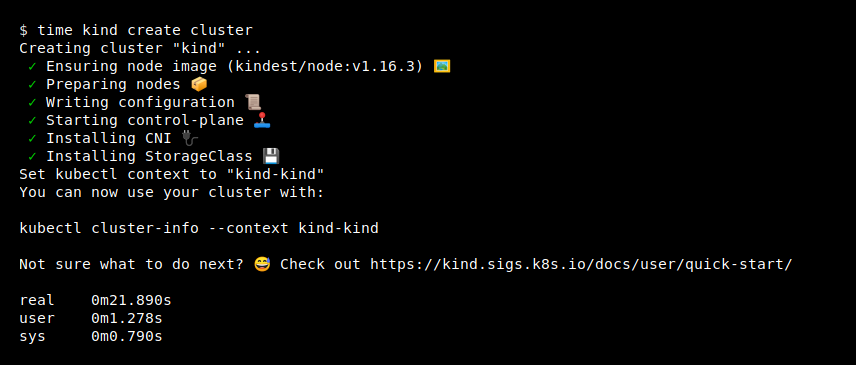
You run it as a CLI. Go packages implement cluster creation and image building, the kind command wraps them, and there are node images that run systemd and Kubernetes inside Docker containers.How do I get my first cluster running?With go and a container runtime installed, go install sigs.k8s.io/[email protected] && kind create cluster is all you need. You can also grab a binary from the releases page or use Homebrew on macOS; kind delete cluster cleans up.
With go and a container runtime installed, go install sigs.k8s.io/[email protected] && kind create cluster is all you need. You can also grab a binary from the releases page or use Homebrew on macOS; kind delete cluster cleans up.Is Docker mandatory, or will other runtimes do?Docker, Podman and nerdctl all work. Go is only needed for the go install route - without it, kind can be built reproducibly with make build via Docker.
Docker, Podman and nerdctl all work. Go is only needed for the go install route - without it, kind can be built reproducibly with make build via Docker.Is kind production-ready or still experimental?The README still calls it a work in progress with a 1.0 roadmap ahead, but it is a CNCF certified conformant installer, and stable releases are recommended for CI usage in particular.
The README still calls it a work in progress with a 1.0 roadmap ahead, but it is a CNCF certified conformant installer, and stable releases are recommended for CI usage in particular.Will it run on Windows and macOS, or is it Linux-only?All three: kind supports Linux, macOS and Windows, with Homebrew and MacPorts among the macOS install options.
All three: kind supports Linux, macOS and Windows, with Homebrew and MacPorts among the macOS install options.Can I run multi-node or HA clusters on my laptop?Yes - kind supports multi-node clusters, including HA setups. Multi-node and other advanced options are configured through a config file rather than command flags.
Yes - kind supports multi-node clusters, including HA setups. Multi-node and other advanced options are configured through a config file rather than command flags.Can I spin up a cluster from Kubernetes source code?Yes. Clone Kubernetes to $(go env GOPATH)/src/k8s.io/kubernetes, build a node image from it, and create a cluster with that image - handy for testing your own Kubernetes changes.
Yes. Clone Kubernetes to $(go env GOPATH)/src/k8s.io/kubernetes, build a node image from it, and create a cluster with that image - handy for testing your own Kubernetes changes.How does kind actually build each node?Each node is a Docker container that kind bootstraps with kubeadm, the standard Kubernetes bootstrap tool, running systemd and Kubernetes components inside; the design documentation covers the details.
Each node is a Docker container that kind bootstraps with kubeadm, the standard Kubernetes bootstrap tool, running systemd and Kubernetes components inside; the design documentation covers the details.Which topics is it in?podman, cncf, containers, cloud-native, homebrew, ci, cli-tool, golang, kubernetes, testing, devops, go
podman, cncf, containers, cloud-native, homebrew, ci, cli-tool, golang, kubernetes, testing, devops, go