

这是什么?
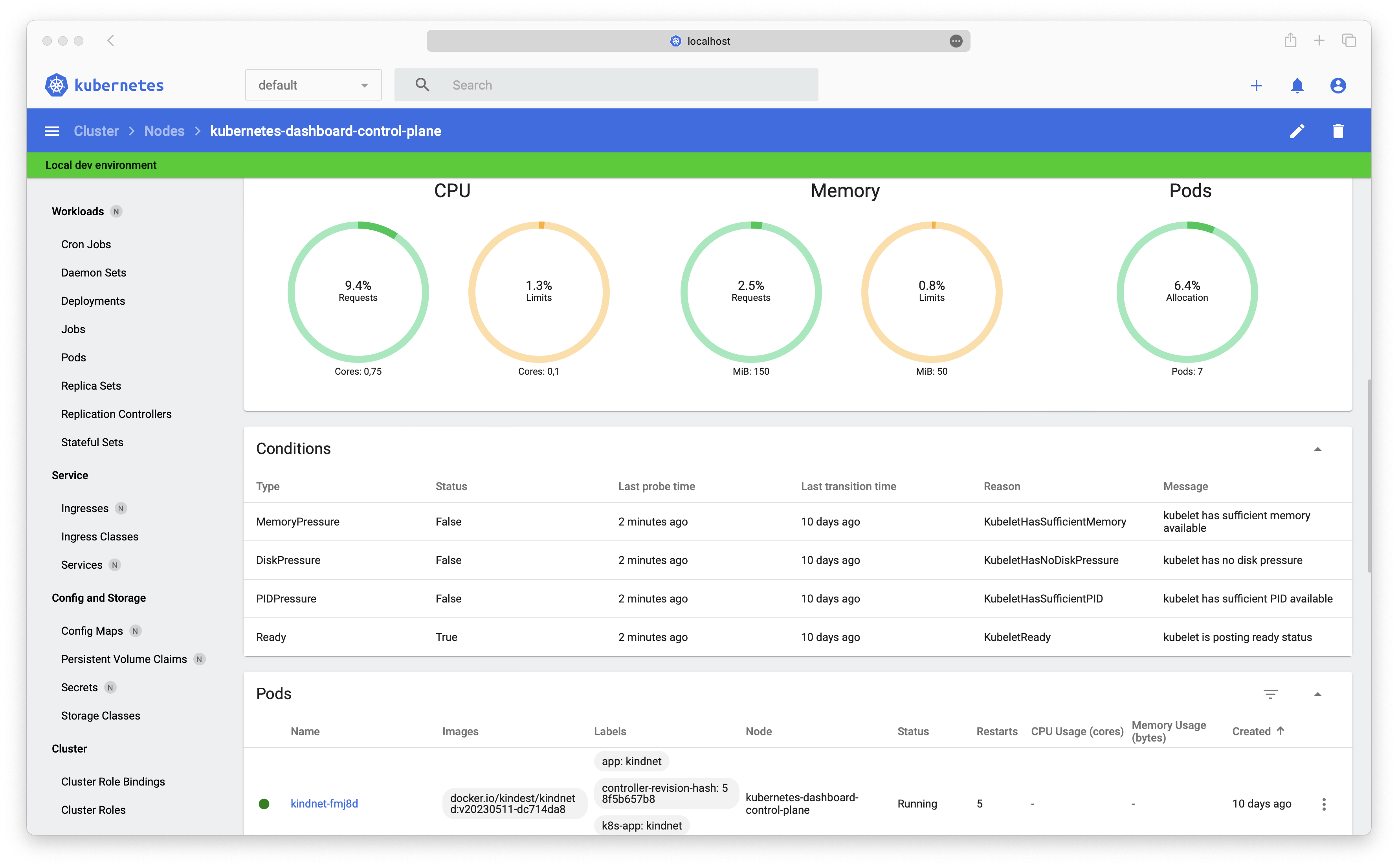
 Kubernetes Dashboard 是一个面向 Kubernetes 集群的通用网页版界面。通过浏览器,你可以管理集群中运行的应用、排查问题,也可以对集群本身进行管理。
Kubernetes Dashboard 是一个面向 Kubernetes 集群的通用网页版界面。通过浏览器,你可以管理集群中运行的应用、排查问题,也可以对集群本身进行管理。它到底运行在哪里——是我自己的电脑上,还是集群里?运行在集群里,而不是你的笔记本电脑上。Helm 会部署一套多容器的架构,其中一个免数据库(DBless)的 Kong 网关把所有容器连接起来,并向你的浏览器提供界面。
运行在集群里,而不是你的笔记本电脑上。Helm 会部署一套多容器的架构,其中一个免数据库(DBless)的 Kong 网关把所有容器连接起来,并向你的浏览器提供界面。安装之前我需要先准备好什么?需要一个正在运行的 Kubernetes 集群和 Helm。安装完成后,你可以在 Kong 网关前面放置任意你喜欢的 ingress controller 或代理。
需要一个正在运行的 Kubernetes 集群和 Helm。安装完成后,你可以在 Kong 网关前面放置任意你喜欢的 ingress controller 或代理。这个项目还在积极维护吗?不在了。由于缺少活跃的维护者和贡献者,它已被归档、不再维护,不过项目明确欢迎大家 fork 它、自己继续开发。
不在了。由于缺少活跃的维护者和贡献者,它已被归档、不再维护,不过项目明确欢迎大家 fork 它、自己继续开发。如果我 fork 之后继续维护,条款是怎样的?README 正是这么鼓励的,而且代码采用 Apache License 2.0——这是一个宽松的许可证,所以你可以放心地自己继续开发。
README 正是这么鼓励的,而且代码采用 Apache License 2.0——这是一个宽松的许可证,所以你可以放心地自己继续开发。README 推荐改用什么?Headlamp,一个易用且可扩展的 Kubernetes 网页界面。它最近被移到了 sig-ui 组名下,也就是 Dashboard 背后同一个 Kubernetes 特别兴趣小组。
Headlamp,一个易用且可扩展的 Kubernetes 网页界面。它最近被移到了 sig-ui 组名下,也就是 Dashboard 背后同一个 Kubernetes 特别兴趣小组。装好之后,我怎么进入这个面板?文档里有一份 'How to access Dashboard' 指南,介绍安装完成后如何访问你的实例;另外还有一个访问控制(Access Control)部分,会带你一步步创建一个可以用来登录的示例用户。
文档里有一份 'How to access Dashboard' 指南,介绍安装完成后如何访问你的实例;另外还有一个访问控制(Access Control)部分,会带你一步步创建一个可以用来登录的示例用户。为什么 Helm chart 不再带 appVersion 了?改用多容器架构后,版本方案也随之变化:现在每个模块单独使用自己的版本号,因此 Helm chart 的版本本身就可以当作应用版本来看待。
改用多容器架构后,版本方案也随之变化:现在每个模块单独使用自己的版本号,因此 Helm chart 的版本本身就可以当作应用版本来看待。What are similar projects?rancher, AgentTeams, charts, Reloader, harbor, charts, ingress-nginx, containerd
rancher, AgentTeams, charts, Reloader, harbor, charts, ingress-nginx, containerdWhich topics is it in?management, helm, webui, containers, cloud-native, sysadmin, orchestration, kubernetes, deprecated, dashboard, devops, web-app
management, helm, webui, containers, cloud-native, sysadmin, orchestration, kubernetes, deprecated, dashboard, devops, web-app