

What is this?
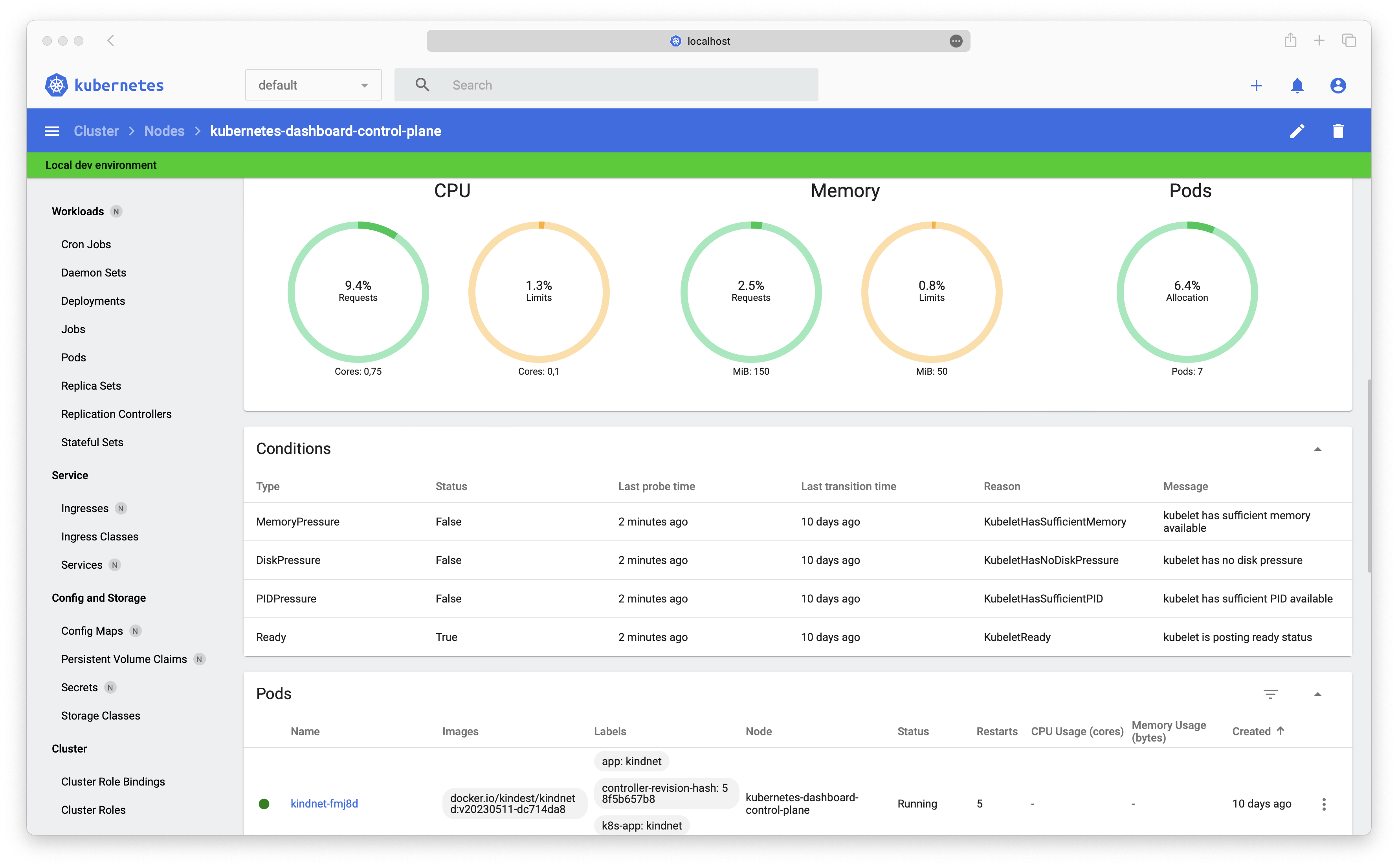
 Kubernetes Dashboard is a general-purpose, web-based UI for Kubernetes clusters. From a browser you can manage the applications running in the cluster, troubleshoot them, and manage the cluster itself.
Kubernetes Dashboard is a general-purpose, web-based UI for Kubernetes clusters. From a browser you can manage the applications running in the cluster, troubleshoot them, and manage the cluster itself.Where does it actually run — on my machine or inside the cluster?Inside the cluster, not on your laptop. Helm deploys a multi-container setup in which a DBless Kong gateway connects all the containers and exposes the UI to your browser.
Inside the cluster, not on your laptop. Helm deploys a multi-container setup in which a DBless Kong gateway connects all the containers and exposes the UI to your browser.What do I need to have in place before installing?A running Kubernetes cluster and Helm. After installation you can put any ingress controller or proxy of your choice in front of the Kong gateway.
A running Kubernetes cluster and Helm. After installation you can put any ingress controller or proxy of your choice in front of the Kong gateway.Is the project still actively maintained?No. It is archived and no longer maintained due to a lack of active maintainers and contributors, though forking it to continue development yourself is explicitly welcomed.
No. It is archived and no longer maintained due to a lack of active maintainers and contributors, though forking it to continue development yourself is explicitly welcomed.If I fork it and keep it alive, what are the terms?The README invites exactly that, and the code is under Apache License 2.0 — a permissive license, so you can freely continue development yourself.
The README invites exactly that, and the code is under Apache License 2.0 — a permissive license, so you can freely continue development yourself.What does the README recommend using instead?Headlamp, an easy-to-use and extensible Kubernetes web UI. It was recently moved under the sig-ui group, the same Kubernetes special interest group behind Dashboard.
Headlamp, an easy-to-use and extensible Kubernetes web UI. It was recently moved under the sig-ui group, the same Kubernetes special interest group behind Dashboard.How do I get into the dashboard once it is installed?The docs include a 'How to access Dashboard' guide for reaching your instance after installation, and an Access Control section that walks through creating a sample user you can log in with.
The docs include a 'How to access Dashboard' guide for reaching your instance after installation, and an Access Control section that walks through creating a sample user you can log in with.Why did the Helm chart drop its appVersion?The versioning scheme changed with the multi-container setup: every module is versioned separately now, so the Helm chart version itself can be treated as the app version.
The versioning scheme changed with the multi-container setup: every module is versioned separately now, so the Helm chart version itself can be treated as the app version.What are similar projects?rancher, AgentTeams, charts, Reloader, harbor, charts, ingress-nginx, containerd
rancher, AgentTeams, charts, Reloader, harbor, charts, ingress-nginx, containerdWhich topics is it in?management, helm, webui, containers, cloud-native, sysadmin, orchestration, kubernetes, deprecated, dashboard, devops, web-app
management, helm, webui, containers, cloud-native, sysadmin, orchestration, kubernetes, deprecated, dashboard, devops, web-app