




















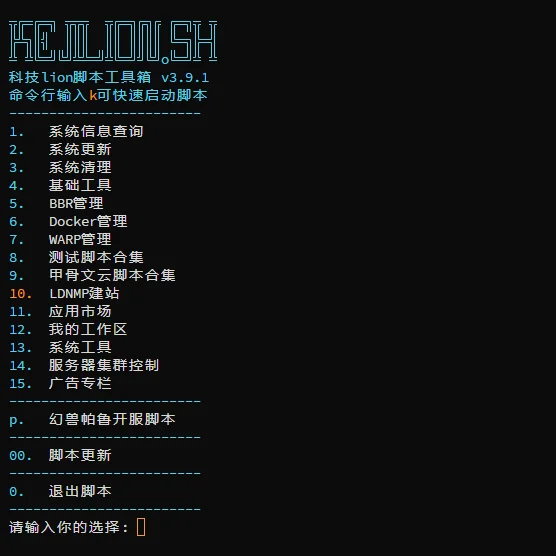
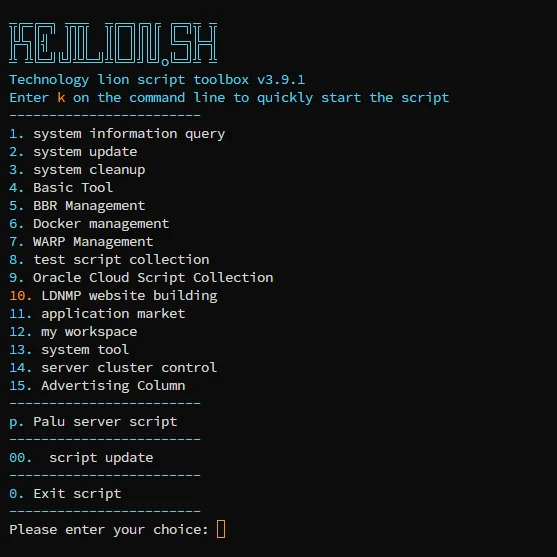
What is this?
 KejiLion.sh is an all-in-one interactive shell script toolbox for managing Linux servers: system monitoring, network testing, Docker, one-click LDNMP website stacks, backups, and security hardening.
KejiLion.sh is an all-in-one interactive shell script toolbox for managing Linux servers: system monitoring, network testing, Docker, one-click LDNMP website stacks, backups, and security hardening.Is this a CLI script or does it have a GUI?It's primarily an interactive terminal menu script you run over SSH, but it also offers KPanel, a separate web-based management panel that can discover and manage the same resources.
It's primarily an interactive terminal menu script you run over SSH, but it also offers KPanel, a separate web-based management panel that can discover and manage the same resources.How do I run it on my server?Log in as root and execute the one-click install command (Chinese or English version is provided), then set up the 'k' shortcut so future runs just type 'k' to open the main menu.
Log in as root and execute the one-click install command (Chinese or English version is provided), then set up the 'k' shortcut so future runs just type 'k' to open the main menu.Do I need root access and a specific distro?You need root privileges to run it, and it adapts its available features depending on the Linux distribution's package manager, network stack, and service management differences.
You need root privileges to run it, and it adapts its available features depending on the Linux distribution's package manager, network stack, and service management differences.Any risks before I run this on a production server?The script performs system-level operations like software installs, firewall, disk, and network changes, so you should read terminal prompts carefully and back up important sites, databases, and configs before running it.
The script performs system-level operations like software installs, firewall, disk, and network changes, so you should read terminal prompts carefully and back up important sites, databases, and configs before running it.Is this meant to run on a VPS?Yes, it's specifically built for managing Linux VPS/servers, including network speed tests, route tracing, and BBR congestion control tuning common for VPS setups.
Yes, it's specifically built for managing Linux VPS/servers, including network speed tests, route tracing, and BBR congestion control tuning common for VPS setups.What does the LDNMP one-click deployment set up?It quickly deploys a full website stack with Nginx, MySQL, PHP, and Redis in one step.
It quickly deploys a full website stack with Nginx, MySQL, PHP, and Redis in one step.What website protection features does it include?It offers anti-CC attack protection, anti-crawler measures, firewall configuration, and performance tuning for websites.
It offers anti-CC attack protection, anti-crawler measures, firewall configuration, and performance tuning for websites.Can it back up and migrate my sites?Yes, it supports backing up and restoring websites and databases, plus remote migration between servers.
Yes, it supports backing up and restoring websites and databases, plus remote migration between servers.What is KPanel?KPanel is a separate web-based management panel for kejilion.sh that can be one-click deployed and shares management of the same Docker, SSH, and script-created resources.
KPanel is a separate web-based management panel for kejilion.sh that can be one-click deployed and shares management of the same Docker, SSH, and script-created resources.What are similar projects?azerioid-stack-manager, ProxmoxVE, reinstall, webhook, acme.sh, onedump, vps-security-enhancement-scripts, spug
azerioid-stack-manager, ProxmoxVE, reinstall, webhook, acme.sh, onedump, vps-security-enhancement-scripts, spug