566 ·GitHub
Что это такое?
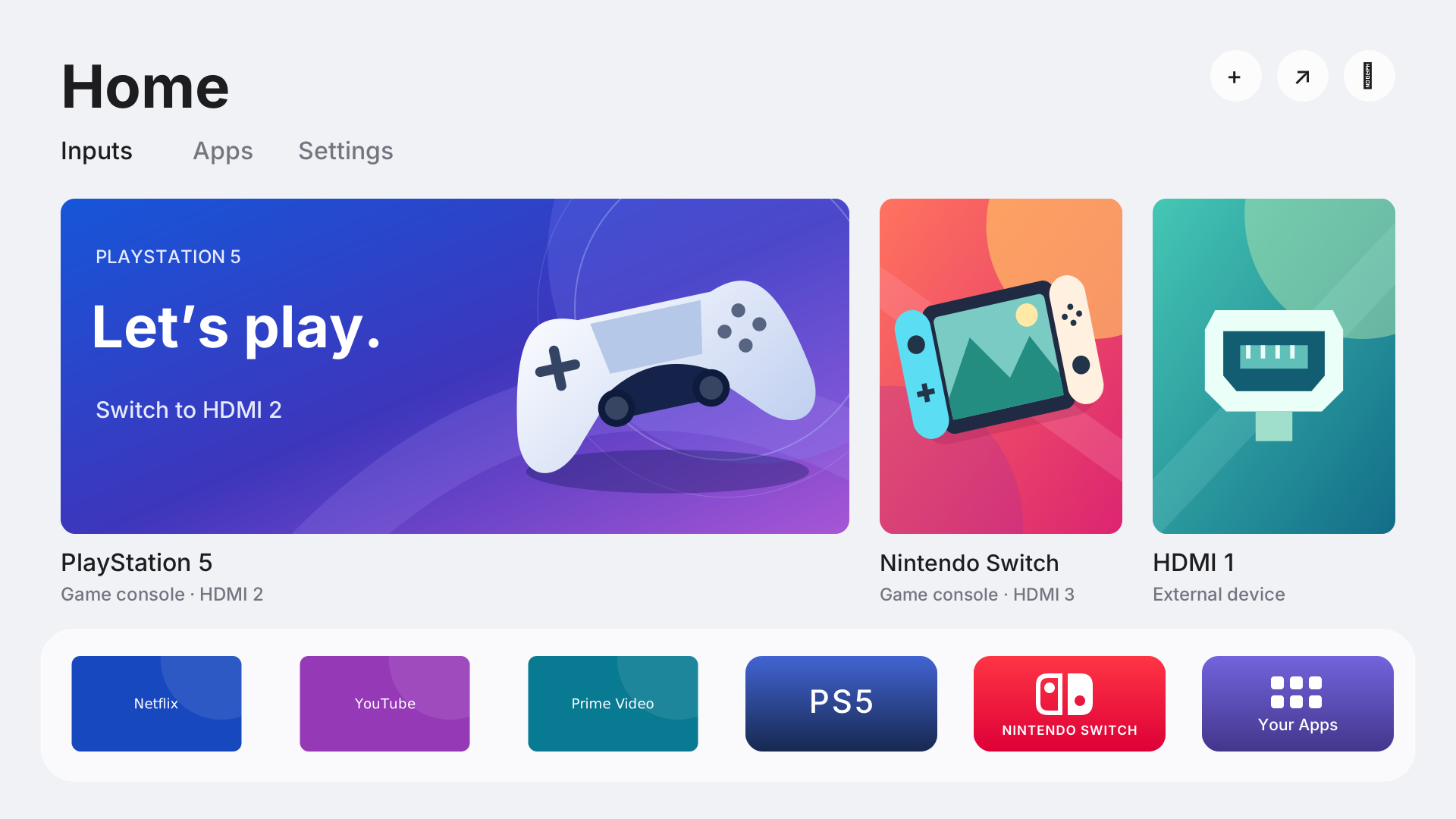
 Quiet Tizen — это документированный разбор случая и набор инструментов, которые делают конкретный умный телевизор Samsung на Tizen тише и удобнее в использовании в качестве дисплея HDMI. В набор входит собственный системный лаунчер Quiet Home, профили очистки от предустановленного ПО и рекламы, а также рецепты отката изменений.
Это готовое приложение для установки или скорее документированный набор инструментов?Это рабочий разбор случая с пригодным для повторного использования набором инструментов (исходный код, скрипты, рецепты), созданный на основе работы с одной конкретной моделью телевизора. Это не программа установки «в один клик» и не замена операционной системы.
Это рабочий разбор случая с пригодным для повторного использования набором инструментов (исходный код, скрипты, рецепты), созданный на основе работы с одной конкретной моделью телевизора. Это не программа установки «в один клик» и не замена операционной системы.Как мне вообще установить Quiet Home на свой телевизор?Сначала выясните модель и версию прошивки телевизора, включите режим разработчика, сохраните снимок настроек, примените профиль очистки, соберите Quiet Home с помощью .NET 6 SDK, установите его через SDB от Samsung и затем назначьте его домашним экраном и приложением для запуска при включении.
Сначала выясните модель и версию прошивки телевизора, включите режим разработчика, сохраните снимок настроек, примените профиль очистки, соберите Quiet Home с помощью .NET 6 SDK, установите его через SDB от Samsung и затем назначьте его домашним экраном и приложением для запуска при включении.Что нужно на моём компьютере, чтобы собрать и развернуть это?Python 3.12+ для инструментов на компьютере (Pillow — по желанию, для работы с графикой), .NET 6 SDK для сборки лаунчера NUI и SDB — инструмент Samsung, который устанавливается отдельно. Для сборки NUI также нужны справочные сборки Samsung.
Python 3.12+ для инструментов на компьютере (Pillow — по желанию, для работы с графикой), .NET 6 SDK для сборки лаунчера NUI и SDB — инструмент Samsung, который устанавливается отдельно. Для сборки NUI также нужны справочные сборки Samsung.Будет ли это работать на любом телевизоре Samsung на Tizen или только на том, для которого это создавалось?Полностью проверено только на одном телевизоре UN75U8000FFXZA с определённой версией прошивки. Совпадение бренда, года выпуска или версии Tizen не гарантирует совместимости, а обобщённые скрипты ещё не прогонялись от начала до конца на втором телевизоре.
Полностью проверено только на одном телевизоре UN75U8000FFXZA с определённой версией прошивки. Совпадение бренда, года выпуска или версии Tizen не гарантирует совместимости, а обобщённые скрипты ещё не прогонялись от начала до конца на втором телевизоре.Что происходит с данными и проприетарными файлами, которых это касается на моём телевизоре?Загруженные проприетарные справочные материалы, локальная графика, снимки настроек и записи сессий хранятся в игнорируемых путях и никогда не попадают в коммиты. В репозиторий не включаются прошивка Samsung, стоковые бинарные файлы, личные резервные копии и графика издателей.
Загруженные проприетарные справочные материалы, локальная графика, снимки настроек и записи сессий хранятся в игнорируемых путях и никогда не попадают в коммиты. В репозиторий не включаются прошивка Samsung, стоковые бинарные файлы, личные резервные копии и графика издателей.Можно ли свободно использовать сам код?Исходный код Quiet Tizen распространяется по лицензии MIT, однако сторонние шрифты, символы и маршрут получения кода доступа имеют собственные отдельные лицензии.
Исходный код Quiet Tizen распространяется по лицензии MIT, однако сторонние шрифты, символы и маршрут получения кода доступа имеют собственные отдельные лицензии.Что именно удаляет профиль очистки?Он позволяет выборочно отключать группы сервисов: рекламу, голосовые функции, контекстные сервисы, дополнительные возможности Smart, боковую панель и TV Plus. Для этого генерируются SQL-скрипты применения и восстановления для каждого поля, основанные на свежем снимке настроек вашего собственного телевизора.
Он позволяет выборочно отключать группы сервисов: рекламу, голосовые функции, контекстные сервисы, дополнительные возможности Smart, боковую панель и TV Plus. Для этого генерируются SQL-скрипты применения и восстановления для каждого поля, основанные на свежем снимке настроек вашего собственного телевизора.Можно ли подключить к Quiet Home игровой контроллер?Да, нативное сопряжение DualSense и навигация по лаунчеру проверены через встроенный в телевизор Bluetooth.
Да, нативное сопряжение DualSense и навигация по лаунчеру проверены через встроенный в телевизор Bluetooth.Действительно ли это устраняет задержки в Netflix?При тестировании обнаружилось больше свободной памяти после закрытия фоновых приложений, но то, что задержка ввода в Netflix действительно устранена, не подтверждено.
При тестировании обнаружилось больше свободной памяти после закрытия фоновых приложений, но то, что задержка ввода в Netflix действительно устранена, не подтверждено.Откуда взялись дизайн Quiet Home и метод получения root-доступа?Визуальный дизайн адаптирован из проекта Free My TV, а временный способ получения root-доступа основан на samsung-tv-root и заново реализован нативно для Tizen, а не перенесён из Android-лаунчера.
Визуальный дизайн адаптирован из проекта Free My TV, а временный способ получения root-доступа основан на samsung-tv-root и заново реализован нативно для Tizen, а не перенесён из Android-лаунчера.Какие есть похожие проекты?free-my-tv, cleanyourtv, tv-fresh, dumbtv, Winhance, tv-detox, VioletToolBox, glasshouse
free-my-tv, cleanyourtv, tv-fresh, dumbtv, Winhance, tv-detox, VioletToolBox, glasshouseВ каких он темах?smart-tv, debloat, root, launcher, backup, dotnet, hardware, reverse-engineering, customization, utility, command-line-tool, gui
smart-tv, debloat, root, launcher, backup, dotnet, hardware, reverse-engineering, customization, utility, command-line-tool, gui