
Track prices from the stores you actually use. Run it yourself. Keep the data. Know when a deal is real.
PriceBuddy is an open source, self-hostable price tracker for people who would rather watch products than browser tabs. Paste in a product URL, let PriceBuddy check it on a schedule, and get notified when the price or availability moves in your favour.
It works across different stores, keeps price history, compares listings, handles stock status, and can use your own AI provider when a page is awkward to scrape. The web app is the main control room; the browser extension brings it to the product page you are already on, and the API and CLI make it scriptable.
Read the docs · Install with Docker · Explore features · CLI · Browser extension
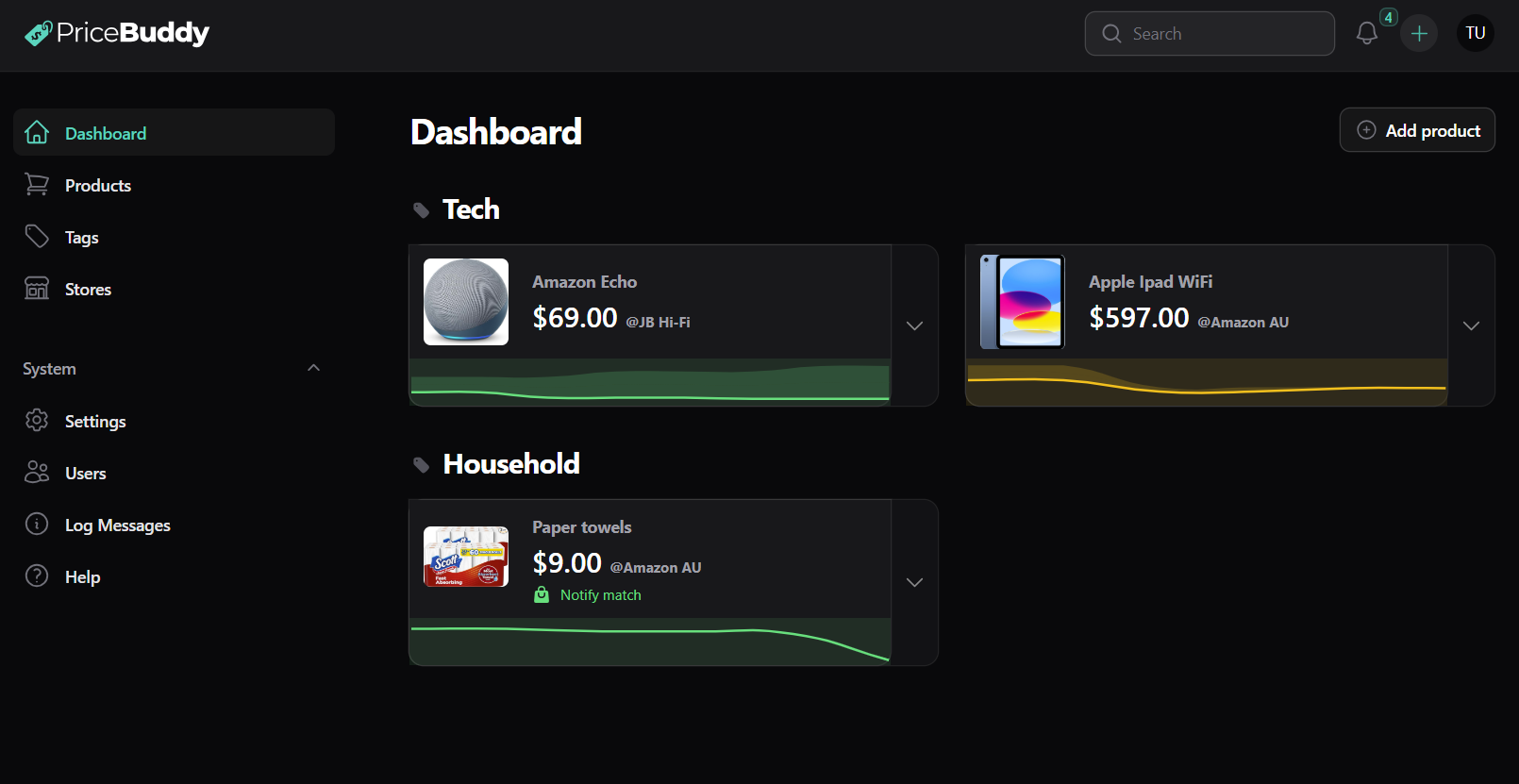
Why PriceBuddy?
Most price trackers work only where someone has already built an integration. PriceBuddy is built for the messy web: normal product pages, changing markup, multiple listings for the same item, stores that go in and out of stock, and the usual "sale" prices that are not really sales.
Use it for everyday shopping, household wishlists, hobby gear, computer parts, baby stuff, subscriptions, marketplace listings, or anything else where timing matters.
Features
Track almost any store
Paste a product URL and PriceBuddy will try to read the product title, image, price and availability. Many stores work straight away. For trickier sites, you can tune the scrape strategy without changing code.
Compare listings across retailers
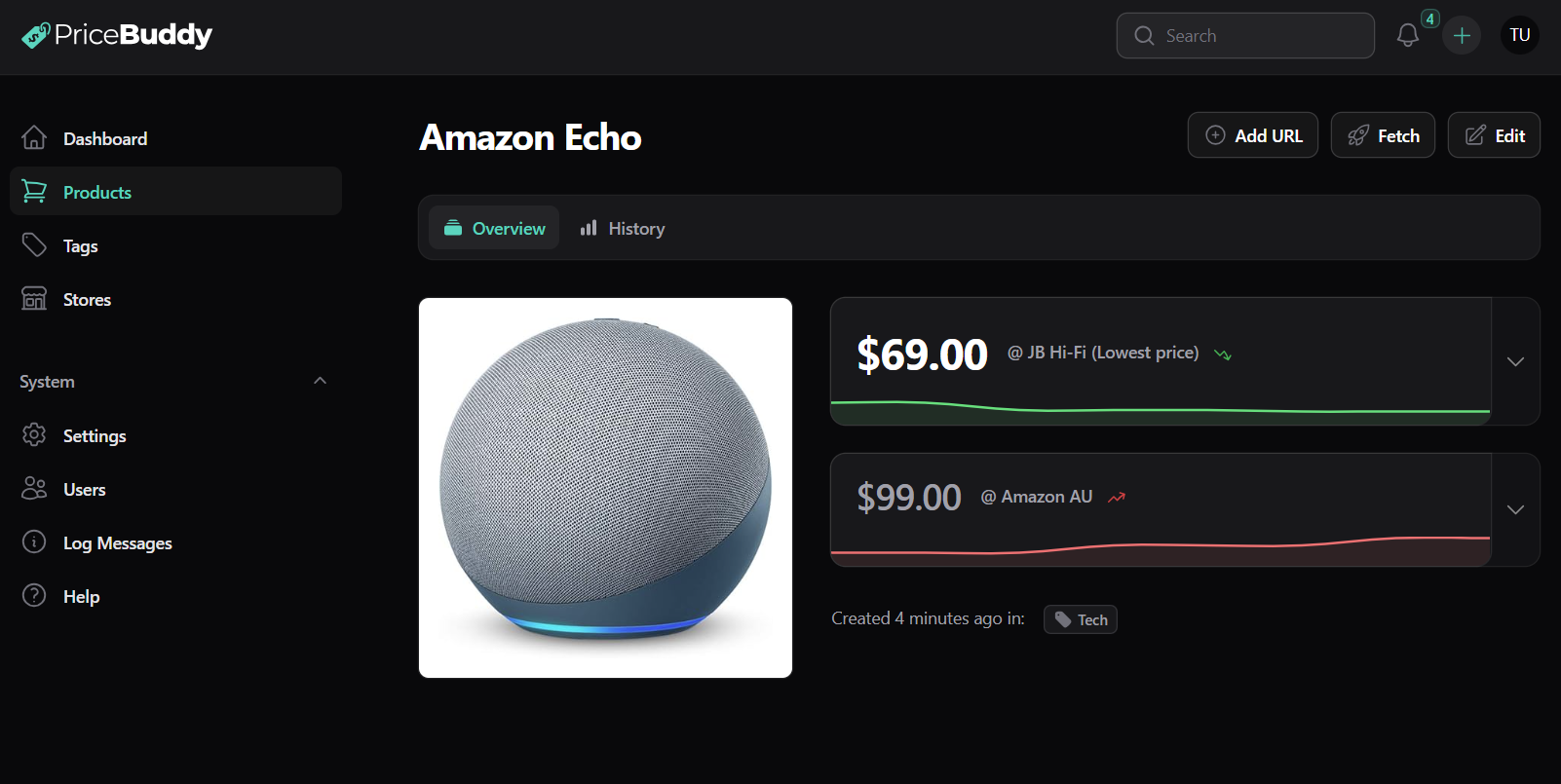
Track the same product across multiple stores, or multiple listings on the same marketplace, and see the current best option in one place.
Keep the price history
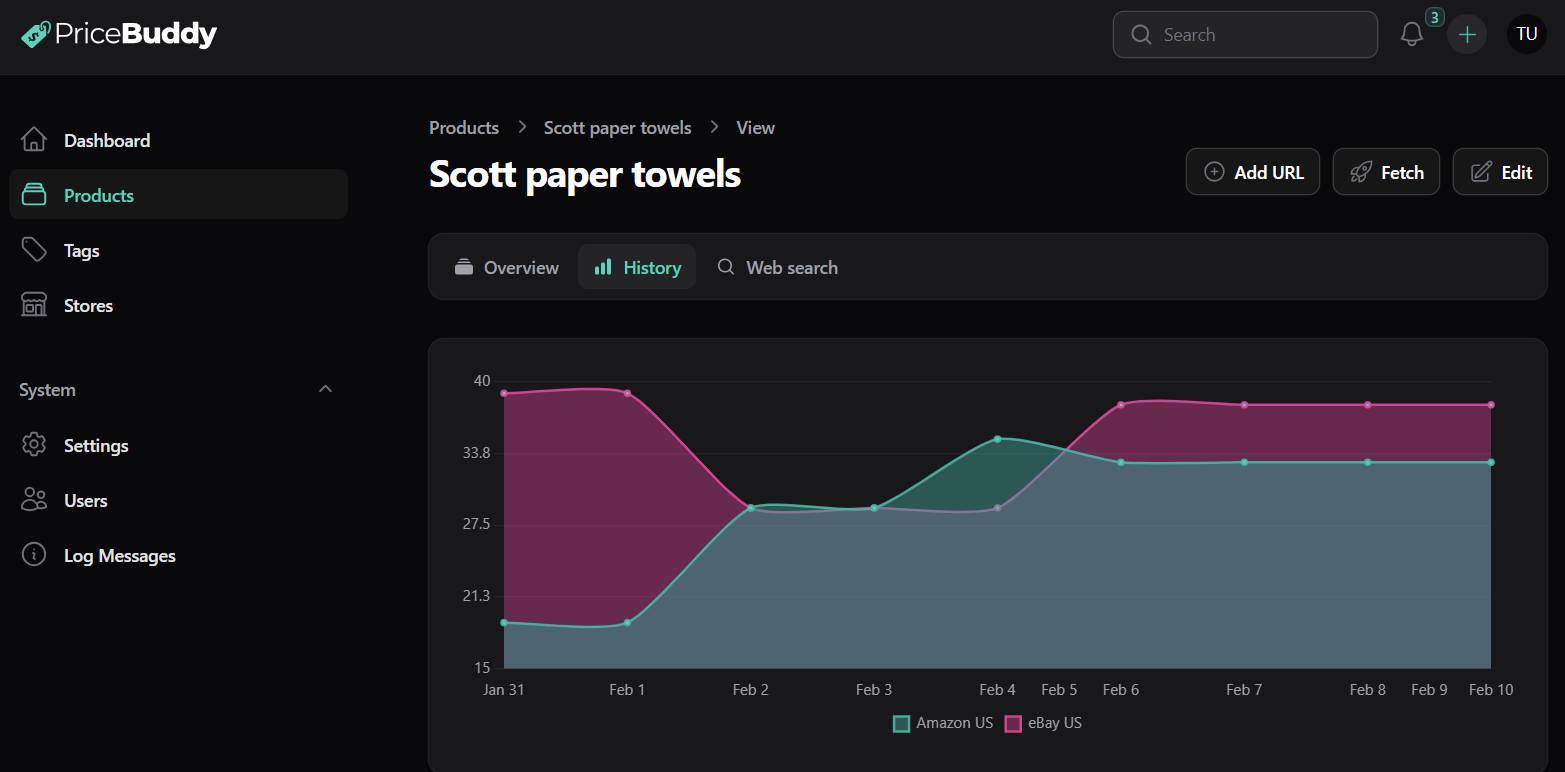
PriceBuddy records prices over time so you can see highs, lows and trends. That makes it easier to spot fake discounts and decide whether today's price is actually good.
Get notified where you already are
Set a target price or percentage drop and let PriceBuddy watch for it. Notifications can go through the app, email, Pushover, Gotify, Apprise, Telegram, Discord or ntfy.
Track availability, not just price
A cheap listing is useless if it is out of stock. PriceBuddy tracks in stock, pre-order, back order, special order, out of stock and discontinued states.
Compare unit prices
PriceBuddy can calculate price per unit, so a 10-pack and a 3-pack can be compared fairly.
Use AI only when it helps
Bring your own OpenAI, Anthropic, Gemini or local Ollama provider. PriceBuddy can use AI to recover missing data from a page or help repair scraping rules. It is optional and off by default.
Search for products to track
Connect a SearXNG instance and search for products from inside PriceBuddy.
Track from the page you are on
The PriceBuddy Companion browser extension adds a panel to any product page so you can start tracking it, see how the price compares to the other stores you track, and fix a store's scrape strategy in place.
Organise a shared watchlist
Use tags, filters and multi-user accounts so each person can track their own products, targets and notification preferences.
Host it yourself
Run PriceBuddy on your own server with Docker. Your watchlist, price history and notification settings stay under your control.
PriceBuddy is designed to be useful from more than the web UI. The tool ecosystem is small for now, with more planned.
| Tool |
What it is for |
| PriceBuddy CLI |
Command-line access for humans and agents. Sync a local mirror, search products, inspect price history, run deal/drop reports, call the REST API, and expose PriceBuddy through MCP. |
| PriceBuddy Companion |
Chrome/Edge extension. Track a product from the page you are on, see its price insights against other stores, and tune a store's scrape strategy without leaving the site. Source · Docs |
Screenshots
| Product overview |
Price history |
 |
 |
Installation
All you need is Docker.
Download docker-compose.yml, adjust it for your environment, then start PriceBuddy:
touch .env
docker compose up -d
With the defaults, the app runs at http://localhost:8080.
Default login:
[email protected] / admin
Change that password immediately.
See the installation guide for the full setup and configuration options.
Docker is the recommended install path. If you want to run it another way, docker/php.dockerfile and docker-compose.yml are the best references for the required services and PHP extensions.
Background tasks
The Docker image includes the scheduler needed for background work: checking prices, updating history and sending notifications. You do not need to run a separate cron container.
Settings and configuration
Most settings live in the app. Advanced options can be set in .env.
See the settings docs for details.
Affiliate codes
PriceBuddy adds affiliate codes for a small number of stores to help support development.
If you do not want that, set this in .env or docker-compose.yml:
AFFILIATE_ENABLED=false
If you disable affiliate support and still want to help, see supporting the project.
Inspiration
PriceBuddy was inspired by Discount Bandit. PriceBuddy's main difference is flexibility: it aims to track products from arbitrary stores without requiring a code change for each retailer.
Contributing and development
Contributions are welcome. Open an issue or pull request if you have a bug fix, store compatibility improvement, documentation change or feature idea.
PriceBuddy is built with Laravel and Filament. Local development uses Lando:
lando start
Coding standards, static analysis and tests are handled with Pint, PHPStan and Pest/PHPUnit. See the development docs for the full setup.
Supporting development
See supporting the project for ways to help keep PriceBuddy moving.
License
See LICENSE.md.
Contributors

 PriceBuddy 是一个可自托管的开源价格追踪器,监控不同网上商店的商品页面,在降价或有货状态变化时通知你。