What is this?
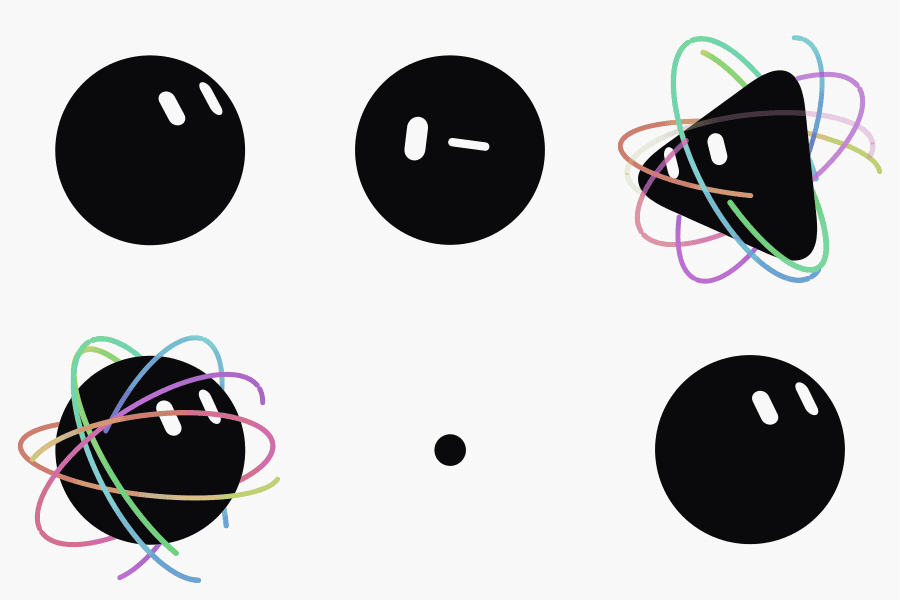
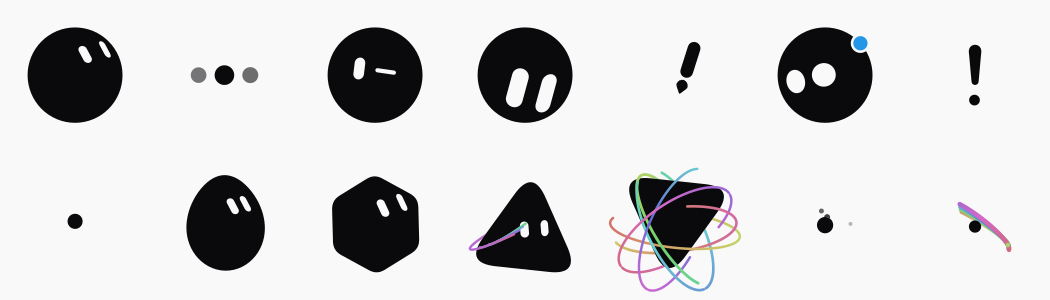
 An SVG recreation of the x.ai bot avatar: one black shape that morphs through 14 states plus two independently animated white eye shapes, with every pose measured frame-by-frame off the reference video rather than hand-designed.
An SVG recreation of the x.ai bot avatar: one black shape that morphs through 14 states plus two independently animated white eye shapes, with every pose measured frame-by-frame off the reference video rather than hand-designed.Is this a Vue component I embed, or a standalone app?Both: BloubBot.vue is a reusable Vue component (props like size, shape, color, expression, frozenAt) you can drop into another project, and the repo itself is a full app with Customise, Animations and Settings panels for designing and exporting the avatar.
Both: BloubBot.vue is a reusable Vue component (props like size, shape, color, expression, frozenAt) you can drop into another project, and the repo itself is a full app with Customise, Animations and Settings panels for designing and exporting the avatar.How do I get it running?It's a Vue 3, Vite, TypeScript, Tailwind 4 project: use the pnpm scripts, dev for a dev server, build (which runs vue-tsc --noEmit then vite build) to produce a build, and preview to check it.
It's a Vue 3, Vite, TypeScript, Tailwind 4 project: use the pnpm scripts, dev for a dev server, build (which runs vue-tsc --noEmit then vite build) to produce a build, and preview to check it.Do I need an animation library to use this?No, the core engine in src/bot/ is framework-free and clock-free (engine.sample(t) is a pure function of time). The only external dependency, mediabunny for video encoding, is fetched lazily only the first time you export a GIF or MP4.
No, the core engine in src/bot/ is framework-free and clock-free (engine.sample(t) is a pure function of time). The only external dependency, mediabunny for video encoding, is fetched lazily only the first time you export a GIF or MP4.Can I just round the animation numbers to cleaner values?No, the constants aren't arbitrary: they were measured by sub-pixel ray casting, capsule fitting and direct colour sampling off a 10fps reference video, so rounding them to friendlier-looking numbers breaks the resemblance to the original avatar.
No, the constants aren't arbitrary: they were measured by sub-pixel ray casting, capsule fitting and direct colour sampling off a 10fps reference video, so rounding them to friendlier-looking numbers breaks the resemblance to the original avatar.What can I customize about the avatar?The Customise panel offers 8 body shapes, 12 colours and 16 rest expressions, and your choices are kept between visits.
The Customise panel offers 8 body shapes, 12 colours and 16 rest expressions, and your choices are kept between visits.What formats can I export?Still images as SVG or PNG, and animated output as GIF; a whole timeline can be exported as GIF or MP4. Still exports need no library, video export lazily loads an encoder.
Still images as SVG or PNG, and animated output as GIF; a whole timeline can be exported as GIF or MP4. Still exports need no library, video export lazily loads an encoder.What are the #planche and #etat URLs for?#planche freezes all 14 states side by side for a quick visual check, and #etat=orbit&stop opens one named state directly with playback paused — handy for development and debugging.
#planche freezes all 14 states side by side for a quick visual check, and #etat=orbit&stop opens one named state directly with playback paused — handy for development and debugging.How does the Animations editor work?It's a small timeline editor where you arrange the 14 states in sequence, set how long each is held, and save the resulting animation.
It's a small timeline editor where you arrange the 14 states in sequence, set how long each is held, and save the resulting animation.What are similar projects?vuestic-admin, bible-strong-avatar-lab, vue-pure-admin, lottie, aora-bot, moveable, soybean-admin, vant
vuestic-admin, bible-strong-avatar-lab, vue-pure-admin, lottie, aora-bot, moveable, soybean-admin, vantWhich topics is it in?export, svg-animation, mp4, design-tool, gif, vue3, grok, svg, tailwindcss, vite, i18n, vue
export, svg-animation, mp4, design-tool, gif, vue3, grok, svg, tailwindcss, vite, i18n, vue