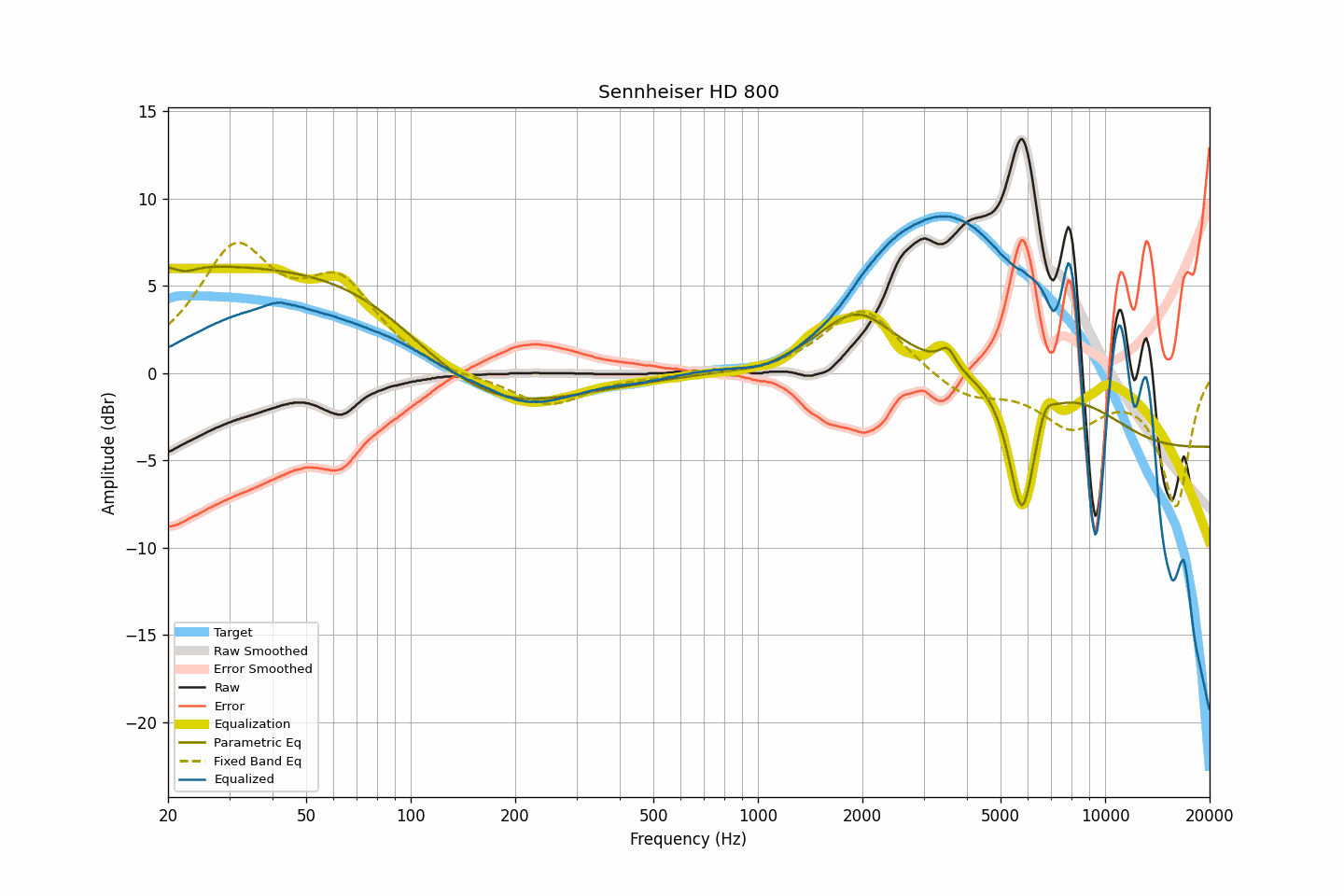
What is this?
 AutoEq automatically generates headphone equalizer settings based on real frequency response measurements, so you can correct your headphones toward a target sound curve.
AutoEq automatically generates headphone equalizer settings based on real frequency response measurements, so you can correct your headphones toward a target sound curve.Is this a web app, a library, or something else?It is actually three things in one project: a no-install web app at autoeq.app, a Python library and PyPI package for working with frequency responses, and a dataset of headphone measurements and targets.
It is actually three things in one project: a no-install web app at autoeq.app, a Python library and PyPI package for working with frequency responses, and a dataset of headphone measurements and targets.How do I actually get EQ settings for my headphones?Most users should just go to autoeq.app, pick their headphone and target, and get ready-made settings for their EQ app of choice; the command-line interface (python -m autoeq) is for developers who want to run the optimizer themselves.
Most users should just go to autoeq.app, pick their headphone and target, and get ready-made settings for their EQ app of choice; the command-line interface (python -m autoeq) is for developers who want to run the optimizer themselves.What do I need installed to run the command-line version?You need Git and a 64-bit Python 3 added to PATH; on Linux you may also need Python dev packages and pip, on Windows the Microsoft Visual C++ Redistributable, and sometimes libsndfile if soundfile gives you trouble.
You need Git and a 64-bit Python 3 added to PATH; on Linux you may also need Python dev packages and pip, on Windows the Microsoft Visual C++ Redistributable, and sometimes libsndfile if soundfile gives you trouble.Does AutoEq actually apply the equalization for me?No, it only calculates the EQ settings — you still need a separate equalizer app to apply them, and autoeq.app will point you to a compatible one.
No, it only calculates the EQ settings — you still need a separate equalizer app to apply them, and autoeq.app will point you to a compatible one.Why does this GitHub repo mainly serve developers now?Regular users are pointed to autoeq.app for ready-made results, while this repo hosts the Python library, PyPI package, raw measurement data, and CLI tools used to build those results.
Regular users are pointed to autoeq.app for ready-made results, while this repo hosts the Python library, PyPI package, raw measurement data, and CLI tools used to build those results.What if my headphone model is missing from the dataset?It simply hasn't been measured by any of the supported sources yet; the project can't fulfill headphone requests through GitHub issues since it only sources existing measurement databases.
It simply hasn't been measured by any of the supported sources yet; the project can't fulfill headphone requests through GitHub issues since it only sources existing measurement databases.Can I just use the pre-computed results folder instead of the web app?Technically yes, but the README advises against it since autoeq.app already provides an easier and more up-to-date way to get the same settings.
Technically yes, but the README advises against it since autoeq.app already provides an easier and more up-to-date way to get the same settings.What changed in the big 2022 restructuring?The project moved its source code under an 'autoeq' directory, published to PyPI, switched CLI usage to 'python -m autoeq', and reworked the parametric EQ optimizer to run about 10x faster with shelf filter support.
The project moved its source code under an 'autoeq' directory, published to PyPI, switched CLI usage to 'python -m autoeq', and reworked the parametric EQ optimizer to run about 10x faster with shelf filter support.What are similar projects?beets, spleeter, spotify-tui, Tone.js, pytube, soundcraft, onthespot, vhs-decode
beets, spleeter, spotify-tui, Tone.js, pytube, soundcraft, onthespot, vhs-decode