
What is this?
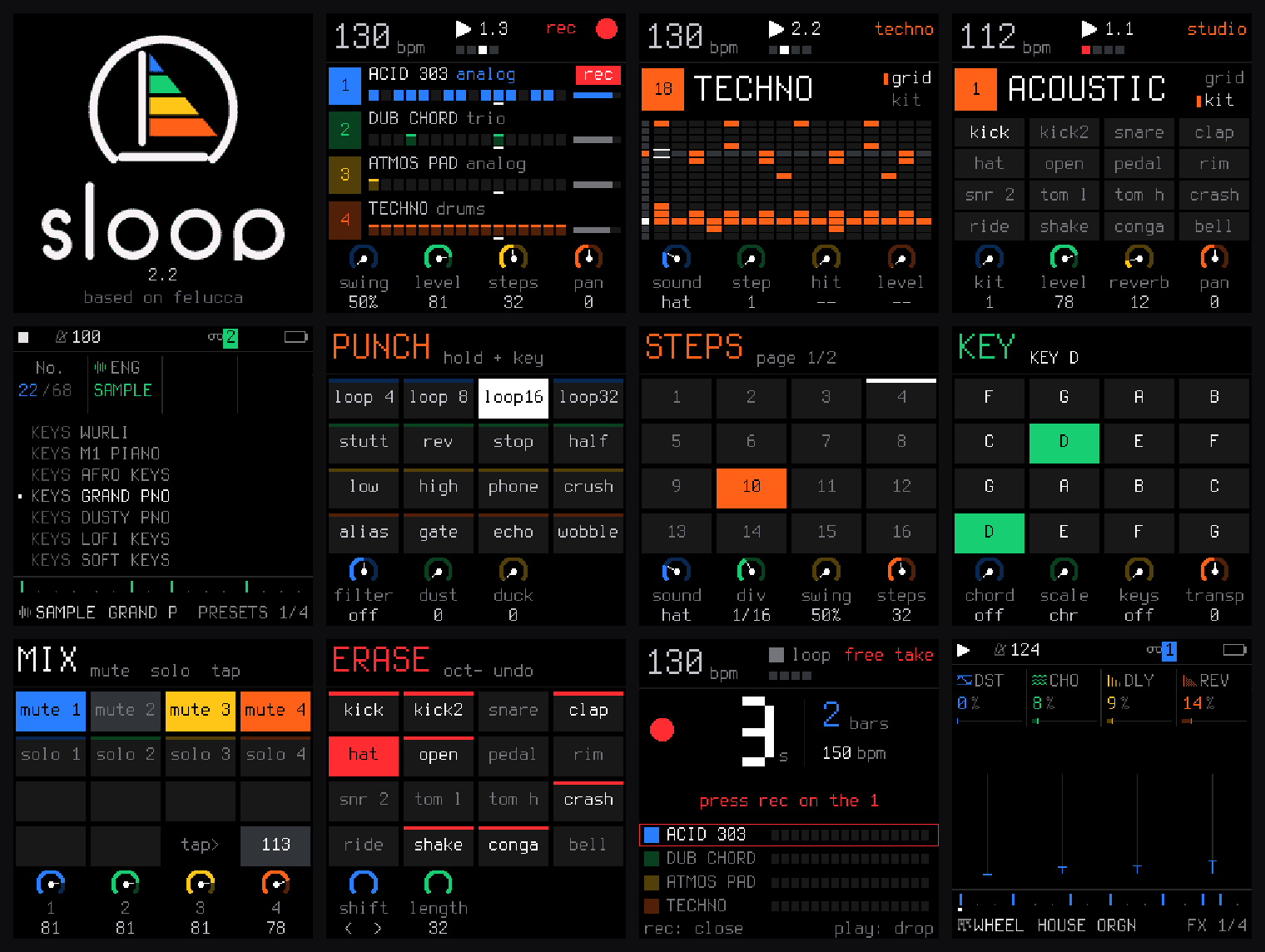
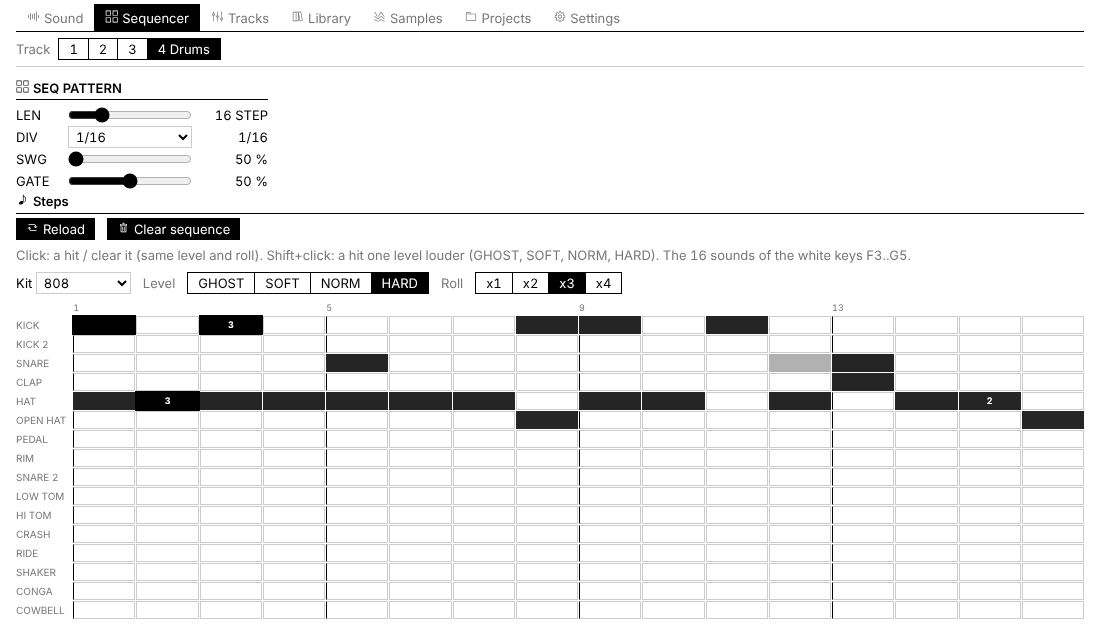
 SLOOP is a free, open-source custom firmware for the M-VAVE FM-1 hardware groovebox, replacing the stock firmware with a deeper synth engine set, a real drum machine, live sequencing, and an in-browser editor.
SLOOP is a free, open-source custom firmware for the M-VAVE FM-1 hardware groovebox, replacing the stock firmware with a deeper synth engine set, a real drum machine, live sequencing, and an in-browser editor.Is this an app I install on my computer, or firmware for the device itself?It's firmware that gets flashed directly onto the FM-1 hardware; it comes paired with a browser-based web editor for things like chopping samples and tweaking parameters, synced live with the device over USB.
It's firmware that gets flashed directly onto the FM-1 hardware; it comes paired with a browser-based web editor for things like chopping samples and tweaking parameters, synced live with the device over USB.How do I install SLOOP on my FM-1?Open the SLOOP installer in Chrome or Edge, connect the FM-1 by USB with a plain data cable (no hub), click INSTALL, and wait for it to finish — nothing to download or compile.
Open the SLOOP installer in Chrome or Edge, connect the FM-1 by USB with a plain data cable (no hub), click INSTALL, and wait for it to finish — nothing to download or compile.Do I need Python or a build toolchain to flash it?No, the browser installer handles everything. If you prefer the manual route, you can flash the .fwsc release file with a Python script that needs mido and python-rtmidi, or build from source yourself with INSTALL-SLOOP.bat on Windows.
No, the browser installer handles everything. If you prefer the manual route, you can flash the .fwsc release file with a Python script that needs mido and python-rtmidi, or build from source yourself with INSTALL-SLOOP.bat on Windows.What happens if the install goes wrong or I want to go back to stock firmware?An interrupted install leaves the FM-1 in update mode so you can just press Install again, but flashing custom firmware is at your own risk; if the device stops starting, recovery requires the separate FM-1-transporter tool. You can also return to M-VAVE's official M-UPGRADE firmware at any time.
An interrupted install leaves the FM-1 in update mode so you can just press Install again, but flashing custom firmware is at your own risk; if the device stops starting, recovery requires the separate FM-1-transporter tool. You can also return to M-VAVE's official M-UPGRADE firmware at any time.Does this work on any groovebox, or only the FM-1?SLOOP only runs on M-VAVE FM-1 hardware; it's a fork of Felucca, a firmware originally built for Hügelton Instruments' hardware by Leo Kuroshita.
SLOOP only runs on M-VAVE FM-1 hardware; it's a fork of Felucca, a firmware originally built for Hügelton Instruments' hardware by Leo Kuroshita.What sound engines does SLOOP give me?Nine synth engines (analog, 4-op FM, phase distortion, three-oscillator, tonewheel organ, formant voice, granular, lo-fi chip, sampler) plus 37 drum kits covering genres from 808/909 to phonk, amapiano, UK garage and jazz brushes, all with envelopes, LFO, arpeggiator and effect sends.
Nine synth engines (analog, 4-op FM, phase distortion, three-oscillator, tonewheel organ, formant voice, granular, lo-fi chip, sampler) plus 37 drum kits covering genres from 808/909 to phonk, amapiano, UK garage and jazz brushes, all with envelopes, LFO, arpeggiator and effect sends.What's new in version 2.2?A rebuilt drum engine modeled on classic drum machines, 32 rebuilt synthesized kits plus a sampled acoustic kit, new sounds like 808 SLIDE and ACID 303, a stereo chorus and new feedback-delay reverb, and the ability to lock a layer open with one button press.
A rebuilt drum engine modeled on classic drum machines, 32 rebuilt synthesized kits plus a sampled acoustic kit, new sounds like 808 SLIDE and ACID 303, a stereo chorus and new feedback-delay reverb, and the ability to lock a layer open with one button press.Can I record my own samples into it?Yes, there are three user sample slots, and the web editor lets you record audio, chop it into 16 pieces by tapping along, then upload the chops straight to the device.
Yes, there are three user sample slots, and the web editor lets you record audio, chop it into 16 pieces by tapping along, then upload the chops straight to the device.Why is it called a fork of Felucca?SLOOP reuses the engines, sequencer, editor and installer from Felucca, a firmware by Leo Kuroshita (@kurogedelic) for Hügelton Instruments, adapted and extended for the M-VAVE FM-1.
SLOOP reuses the engines, sequencer, editor and installer from Felucca, a firmware by Leo Kuroshita (@kurogedelic) for Hügelton Instruments, adapted and extended for the M-VAVE FM-1.What are similar projects?CHOMPI, fm1-custom-fw, coyopedal, soundcraft, esp-sdr, mu300-linux, w1700k-sdr, openwrt
CHOMPI, fm1-custom-fw, coyopedal, soundcraft, esp-sdr, mu300-linux, w1700k-sdr, openwrtWhich topics is it in?synthesizer, midi, usb, embedded-systems, gpl, audio-processing, firmware, music, embedded, hardware, audio, c
synthesizer, midi, usb, embedded-systems, gpl, audio-processing, firmware, music, embedded, hardware, audio, c