
A completely customizable framework
for building rich text editors.
Why? ·
Principles ·
Demo ·
Examples ·
Documentation ·
Contributing!
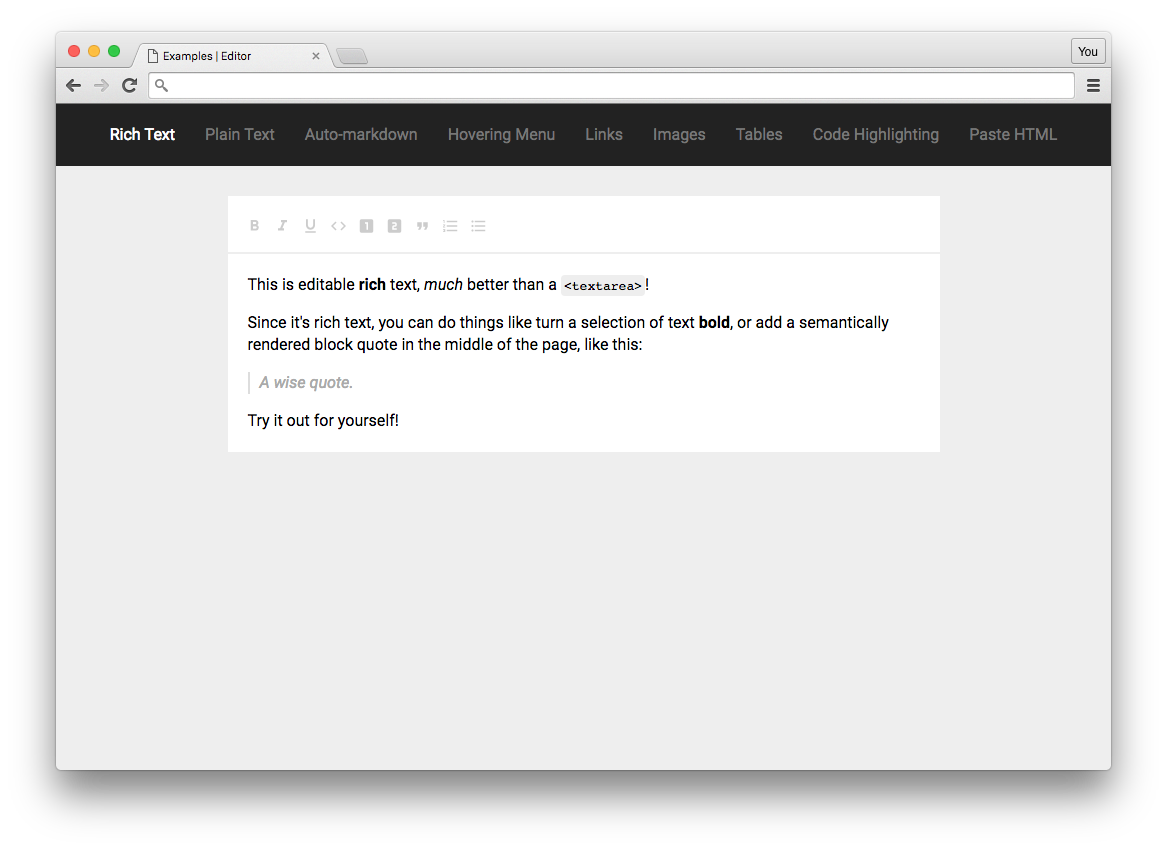



Slate lets you build rich, intuitive editors like those in Medium, Dropbox Paper or Google Docs—which are becoming table stakes for applications on the web—without your codebase getting mired in complexity.
It can do this because all of its logic is implemented with a series of plugins, so you aren't ever constrained by what is or isn't in "core". You can think of it like a pluggable implementation of contenteditable built on top of React. It was inspired by libraries like Draft.js, Prosemirror and Quill.
🤖 Slate is currently in beta. Its core API is useable right now, but you might need to pull request improvements for advanced use cases, or fixes for some bugs. Some of its APIs are not "finalized" and will have breaking changes over time as we discover better solutions. There isn't currently a 1.0 release schedule, we're still getting the architecture right.
🤖 Slate is also contributor-driven. It is not backed by any huge company, which means that all contributions are voluntary and done by the people who need them. If you need something improved, added, or fixed, please contribute it yourself or no one will. And if you want to become a more active maintainer, let us know in the Slack channel.
Why?
Why create Slate? Well... (Beware: this section has a few of my opinions!)
Before creating Slate, I tried a lot of the other rich text libraries out there—Draft.js, Prosemirror, Quill, etc. What I found was that while getting simple examples to work was easy enough, once you started trying to build something like Medium, Dropbox Paper or Google Docs, you ran into deeper issues...
The editor's "schema" was hardcoded and hard to customize. Things like bold and italic were supported out of the box, but what about comments, or embeds, or even more domain-specific needs?
Transforming the documents programmatically was very convoluted. Writing as a user may have worked, but making programmatic changes, which is critical for building advanced behaviors, was needlessly complex.
Serializing to HTML, Markdown, etc. seemed like an afterthought. Simple things like transforming a document to HTML or Markdown involved writing lots of boilerplate code, for what seemed like very common use cases.
Re-inventing the view layer seemed inefficient and limiting. Most editors rolled their own views, instead of using existing technologies like React, so you have to learn a whole new system with new "gotchas".
Collaborative editing wasn't designed for in advance. Often the editor's internal representation of data made it impossible to use to for a realtime, collaborative editing use case without basically rewriting the editor.
The repositories were monolithic, not small and reusable. The code bases for many of the editors often didn't expose the internal tooling that could have been re-used by developers, leading to having to reinvent the wheel.
Building complex, nested documents was impossible. Many editors were designed around simplistic "flat" documents, making things like tables, embeds and captions difficult to reason about and sometimes impossible.
Of course not every editor exhibits all of these issues, but if you've tried using another editor you might have run into similar problems. To get around the limitations of their API's and achieve the user experience you're after, you have to resort to very hacky things. And some experiences are just plain impossible to achieve.
If that sounds familiar, you might like Slate.
Which brings me to how Slate solves all of that...
Principles
Slate tries to solve the question of "Why?" with a few principles:
First-class plugins. The most important part of Slate is that plugins are first-class entities. That means you can completely customize the editing experience, to build complex editors like Medium's or Dropbox's, without having to fight against the library's assumptions.
Schema-less core. Slate's core logic assumes very little about the schema of the data you'll be editing, which means that there are no assumptions baked into the library that'll trip you up when you need to go beyond the most basic use cases.
Nested document model. The document model used for Slate is a nested, recursive tree, just like the DOM itself. This means that creating complex components like tables or nested block quotes are possible for advanced use cases. But it's also easy to keep it simple by only using a single level of hierarchy.
Parallel to the DOM. Slate's data model is based on the DOM—the document is a nested tree, it uses selections and ranges, and it exposes all the standard event handlers. This means that advanced behaviors like tables or nested block quotes are possible. Pretty much anything you can do in the DOM, you can do in Slate.
Intuitive commands. Slate documents are edited using "commands", that are designed to be high-level and extremely intuitive to write and read, so that custom functionality is as expressive as possible. This greatly increases your ability to reason about your code.
Collaboration-ready data model. The data model Slate uses—specifically how operations are applied to the document—has been designed to allow for collaborative editing to be layered on top, so you won't need to rethink everything if you decide to make your editor collaborative.
Clear "core" boundaries. With a plugin-first architecture, and a schema-less core, it becomes a lot clearer where the boundary is between "core" and "custom", which means that the core experience doesn't get bogged down in edge cases.
Demo
Check out the live demo of all of the examples!
Examples
To get a sense for how you might use Slate, check out a few of the examples:
- Plain text — showing the most basic case: a glorified
<textarea>.
- Rich text — showing the features you'd expect from a basic editor.
- Markdown preview — showing how to add key handlers for Markdown-like shortcuts.
- Inlines — showing how wrap text in inline nodes with associated data.
- Images — showing how to use void (text-less) nodes to add images.
- Hovering toolbar — showing how a hovering toolbar can be implemented.
- Tables — showing how to nest blocks to render more advanced components.
- Paste HTML — showing how to use an HTML serializer to handle pasted HTML.
- Mentions — showing how to use inline void nodes for simple @-mentions.
- See all the examples...
If you have an idea for an example that shows a common use case, pull request it!
Documentation
If you're using Slate for the first time, check out the Getting Started walkthroughs and the Concepts to familiarize yourself with Slate's architecture and mental models.
If even that's not enough, you can always read the source itself, which is heavily commented.
There are also translations of the documentation into other languages:
- 中文 (
v0.47)
- 中文 (
v0.57)
- 中文 (
v0.59)
If you're maintaining a translation, feel free to pull request it here!
Packages
Slate's codebase is monorepo managed with Lerna. It consists of a handful of packages—although you won't always use all of them. They are:
| Package |
Version |
Size |
Description |
slate |
 |
 |
Slate's core data model logic. |
slate-history |
 |
 |
A plugin that adds undo/redo history to Slate. |
slate-hyperscript |
 |
 |
A hyperscript tool to write JSX Slate documents! |
slate-react |
 |
 |
React components for rendering Slate editors. |
Contributing!
All contributions are super welcome! Check out the Contributing instructions for more info!
Slate is MIT-licensed.

 一个完全可自定义的框架,用来在浏览器里构建富文本编辑器——就是类似 Medium、Dropbox Paper 或 Google Docs 那样的编辑器——它构建在 React 之上,本质上是一个可插拔的 contenteditable。