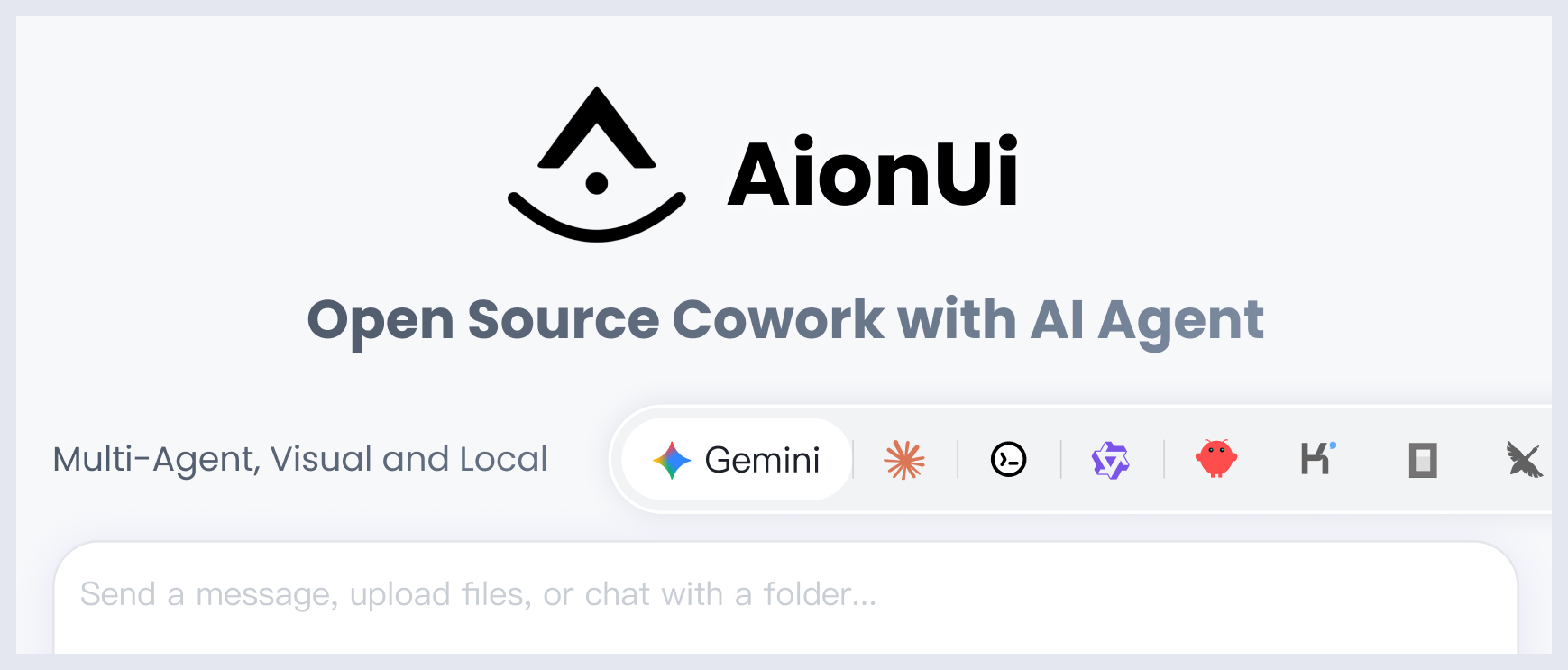




A free, open-source, Cowork app with AI Agents
Built-in Agent | Zero Setup | Any API Key | Multi-Agents | Remote Access | Cross-Platform | 24/7 Automation

English | 简体中文 | 繁體中文 | 日本語 | 한국어 | Español | Português | Türkçe | Русский | Українська | Official Website
💬 Community: Discord (English) | 微信 (中文群) | Twitter
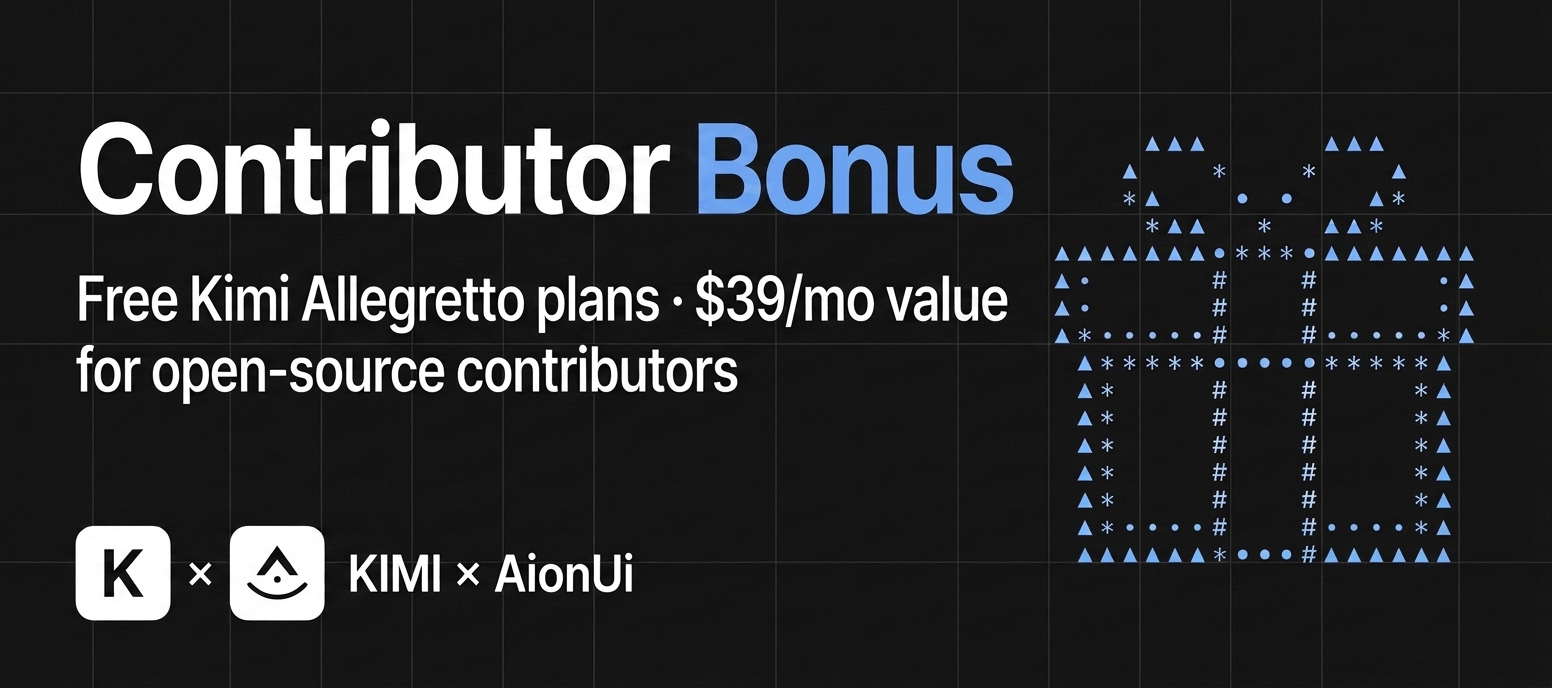
🎁 AionUi × Kimi Partnership: Free premium Kimi "Allegretto" plans ($39/mo · ¥199/mo value) for our contributors!
Kimi K3 is here and works out of the box in AionUi — get a Kimi For Coding plan or an API key (Global / China) · ready to claim? comment here
📋 Quick Navigation
Cowork in Action ·
Why Choose AionUi? ·
Quick Start ·
Community
Cowork — AI Agents That Work Alongside You
AionUi is more than a chat client. It's a Cowork platform where AI agents work alongside you on your computer — reading files, writing code, browsing the web, and automating tasks. You see everything the agent does, and you're always in control.
|
Traditional AI Chat Clients |
AionUi (Cowork) |
| AI can operate on your files |
Limited or No |
Yes — built-in agent with full file access |
| AI can execute multi-step tasks |
Limited |
Yes — autonomous with your approval |
| Remote access from phone |
Rarely |
WebUI + Telegram / Lark / DingTalk / WeChat |
| Scheduled automation |
No |
Cron — 24/7 unattended |
| Multiple AI Agents at once |
No |
Dozens of external agents — including Claude Code, Codex, Qwen Code, Hermes Agent, Cursor Agent, and more — in one unified interface |
| Price |
Free / Paid |
Free & Open Source |
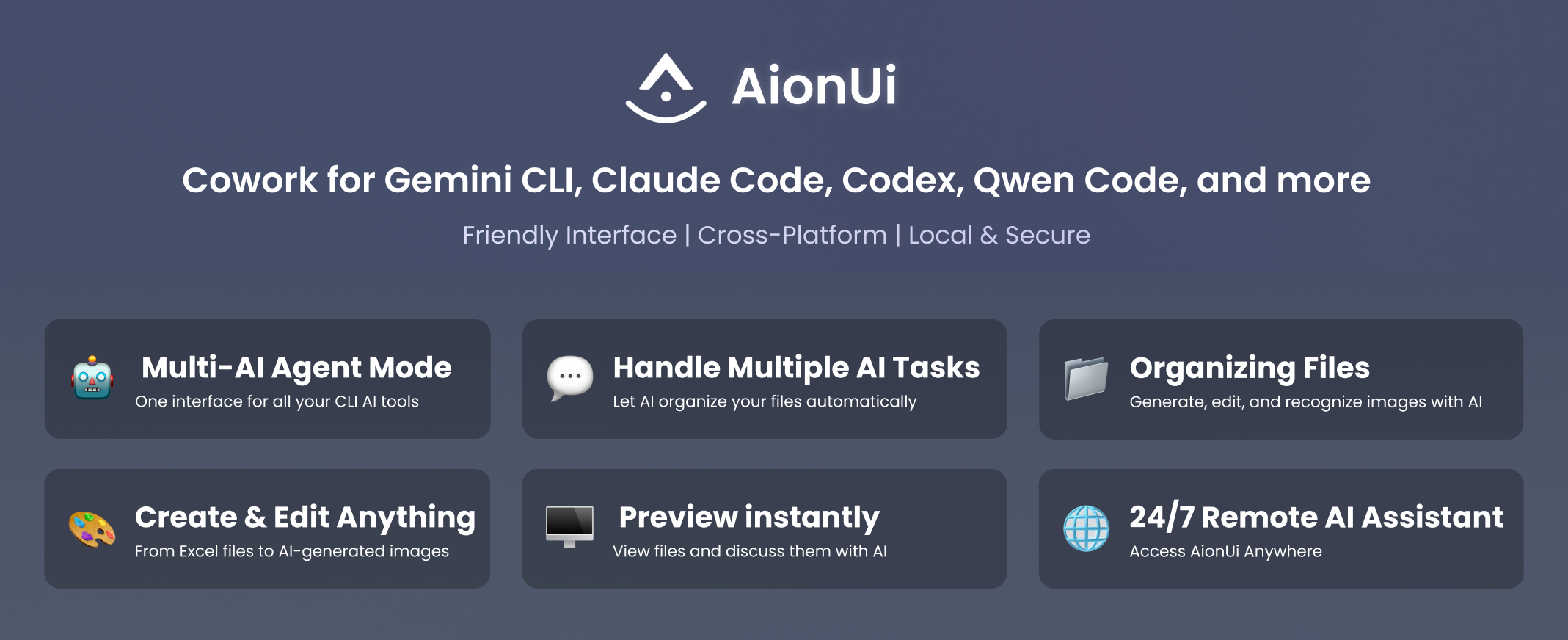
Built-in Agent — Install & Go, Zero Configuration
AionUi ships with a complete AI agent engine. Unlike tools that require you to install CLI agents separately, AionUi works the moment you install it.
- No CLI tools to install — the agent engine is built in
- No complex setup — paste any API key to get started
- Full agent capabilities — file read/write, web search, image generation, MCP (Model Context Protocol) tools
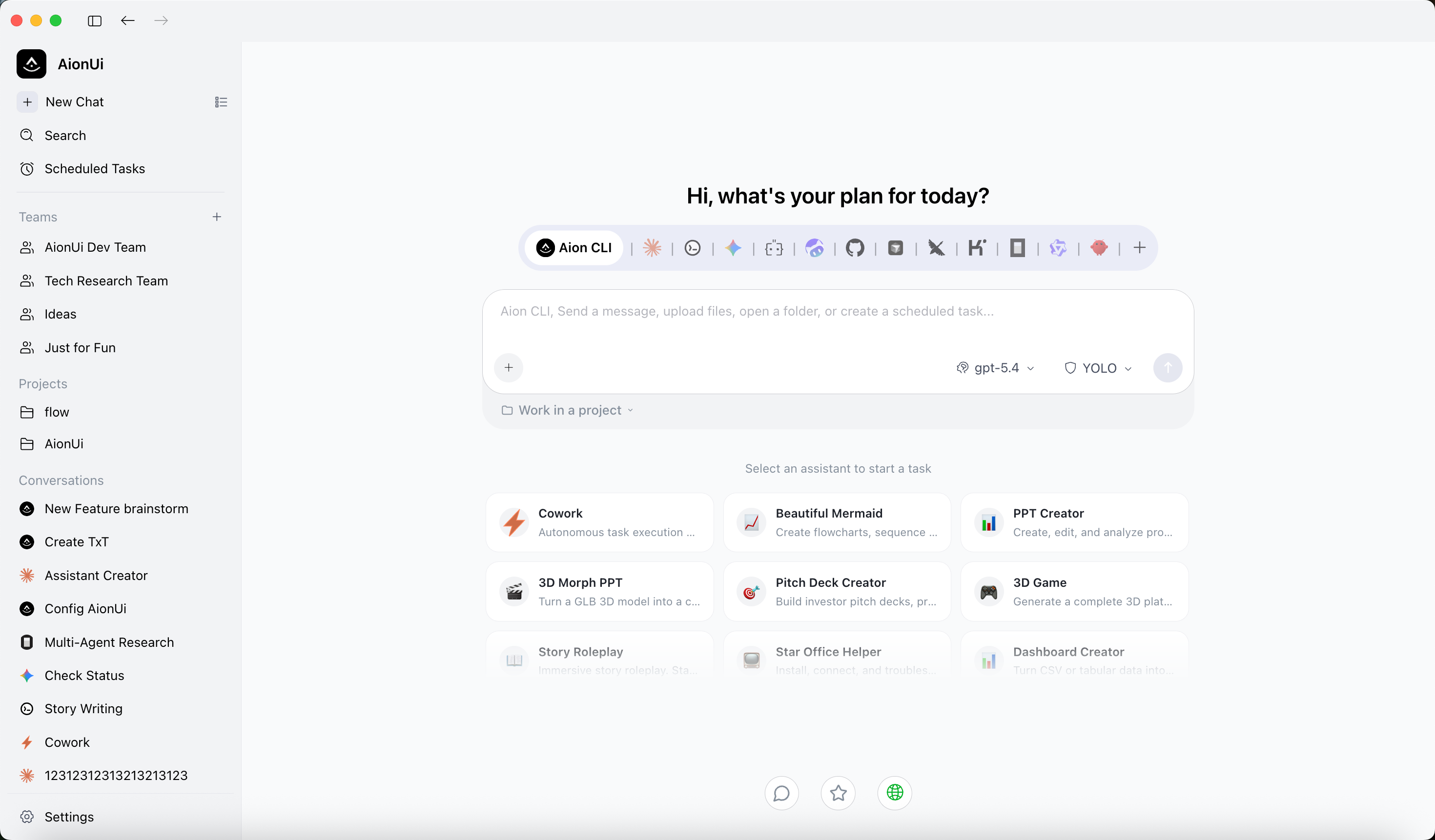
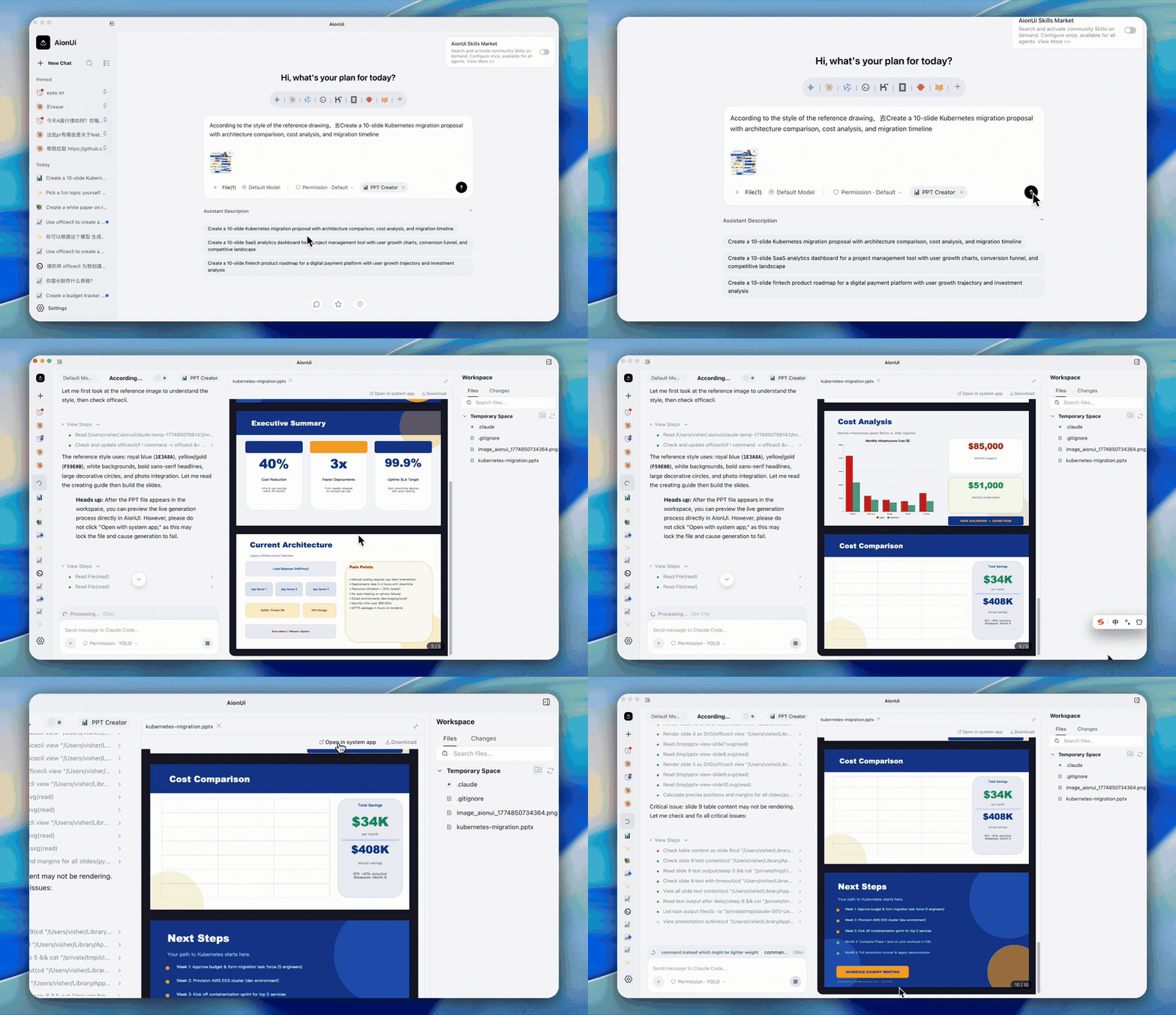
- Ready-to-use assistants — 21 built-in professional assistants (Cowork, PPT Creator, Word Creator, Word Form Creator, Excel Creator, Morph PPT, Morph PPT 3D, Pitch Deck Creator, Dashboard Creator, Academic Paper Writer, Financial Model Creator, and more) ready to use immediately
Office assistants — PPT, Word & Excel
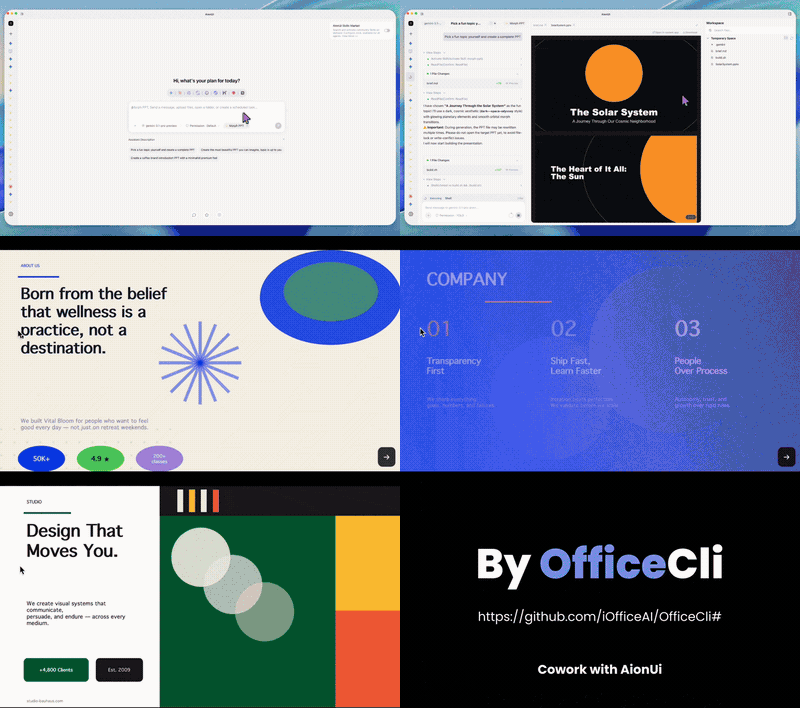
These tracks match what the app actually ships: Morph PPT presets and the pptx / docx / xlsx skills. The canonical assistant catalog and built-in skills are maintained with AionCore. Want document/table output? AionUi’s built-in OfficeCLI helps PPT (Morph), Word (.docx), and Excel (.xlsx/.xlsm/.csv) go from request to deliverable faster and more reliably.
The three assistant types map to file workflows, and the final outputs are directly editable and reusable.
PPT assistant
Output: editable Morph PPT (.pptx)
Morph-animated slide-to-slide transitions with coherent story pacing; powered by OfficeCLI.
Word assistant
Output: editable Word (.docx)
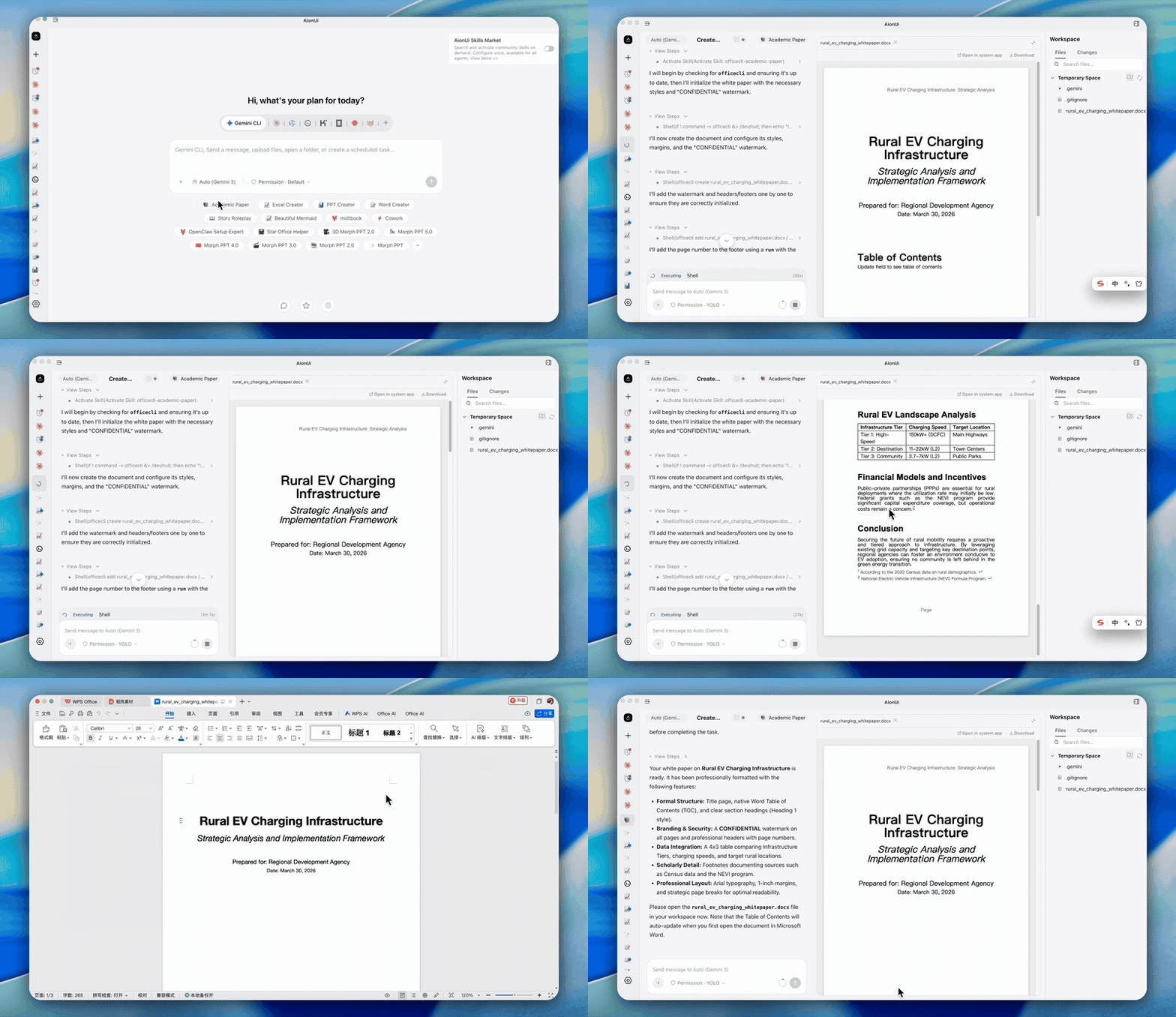
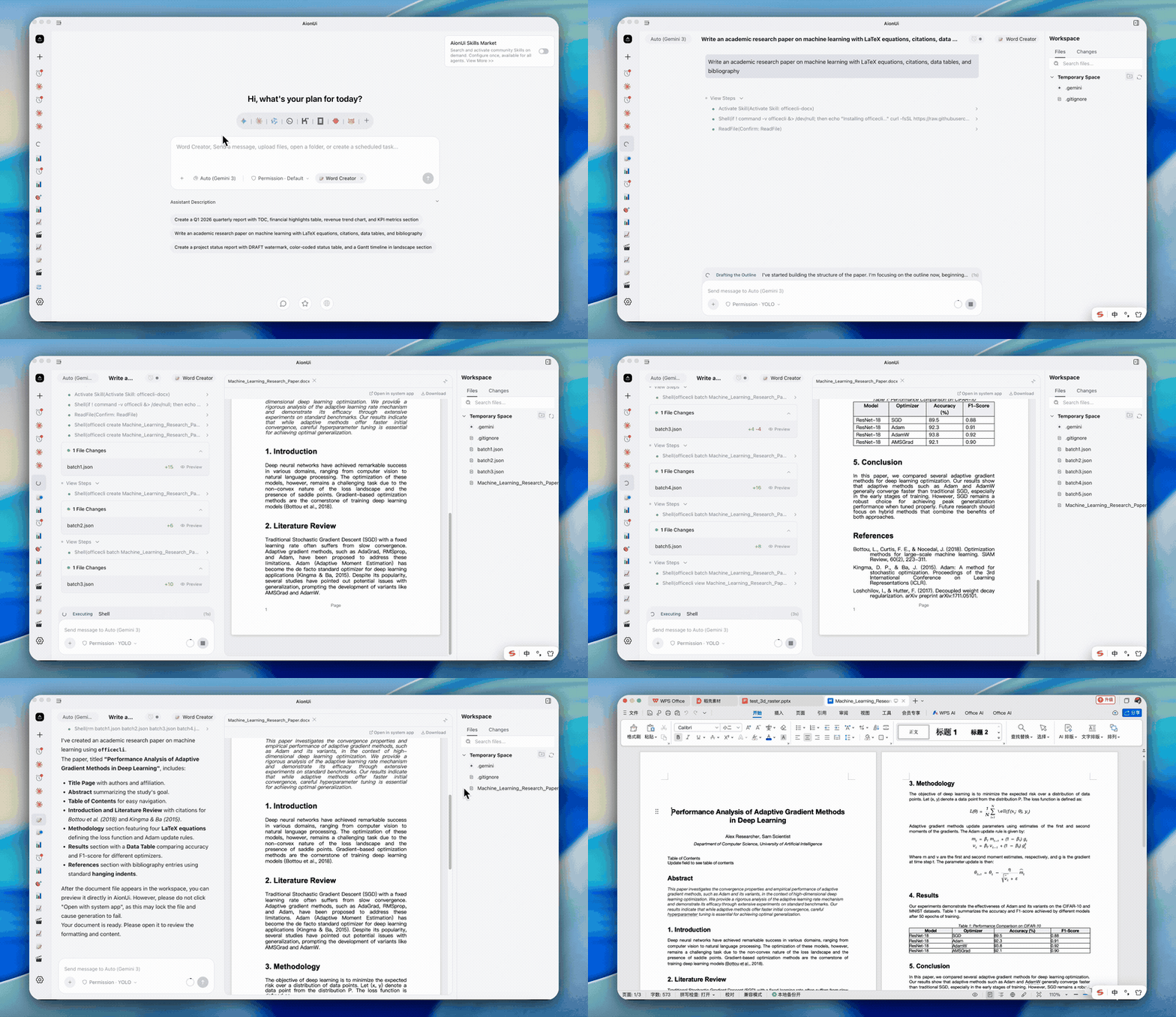
Paper/thesis writing and production-ready document editing via the docx skill; powered by OfficeCLI.
Excel assistant
Output: usable Excel (.xlsx/.xlsm/.csv)
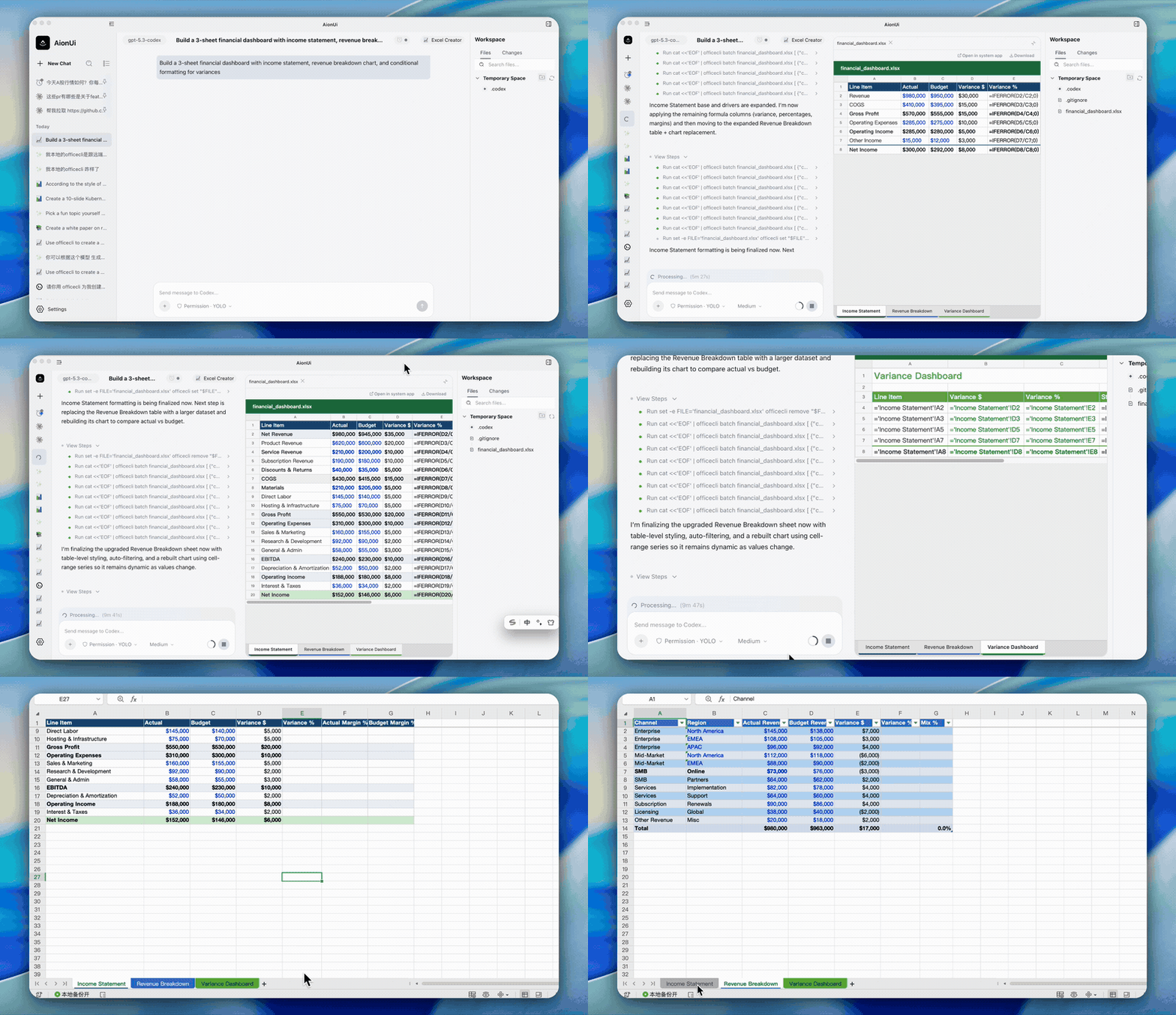
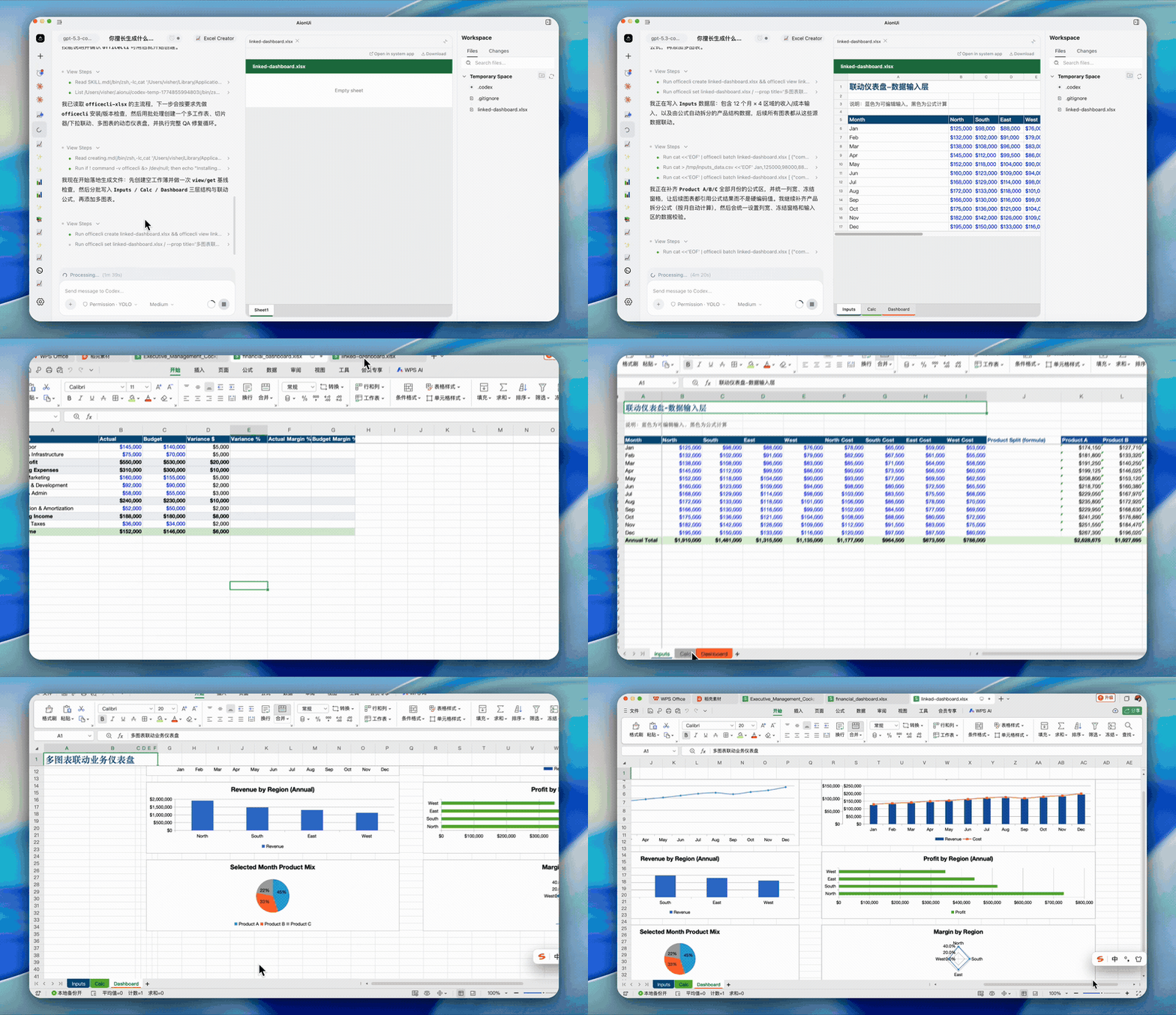
Generate/refresh spreadsheets with xlsx for analysis, auto-formatting, and charts; powered by OfficeCLI.
Multi-Agent Mode — Already Have CLI Agents? Bring Them In
If you already use Claude Code, Codex, Hermes Agent, or OpenClaw, AionUi auto-detects them and lets you Cowork with all of them — alongside the built-in agent.
Supported Agents: Built-in Agent (powered by the embedded aionrs agent engine) • Claude Code • Codex • Qwen Code • Gemini CLI • Goose • OpenClaw • Augment Code • CodeBuddy • Kimi CLI • OpenCode • Factory Droid • GitHub Copilot • Qoder • Mistral Vibe • Nanobot • Snow • Hermes • Cursor Agent • Pi • MiMo Code • omp • Antigravity • and more
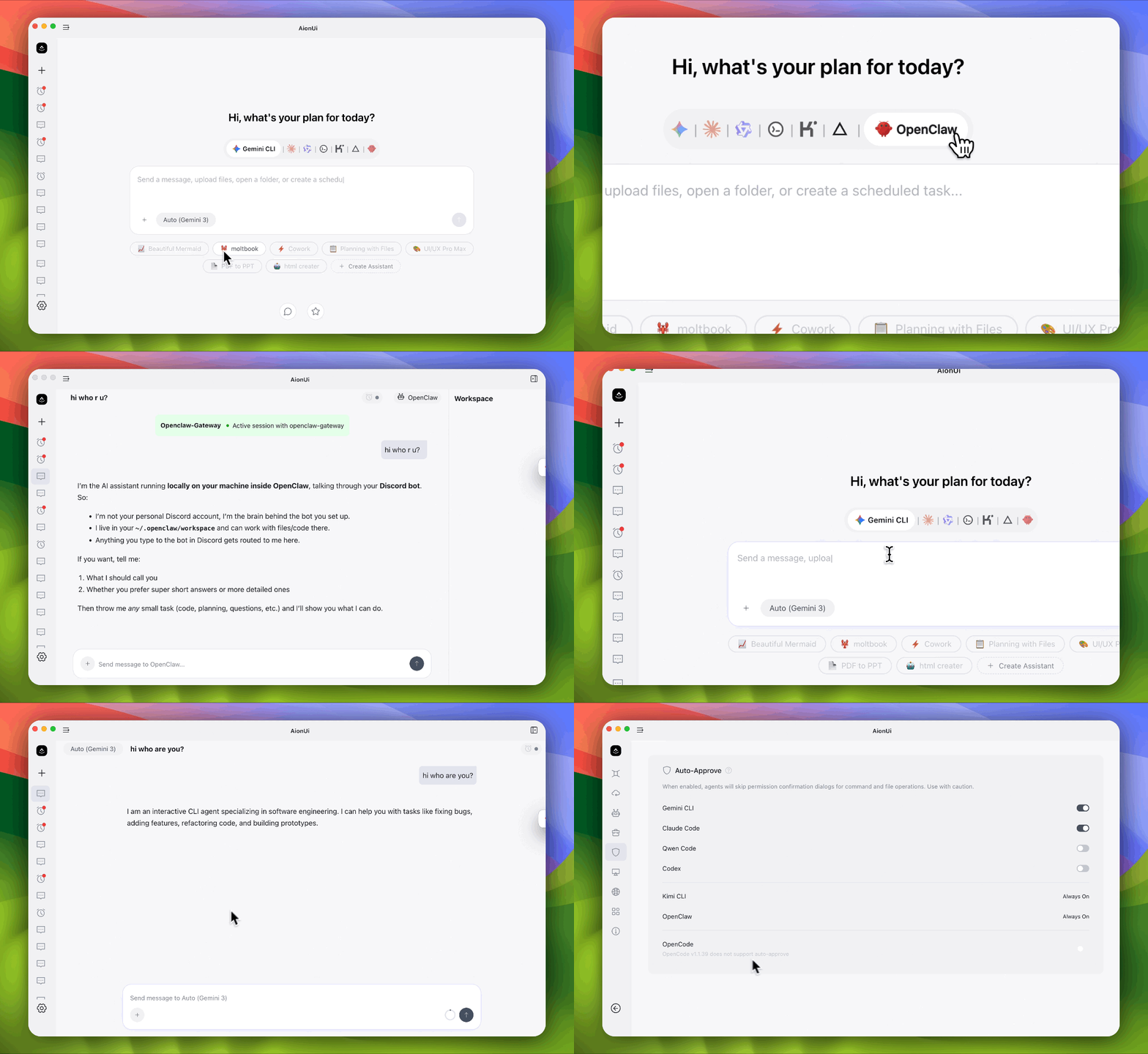
- Auto Detection — automatically recognizes installed CLI tools
- Unified Interface — one Cowork platform for all your AI agents
- Parallel Sessions — run multiple agents simultaneously with independent context
- MCP Unified Management — manage MCP (Model Context Protocol) tools in one place; AionUi injects or syncs compatible transports according to each agent's capabilities
- YOLO / Full-Auto Mode — supported agents can expose an unattended mode; available modes and permission behavior depend on the selected agent
Team Mode — Coordinated Multi-Agent Collaboration
Run multiple AI agents as an organized team: a Leader agent receives your instructions, breaks them into subtasks, and delegates to Teammate agents via a built-in Team MCP Server. Teammates execute in parallel, share results through an async mailbox, and write to a shared task board.
- Parallel multi-agent execution — Leader breaks tasks into subtasks and delegates to Teammate agents running in parallel; each Teammate uses its own model through the selected backend. External agents connect through ACP (Agent Client Protocol), while AionUi coordinates the team
- Leader orchestration — Leader assigns, tracks, and aggregates results; supported backends include Claude Code, Codex, Hermes Agent, Gemini, Snow CLI, and Aion CLI
- Team-isolated workspace — all agents share the same folder; each has its own permission dialog with sidebar badge for pending approvals
🔍 View Team Mode Details ▶️
- Shared Workspace — all agents read/write the same folder; the file panel stays visible throughout
- Supported backends — Claude Code, Codex, Gemini, Snow CLI, Aion CLI (aionrs); other ACP backends with
mcpCapabilities.stdio are auto-supported
- Dynamic scaling — add or remove Teammates while the team is running; silent agents auto-escalate to failed with one-click removal
- Granular permissions — each agent has its own permission confirmation dialog; sidebar badge shows pending approvals
- File sharing — Leader can pass file attachments to Teammates
Any API Key, Full Cowork Agent Power
Other AI apps give you a chatbox with your API key. AionUi gives you a full Cowork agent.
| Your API Key |
What You Get |
| Gemini API Key |
Gemini-powered Cowork Agent |
| OpenAI API Key |
GPT-powered Cowork Agent |
| Anthropic API Key |
Claude-powered Cowork Agent |
| AWS Bedrock credentials |
Bedrock-powered Agent via Aion CLI (aionrs) |
| Ollama / LM Studio (local) |
Local model Cowork Agent |
| NewAPI Gateway |
Unified access to 20+ models |
Same agent capabilities — file read/write, web search, image generation, tool use — regardless of which model powers it. AionUi supports 30+ AI platforms including cloud services and local deployments.
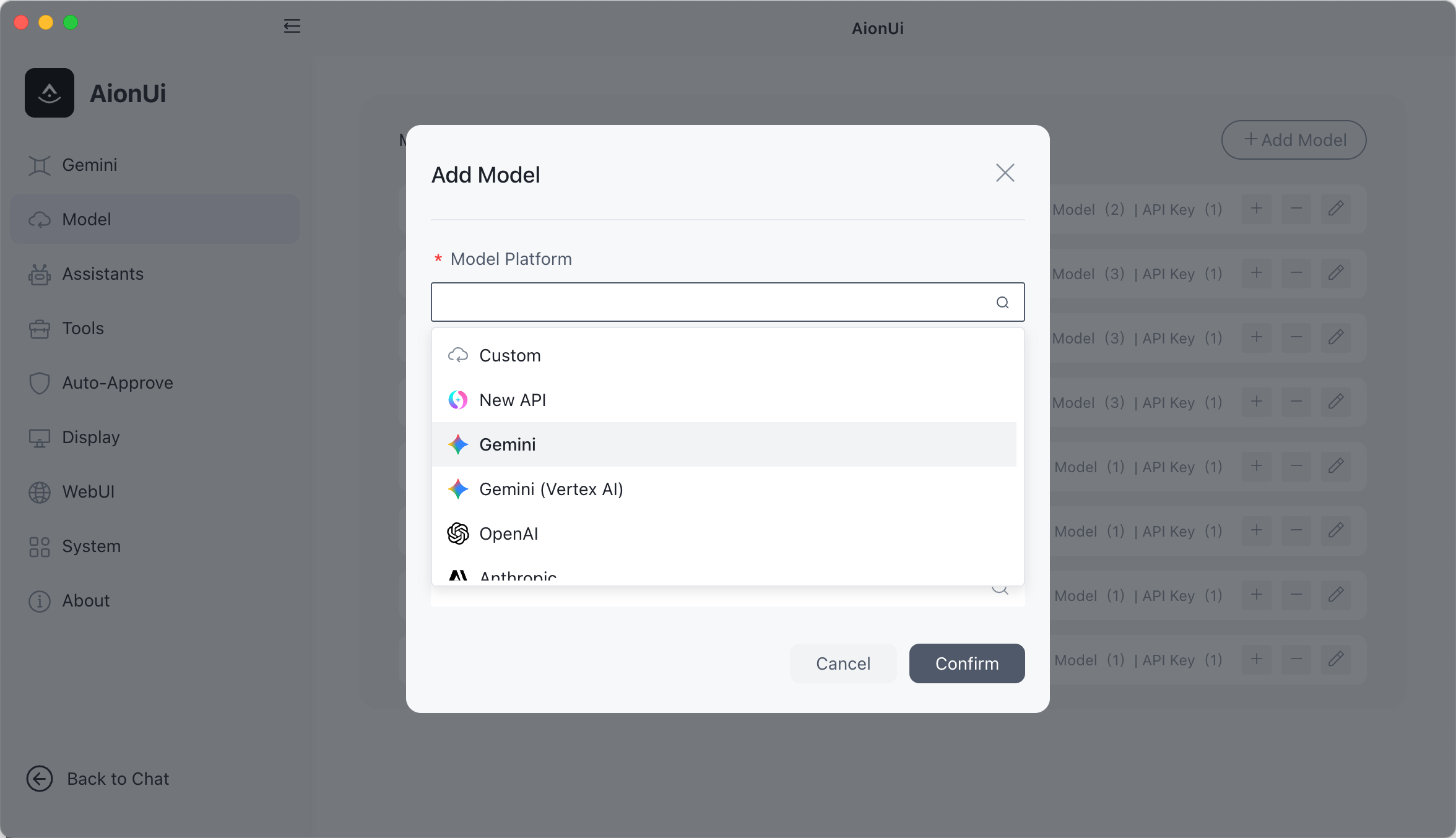
🔍 View All 30+ Supported Platforms ▶️
Comprehensive Platform Support:
- Official Platforms — Gemini, Gemini (Vertex AI), Anthropic (Claude), OpenAI
- Cloud Providers — AWS Bedrock, New API (unified AI model gateway)
- Chinese Platforms — Dashscope (Qwen), Dashscope Coding Plan, Zhipu, Moonshot (Kimi), Qianfan (Baidu), Hunyuan (Tencent), Lingyi, ModelScope, InfiniAI, Ctyun, StepFun, SiliconFlow-CN, PPIO
- International Platforms — DeepSeek, MiniMax, Novita, OpenRouter, SiliconFlow, xAI, Ark (Volcengine), Poe
- Local Models — Ollama, LM Studio (via Custom platform with local API endpoint)
AionUi also supports NewAPI gateway service — a unified AI model hub that aggregates and distributes various LLMs. Flexibly switch between different models in the same interface to meet various task requirements.
Extensible Assistants & Skills
Extensible assistant system with 21 built-in professional assistants and a three-tier skill system. Create and manage your own assistants and skills.
- Create Custom Assistants — Define your own assistants with custom rules and capabilities
- Three-tier Skills — Builtin skills (shipped with AionUi), custom skills (your own), and Extension skills (contributed by third-party extensions); enable/disable per conversation with the skill indicator
- Per-conversation Control — A skill indicator in the chat header shows active skills for the current conversation; search and exclude skills as needed
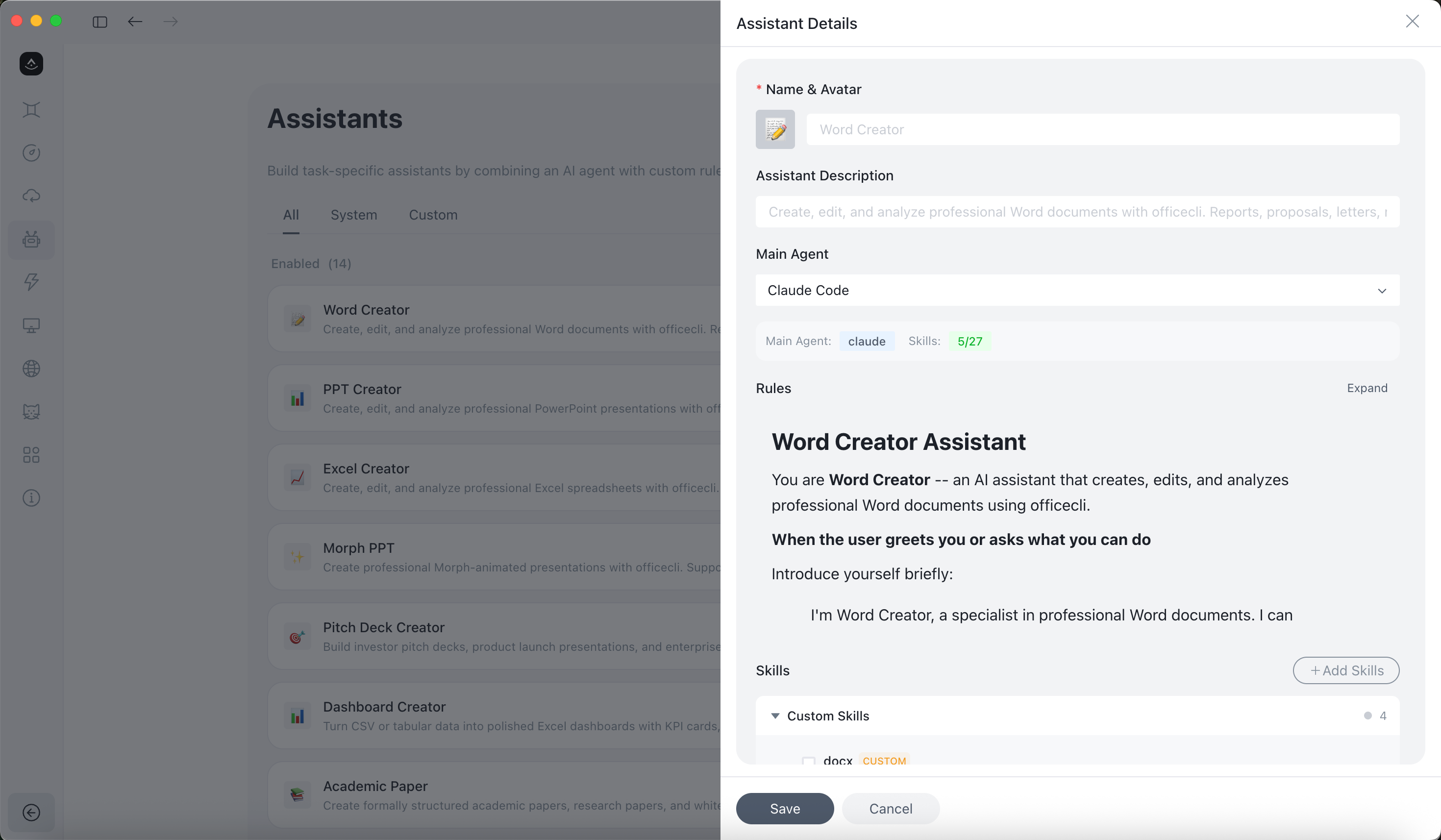
AionUi supports three skill layers: built-in skills (shipped with the app), custom skills (user-defined), and extension skills (loaded from the Extension SDK).
🔍 View Assistant Details and Custom Skills ▶️
AionUi includes 21 professional assistants with predefined capabilities, extendable through custom skills:
- 🤝 Cowork — Autonomous task execution (file operations, document processing, workflow planning)
- 📊 PPT Creator / Morph PPT / Morph PPT 3D — Generate and animate PPTX presentations with Morph transitions
- 📐 Pitch Deck Creator — Investor-ready pitch deck generation
- 📊 Dashboard Creator — Data dashboard generation
- 📝 Word Creator — Production-ready Word (
.docx) document generation
- 📋 Word Form Creator — Structured Word form / contract template generation
- 📗 Excel Creator — Spreadsheet generation with analysis, charts, and auto-formatting
- 🎓 Academic Paper Writer — Structured academic paper writing
- 💰 Financial Model Creator — Financial models and projections
- 🎮 3D Game — Single-file 3D game generation
- 🎨 UI/UX Pro Max — Professional UI/UX design (57 styles, 95 color palettes)
- 📋 Planning with Files — File-based planning for complex tasks (Manus-style persistent markdown planning)
- 🧭 HUMAN 3.0 Coach — Personal development coach
- 📣 Social Job Publisher — Job posting and publishing
- 🦞 moltbook — Zero-deployment AI agent social networking
- 📈 Beautiful Mermaid — Flowcharts, sequence diagrams, and more
- 🔧 OpenClaw Setup — Setup and configuration assistant for OpenClaw integration
- 📖 Story Roleplay — Immersive story roleplay with character cards and world info (SillyTavern compatible)
- 🧭 AionUi Butler — Product guidance, setup help, and troubleshooting inside AionUi
Custom Skills: Import or create skills from Settings → Skills, then attach them to assistants as needed. Skills come from three sources: built-in (shipped with AionUi), custom (your own), and Extension (contributed via the Extension SDK). Built-in skills include pptx, docx, pdf, xlsx, mermaid, and more.
💡 The canonical built-in definitions live in AionCore's assistant catalog; assistant rules remain Markdown and can be customized in AionUi.
Cowork from Anywhere
Your 24/7 AI assistant — access AionUi from any device, anywhere.
WebUI Mode — access via browser from phone, tablet, or any computer. Supports LAN, cross-network, and server deployment. QR code or password login.
Chat Platform Integration
- Telegram — Cowork with your AI agent directly from Telegram
- Lark (Feishu) — Cowork through Feishu bots for enterprise collaboration
- DingTalk — AI Card streaming with automatic fallback
- WeChat — Personal WeChat account integration
- WeCom (企业微信), Slack, Discord and more platforms coming soon
Setup: AionUi Settings → WebUI Settings → Channel, configure the Bot Token.
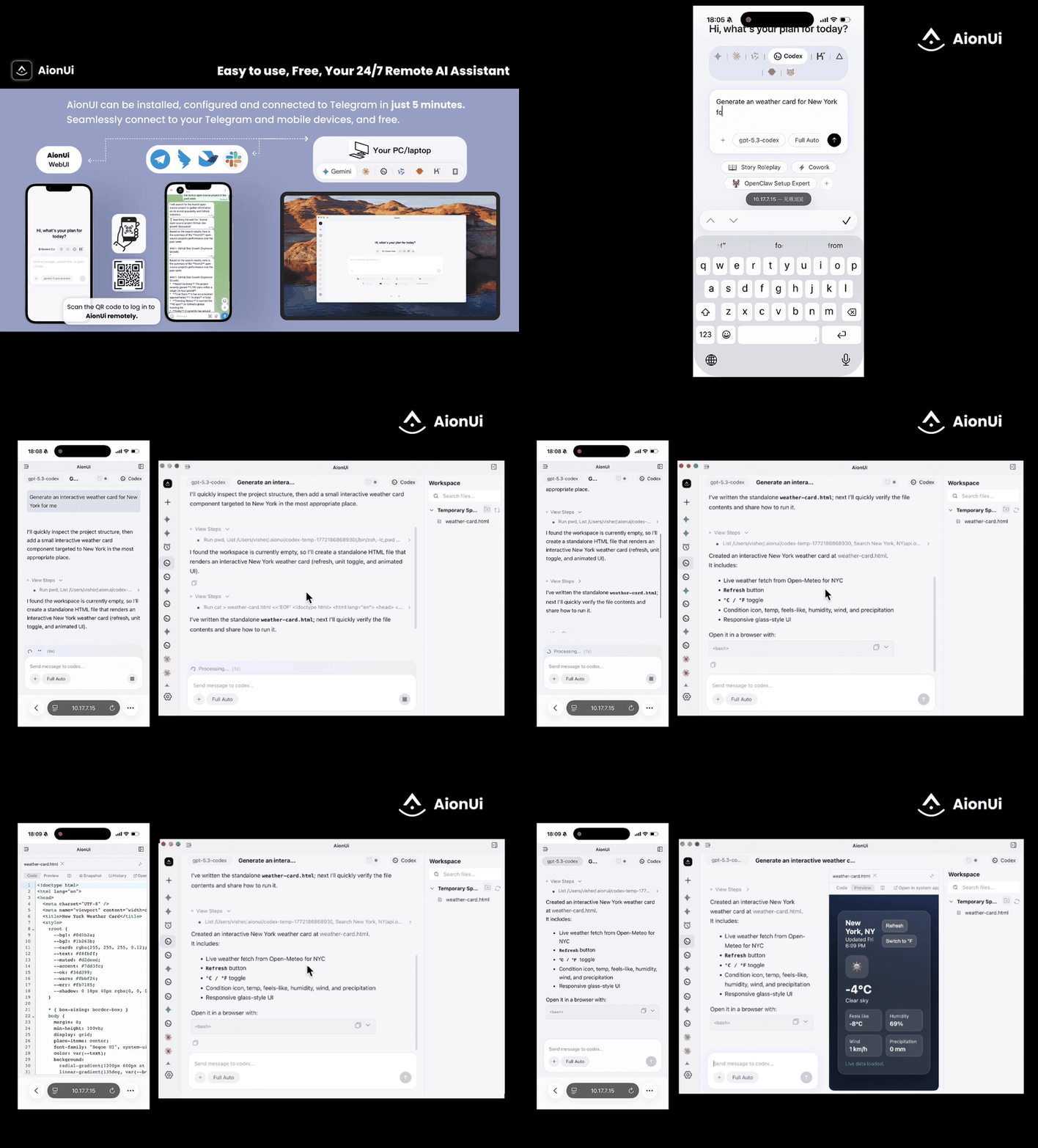
Remote control & monitor your agent — Claude, Gemini, Codex. Use from browser or phone, same as Claude Code remote.
Remote Internet Access Tutorial
✨ Cowork in Action
Scheduled Tasks — Cowork on Autopilot
Set it up once, the AI agent runs automatically on schedule — truly 24/7 unattended operation.
- Natural Language — tell the agent what to do, just like chatting
- Three scheduling modes — standard cron expression (with timezone), fixed interval (every N minutes/hours), or one-time trigger
- AI-created tasks — agents can autonomously create scheduled tasks during a conversation
- Use Cases: scheduled data aggregation, report generation, file organization, reminders
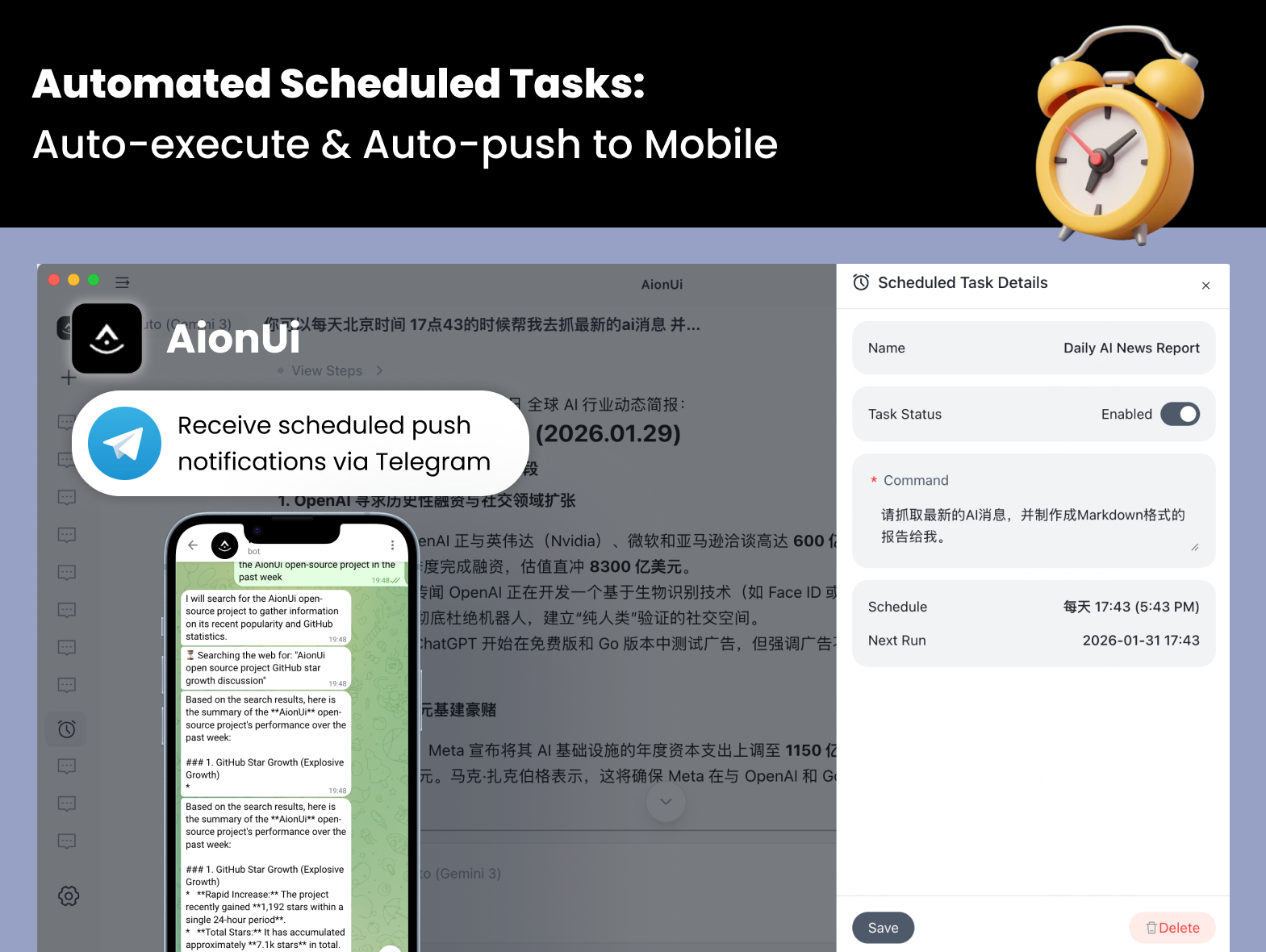
🔍 View Scheduled Task Details ▶️
Scheduling modes:
Cron expression — standard 5-field cron with timezone support (e.g. 0 9 * * 1, Asia/Shanghai)Every N minutes/hours — fixed interval, e.g. run every 30 minutesOne-time — trigger once at a specified datetime, then auto-disable
Execution modes:
Continue in existing conversation — appends to the bound conversation so the AI retains full context historyCreate new conversation each time — opens a fresh session on each trigger, ideal for independent periodic reports
Other capabilities:
- Conversation-Bound — Each scheduled task is bound to a conversation, maintaining context and history
- Automatic Execution — Tasks run automatically at scheduled times, sending messages to the conversation
- Easy Management — Create, modify, enable/disable, delete, and view scheduled tasks anytime
- Keep-awake — AionUi automatically prevents system sleep while tasks are active, and detects missed triggers after wake
- Advanced config — each task can have its own model, workspace directory, and reasoning effort settings
Real-World Examples:

 AionUi — бесплатное open-source приложение класса Cowork для ИИ-агентов: они работают вместе с вами на вашем компьютере — читают файлы, пишут код, сидят в интернете, автоматизируют задачи 24/7 — а вы видите всё, что они делают, и остаётесь у руля.