mobilecode
The open source AI coding agent for mobile apps.
MobileCode is a fork of opencode that knows about mobile projects. When it detects an iOS or Android project it can run the simulator or emulator preview server and render the live device inside the app, next to your session.
React Native
Run a React Native app on iOS and Android from one Play button. MobileCode starts one Metro server, builds both native projects, and launches them in embedded Simulator and Emulator panes.
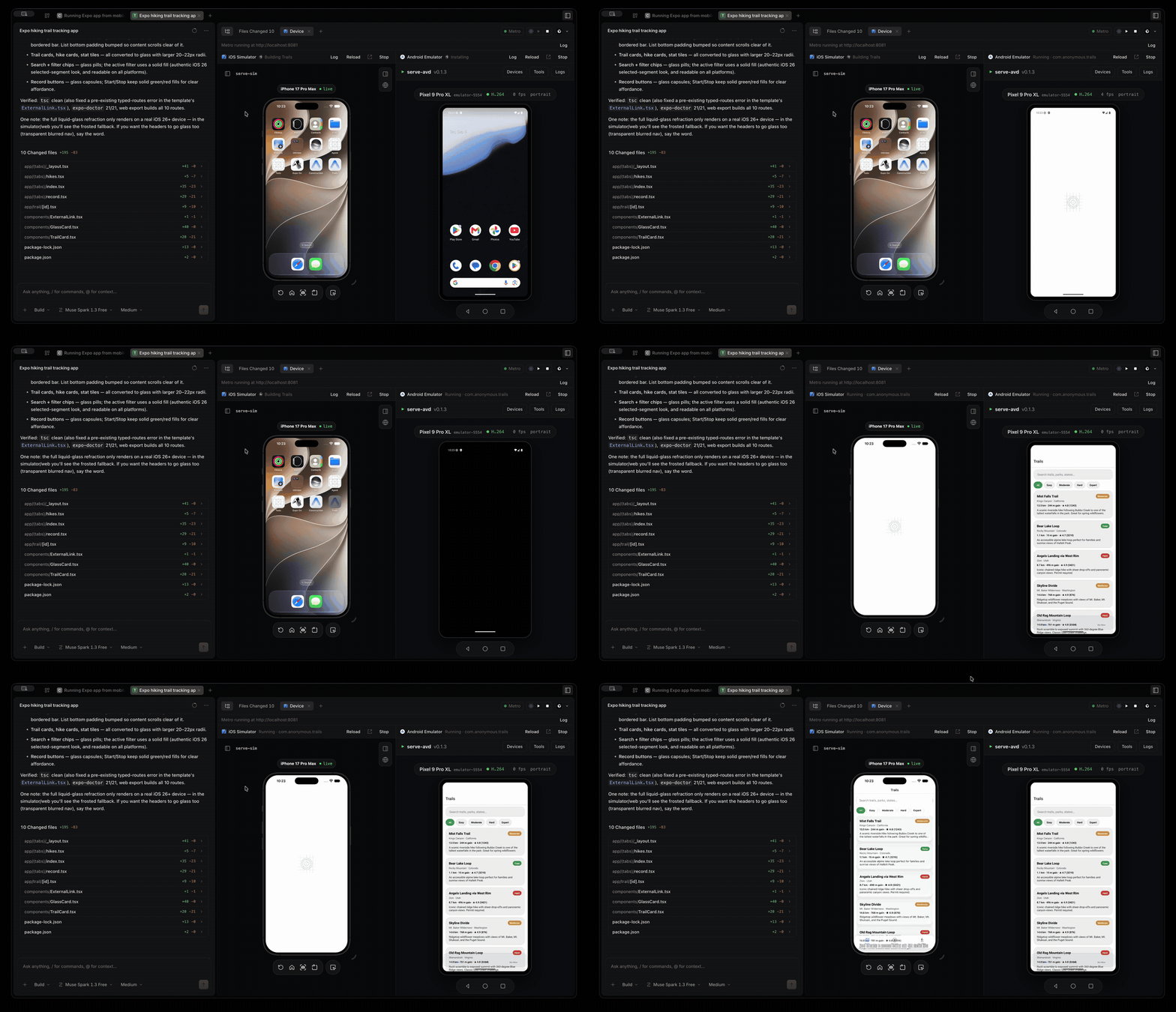
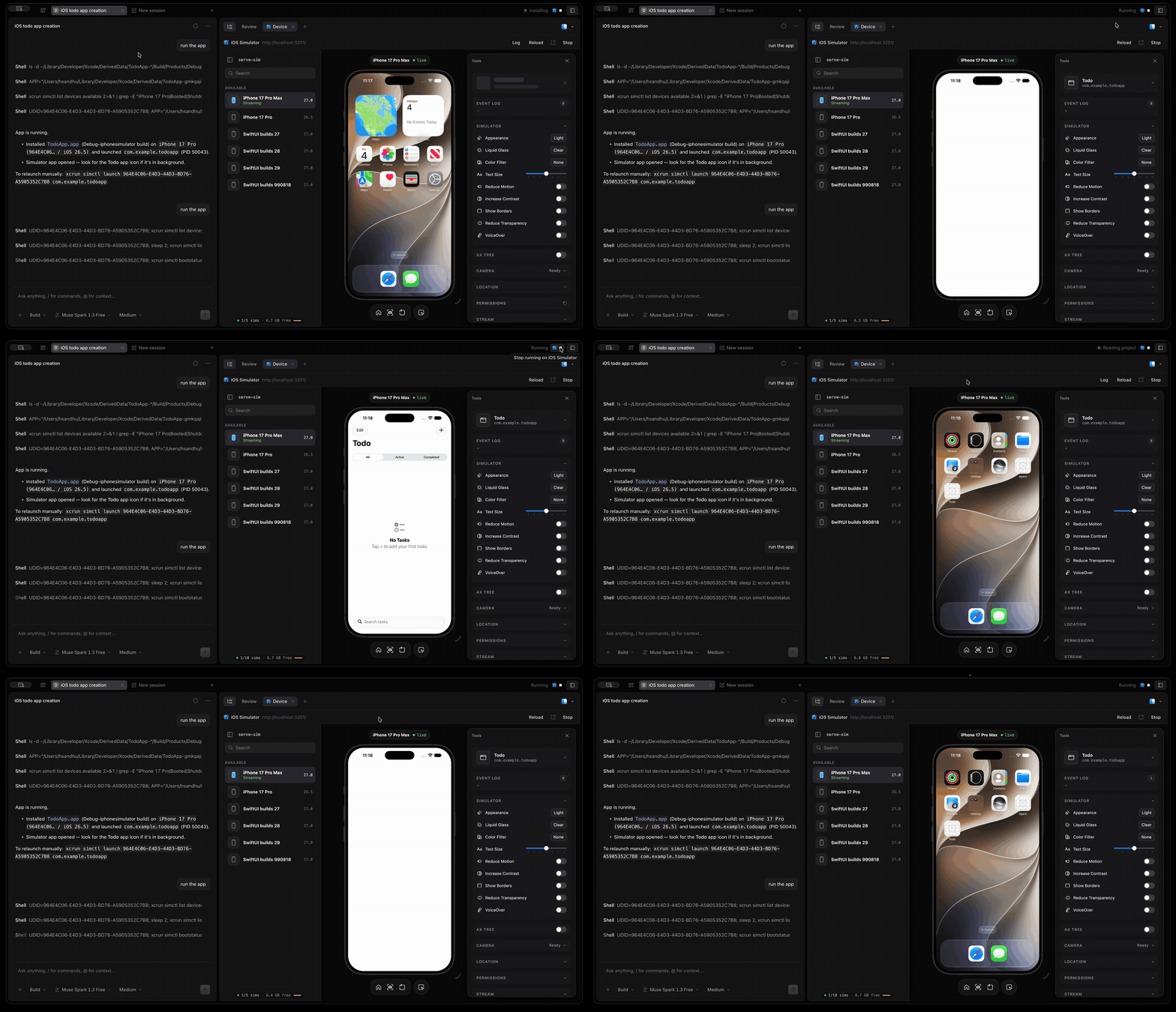
- iOS: detects Xcode projects and workspaces, CocoaPods, and Expo apps, then runs serve-sim and embeds the iOS Simulator stream.
- Android: detects Gradle projects and Expo apps, then runs serve-avd and embeds the Android Emulator stream.
- Expo and React Native: Play generates the native project with
expo prebuild when needed, installs pods, starts Metro, and connects the emulator to it through adb reverse. One Metro serves both platforms.
- Agent-driven runs: the
device_run tool lets the agent build and launch the app itself, wait for the result, and read the build error and log tail, so it can fix a failing build without you pasting logs. The device pane opens when a run starts.
- One project at a time: the simulator, emulator and Metro port are shared, so starting a project stops any other project's apps first. Switching to a tab whose project was running brings it back, relaunching the installed app without a rebuild when it can.
- Everything else opencode does: terminal UI, desktop app, web UI, any model provider, MCP, plugins, and skills.
How the device pane works
Open a session in a mobile project and the device pane opens by itself, alongside your conversation. It starts npx serve-sim or npx serve-avd on the machine running the MobileCode server and streams the simulator or emulator into the app, with Start, Stop, Reload and Open in browser controls. Projects are detected up to two directories below the session root, so an app in a subfolder is still found.
Build and run
The session titlebar carries an Xcode-style run control for every detected platform, showing the current build status next to it.
- Play builds the native project, installs it on the running simulator or emulator, and launches it. On iOS that is
xcodebuild against the first shared scheme, then simctl install and simctl launch. On Android it is ./gradlew :<module>:assembleDebug, then adb install -r -g and an explicit launch intent.
- Stop cancels a build in flight, or terminates the app on the device when it is already running.
- Status moves through Building, Installing, Launching and Running, and a failed build shows the first compiler or Gradle error with the full log one click away in the device pane.
The same operations are available over HTTP:
GET  /api/device-preview?location[directory]=<project>
POST /api/device-preview/start      { "platform": "ios" | "android" }
POST /api/device-preview/stop       { "platform": "ios" | "android" }
POST /api/device-preview/run        { "platform": "ios" | "android" }
POST /api/device-preview/run/stop   { "platform": "ios" | "android" }
Requirements: macOS with Xcode for iOS (serve-sim needs Node 20 or newer), and the Android SDK platform-tools with at least one AVD for Android. Android builds need a JDK your project's Gradle version supports, and the package name is read from the built APK with aapt2 when the SDK build-tools are installed.
Installation
# Install script (downloads a release binary from GitHub)
curl -fsSL https://raw.githubusercontent.com/hsandhu/mobilecode/main/install | bash

# From source
git clone https://github.com/hsandhu/mobilecode.git
cd mobilecode
bun install
bun run --cwd packages/opencode src/index.ts
The install script places the binary in ~/.mobilecode/bin and adds it to your shell PATH.
Configuration and data
MobileCode keeps opencode's configuration format and locations, so an existing opencode.json, provider credentials, plugins, and skills work unchanged. Configuration lives in ~/.config/opencode, data in ~/.local/share/opencode, and environment variables keep the OPENCODE_ prefix. See the opencode docs for the full reference.
Development
bun install
bun run --cwd packages/opencode src/index.ts serve --port 4096   # backend
bun --cwd packages/app dev -- --port 4444                        # web UI at http://localhost:4444
bun --cwd packages/desktop dev                                   # desktop app
Run bun typecheck inside a package directory before sending changes. Tests run from package directories, for example bun test in packages/opencode.
Building the macOS app
bun run build:macos
One command: it installs dependencies, bundles the server, builds the Electron app and writes MobileCode.app plus a .dmg and .zip to packages/desktop/dist. It needs Node 20 or newer and picks a suitable version from nvm when the one on your PATH is older.
The build is unsigned by default, so right-click the app and choose Open the first time. To ship a signed and notarized build, pass --sign with a Developer ID certificate in your keychain and APPLE_API_KEY, APPLE_API_KEY_ID and APPLE_API_ISSUER set. Other options are --arch arm64|x64|universal, --channel dev|beta|prod and --skip-install; --help lists them.
License
MIT. MobileCode is built on opencode, copyright (c) 2025 opencode, and keeps its MIT license.

 MobileCode 是一个用于构建移动应用的开源 AI 编码代理,从 opencode 分支而来。当它检测到 iOS 或 Android 项目时,可以启动模拟器/仿真器,并在你的对话旁边实时显示预览。