242 ·GitHub
Что это?
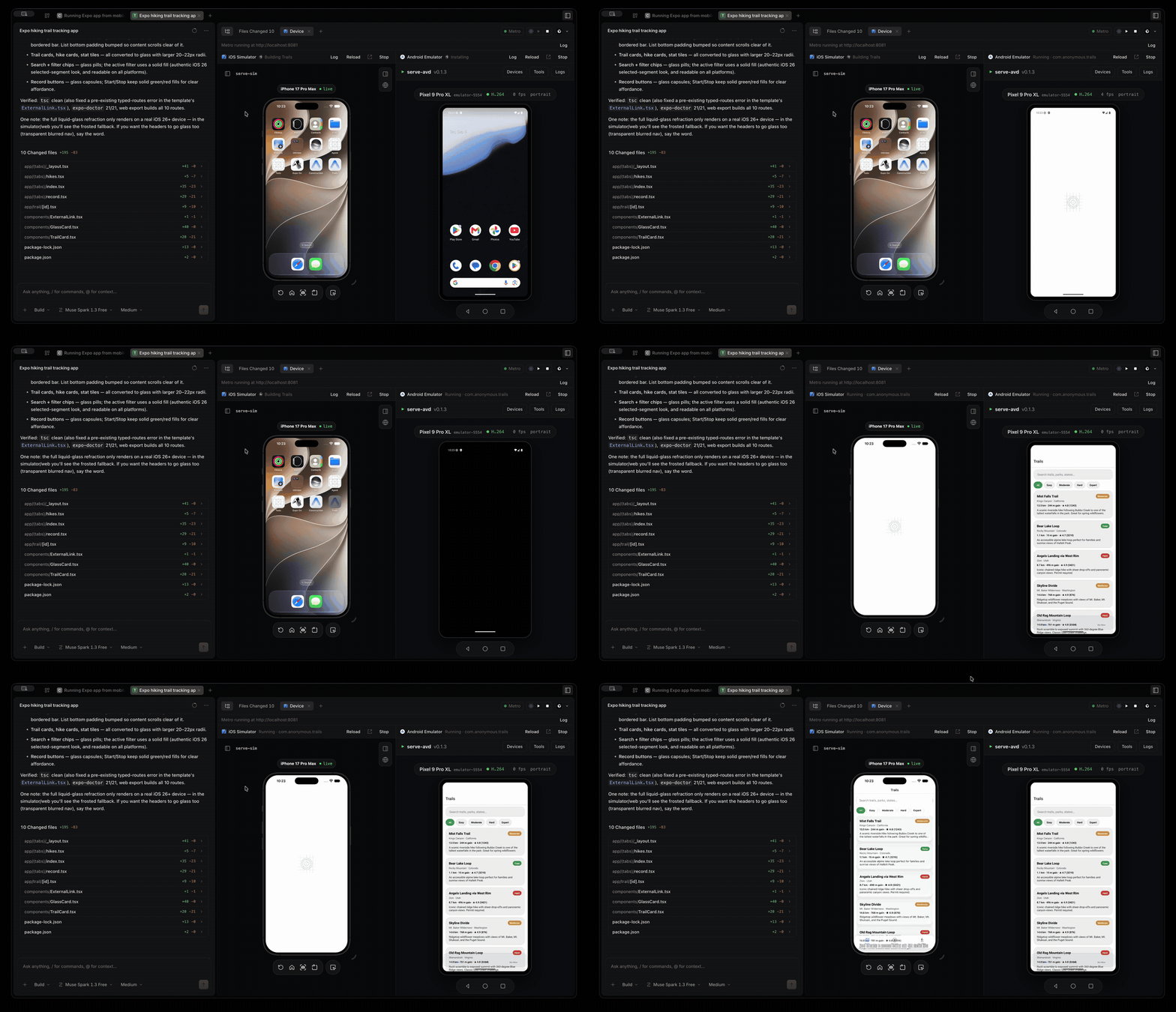
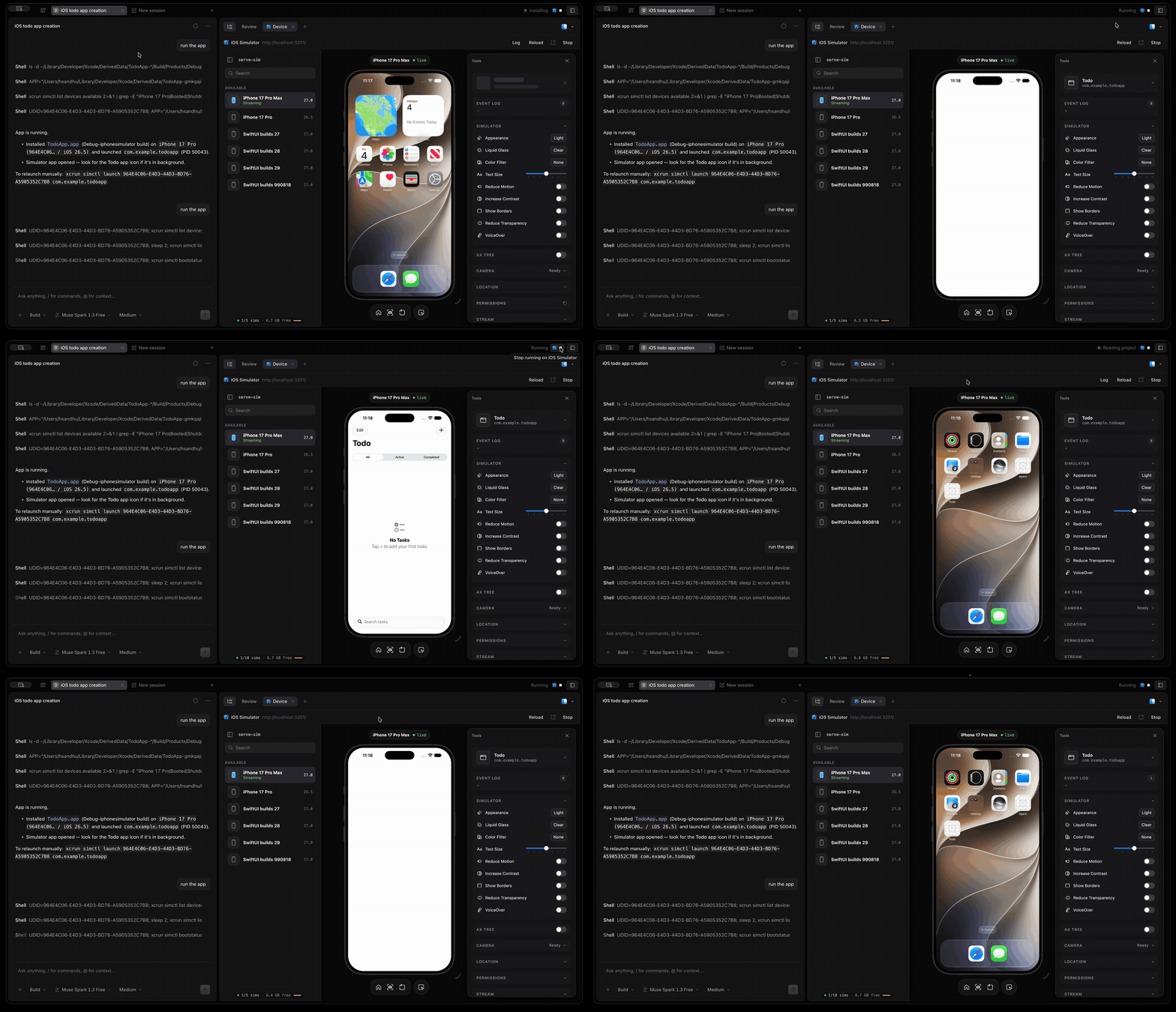
 MobileCode — опенсорсный ИИ-агент для кодинга мобильных приложений, форк opencode. Обнаружив iOS- или Android-проект, он может запустить симулятор или эмулятор и показать живой предпросмотр прямо рядом с вашей чат-сессией.
MobileCode — опенсорсный ИИ-агент для кодинга мобильных приложений, форк opencode. Обнаружив iOS- или Android-проект, он может запустить симулятор или эмулятор и показать живой предпросмотр прямо рядом с вашей чат-сессией.Это CLI-инструмент или у него есть десктоп-приложение?Он наследует все интерфейсы opencode: терминальный UI, десктоп-приложение на Electron и веб-UI, плюс поддержку любых провайдеров моделей, MCP, плагинов и скиллов.
Он наследует все интерфейсы opencode: терминальный UI, десктоп-приложение на Electron и веб-UI, плюс поддержку любых провайдеров моделей, MCP, плагинов и скиллов.Что должно быть установлено для предпросмотра iOS- или Android-приложений?Для предпросмотра iOS нужен macOS с Xcode (и Node 20+ для serve-sim); для Android — Android SDK platform-tools хотя бы с одним AVD, плюс JDK, соответствующий версии Gradle вашего проекта.
Для предпросмотра iOS нужен macOS с Xcode (и Node 20+ для serve-sim); для Android — Android SDK platform-tools хотя бы с одним AVD, плюс JDK, соответствующий версии Gradle вашего проекта.Можно предпросматривать несколько мобильных проектов одновременно?Нет, симулятор, эмулятор и порт Metro общие, поэтому запуск нового проекта сначала автоматически останавливает работающие приложения других проектов.
Нет, симулятор, эмулятор и порт Metro общие, поэтому запуск нового проекта сначала автоматически останавливает работающие приложения других проектов.Работает ли он с уже настроенным opencode?Да, MobileCode сохраняет формат конфигурации и расположение файлов opencode, так что существующие opencode.json, учётные данные провайдеров, плагины и скиллы работают без изменений.
Да, MobileCode сохраняет формат конфигурации и расположение файлов opencode, так что существующие opencode.json, учётные данные провайдеров, плагины и скиллы работают без изменений.Как он запускает приложения React Native или Expo?По нажатию Play поднимается один сервер Metro, при необходимости выполняется expo prebuild, ставятся pods, собираются оба нативных проекта, а Android-эмулятор подключается к Metro через adb reverse — приложение запускается сразу и на iOS, и на Android.
По нажатию Play поднимается один сервер Metro, при необходимости выполняется expo prebuild, ставятся pods, собираются оба нативных проекта, а Android-эмулятор подключается к Metro через adb reverse — приложение запускается сразу и на iOS, и на Android.Что инструмент devicerun позволяет агенту?ИИ-агент может сам собрать и запустить приложение, дождаться результата и напрямую прочитать ошибку сборки и хвост логов, чтобы починить падающую сборку без вставки логов с вашей стороны.
ИИ-агент может сам собрать и запустить приложение, дождаться результата и напрямую прочитать ошибку сборки и хвост логов, чтобы починить падающую сборку без вставки логов с вашей стороны.Можно ли получить подписанную сборку приложения для macOS?По умолчанию сборка приложения macOS не подписана, но с --sign, сертификатом Developer ID и учётными данными ключа Apple API получаются подписанные и нотаризованные MobileCode.app, .dmg и .zip.
По умолчанию сборка приложения macOS не подписана, но с --sign, сертификатом Developer ID и учётными данными ключа Apple API получаются подписанные и нотаризованные MobileCode.app, .dmg и .zip.Which topics is it in?gradle, expo, ide, xcode, bun, ai-coding, ai-tools, react-native, mobile-development, node, coding-agents, model-context-protocol
gradle, expo, ide, xcode, bun, ai-coding, ai-tools, react-native, mobile-development, node, coding-agents, model-context-protocol