242 ·GitHub
What is this?
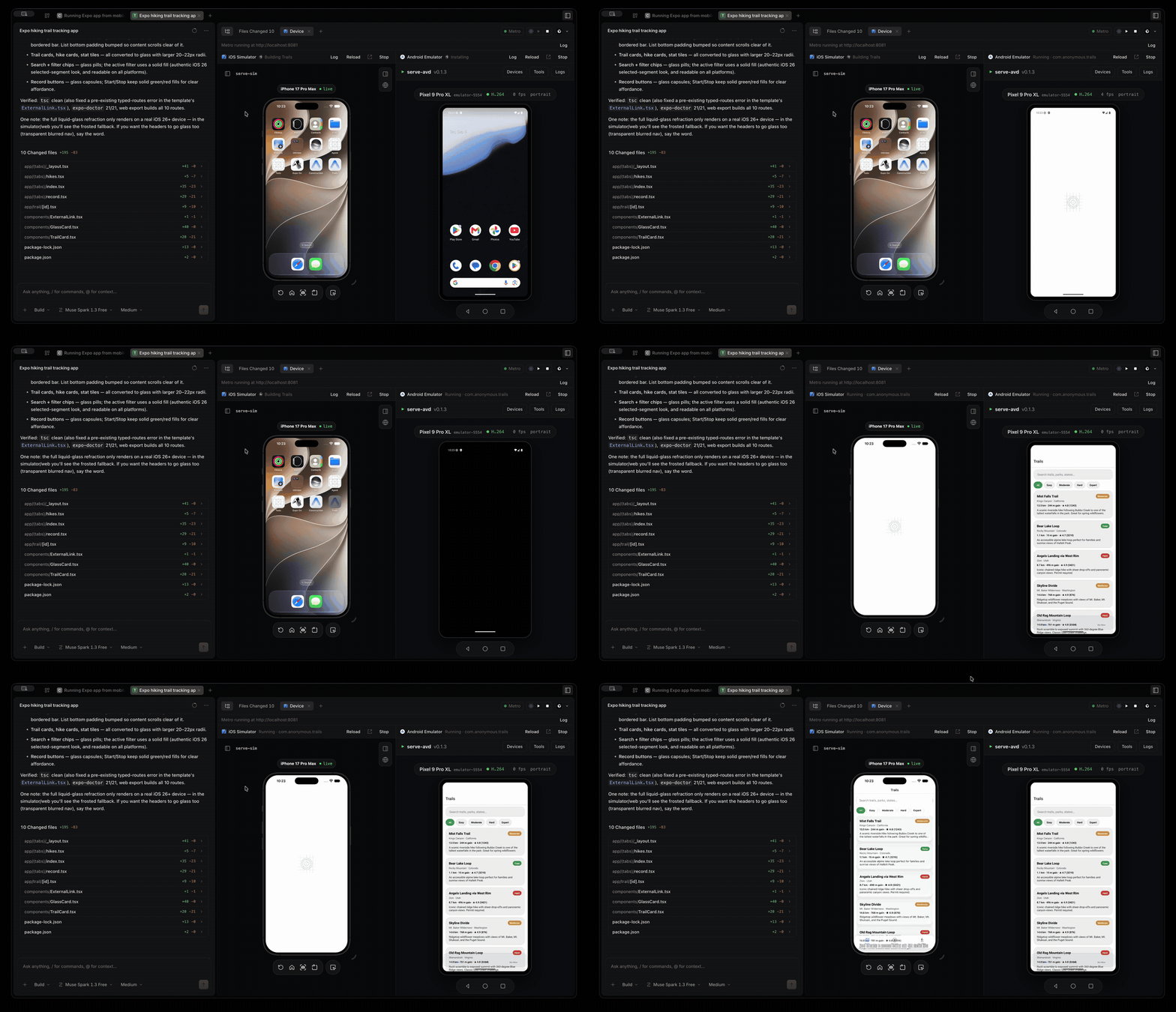
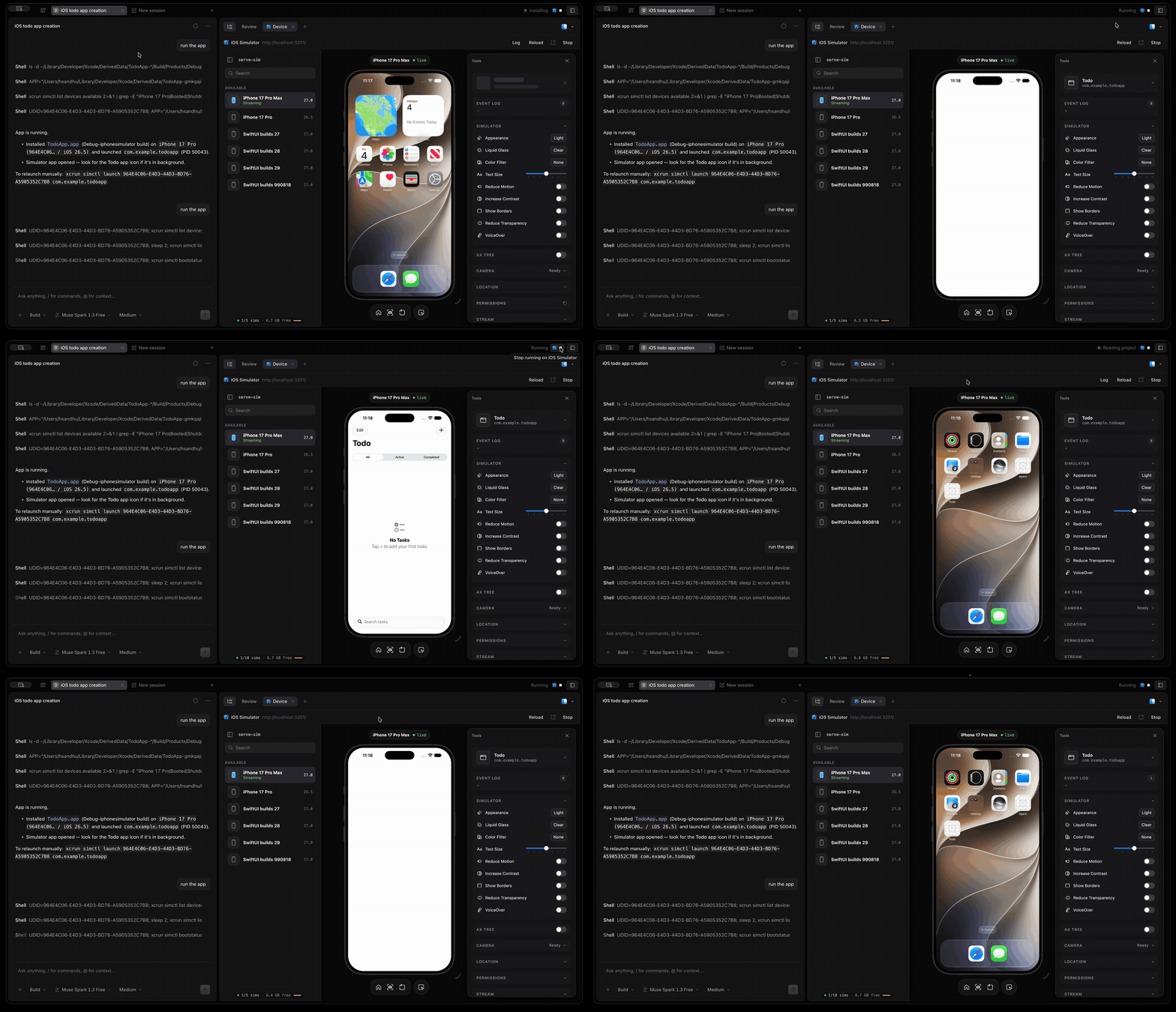
 MobileCode is an open source AI coding agent for building mobile apps, forked from opencode. When it detects an iOS or Android project it can launch the simulator or emulator and show a live preview right next to your chat session.
MobileCode is an open source AI coding agent for building mobile apps, forked from opencode. When it detects an iOS or Android project it can launch the simulator or emulator and show a live preview right next to your chat session.Is this a CLI tool or does it have a desktop app?It inherits all of opencode's interfaces: a terminal UI, an Electron desktop app, and a web UI, plus support for any model provider, MCP, plugins and skills.
It inherits all of opencode's interfaces: a terminal UI, an Electron desktop app, and a web UI, plus support for any model provider, MCP, plugins and skills.What do I need installed to preview iOS or Android apps?iOS previews need macOS with Xcode (and Node 20+ for serve-sim); Android previews need the Android SDK platform-tools with at least one AVD, plus a JDK matching your project's Gradle version.
iOS previews need macOS with Xcode (and Node 20+ for serve-sim); Android previews need the Android SDK platform-tools with at least one AVD, plus a JDK matching your project's Gradle version.Can I preview multiple mobile projects at the same time?No, the simulator, emulator and Metro port are shared, so starting a new project automatically stops any other project's running apps first.
No, the simulator, emulator and Metro port are shared, so starting a new project automatically stops any other project's running apps first.Does it work with an existing opencode setup?Yes, MobileCode keeps opencode's configuration format and file locations, so an existing opencode.json, provider credentials, plugins and skills work unchanged.
Yes, MobileCode keeps opencode's configuration format and file locations, so an existing opencode.json, provider credentials, plugins and skills work unchanged.How does it run React Native or Expo apps?Pressing Play starts one Metro server, runs expo prebuild if needed, installs pods, builds both native projects, and connects the Android emulator to Metro through adb reverse, launching the app on both iOS and Android at once.
Pressing Play starts one Metro server, runs expo prebuild if needed, installs pods, builds both native projects, and connects the Android emulator to Metro through adb reverse, launching the app on both iOS and Android at once.What does the devicerun tool let the agent do?It lets the AI agent build and launch the app itself, wait for the result, and read the build error and log tail directly, so it can fix a failing build without you pasting logs.
It lets the AI agent build and launch the app itself, wait for the result, and read the build error and log tail directly, so it can fix a failing build without you pasting logs.Can I get a signed macOS app build?By default the macOS app build is unsigned, but passing --sign with a Developer ID certificate and Apple API key credentials produces a signed and notarized MobileCode.app, .dmg and .zip.
By default the macOS app build is unsigned, but passing --sign with a Developer ID certificate and Apple API key credentials produces a signed and notarized MobileCode.app, .dmg and .zip.Which topics is it in?gradle, expo, ide, xcode, bun, ai-coding, ai-tools, react-native, mobile-development, node, coding-agents, model-context-protocol
gradle, expo, ide, xcode, bun, ai-coding, ai-tools, react-native, mobile-development, node, coding-agents, model-context-protocol