MapStage
English | 中文
Open-source MapStage tuner: map and globe projection, satellite, hypsometric relief, 3D terrain, region isolate, and JSON presets.
Live demo
→ https://hopechen067.github.io/MapStage/
Interactive tuner (EOX satellite + Mapterhorn DEM need internet. No install.)
What's new
- Map / Globe projection, independent satellite and hypsometric relief, optional region isolate (terrain island).
- Hillshade and 3D terrain use Mapterhorn DEM (was AWS Terrarium).
- Water is built-in OpenFreeMap / OpenMapTiles vector layers.
- CSS color grade can be toggled; copy JSON includes the live camera and resource switches.
- Public repo renamed to MapStage.
Showcases
Current tuner: national map, 3D terrain, globe, isolate.
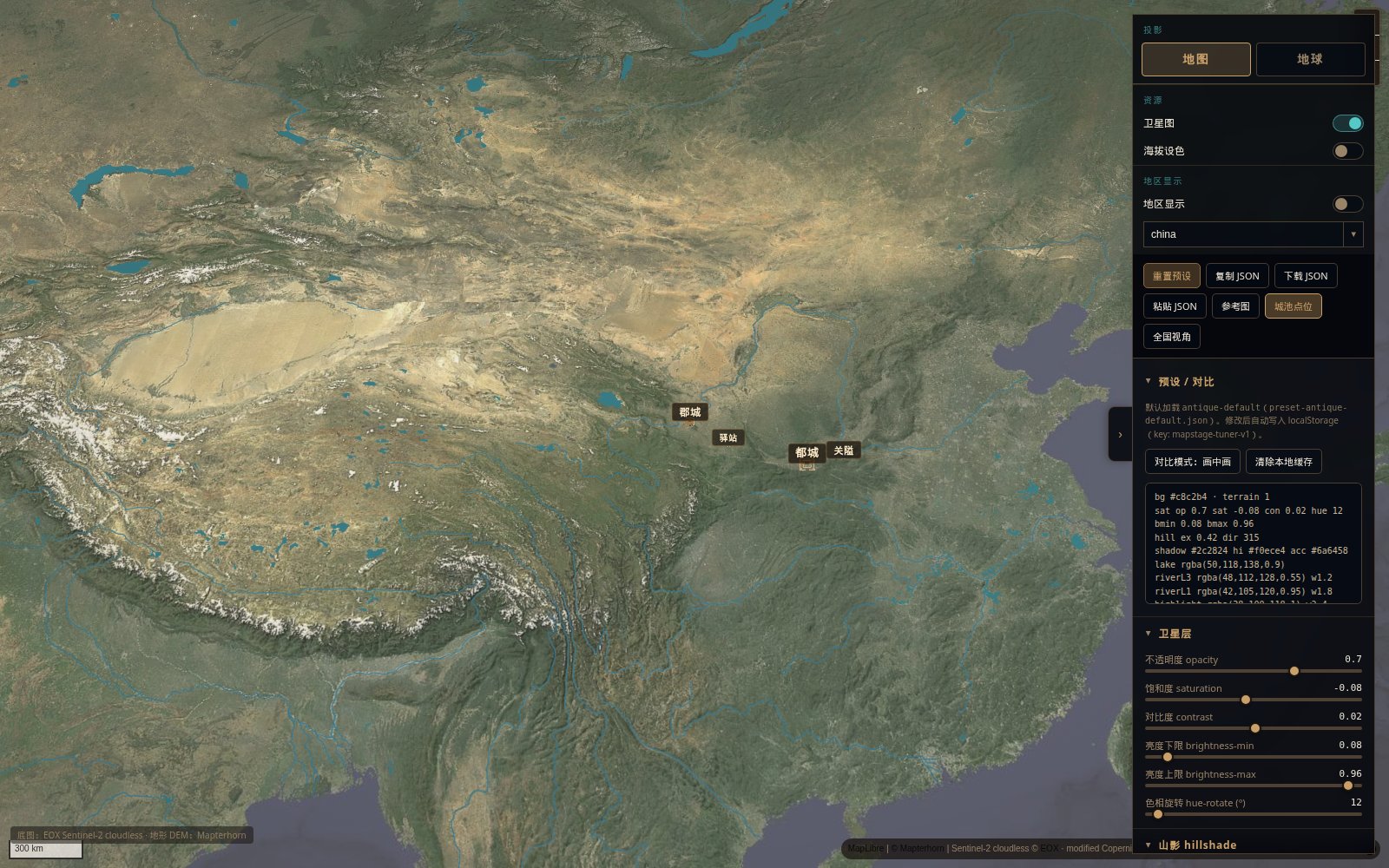
Tuner · national view (map)
|
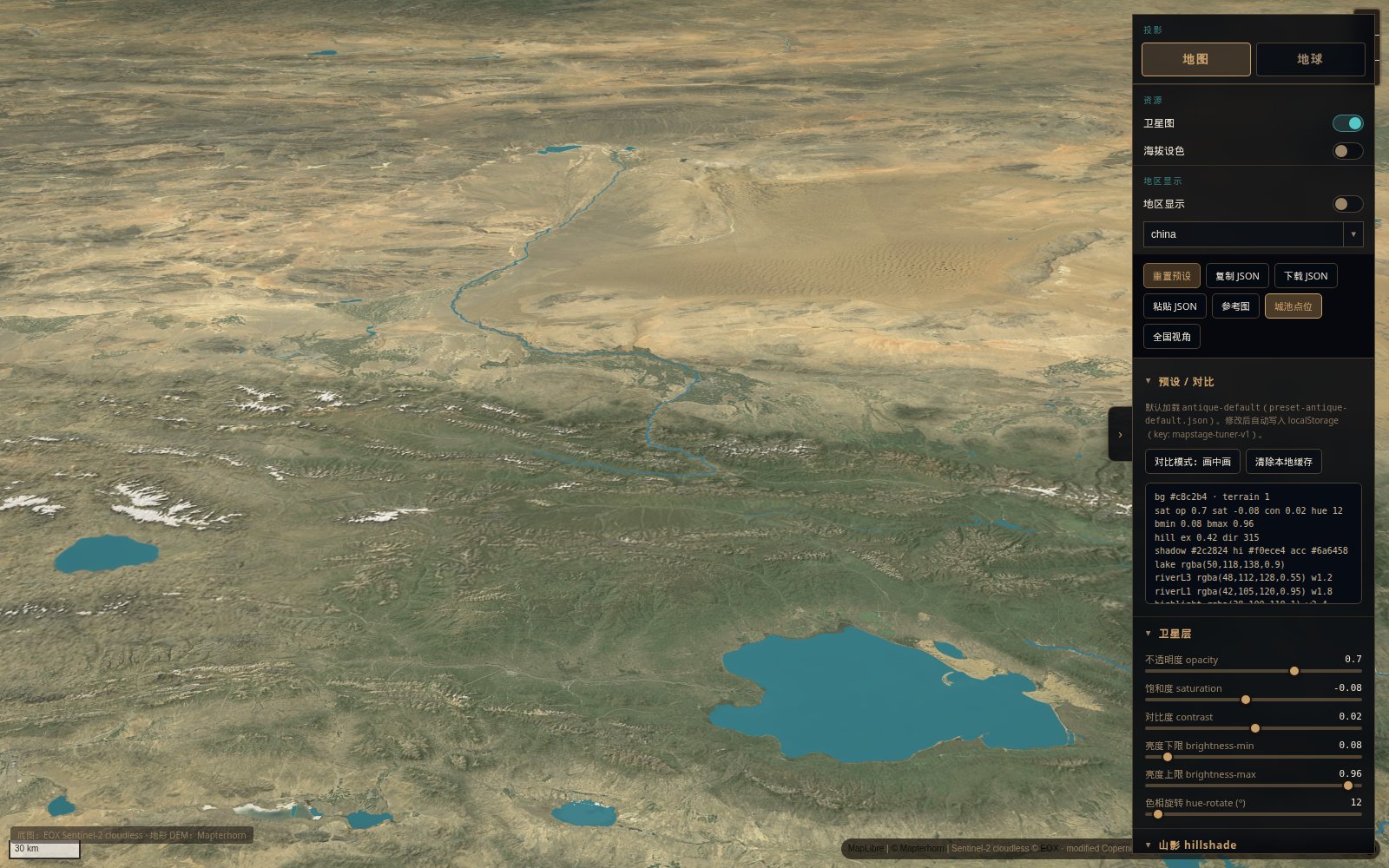
Tuner · 3D terrain
|
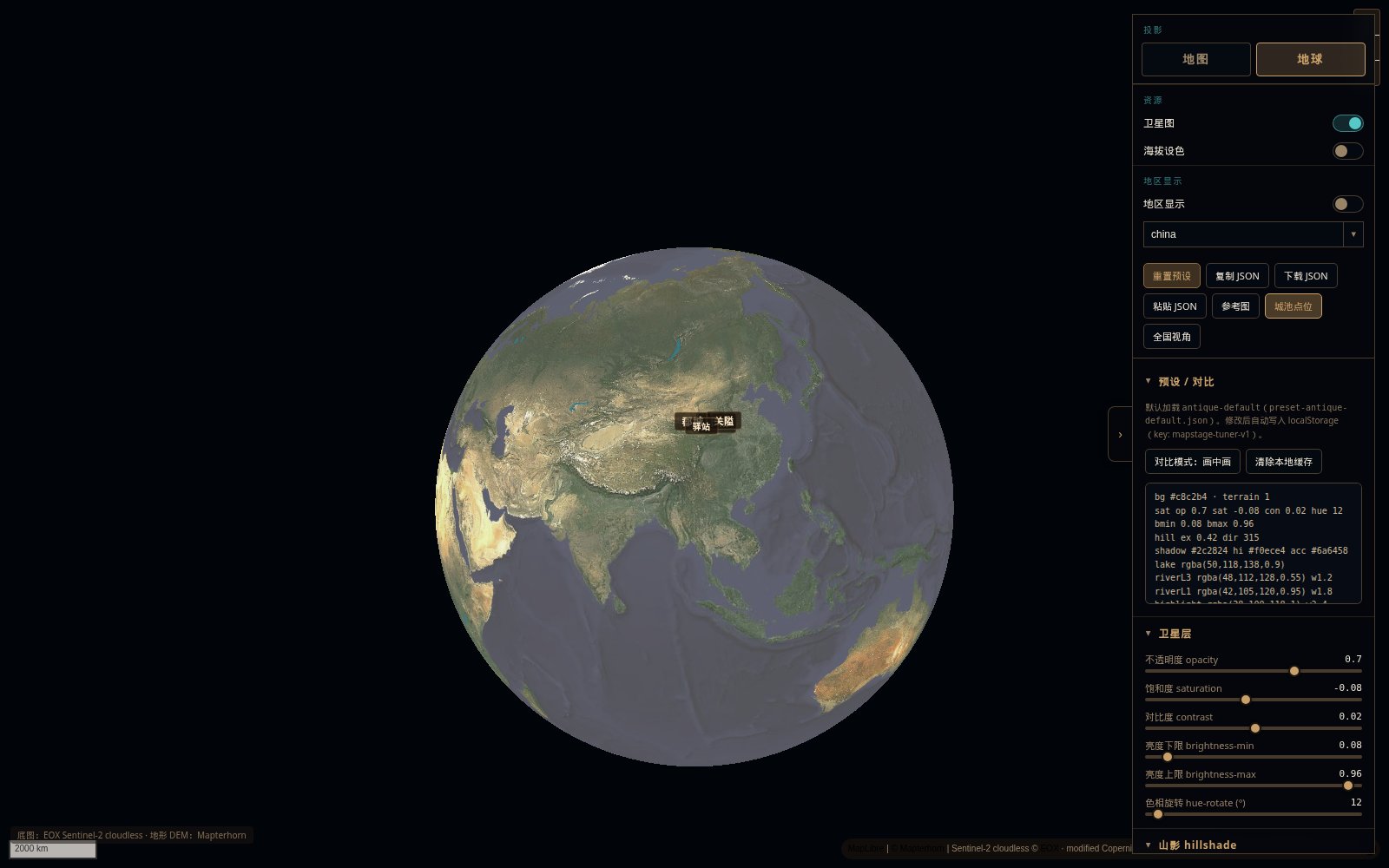
Tuner · globe
|
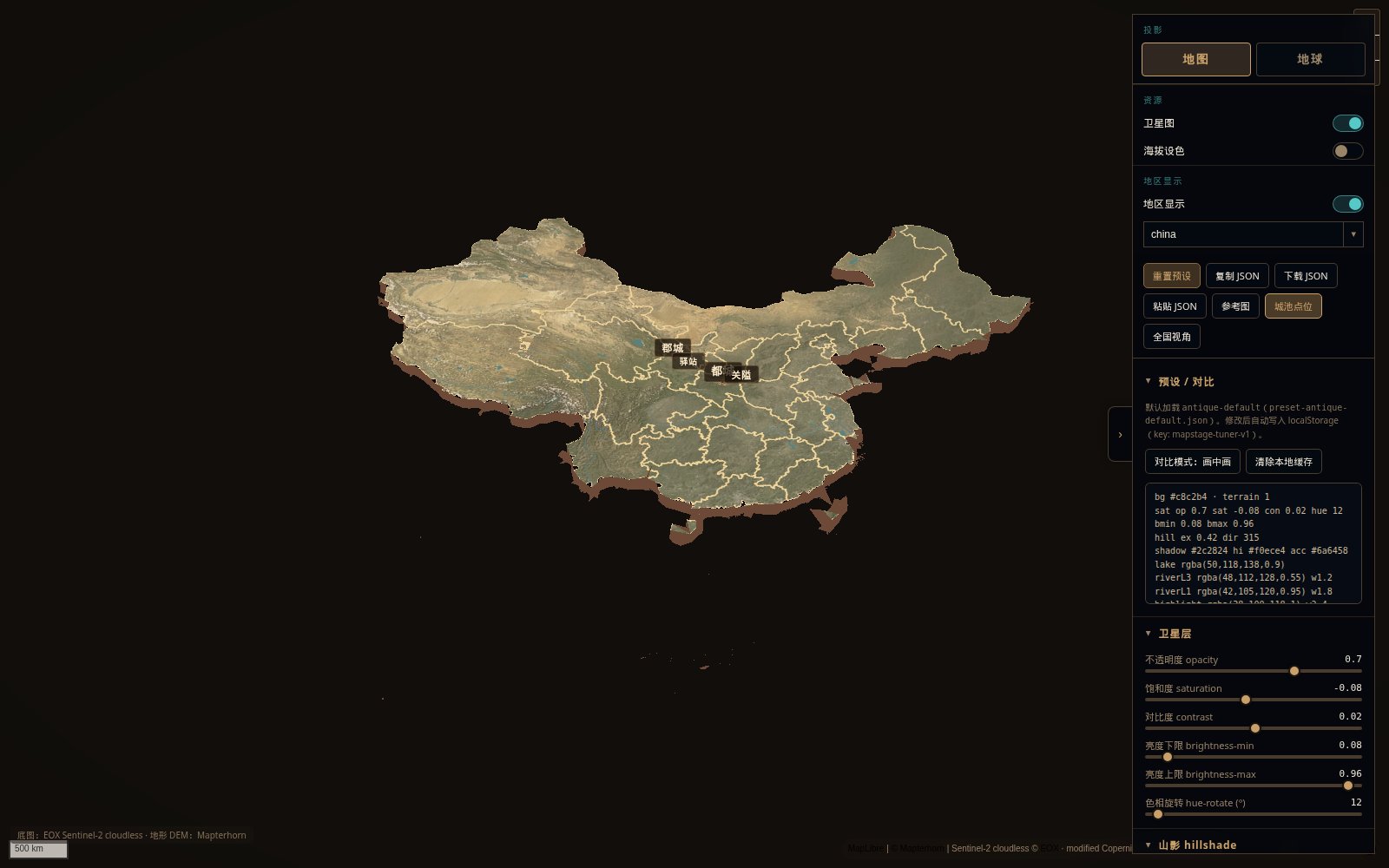
Tuner · isolate
|
| Item |
Value |
| Skill folder |
mapstage |
| Runtime |
MapStage |
| Default basemap |
EOX Sentinel-2 cloudless (public demo WMTS; check provider terms) |
| Terrain / hillshade |
Mapterhorn DEM (runtime fetch; Terrarium encoding) |
| Water |
OpenFreeMap / OpenMapTiles vector water |
| Look |
CSS color grade, map/globe, isolate island, HanCity3D settlements |
| License |
MIT for code/docs; showcase media & third-party terms in LICENSE-EXCEPTIONS.md / NOTICE.md |
| Hosted demo |
Live demo — Pages publishes mapstage/tuner to the site root |
Quick pull (install)
git clone pulls the whole repository, not a standalone skill.
You get README, showcases, the tuner, and the mapstage/ skill folder. Agents do not auto-discover that folder from a clone. Copy mapstage/ into your skills directory (step 2) if you want the agent skill.
1) Clone the repo
git clone https://github.com/hopechen067/MapStage.git
cd MapStage
Update later:
cd MapStage
git pull
2) Install as an agent skill
Skill folder (browse, not a second clone): mapstage/
One command — installs only that folder:
npx skills add hopechen067/MapStage --skill mapstage -g
GitHub CLI 2.90+:
gh skill install hopechen067/MapStage mapstage --scope user
Then reload skills. On Windows, add --copy to the npx command if symlink creation fails.
Or after a full clone, copy mapstage/ into your agent's skills directory.
3) Paste this to your agent
请使用 MapStage skill。
在线调参:https://hopechen067.github.io/MapStage/
仓库:https://github.com/hopechen067/MapStage
我会在 demo 里调好风格后导出 JSON,请按 SKILL.md / references 应用到地图场景(jumpTo + idle,encoding terrarium)。
Style workflow: open the live demo → tune → Copy JSON → paste to your agent.
Quick start (local tuner)
The live demo already runs on GitHub Pages. You do not start a server on your computer to use it.
Only if you want to edit files or preview offline do you start the tuner locally. Run the command on your machine; when it is up, open the local URL printed in the terminal (do not use file://).
cd mapstage/tuner

# Option A — Python 3
python -m http.server

# Option B — Node
npx --yes serve
Optional check (Node on PATH):
cd mapstage/tuner
node verify.mjs
Features
- Configurable raster basemap — default EOX Sentinel-2 cloudless. Override with
map-tiles.config.local.js (gitignored) for any tile URL you are allowed to use.
- Mapterhorn hillshade + 3D terrain — Terrarium encoding; map/globe projection; optional region isolate.
- Vector water — OpenFreeMap / OpenMapTiles (built-in).
- CSS color grade — sepia / warm tint / vignette / paint; filter can be toggled; export JSON presets.
- City tiers — capital / large / medium / small / pass / station / ordos via
HanCity3D.
- Read NOTICE.md.
- Defaults:
tuner/map-tiles.config.js (EOX + Mapterhorn).
- Personal endpoints:
map-tiles.config.local.js (gitignored). See map-tiles.config.example.js.
EOX public tiles are typically non-commercial with attribution (~10 m). This project does not grant rights to any commercial map vendor.
Tiles are not bundled
Satellite and DEM tiles are fetched at runtime from configured URLs only.
Attribution & compliance
- Follow each basemap / DEM / CDN provider’s terms for your use case.
- OpenFreeMap / OSM attribution for vector water.
- Third-party runtimes: keep their licenses when redistributing builds — NOTICE.md.
- Showcase images: All Rights Reserved demo media unless noted otherwise (LICENSE-EXCEPTIONS.md).
Install as an agent skill
The GitHub repo is the full project. The skill is only mapstage/.
- Install with
npx skills add hopechen067/MapStage --skill mapstage -g, or gh skill install hopechen067/MapStage mapstage --scope user, or copy mapstage/ into your agent's skills directory.
- Reload agent skills so
SKILL.md is discovered.
- Ask the agent to open the tuner, apply an exported JSON preset (version 3), or wire the same look into a MapStage scene.
Layout
.
├── LICENSE
├── LICENSE-EXCEPTIONS.md      # showcase / third-party / user geodata (not MIT)
├── NOTICE.md
├── DATA-PROVENANCE.md
├── SECURITY.md
├── README.md / README.zh-CN.md
├── showcases/                 # README images & sample frames
└── mapstage/
    ├── SKILL.md
    ├── agents/openai.yaml
    ├── references/
    ├── schemas/
    └── tuner/                 # published to GitHub Pages site root
Contributing / security
- Prefer small, documented changes.
- Do not commit API keys or
map-tiles.config.local.js.
- See SECURITY.md.
Next reads

 MapStage 是一个开源的地图与地球实时调参器——你可以调整卫星影像、分层设色地形、3D 地形和区域隔离效果,然后把外观导出为 JSON 预设。它还可以作为可安装的「智能体技能」提供,让 AI 编码智能体驱动同一个调参器。