Gemini CLI
Gemini CLI is an open-source AI agent that brings the power of Gemini directly
into your terminal. It provides lightweight access to Gemini, giving you the
most direct path from your prompt to our model.
Learn all about Gemini CLI in our documentation .
🚀 Why Gemini CLI?
🎯 Free tier : 60 requests/min and 1,000 requests/day with personal Google
account.🧠 Powerful Gemini 3 models : Access to improved reasoning and 1M token
context window.🔧 Built-in tools : Google Search grounding, file operations, shell
commands, web fetching.🔌 Extensible : MCP (Model Context Protocol) support for custom
integrations.💻 Terminal-first : Designed for developers who live in the command line.🛡️ Open source : Apache 2.0 licensed.
📦 Installation
See
Gemini CLI installation, execution, and releases
for recommended system specifications and a detailed installation guide.
Quick Install
Run instantly with npx
# Using npx (no installation required)
npx @google/gemini-cli
Install globally with npm
npm install -g @google/gemini-cli
Install globally with Homebrew (macOS/Linux)
brew install gemini-cli
Install globally with MacPorts (macOS)
sudo port install gemini-cli
Install with Anaconda (for restricted environments)
# Create and activate a new environment
conda create -y -n gemini_env -c conda-forge nodejs
conda activate gemini_env

# Install Gemini CLI globally via npm (inside the environment)
npm install -g @google/gemini-cli
Release Channels
See Releases for more details.
Preview
New preview releases will be published each week at UTC 23:59 on Tuesdays. These
releases will not have been fully vetted and may contain regressions or other
outstanding issues. Please help us test and install with preview tag.
npm install -g @google/gemini-cli@preview
Stable
New stable releases will be published each week at UTC 20:00 on Tuesdays, this
will be the full promotion of last week's preview release + any bug fixes
and validations. Use latest tag.
npm install -g @google/gemini-cli@latest
Nightly
New releases will be published each day at UTC 00:00. This will be all changes
from the main branch as represented at time of release. It should be assumed
there are pending validations and issues. Use nightly tag.
npm install -g @google/gemini-cli@nightly
📋 Key Features
Code Understanding & Generation
Query and edit large codebases
Generate new apps from PDFs, images, or sketches using multimodal capabilities
Debug issues and troubleshoot with natural language
Automation & Integration
Automate operational tasks like querying pull requests or handling complex
rebases
Use MCP servers to connect new capabilities, including
media generation with Imagen, Veo or Lyria
Run non-interactively in scripts for workflow automation
Advanced Capabilities
Ground your queries with built-in
Google Search for real-time
information
Conversation checkpointing to save and resume complex sessions
Custom context files (GEMINI.md) to tailor behavior for your projects
GitHub Integration
Integrate Gemini CLI directly into your GitHub workflows with
Gemini CLI GitHub Action
Pull Request Reviews : Automated code review with contextual feedback and
suggestionsIssue Triage : Automated labeling and prioritization of GitHub issues based
on content analysisOn-demand Assistance : Mention @gemini-cli in issues and pull requests
for help with debugging, explanations, or task delegationCustom Workflows : Build automated, scheduled and on-demand workflows
tailored to your team's needs
🔐 Authentication Options
Choose the authentication method that best fits your needs:
Option 1: Sign in with Google (OAuth login using your Google Account)
✨ Best for: Individual developers as well as anyone who has a Gemini Code
Assist License. (see
quota limits and terms of service
for details)
Benefits:
Free tier : 60 requests/min and 1,000 requests/dayGemini 3 models with 1M token context windowNo API key management - just sign in with your Google accountAutomatic updates to latest models
Start Gemini CLI, then choose Sign in with Google and follow the browser authentication flow when prompted
gemini
If you are using a paid Code Assist License from your organization, remember to set the Google Cloud Project
# Set your Google Cloud Project
export GOOGLE_CLOUD_PROJECT="YOUR_PROJECT_ID"
gemini
Option 2: Gemini API Key
✨ Best for: Developers who need specific model control or paid tier access
Benefits:
Free tier : 1000 requests/day with Gemini 3 (mix of flash and pro)Model selection : Choose specific Gemini modelsUsage-based billing : Upgrade for higher limits when needed
# Get your key from https://aistudio.google.com/apikey
export GEMINI_API_KEY="YOUR_API_KEY"
gemini
Option 3: Vertex AI
✨ Best for: Enterprise teams and production workloads
Benefits:
Enterprise features : Advanced security and complianceScalable : Higher rate limits with billing accountIntegration : Works with existing Google Cloud infrastructure
# Get your key from Google Cloud Console
export GOOGLE_API_KEY="YOUR_API_KEY"
export GOOGLE_GENAI_USE_VERTEXAI=true
gemini
For Google Workspace accounts and other authentication methods, see the
authentication guide .
🚀 Getting Started
Basic Usage
Start in current directory
gemini
Include multiple directories
gemini --include-directories ../lib,../docs
Use specific model
gemini -m gemini-2.5-flash
Non-interactive mode for scripts
Get a simple text response:
gemini -p "Explain the architecture of this codebase"
For more advanced scripting, including how to parse JSON and handle errors, use
the --output-format json flag to get structured output:
gemini -p "Explain the architecture of this codebase" --output-format json
For real-time event streaming (useful for monitoring long-running operations),
use --output-format stream-json to get newline-delimited JSON events:
gemini -p "Run tests and deploy" --output-format stream-json
Quick Examples
Start a new project
cd new-project/
gemini
> Write me a Discord bot that answers questions using a FAQ.md file I will provide
Analyze existing code
git clone https://github.com/google-gemini/gemini-cli
cd gemini-cli
gemini
> Give me a summary of all of the changes that went in yesterday
📚 Documentation
Getting Started
Core Features
Advanced Topics
Troubleshooting & Support
Troubleshooting Guide FAQ Use /bug command to report issues directly from the CLI.
Using MCP Servers
Configure MCP servers in ~/.gemini/settings.json to extend Gemini CLI with
custom tools:
> @github List my open pull requests
> @slack Send a summary of today's commits to #dev channel
> @database Run a query to find inactive users
See the
MCP Server Integration guide
for setup instructions.
🤝 Contributing
We welcome contributions! Gemini CLI is fully open source (Apache 2.0), and we
encourage the community to:
Report bugs and suggest features.
Improve documentation.
Submit code improvements.
Share your MCP servers and extensions.
See our Contributing Guide for development setup, coding
standards, and how to submit pull requests.
Check our Official Roadmap
for planned features and priorities.
📖 Resources
Uninstall
See the Uninstall Guide
for removal instructions.
📄 Legal
Built with ❤️ by Google and the open source community




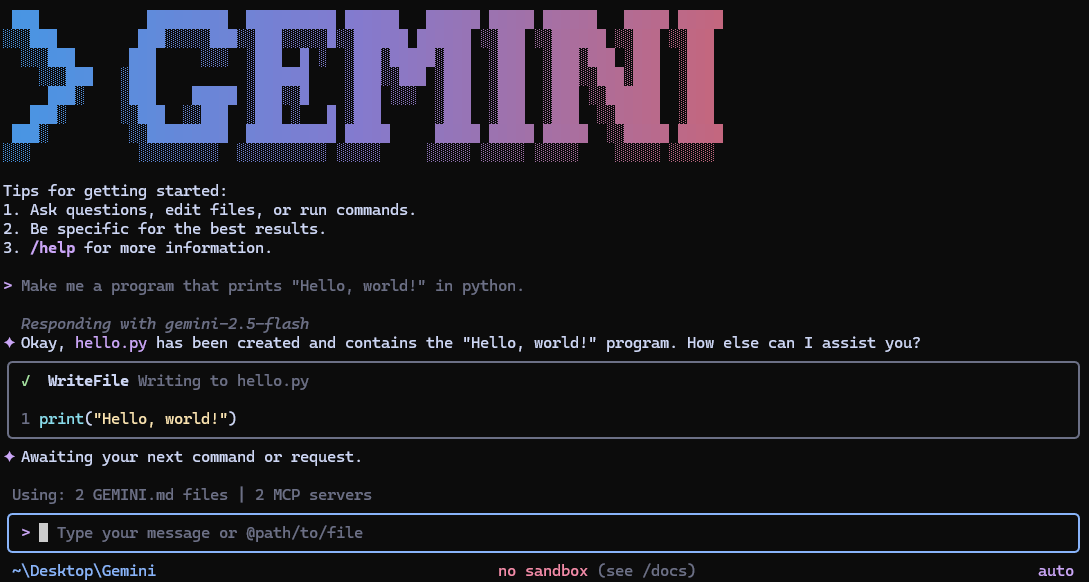

 Gemini CLI 是一个开源 AI 智能体,可以把 Google 的 Gemini 模型直接带到你的终端里,让你在命令行中聊天、生成代码并运行工具。