




107.4K ·GitHub
What is this?
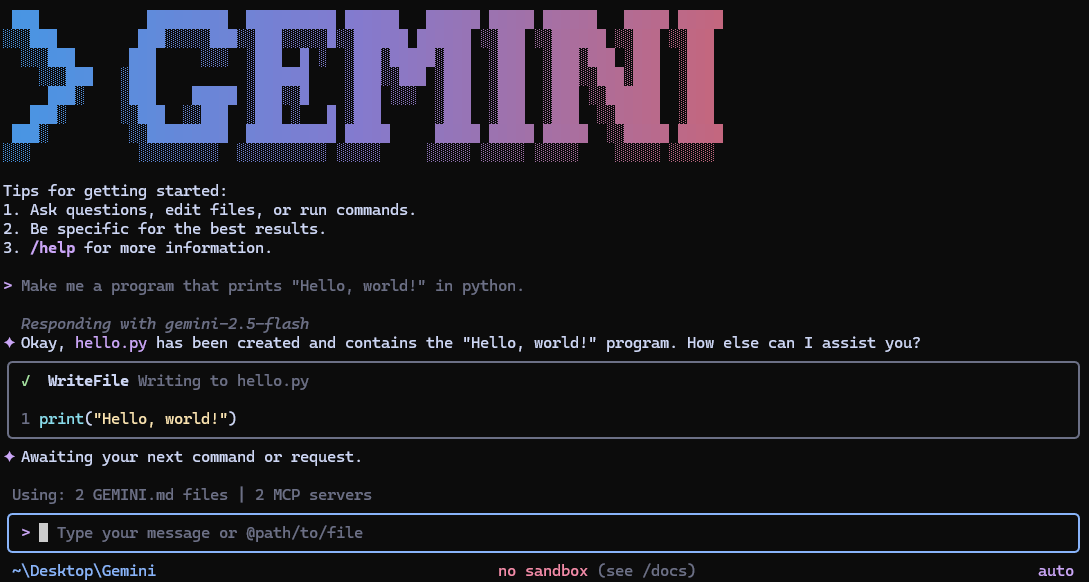
 Gemini CLI is an open-source AI agent that brings Google's Gemini models directly into your terminal, letting you chat, generate code, and run tools from the command line.
Gemini CLI is an open-source AI agent that brings Google's Gemini models directly into your terminal, letting you chat, generate code, and run tools from the command line.Is this a standalone terminal app or something I embed in my own code?It's a terminal-first CLI agent you run directly, not a library you import into another app.
It's a terminal-first CLI agent you run directly, not a library you import into another app.How do I install and start it?Install via npx, npm install -g, Homebrew (macOS/Linux), MacPorts, or Anaconda, then just run the command to start chatting in your current directory.
Install via npx, npm install -g, Homebrew (macOS/Linux), MacPorts, or Anaconda, then just run the command to start chatting in your current directory.Do I need an API key, or can I just sign in with Google?You can sign in with your Google account for the free tier, or use a Gemini API key, or connect via Vertex AI for enterprise workloads; no key management is needed with Google sign-in.
You can sign in with your Google account for the free tier, or use a Gemini API key, or connect via Vertex AI for enterprise workloads; no key management is needed with Google sign-in.What's the catch with the free tier?Signing in with a personal Google account gives 60 requests/min and 1,000 requests/day; preview and nightly release channels may contain regressions, so stick to the stable 'latest' tag for reliability.
Signing in with a personal Google account gives 60 requests/min and 1,000 requests/day; preview and nightly release channels may contain regressions, so stick to the stable 'latest' tag for reliability.Can I extend it with custom tools or integrations?Yes, it supports MCP (Model Context Protocol) servers configured in ~/.gemini/settings.json, letting you add custom tools and even media generation via Imagen, Veo, or Lyria.
Yes, it supports MCP (Model Context Protocol) servers configured in ~/.gemini/settings.json, letting you add custom tools and even media generation via Imagen, Veo, or Lyria.Does it integrate with GitHub?Yes, the Gemini CLI GitHub Action enables automated PR reviews, issue triage, and on-demand help by mentioning @gemini-cli in issues and pull requests.
Yes, the Gemini CLI GitHub Action enables automated PR reviews, issue triage, and on-demand help by mentioning @gemini-cli in issues and pull requests.Can I use it in scripts instead of interactively?Yes, non-interactive headless mode supports plain text, structured JSON, or streaming JSON output for automation workflows.
Yes, non-interactive headless mode supports plain text, structured JSON, or streaming JSON output for automation workflows.What model context window does it offer?Gemini 3 models provide a 1M token context window along with improved reasoning for large codebases and complex tasks.
Gemini 3 models provide a 1M token context window along with improved reasoning for large codebases and complex tasks.What are similar projects?trae-agent, gitagent, Baize, copperhead, qwen-code, SystemOneHarness, docker-agent, turnstone
trae-agent, gitagent, Baize, copperhead, qwen-code, SystemOneHarness, docker-agent, turnstoneWhich topics is it in?gemini-api, mcp-client, google, github-actions, model-context-protocol, agentic-ai, gemini, mcp-server, coding-agent, command-line-tool, agent, mcp
gemini-api, mcp-client, google, github-actions, model-context-protocol, agentic-ai, gemini, mcp-server, coding-agent, command-line-tool, agent, mcp