awesome-gamedev-agent-skills
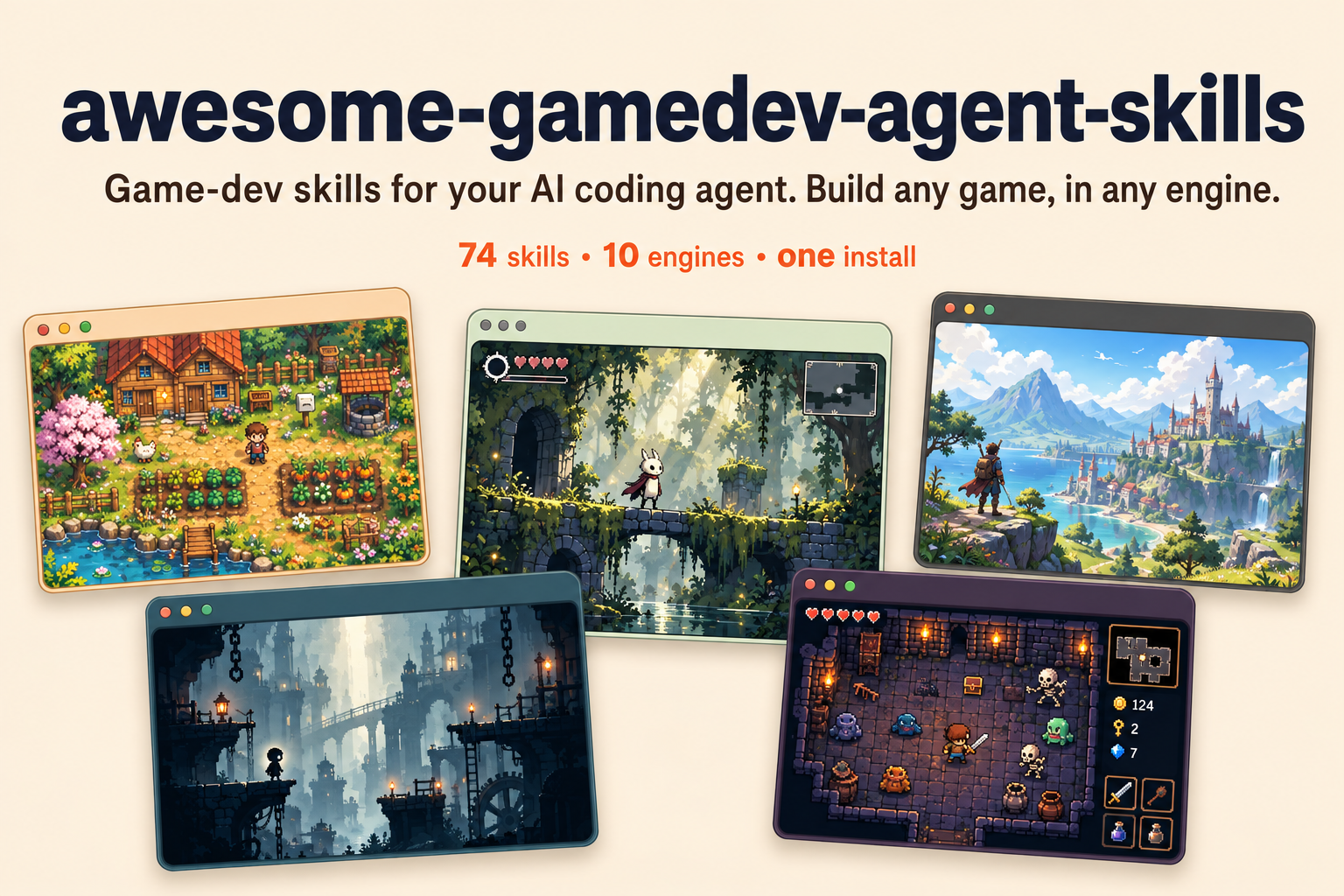
Make games with your AI coding agent, in the engine you already use. 79 skills for 12
engines: say what you're building, and a router loads the right 2 or 3 skills before your agent
writes code.
npx skills add gamedev-skills/awesome-gamedev-agent-skills








Agent Skills are small capability files an AI agent loads only when it
needs them. This repo gives your agent 79 game-dev skills and a router that picks the
right ones for you. You describe what you're building; the agent loads the matching engine and
task skills before it writes code.
- Cross-engine. Godot, Unity, Unreal, Ebitengine, Phaser, PixiJS, three.js, Bevy, pygame, LÖVE, Defold, Roblox.
- You don't pick skills. The router detects your engine and task and loads only what fits.
- Art direction, not one-off generations. The asset workflow locks a visual target, builds
families, normalizes outputs deterministically, and checks them inside the game.
- Checked on the real engines. Every skill is written from official engine docs and pinned to
a current release (Godot 4.7.2, Unity 6.3 LTS, Unreal 5.8, Phaser 4.2.1, three.js r187 and
more, checked 2026-11-11). Code examples were run or compiled on the real toolchains for 10 of
the 12 engines, and in 366 blind test prompts the right skill loaded for 98.7% of the requests
that needed one. Results, method and limits ·
version support.
Want to reach game developers who build with AI coding agents? Email
[email protected].
Sponsor slots are monthly. Sponsored entries are labelled as sponsored and have no effect on which
skills the router picks.
Contents
Quick start
One command, any agent. The skills CLI detects the
coding agent you already use and installs the router plus all 79 skills into the right place:
npx skills add gamedev-skills/awesome-gamedev-agent-skills
Add --list to preview first, -g to install for every project, or -a <agent> to target a
specific tool (-a cursor, -a claude-code, -a gemini-cli, …). The CLI needs Node.js 22.20 or
later. The same SKILL.md files load
natively in Claude Code, Cursor, Windsurf, Cline, Codex, Gemini CLI, GitHub Copilot, Kiro, and
dozens more — there's nothing to convert.
Claude Code plugin (alternative). This repo is also a Claude Code plugin marketplace, so you
can install it with Claude's own commands:
claude plugin marketplace add gamedev-skills/awesome-gamedev-agent-skills
claude plugin install gamedev@awesome-gamedev-agent-skills
Building in only one engine? Install a smaller bundle — router plus your engine:
claude plugin install router@awesome-gamedev-agent-skills
claude plugin install godot@awesome-gamedev-agent-skills    # or: unity · unreal · ebitengine · web-engines · other-engines
Install tip. If your agent already has many skills, install the router and your engine's
bundle instead of everything. Agents list every skill's description within a size limit, and
past that limit some descriptions are cut, which makes the right skill harder to pick. In Claude
Code the limit is 1% of the context window; raise it with the skillListingBudgetFraction
setting (for example 0.02) or set a character count with the SLASH_COMMAND_TOOL_CHAR_BUDGET
environment variable (Claude Code skills docs).
Prefer to copy the files by hand, or want the exact per-tool paths? See
docs/INSTALLATION.md.
Want to read the catalog as web pages instead? Every skill, engine group, and per-agent install
path is browsable at
gamedev-skills.github.io/awesome-gamedev-agent-skills,
generated straight from the SKILL.md files in this repo.
Then just talk to your agent — see below.
What you can ask
Describe the task in plain language. The router figures out the skills:
| You say |
Skills it loads for you |
| "add a double jump to my Godot player" |
godot-2d-movement + platformer |
| "make an inventory for my Unity RPG" |
unity-scriptableobjects + rpg + save-systems |
| "build a 2D puzzle in Go with Ebitengine" |
ebitengine-game + puzzle |
| "add player movement to my Defold game" |
defold-core + input-systems |
| "procedural dungeon roguelike in Godot" |
godot-tilemap + procedural-gen + roguelike |
| "make a cohesive pixel-art player, enemies, and tiles" |
create-game-assets + the detected engine importer |
| "how should I design save slots?" |
save-systems |
| "publish my game on itch with butler" |
itch-publish |
You never type the skill names on the right. That's the router's job.
How the router picks skills
You never name a skill. On each request the router does three things:
- Detects your engine from project files — a
project.godot means Godot, a *.uproject
means Unreal, and so on. If it can't tell, it just asks.
- Reads your request for the task — a concept (AI, shaders, saving), a genre (platformer,
roguelike), or a shipping step (game jam, Steam).
- Loads only the matching skills, in order: engine basics first, then the concept, then any
genre glue. It re-routes if you switch to something new.
That's why "add a double jump to my Godot player" loads godot-2d-movement + platformer and
nothing else.
The exact detection signals and routing table
The full algorithm — every engine fingerprint, the task-to-skill table, and how engine,
discipline, genre, and workflow skills compose — lives in the router skill itself:
router/SKILL.md. In short: engine selection is exclusive (exactly one
engine), while disciplines, genres, and workflows are additive on top.
Catalog
79 skills across 9 categories — each links to its SKILL.md below.
Engines
| Skill |
Scope |
godot-gdscript |
GDScript 2.0: static typing, @export/@onready, await, porting 3.x code |
godot-nodes-scenes |
Scene tree, instancing, autoloads, checker for broken res:// paths and uids |
godot-signals-groups |
Typed signals, connect() with Callables, event buses, groups |
godot-2d-movement |
CharacterBody2D platformer and top-down movement, slopes, one-way platforms, headless landing test |
godot-tilemap |
TileMapLayer/TileSet: atlases, data layers, terrain autotiling, runtime set_cell |
godot-physics |
Body and Area types (2D+3D), collision layers/masks, raycasts, Jolt |
godot-ui-control |
Control nodes: anchors, containers, themes, focus, headless layout check |
godot-animation |
AnimationPlayer, AnimationTree state machines, AnimatedSprite2D, Tween |
godot-shaders |
Godot shading language: canvas_item, spatial and particle shaders, headless compile check |
godot-3d-essentials |
3D cameras, lights, WorldEnvironment, materials, GridMap, headless scene check |
godot-resources |
Custom Resource data, .tres, shared vs duplicate_deep(), threaded loading |
godot-audio |
AudioStreamPlayer 2D/3D, buses, volume, looping, playback position for beat sync |
godot-multiplayer |
ENet, @rpc, MultiplayerSpawner/MultiplayerSynchronizer, two-instance headless test |
godot-export |
Export templates and presets, command-line export, web COOP/COEP headers |
godot-csharp |
C#/.NET in Godot: partial classes, [Export]/[Signal], signals as events, GDScript interop |
godot-gdscript-headless-testing |
GDScript tests with godot --headless, non-zero exit on failure, CI jobs |
Unity — 9 (skills/unity/) · Unity 6.3 LTS (6000.3)
| Skill |
Scope |
unity-csharp-scripting |
MonoBehaviour lifecycle, serialization, .meta/GUID discipline, command-line compile and test checks |
unity-input-system |
Input System: .inputactions, action maps, PlayerInput, control schemes |
unity-physics |
3D and 2D physics: Rigidbody and Rigidbody2D, collisions, layers, raycasts, joints |
unity-animation |
Animator: states and transitions, blend trees, Avatar Masks, root motion, humanoid IK |
unity-scriptableobjects |
ScriptableObject config assets, shared runtime variables, event channels |
unity-tilemap-2d |
Tile Palette, Tilemap Collider 2D with a Composite Collider, Rule Tiles, runtime SetTile |
unity-navmesh |
AI Navigation: NavMeshSurface baking, NavMeshAgent, NavMeshLink, runtime rebakes |
unity-build-pipeline |
Build and player settings, IL2CPP vs Mono, code stripping, scripted and CI builds, Addressables |
unity-build-size |
Build Report triage, uncompressed glTF/GLB textures, texture/audio import budgets, per-platform size levers (Web, Android, iOS, desktop, Steam) |
Unreal — 6 (skills/unreal/) · Unreal Engine 5.8 (5.9 in Preview)
| Skill |
Scope |
unreal-blueprints |
Blueprint Classes vs the Level Blueprint, Event Graph, Cast, Interfaces, Event Dispatchers |
unreal-cpp-gameplay |
C++ reflection (UCLASS/UPROPERTY), Gameplay Framework, GC-safe pointers, command-line builds |
unreal-enhanced-input |
Input Actions, Mapping Contexts, ETriggerEvent bindings, remappable keys |
unreal-behavior-trees |
Behavior Trees, Blackboards, EQS and StateTree: Observer Aborts, C++ BTTask nodes |
unreal-niagara |
Niagara systems, emitters, User parameters, spawning, bounds, GPU vs CPU sim |
unreal-packaging |
Shipping builds, cooking, pak/IoStore, RunUAT BuildCookRun, reading UAT and cook logs |
Ebitengine — 1 (skills/ebitengine/) · Ebitengine v2.10.6 · Go 1.25+
| Skill |
Scope |
ebitengine-game |
Go 2D games: play-and-retry loop, input, pixel-art scaling, text, audio, tests, desktop, WASM and mobile builds |
Web engines — 6 (skills/web-engines/) · Phaser 4.2 · PixiJS 8.22 · three.js r187
| Skill |
Scope |
phaser-core |
Phaser 4.2 (and pinned 3.90): Game config, Scene lifecycle, loader, Phaser 3 to 4 migration |
phaser-arcade-physics |
Arcade Physics: bodies, velocity, gravity, colliders vs overlaps, groups, bullet pools |
pixijs-rendering |
PixiJS 8.22 for games: async init, Assets, Container/Sprite scene graph, pointer drag, v7 to v8 |
threejs-scene-setup |
three.js r187 scene, camera, renderer, setAnimationLoop, resize, OrbitControls, WebGPURenderer |
threejs-gltf-loading |
glTF/GLB loading with DRACO, Meshopt and KTX2, AnimationMixer cross-fades, SkeletonUtils clones |
threejs-materials-lighting |
Standard, physical and unlit materials, lights, shadows, HDR environments, tone mapping |
Other engines — 12 (skills/other-engines/) · Bevy · pygame · LÖVE · Defold · Roblox
| Skill |
Scope |
bevy-ecs |
Bevy ECS: components, Query/Commands systems, schedules, States, observers, headless tests (Bevy 0.20) |
pygame-core |
pygame-ce event-update-draw loop, delta time, Surface/Rect, sprite groups, headless tests (pygame-ce 2.5.8) |
love2d-core |
LÖVE callbacks, conf.lua, fixed steps, crisp pixel-art scaling, love.filesystem saves (LÖVE 11.5) |
defold-core |
Defold collections, game objects, input focus, msg.post, factories, collection proxies, Bob builds (Defold 1.14.1) |
roblox-luau |
Luau services, Instances, Script vs LocalScript vs ModuleScript, task library, typed Luau, selene and luau-lsp checks |
roblox-datastores |
DataStoreService: load on join, save on leave and BindToClose, UpdateAsync, session locking, ordered leaderboards |
roblox-ui |
ScreenGui/PlayerGui, UDim2 scaling, layouts, safe areas, StyleSheet, gamepad selection, touch controls |
roblox-networking |
Remote contracts, server authority, rate limits, hit validation, replication |
roblox-characters |
CharacterAdded lifecycle, Humanoid, R6/R15/custom rigs, respawn, Tools |
roblox-physics |
Assemblies, constraints, collision groups, Raycast/Shapecast, network ownership |
roblox-studio-workflow |
Safe edits to an existing place or Rojo project, proven with the right test mode or Studio MCP |
roblox-simulator-economy |
Simulator/tycoon/idle economy: cost curves, income per second, rebirth pacing, big numbers, paid-egg odds (Lune 0.11.1 calculator) |
Cross-engine concepts that load alongside the detected engine skill.
| Skill |
Scope |
create-game-assets |
Consistent game art: style guides, sprites, pixel art, tilesets, icons, textures, QA and licence records |
game-ai |
Enemy and NPC AI: choosing FSM, BT, utility or GOAP; perception, steering, A* pathfinding |
ai-behavior-trees-utility-ai |
Engine-neutral behavior tree and utility AI code: Blackboard, reactive composites, decorators, response curves |
procedural-gen |
Seeded RNG, dungeon layouts, wave function collapse, noise terrain, loot tables |
dialogue-systems |
Branching dialogue with Ink, Yarn Spinner or a JSON graph: choices, conditions, variables, localization IDs |
save-systems |
What to serialize, slots and autosave, atomic writes, versioned migration |
audio-design |
Bus layout, decibel volume sliders, loudness, ducking, adaptive music, SFX variation |
shader-programming |
How effects work (dissolve, outline, fresnel rim, post) in GLSL with HLSL equivalents |
physics-tuning |
Fixed timestep and interpolation, CCD against tunnelling, damping, solver iterations, layer matrices |
level-design |
Player metrics, key and ability gating with a soft-lock check, blockouts, pacing |
input-systems |
Named actions, stick deadzones, buffered presses, rebinding with conflict checks |
game-feel |
Juice: trauma-based screen shake, hit-stop, eased tweens, squash & stretch, knockback |
game-ui-ux |
HUD and menu rules: anchors, scaling, safe areas, gamepad focus, event-driven HUDs, accessibility minimums |
camera-systems |
2D follow with deadzone and look-ahead, third-person orbit, first-person look, split-screen |
performance-optimization |
Measure first: CPU- vs GPU-bound, then the biggest fix (draw calls, pooling, GC spikes) |
Compositional templates that orchestrate engine + discipline skills; they never re-teach
primitives.
| Skill |
Scope |
platformer |
Jump feel (coyote time, jump buffer, variable height, fall gravity), wall jumps, hazards, checkpoints, jump calculator |
roguelike |
Run structure, permadeath, meta-progression, seeded and daily runs, turn order, field of view |
rpg |
Stats with a modifier stack, XP curves, damage formulas, items and equipment, quests |
fps-shooter |
Hitscan vs projectiles, time-to-kill, damage falloff, recoil, ADS sensitivity, lag-compensated hits |
tower-defense |
Lane and maze pathing, wave pacing, targeting, armoured and flying counters, gold economy, wave-curve checker |
card-game |
Cards as data with one effect interpreter, deck zones, trigger stack, seeded shuffles, roguelike deckbuilders |
visual-novel |
Routes and endings, save-anywhere, backlog, skip-read-only, typewriter text (Ren'Py or any engine) |
survival-crafting |
Gathering, recipes and tech trees, carry weight, spoilage, needs, base building |
puzzle |
Match-3 cascades, Sokoban, unique-solution grids, exact undo, solver-checked levels |
| Skill |
Scope |
game-jam |
Read the jam rules, scope to the clock, keep a cut list, check the build before submitting |
prototype-fast |
One-question throwaway prototype: greybox, debug HUD, playtest, then keep, kill or retune |
steam-publish |
SteamPipe: depots, app_build scripts, steamcmd uploads, beta branches, SetLive, store review |
itch-publish |
butler push to channels, platform tags, HTML5 builds, --userversion, CI uploads |
game-docs |
One-page GDD with a feature index and short per-feature notes, kept in sync with the code |
Agent compatibility
Every skill here is a plain SKILL.md folder in the Agent Skills open
standard — the format Anthropic launched as Claude Skills — metadata plus a Markdown playbook the
agent reads on demand.
The same file loads natively across the ecosystem: Claude Code, Claude, Cursor, Windsurf,
Cline, OpenAI Codex, Gemini CLI, GitHub Copilot, Kiro, Antigravity, VS Code, and
many more. Oh My Pi (omp) reads the same format natively as
well. There are no editor-specific rule files to maintain
and nothing to convert.
Install with one command. The universal CLI detects your agent and writes the skills to the
right place:
npx skills add gamedev-skills/awesome-gamedev-agent-skills
Or copy by hand. Drop a skill's <name>/ folder into your agent's skills directory:
| Agent |
Skills directory |
| Claude Code |
.claude/skills/ |
| Codex · Gemini CLI · GitHub Copilot · Antigravity |
.agents/skills/ (shared path) |
| Cursor |
.cursor/skills/ (also reads .agents/skills/) |
| Windsurf |
.devin/skills/ (also reads .windsurf/skills/) |
| Cline |
.cline/skills/ |
| Kiro |
.kiro/skills/ |
| Oh My Pi (omp) |
.omp/skills/ (also reads .agents/skills/) |
The exact per-agent paths, triggers, and the handful of optional fields that vary by agent are in
docs/COMPATIBILITY.md.
Demo
One plain-English request goes in; the minimal right skills come out, then version-pinned code.
Here's the shape of a single exchange (illustrative):
> add a double jump to my player

Detected Godot (project.godot). Loading godot-2d-movement for the controller
and platformer for jump feel — skipping the other 76 skills.
extends CharacterBody2D

@export var speed := 220.0
@export var jump_velocity := -380.0
@export var max_jumps := 2

var _jumps_left := max_jumps

func _physics_process(delta: float) -> void:
    if not is_on_floor():
        velocity += get_gravity() * delta   # Godot 4.7 baseline
    else:
        _jumps_left = max_jumps

    if Input.is_action_just_pressed("ui_accept") and _jumps_left > 0:
        velocity.y = jump_velocity
        _jumps_left -= 1

    velocity.x = Input.get_axis("ui_left", "ui_right") * speed
    move_and_slide()
Repository layout
skills/        79 specialized skills, grouped by engine / discipline / genre / workflow
router/        the master router skill (+ references/)
docs/          authoring standard, installation, compatibility
templates/     SKILL.md template
scripts/       validate-skills.py, generate-site.py and tooling
tests/         regression tests for the validator
Contributing
Contributions are welcome. Read CONTRIBUTING.md and the authoring standard
in docs/SKILL-FORMAT.md. Every skill must pass the validator and the
rubric before merge:
python scripts/validate-skills.py
Maintainer
awesome-gamedev-agent-skills
was created and is maintained by Abhishek Barali.
License
Apache-2.0. See NOTICE for attribution and trademark notes.


 这是一个包含 74 项游戏开发 'Agent Skills'(SKILL.md 文件)的合集,用于教 AI 编码代理如何在特定引擎和游戏开发任务中工作;另外还有一个路由器,会根据你正在开发的内容自动加载合适的技能。