







Что это такое?
 Pelmet — бесплатный менеджер строки меню macOS с открытым исходным кодом: он прячет ненужные вам иконки, пока они не понадобятся, а при наведении курсора, клике или нажатии горячей клавиши они выезжают обратно.
Pelmet — бесплатный менеджер строки меню macOS с открытым исходным кодом: он прячет ненужные вам иконки, пока они не понадобятся, а при наведении курсора, клике или нажатии горячей клавиши они выезжают обратно.Чем это отличается от Bartender или Ice?Он выполняет ту же роль (репозиторий помечен как альтернатива обоим), но написан с нуля для строки меню, которую Apple переработала в macOS 27, и не имеет общего кода с Ice. Скрытие выполняет сама macOS: Pelmet управляет штатным системным механизмом скрытия, поэтому ощущается как часть операционной системы.
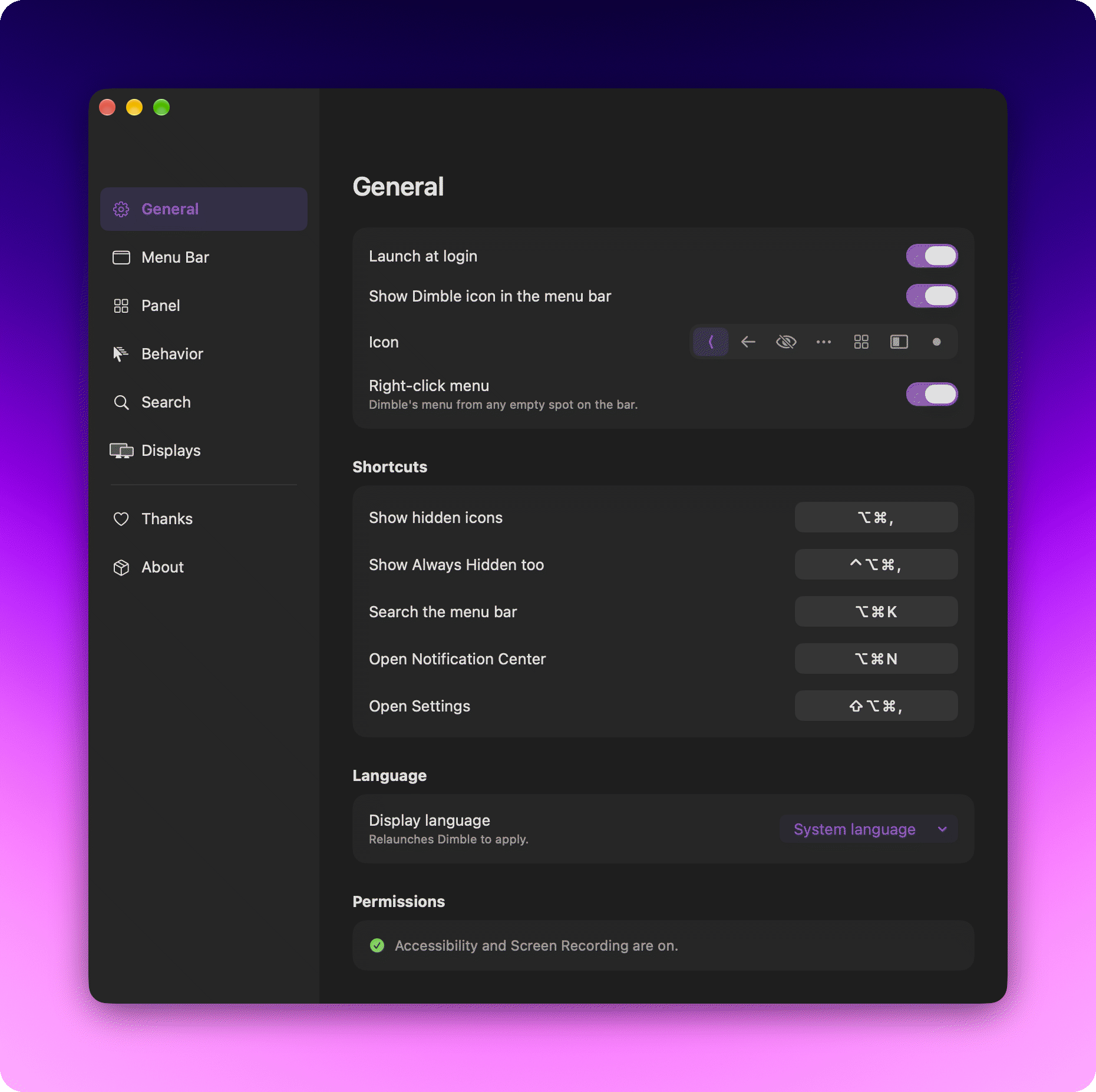
Он выполняет ту же роль (репозиторий помечен как альтернатива обоим), но написан с нуля для строки меню, которую Apple переработала в macOS 27, и не имеет общего кода с Ice. Скрытие выполняет сама macOS: Pelmet управляет штатным системным механизмом скрытия, поэтому ощущается как часть операционной системы.Какие разрешения он запросит при первом запуске?Обязательно одно: Accessibility (универсальный доступ) — так Pelmet видит элементы строки меню и кликает по скрытым, не раскрывая всё сразу. Screen Recording (запись экрана) необязательна и нужна только для анимаций показа Instant, Smooth и Fade; ничего не записывается и не сохраняется.
Обязательно одно: Accessibility (универсальный доступ) — так Pelmet видит элементы строки меню и кликает по скрытым, не раскрывая всё сразу. Screen Recording (запись экрана) необязательна и нужна только для анимаций показа Instant, Smooth и Fade; ничего не записывается и не сохраняется.Есть ли шанс, что обновление macOS всё сломает?Теоретически да: скрытие работает через закрытый недокументированный API Apple (MenuBarClientCore). Pelmet находит его во время выполнения и не падает — если API исчезнет, приложение просто сообщит, что скрытие недоступно, вместо того чтобы сломать вашу строку меню.
Теоретически да: скрытие работает через закрытый недокументированный API Apple (MenuBarClientCore). Pelmet находит его во время выполнения и не падает — если API исчезнет, приложение просто сообщит, что скрытие недоступно, вместо того чтобы сломать вашу строку меню.Он куда-нибудь отправляет мои данные?Нет — ни аккаунта, ни аналитики, ни сервера. Единственное соединение, которое он устанавливает, — это проверка собственных обновлений, которые доставляются через Sparkle с подписями EdDSA, проверяемыми по подписанному appcast.
Нет — ни аккаунта, ни аналитики, ни сервера. Единственное соединение, которое он устанавливает, — это проверка собственных обновлений, которые доставляются через Sparkle с подписями EdDSA, проверяемыми по подписанному appcast.Можно ли сделать форк, и что требует лицензия?Лицензия — GPL-3.0: пользуйтесь и делайте форки свободно, но распространяемые производные проекты должны оставаться открытыми под той же лицензией. Единственная сторонняя зависимость — Sparkle, используемая по лицензии типа MIT.
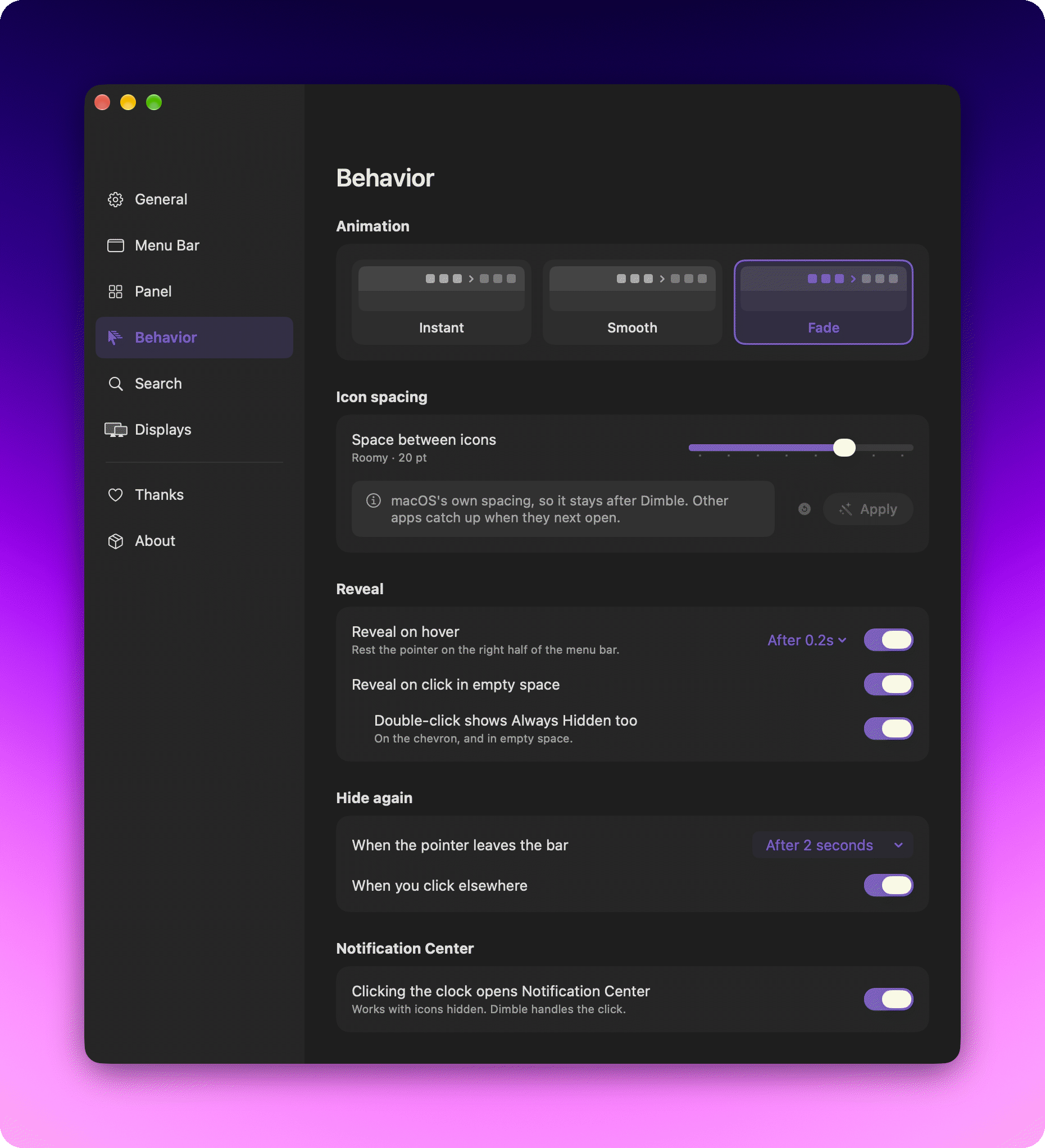
Лицензия — GPL-3.0: пользуйтесь и делайте форки свободно, но распространяемые производные проекты должны оставаться открытыми под той же лицензией. Единственная сторонняя зависимость — Sparkle, используемая по лицензии типа MIT.Как скрытые иконки возвращаются обратно?Как вам удобнее: наведением курсора (задержка от 0,1 до 0,5 секунды), кликом по пустому месту строки меню, двойным кликом для секции Always Hidden или по самому шеврону. Вы также выбираете анимацию (Instant, Smooth, Fade) и то, прячутся ли иконки снова через заданную вами задержку или сразу, как только вы кликнете в другом месте.
Как вам удобнее: наведением курсора (задержка от 0,1 до 0,5 секунды), кликом по пустому месту строки меню, двойным кликом для секции Always Hidden или по самому шеврону. Вы также выбираете анимацию (Instant, Smooth, Fade) и то, прячутся ли иконки снова через заданную вами задержку или сразу, как только вы кликнете в другом месте.Может ли он скрывать системные иконки вроде Battery или Sound?Да — они ведут себя как любая другая иконка. Немногочисленные защищённые macOS иконки (Clock, Control Center) показываются в редакторе как заблокированные, для сгруппированных элементов честно выводится специальный значок, а Siri и Time Machine представлены собственными элементами Pelmet, поэтому каждую можно разместить отдельно.
Да — они ведут себя как любая другая иконка. Немногочисленные защищённые macOS иконки (Clock, Control Center) показываются в редакторе как заблокированные, для сгруппированных элементов честно выводится специальный значок, а Siri и Time Machine представлены собственными элементами Pelmet, поэтому каждую можно разместить отдельно.Что ещё он умеет добавлять в строку меню?Встроенные замены, которые не пропадают при скрытии: элементы управления мультимедиа, AirDrop, индикатор камеры/микрофона, таймер, Focus, быстрое переключение пользователей и Shortcuts. Он также может добавить лаунчеры приложений (клик открывает любое приложение) и разделители с настраиваемой прозрачностью.
Встроенные замены, которые не пропадают при скрытии: элементы управления мультимедиа, AirDrop, индикатор камеры/микрофона, таймер, Focus, быстрое переключение пользователей и Shortcuts. Он также может добавить лаунчеры приложений (клик открывает любое приложение) и разделители с настраиваемой прозрачностью.Работает ли он с несколькими мониторами?Да, для каждого монитора отдельно: любой монитор можно настроить так, чтобы он всегда показывал всё, или чтобы сворачивал иконки, а приоритет у того монитора, где сейчас курсор.
Да, для каждого монитора отдельно: любой монитор можно настроить так, чтобы он всегда показывал всё, или чтобы сворачивал иконки, а приоритет у того монитора, где сейчас курсор.Which topics is it in?statusbar, status-bar, menubar-app, open-source-alternative, menubar, menu-bar, swiftui, macos-app, apple, homebrew, swift, customization
statusbar, status-bar, menubar-app, open-source-alternative, menubar, menu-bar, swiftui, macos-app, apple, homebrew, swift, customization