





Что это такое?
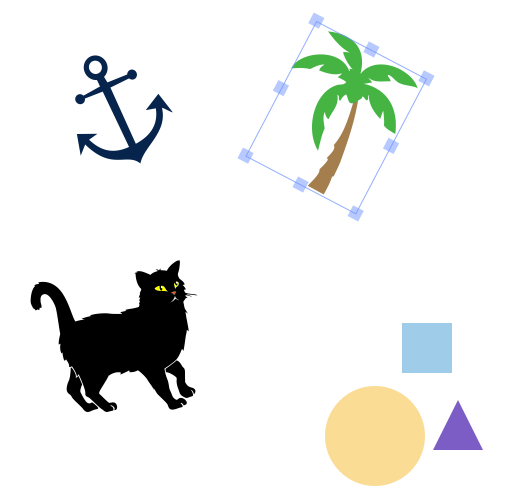
 Fabric.js — это JavaScript-библиотека для работы с элементом canvas в HTML5. Она позволяет создавать и редактировать интерактивные фигуры, текст и изображения, а также преобразовывать данные между SVG и canvas.
Fabric.js — это JavaScript-библиотека для работы с элементом canvas в HTML5. Она позволяет создавать и редактировать интерактивные фигуры, текст и изображения, а также преобразовывать данные между SVG и canvas.Это самостоятельное приложение или библиотека, которую я добавляю в свой проект?Это библиотека, которую вы импортируете в своё веб- или Node.js-приложение, а не самостоятельная программа. Она разделена на модульные пакеты: @fabricjs/browser для браузерных приложений, @fabricjs/node для серверного использования и @fabricjs/core как общее ядро, не привязанное к конкретной среде.
Это библиотека, которую вы импортируете в своё веб- или Node.js-приложение, а не самостоятельная программа. Она разделена на модульные пакеты: @fabricjs/browser для браузерных приложений, @fabricjs/node для серверного использования и @fabricjs/core как общее ядро, не привязанное к конкретной среде.Как добавить её в проект?Установите пакет для нужной среды: @fabricjs/browser для новых браузерных приложений или @fabricjs/node для приложений на Node.js. В существующих проектах можно продолжать использовать устаревший пакет fabric, который для совместимости переэкспортирует @fabricjs/browser.
Установите пакет для нужной среды: @fabricjs/browser для новых браузерных приложений или @fabricjs/node для приложений на Node.js. В существующих проектах можно продолжать использовать устаревший пакет fabric, который для совместимости переэкспортирует @fabricjs/browser.Нужна ли определённая версия Node.js для использования пакета под Node?Да, поле engines в проекте требует Node.js версии 20.0.0 или новее для сборки и запуска пакета под Node.
Да, поле engines в проекте требует Node.js версии 20.0.0 или новее для сборки и запуска пакета под Node.На что стоит обратить внимание при установке?Устаревшие среды, такие как IE11 и Edge Legacy, не поддерживаются. Также нужно, чтобы fabric и все пакеты @fabricjs/ были одной версии: при разных версиях могут загрузиться разные среды выполнения, что приведёт к ошибкам.
Устаревшие среды, такие как IE11 и Edge Legacy, не поддерживаются. Также нужно, чтобы fabric и все пакеты @fabricjs/ были одной версии: при разных версиях могут загрузиться разные среды выполнения, что приведёт к ошибкам.Можно ли рисовать canvas на сервере, а не только в браузере?Да. С помощью @fabricjs/node можно создать fabric.Canvas в процессе Node.js (например, в HTTP-сервере) и отдать результат как PNG или data URL.
Да. С помощью @fabricjs/node можно создать fabric.Canvas в процессе Node.js (например, в HTTP-сервере) и отдать результат как PNG или data URL.Что поддерживается из коробки?Встроенные возможности взаимодействия с объектами: масштабирование, перемещение, поворот, наклон и группировка, а также анимации, фильтры изображений, градиенты, паттерны и кисти, импорт и экспорт в форматах JPG, PNG, JSON и SVG.
Встроенные возможности взаимодействия с объектами: масштабирование, перемещение, поворот, наклон и группировка, а также анимации, фильтры изображений, градиенты, паттерны и кисти, импорт и экспорт в форматах JPG, PNG, JSON и SVG.Чем это отличается от Three.js, PixiJS или Konva?Fabric.js — это модель объектов для canvas с встроенной сериализацией в SVG и JSON. Three.js предназначен для 3D-графики, PixiJS — это рендерер на основе WebGL, а Konva предлагает похожий набор возможностей для 2D, но без акцента на разборе SVG, как у Fabric.
Fabric.js — это модель объектов для canvas с встроенной сериализацией в SVG и JSON. Three.js предназначен для 3D-графики, PixiJS — это рендерер на основе WebGL, а Konva предлагает похожий набор возможностей для 2D, но без акцента на разборе SVG, как у Fabric.What are similar projects?paper.js, lottie-web, react-native-skia, svg.js, konva, react-native-skia, particles.js, shaders
paper.js, lottie-web, react-native-skia, svg.js, konva, react-native-skia, particles.js, shadersWhich topics is it in?vector-graphics, canvas, svg, graphics, design, image-processing, animation, documentation, ui, performance, npm, frontend
vector-graphics, canvas, svg, graphics, design, image-processing, animation, documentation, ui, performance, npm, frontend