
 Discord
17.6K ·GitHub
What is this?
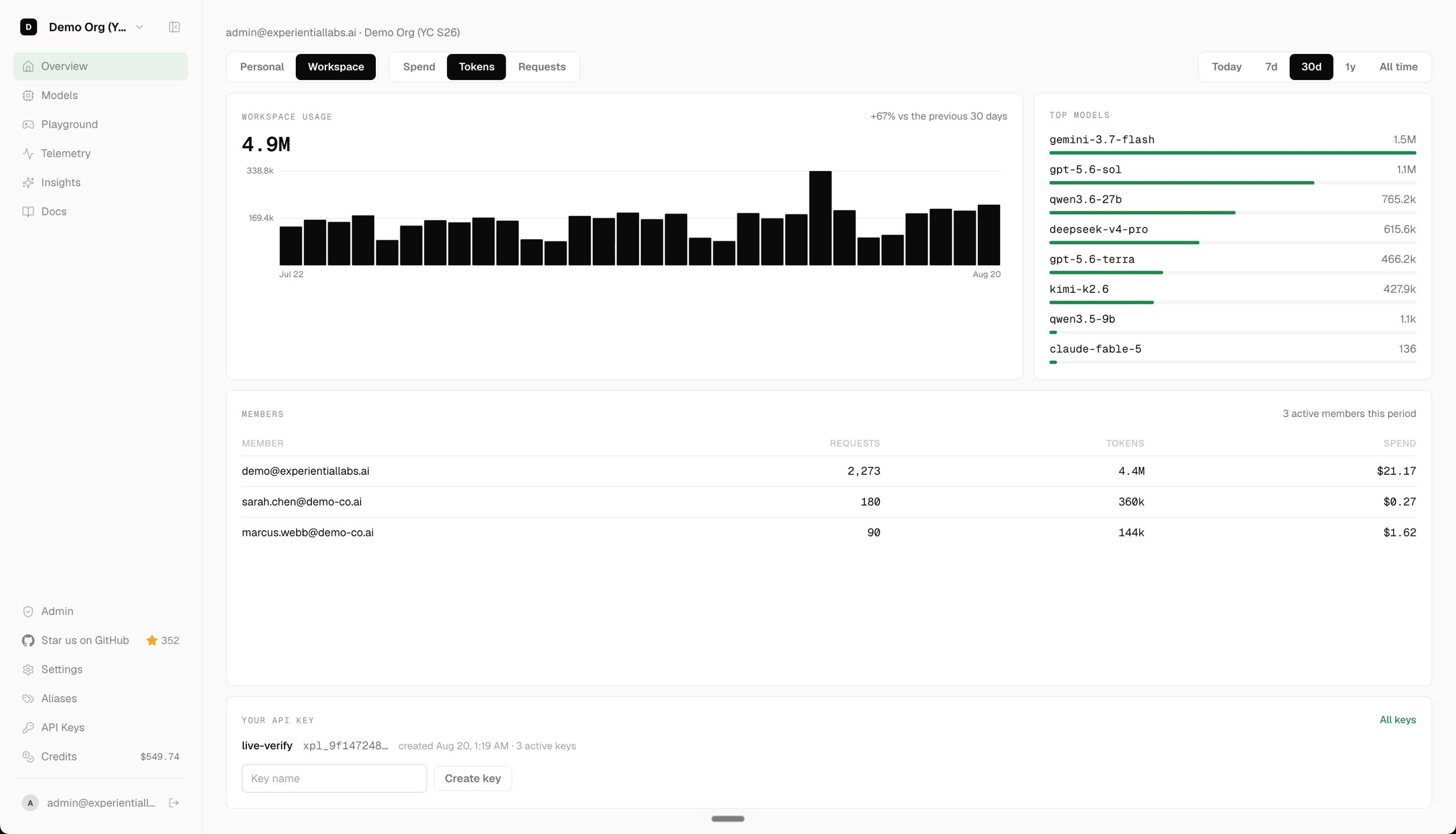
 Experiential is an open source gateway and router for agent workflows that lets you use hosted, BYOK, and local models through one OpenAI-compatible API, control who can spend how much on which models, and turn production traffic into a custom optimized router or your own fine-tuned model.
Is this a gateway I run myself, or only a hosted service?Both: you can run a local OpenAI-compatible gateway yourself via the exp CLI, or use the managed hosted platform at platform.experientiallabs.ai which serves the same API without any local setup.
Both: you can run a local OpenAI-compatible gateway yourself via the exp CLI, or use the managed hosted platform at platform.experientiallabs.ai which serves the same API without any local setup.How do I get the gateway running?Run exp (or exp run) to start the local gateway; the first-run setup wizard walks you through provider, model, and reasoning-effort selection, sets a default $50.00 command budget, and prints a one-time API key you then use to send requests.
Run exp (or exp run) to start the local gateway; the first-run setup wizard walks you through provider, model, and reasoning-effort selection, sets a default $50.00 command budget, and prints a one-time API key you then use to send requests.Do I need my own provider API keys to use it?For BYOK mode you connect your own OpenAI, Anthropic, Gemini, Azure, Bedrock, Fireworks, or OpenRouter keys for free pass-through; it also supports hosted and local models if you don't want to bring your own keys.
For BYOK mode you connect your own OpenAI, Anthropic, Gemini, Azure, Bedrock, Fireworks, or OpenRouter keys for free pass-through; it also supports hosted and local models if you don't want to bring your own keys.Which coding agents can I point at the gateway?The setup docs cover repointing Claude Code, Cursor, Codex, Aider, and similar coding agents (plus Conductor) at the gateway's OpenAI/Anthropic-compatible endpoint.
The setup docs cover repointing Claude Code, Cursor, Codex, Aider, and similar coding agents (plus Conductor) at the gateway's OpenAI/Anthropic-compatible endpoint.Does it track my prompts or data?Anonymous aggregate PostHog telemetry is enabled by default but explicitly excludes prompts, traces, actions, observations, paths, model names, credentials, and raw customer content; the opt-in preference is stored locally.
Anonymous aggregate PostHog telemetry is enabled by default but explicitly excludes prompts, traces, actions, observations, paths, model names, credentials, and raw customer content; the opt-in preference is stored locally.How does it optimize costs from my traffic?It ingests OpenTelemetry traces from your agent traffic, walks you through a build wizard for providers, models, and budget, and can then fine-tune an open source model you own using Tinker based on those traces.
It ingests OpenTelemetry traces from your agent traffic, walks you through a build wizard for providers, models, and budget, and can then fine-tune an open source model you own using Tinker based on those traces.What is Tinker used for here?After collecting traces from your router, Experiential uses Tinker to fine-tune an open source model that you own and control, rather than depending on a vendor's closed model.
After collecting traces from your router, Experiential uses Tinker to fine-tune an open source model that you own and control, rather than depending on a vendor's closed model.Can I try the optimization workflow without my own traffic first?Yes, there's a public terminal-tasks OTLP dataset you can download to test the trace-based optimization flow before uploading your own data.
Yes, there's a public terminal-tasks OTLP dataset you can download to test the trace-based optimization flow before uploading your own data.Does it support Anthropic's API format, or just OpenAI's?The gateway serves both an OpenAI-compatible API and an Anthropic Messages-compatible API from the same endpoint.
The gateway serves both an OpenAI-compatible API and an Anthropic Messages-compatible API from the same endpoint.What are similar projects?bifrost, router, casbin-gateway, OmniRoute, gateway, ThinkWatch-Lite, opencodex, OrcaRouter-Lite
bifrost, router, casbin-gateway, OmniRoute, gateway, ThinkWatch-Lite, opencodex, OrcaRouter-LiteWhich topics is it in?llm-router, anthropic-api, llm-proxy, cost-optimization, model-router, llm-gateway, ai-gateway, api-gateway, byok, optimization, openrouter, fine-tuning
llm-router, anthropic-api, llm-proxy, cost-optimization, model-router, llm-gateway, ai-gateway, api-gateway, byok, optimization, openrouter, fine-tuning