5.5K ·GitHub
这是什么?
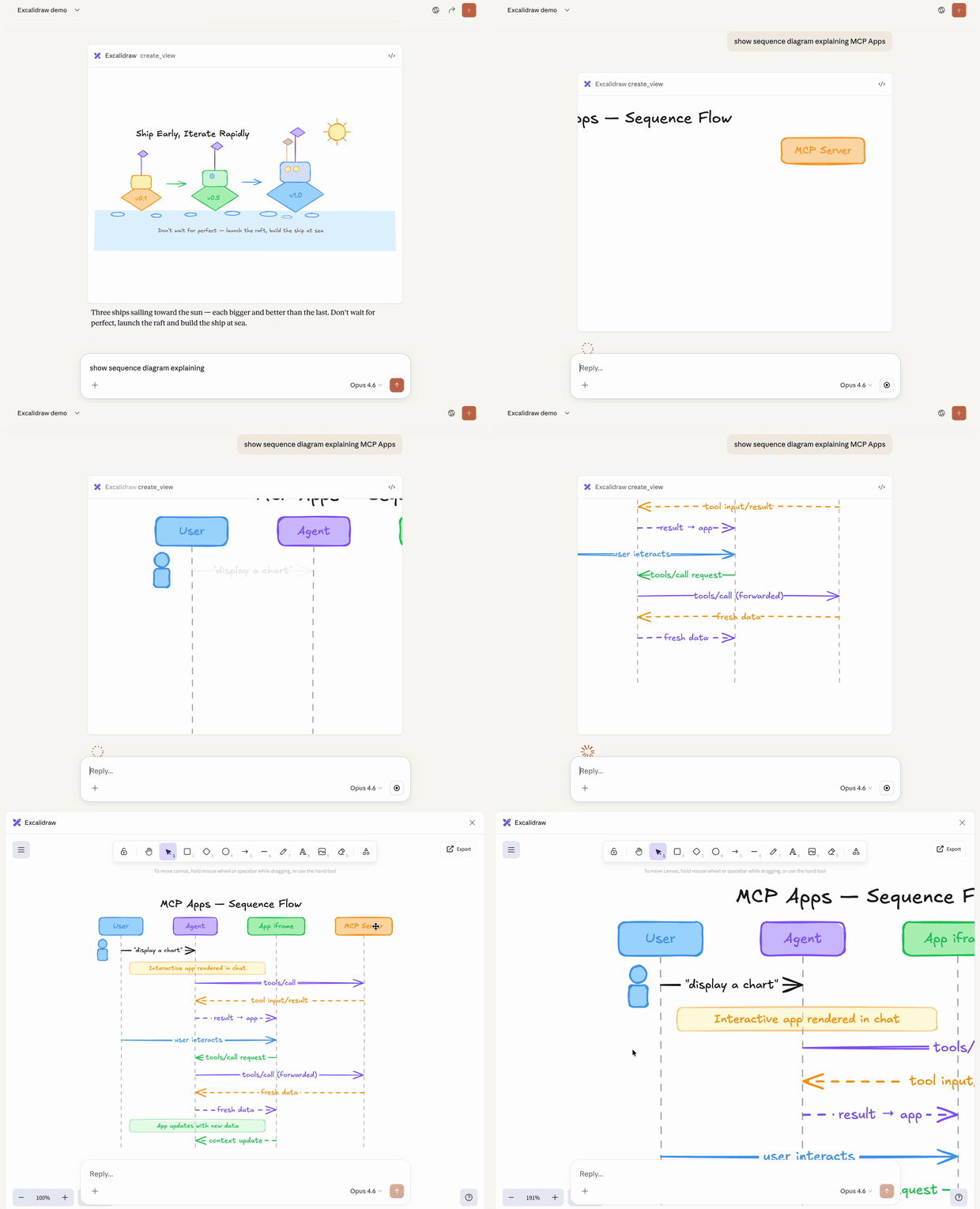
 这是一个 MCP 服务器,能让 AI 助手直接在聊天中绘制可交互的手绘风格 Excalidraw 图表,并支持流畅的镜头平移、缩放以及全屏编辑。
这是一个 MCP 服务器,能让 AI 助手直接在聊天中绘制可交互的手绘风格 Excalidraw 图表,并支持流畅的镜头平移、缩放以及全屏编辑。这只是个纯文本的 MCP 工具,还是更偏向可视化?这是一个 MCP App——一种较新的 MCP 扩展,服务器会返回交互式 HTML 界面,直接在聊天中渲染,而不是纯文本。
这是一个 MCP App——一种较新的 MCP 扩展,服务器会返回交互式 HTML 界面,直接在聊天中渲染,而不是纯文本。我该怎么把它跑起来?推荐的方式是在任何支持 MCP Apps 的客户端中添加远程服务器;如果想本地部署,可以从 Releases 下载 excalidraw-mcp-app.mcpb 扩展,双击即可在 Claude Desktop 中安装,也可以从源码构建。
推荐的方式是在任何支持 MCP Apps 的客户端中添加远程服务器;如果想本地部署,可以从 Releases 下载 excalidraw-mcp-app.mcpb 扩展,双击即可在 Claude Desktop 中安装,也可以从源码构建。哪些客户端真正能用这个?任何支持 MCP Apps 扩展的客户端都可以,README 中列举了 Claude、ChatGPT、VS Code 和 Goose 作为示例。
任何支持 MCP Apps 扩展的客户端都可以,README 中列举了 Claude、ChatGPT、VS Code 和 Goose 作为示例。如果我用的客户端还没有官方支持,会有什么麻烦?对于没有官方集成的应用,你需要手动将其添加为自定义 MCP 连接器,而且选项名称因应用而异,所以不一定能一键完成设置。
对于没有官方集成的应用,你需要手动将其添加为自定义 MCP 连接器,而且选项名称因应用而异,所以不一定能一键完成设置。Excalidraw 本身是什么?Excalidraw 是一款用于绘制手绘风格图表的虚拟白板,这个 MCP 服务器就是基于它构建的,把这块绘图画布开放给 AI 助手使用。
Excalidraw 是一款用于绘制手绘风格图表的虚拟白板,这个 MCP 服务器就是基于它构建的,把这块绘图画布开放给 AI 助手使用。我能自己托管一份副本,而不用共享实例吗?可以。你可以 fork 仓库,然后只需几次点击就能部署到 Vercel,无需任何环境变量。
可以。你可以 fork 仓库,然后只需几次点击就能部署到 Vercel,无需任何环境变量。我可以给它什么样的提示词?示例提示词包括“用 excalidraw 画一只可爱的猫”,或“画一张架构图,展示用户连接 API 服务器,再由 API 服务器访问数据库”。
示例提示词包括“用 excalidraw 画一只可爱的猫”,或“画一张架构图,展示用户连接 API 服务器,再由 API 服务器访问数据库”。底层用的是什么技术栈?这是一个 TypeScript/Node 项目,使用 Express、React、Vite 和官方 MCP SDK,并可选择通过 Upstash 使用 Redis 来保存状态。
这是一个 TypeScript/Node 项目,使用 Express、React、Vite 和官方 MCP SDK,并可选择通过 Upstash 使用 Redis 来保存状态。What are similar projects?rankme.fast, next-ai-draw-io, growth-engineer, evenfire, boardui, smart-excalidraw-next, NextChat, commerce-agents
rankme.fast, next-ai-draw-io, growth-engineer, evenfire, boardui, smart-excalidraw-next, NextChat, commerce-agentsWhich topics is it in?diagrams, vercel, express, vite, redis, data-visualization, model-context-protocol, anthropic, mcp-server, claude, ai-agent, react
diagrams, vercel, express, vite, redis, data-visualization, model-context-protocol, anthropic, mcp-server, claude, ai-agent, react