5.5K ·GitHub
What is this?
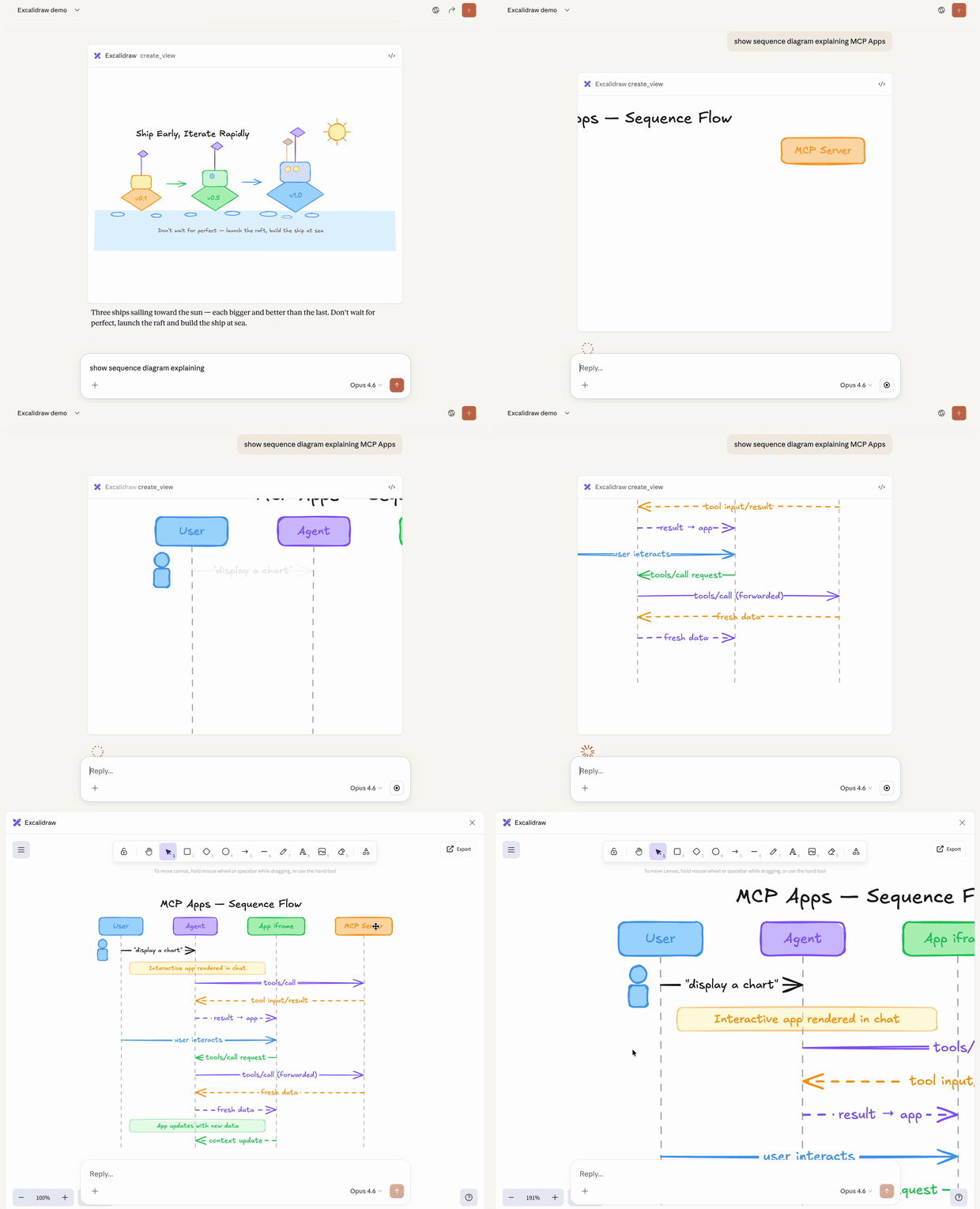
 It's an MCP server that lets an AI assistant draw interactive, hand-drawn style Excalidraw diagrams right inside the chat, with smooth camera panning/zooming and fullscreen editing.
It's an MCP server that lets an AI assistant draw interactive, hand-drawn style Excalidraw diagrams right inside the chat, with smooth camera panning/zooming and fullscreen editing.Is this just a text-based MCP tool or something more visual?It's an MCP App — a newer MCP extension where the server returns an interactive HTML interface that renders directly inside the chat, instead of plain text.
It's an MCP App — a newer MCP extension where the server returns an interactive HTML interface that renders directly inside the chat, instead of plain text.How do I get it running?The recommended path is adding the remote server to any client that supports MCP Apps; for a local setup you can download the excalidraw-mcp-app.mcpb extension from Releases and double-click to install in Claude Desktop, or build it from source.
The recommended path is adding the remote server to any client that supports MCP Apps; for a local setup you can download the excalidraw-mcp-app.mcpb extension from Releases and double-click to install in Claude Desktop, or build it from source.Which clients can actually use this?Any client that supports the MCP Apps extension — the README lists Claude, ChatGPT, VS Code, and Goose as examples.
Any client that supports the MCP Apps extension — the README lists Claude, ChatGPT, VS Code, and Goose as examples.What's the catch if my client isn't officially supported yet?For apps without an official integration you have to add it manually as a custom MCP connector, and the option's name varies from app to app, so it's not always a one-click setup.
For apps without an official integration you have to add it manually as a custom MCP connector, and the option's name varies from app to app, so it's not always a one-click setup.What is Excalidraw itself?Excalidraw is a virtual whiteboard for sketching hand-drawn-like diagrams, and this MCP server is built on top of it to expose that drawing surface to AI assistants.
Excalidraw is a virtual whiteboard for sketching hand-drawn-like diagrams, and this MCP server is built on top of it to expose that drawing surface to AI assistants.Can I host my own copy instead of using a shared instance?Yes — you can fork the repo and deploy your own instance to Vercel in a few clicks with no environment variables needed.
Yes — you can fork the repo and deploy your own instance to Vercel in a few clicks with no environment variables needed.What kind of prompts can I give it?Example prompts include 'Draw a cute cat using excalidraw' or 'Draw an architecture diagram showing a user connecting to an API server which talks to a database'.
Example prompts include 'Draw a cute cat using excalidraw' or 'Draw an architecture diagram showing a user connecting to an API server which talks to a database'.What's the tech stack under the hood?It's a TypeScript/Node project using Express, React, Vite and the official MCP SDK, with optional Redis (via Upstash) for state.
It's a TypeScript/Node project using Express, React, Vite and the official MCP SDK, with optional Redis (via Upstash) for state.What are similar projects?rankme.fast, next-ai-draw-io, growth-engineer, evenfire, boardui, smart-excalidraw-next, NextChat, commerce-agents
rankme.fast, next-ai-draw-io, growth-engineer, evenfire, boardui, smart-excalidraw-next, NextChat, commerce-agentsWhich topics is it in?diagrams, vercel, express, vite, data-visualization, redis, model-context-protocol, anthropic, mcp-server, claude, ai-agent, react
diagrams, vercel, express, vite, data-visualization, redis, model-context-protocol, anthropic, mcp-server, claude, ai-agent, react