









Что это такое?
 Caire — это библиотека для интеллектуального изменения размера изображений на основе статьи Seam Carving for Content-Aware Image Resizing. Она распространяется и как библиотека для Go, и как утилита командной строки, которая умеет уменьшать и увеличивать картинки как по вертикали, так и по горизонтали.
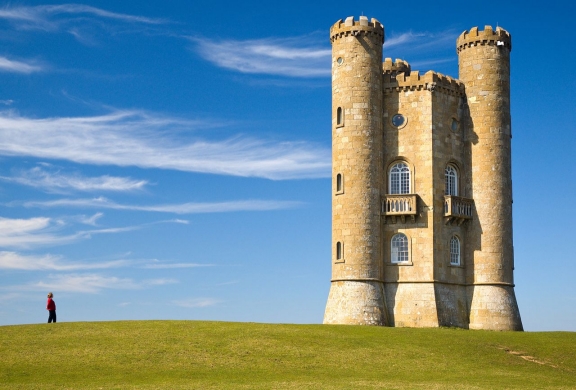
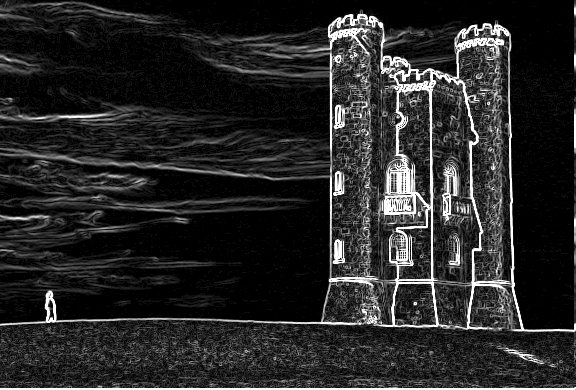
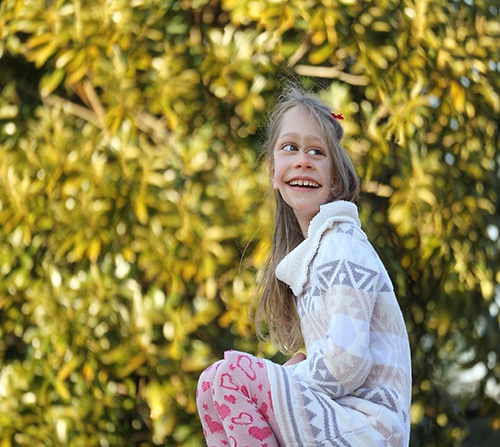
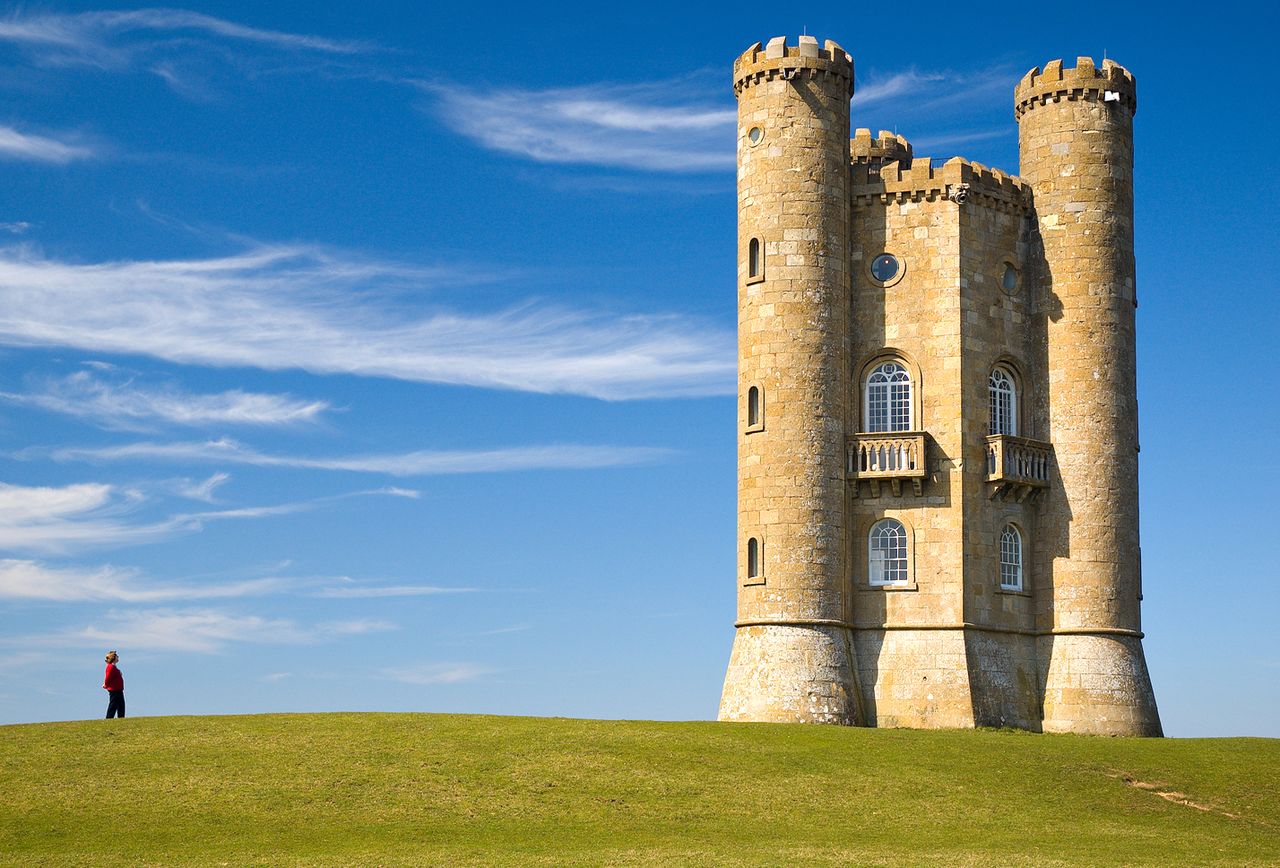
Caire — это библиотека для интеллектуального изменения размера изображений на основе статьи Seam Carving for Content-Aware Image Resizing. Она распространяется и как библиотека для Go, и как утилита командной строки, которая умеет уменьшать и увеличивать картинки как по вертикали, так и по горизонтали.Чем это отличается от того, чтобы просто сжать картинку, чтобы она стала меньше?При обычном изменении размера масштабируется каждый пиксель; Caire строит карту энергии с помощью выявления границ, затем методом динамического программирования находит «швы» из наименее важных пикселей с низкой энергией и удаляет их по одному, а при увеличении вставляет новые швы. Важные области имеют высокую стоимость энергии, поэтому их пропорции сохраняются.
При обычном изменении размера масштабируется каждый пиксель; Caire строит карту энергии с помощью выявления границ, затем методом динамического программирования находит «швы» из наименее важных пикселей с низкой энергией и удаляет их по одному, а при увеличении вставляет новые швы. Важные области имеют высокую стоимость энергии, поэтому их пропорции сохраняются.Как её запустить?Установите Go, настройте GOPATH и убедитесь, что $GOPATH/bin есть в PATH, затем соберите caire из исходников. На macOS вместо этого можно установить её через Homebrew.
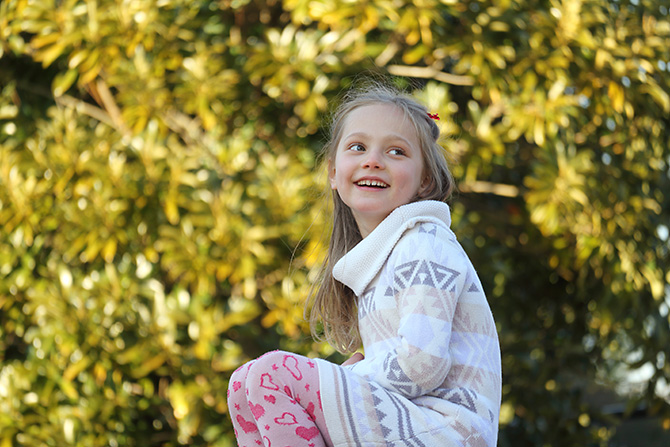
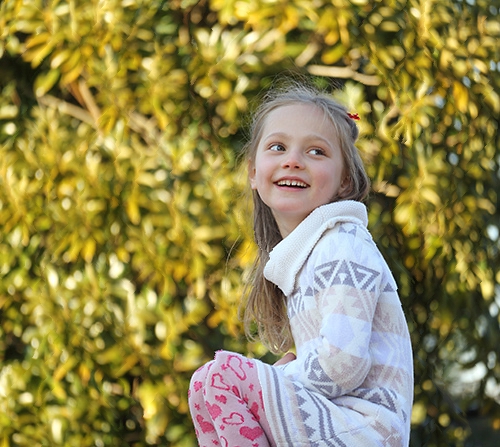
Установите Go, настройте GOPATH и убедитесь, что $GOPATH/bin есть в PATH, затем соберите caire из исходников. На macOS вместо этого можно установить её через Homebrew.На что стоит обратить внимание перед тем, как прогонять через неё свои фото?Распознавание лиц по умолчанию выключено — без флага face швы могут проходить прямо сквозь людей. Кроме того, при каждом запуске появляется окно предпросмотра с графическим интерфейсом, если не отключить флаг preview.
Распознавание лиц по умолчанию выключено — без флага face швы могут проходить прямо сквозь людей. Кроме того, при каждом запуске появляется окно предпросмотра с графическим интерфейсом, если не отключить флаг preview.Мне нужно знать Go, чтобы ей пользоваться?Нет — интерфейс командной строки управляется обычными флагами вроде in, out, width и height, так что с ней справится любой, кто умеет работать с терминалом. Писать на Go нужно только если вы хотите подключить caire как библиотеку в своих программах.
Нет — интерфейс командной строки управляется обычными флагами вроде in, out, width и height, так что с ней справится любой, кто умеет работать с терминалом. Писать на Go нужно только если вы хотите подключить caire как библиотеку в своих программах.Как она защищает лица от искажения?Перед изменением размера caire запускает распознавание лиц с помощью легковесной библиотеки Pigo; пиксели внутри обнаруженных лиц исключаются из удаления швов, поэтому зона лица остаётся нетронутой. Флаг angle корректирует плоскость распознавания для повёрнутых лиц.
Перед изменением размера caire запускает распознавание лиц с помощью легковесной библиотеки Pigo; пиксели внутри обнаруженных лиц исключаются из удаления швов, поэтому зона лица остаётся нетронутой. Флаг angle корректирует плоскость распознавания для повёрнутых лиц.Могу ли я указать, какие части картинки защитить, а какие принудительно удалить?Да — защитная маска оберегает область от удаления, а маска удаления помечает участки, которые нужно убрать в первую очередь.
Да — защитная маска оберегает область от удаления, а маска удаления помечает участки, которые нужно убрать в первую очередь.Что она умеет, кроме уменьшения фотографий?Она также увеличивает изображения и может сделать картинку квадратной или масштабировать её пропорционально одним флагом. Она записывает файлы jpg, jpeg, png и bmp, поддерживает пайпы stdin и stdout, а также обрабатывает целые каталоги рекурсивно и параллельно.
Она также увеличивает изображения и может сделать картинку квадратной или масштабировать её пропорционально одним флагом. Она записывает файлы jpg, jpeg, png и bmp, поддерживает пайпы stdin и stdout, а также обрабатывает целые каталоги рекурсивно и параллельно.Можно ли встроить её в скрипты или serverless-пайплайн?Да — благодаря пайпам она встраивается в цепочки команд оболочки, работает как serverless-функция через OpenFaaS, а также распространяется в виде snap-пакета ($ snap run caire).
Да — благодаря пайпам она встраивается в цепочки команд оболочки, работает как serverless-функция через OpenFaaS, а также распространяется в виде snap-пакета ($ snap run caire).What are similar projects?usql, veet, hexyl, fx, spotify-tui, qrcp, noai-watermark, homebrew-cask
usql, veet, hexyl, fx, spotify-tui, qrcp, noai-watermark, homebrew-caskWhich topics is it in?face-detection, serverless, homebrew, cli-tool, image-processing, golang, computer-vision, utility, developers, go, command-line-tool, gui
face-detection, serverless, homebrew, cli-tool, image-processing, golang, computer-vision, utility, developers, go, command-line-tool, gui