










What is this?
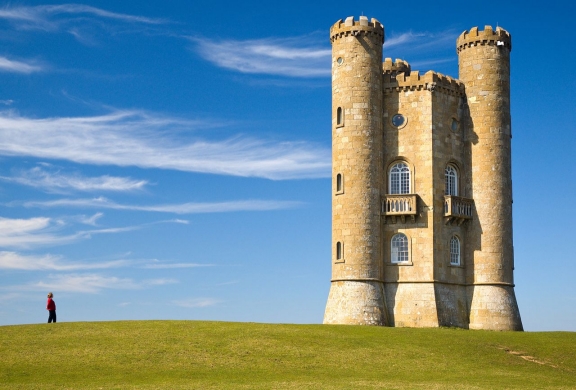
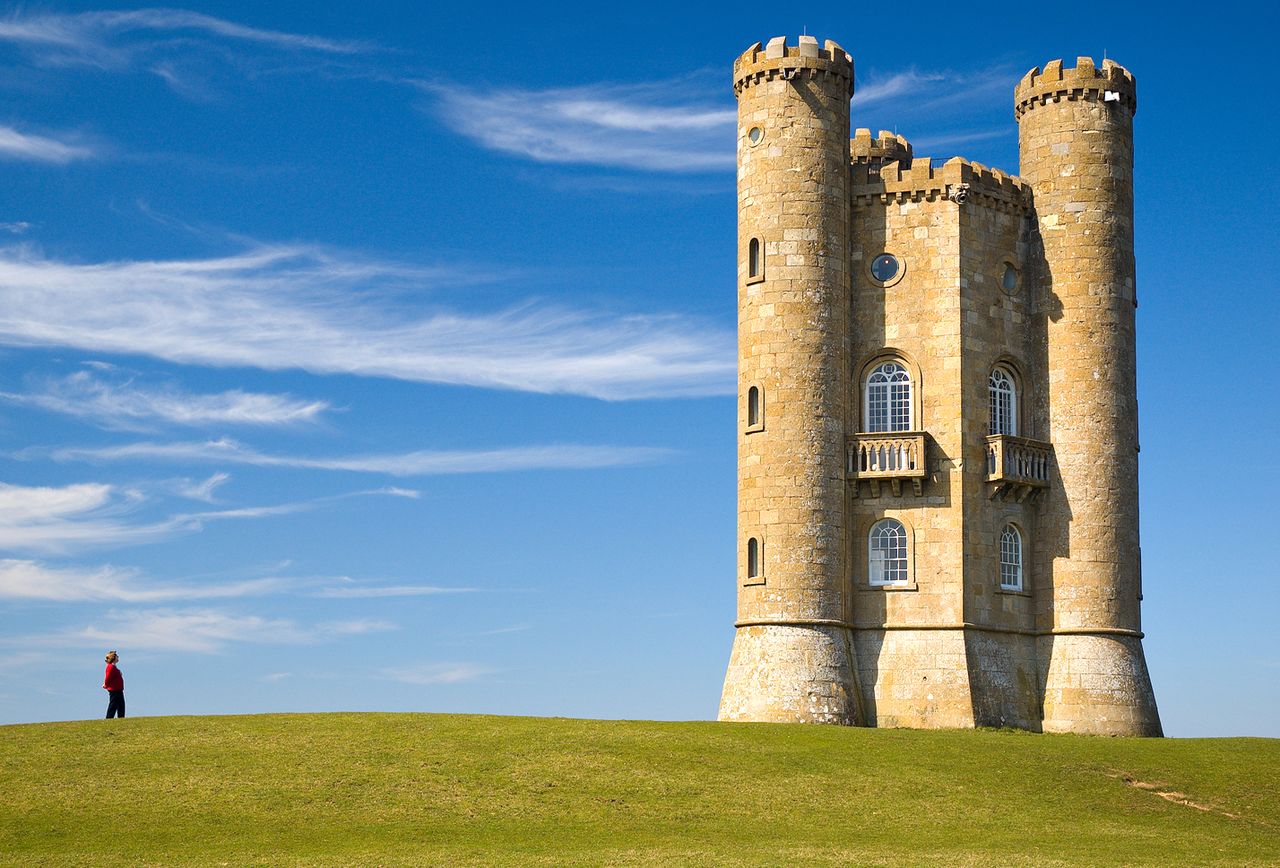
 Caire is a content aware image resize library based on the Seam Carving for Content-Aware Image Resizing paper. It ships as both a Go library and a command-line tool that can shrink or enlarge images vertically and horizontally.
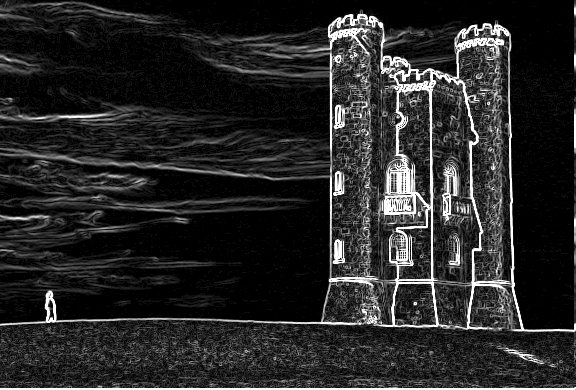
Caire is a content aware image resize library based on the Seam Carving for Content-Aware Image Resizing paper. It ships as both a Go library and a command-line tool that can shrink or enlarge images vertically and horizontally.How is that different from just squashing an image to make it smaller?Normal resizing scales every pixel; Caire generates an energy map via edge detection, then uses dynamic programming to find low-energy seams of the least important pixels and removes them one by one, inserting new seams when enlarging. Important areas carry a high energy cost, so they keep their proportions.
Normal resizing scales every pixel; Caire generates an energy map via edge detection, then uses dynamic programming to find low-energy seams of the least important pixels and removes them one by one, inserting new seams when enlarging. Important areas carry a high energy cost, so they keep their proportions.How do I get it running?Install Go, set your GOPATH and make sure $GOPATH/bin is on your PATH, then build caire from source. On macOS you can install it via Homebrew instead.
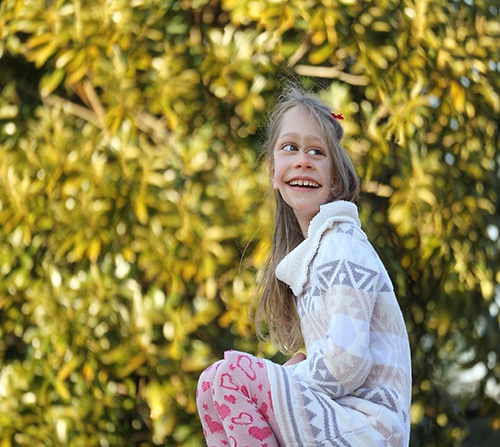
Install Go, set your GOPATH and make sure $GOPATH/bin is on your PATH, then build caire from source. On macOS you can install it via Homebrew instead.Anything I should watch out for before running it on my photos?Face detection is off by default — without the face flag, seams can cut straight through people. A GUI preview window also pops up on every run unless you turn the preview flag off.
Face detection is off by default — without the face flag, seams can cut straight through people. A GUI preview window also pops up on every run unless you turn the preview flag off.Do I need to know Go to actually use it?No — the command-line interface is driven by plain flags like in, out, width and height, so anyone comfortable with a terminal can use it. Writing Go only matters if you want to import caire as a library in your own programs.
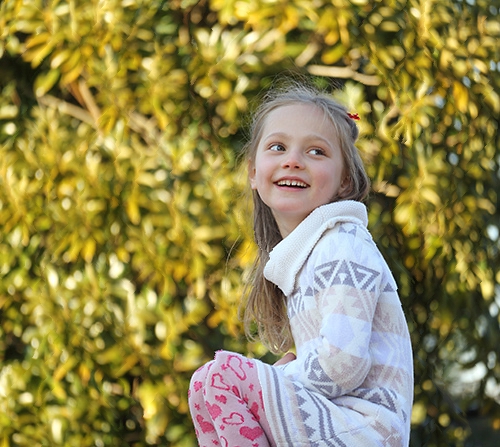
No — the command-line interface is driven by plain flags like in, out, width and height, so anyone comfortable with a terminal can use it. Writing Go only matters if you want to import caire as a library in your own programs.How does it keep faces from getting distorted?Before resizing, caire runs face detection with the lightweight Pigo library; pixels inside detected faces are excluded from seam removal, so the face zone stays unaltered. The angle flag adjusts the detection plane for rotated faces.
Before resizing, caire runs face detection with the lightweight Pigo library; pixels inside detected faces are excluded from seam removal, so the face zone stays unaltered. The angle flag adjusts the detection plane for rotated faces.Can I tell it which parts of the picture to protect or force it to delete?Yes — a protective mask shields a region from being carved away, and a removal mask marks areas that should be discarded first.
Yes — a protective mask shields a region from being carved away, and a removal mask marks areas that should be discarded first.What can it do besides shrinking photos?It enlarges images too, and can square a picture or scale it proportionally with a single flag. It writes jpg, jpeg, png and bmp files, supports stdin and stdout pipes, and processes whole directories recursively and concurrently.
It enlarges images too, and can square a picture or scale it proportionally with a single flag. It writes jpg, jpeg, png and bmp files, supports stdin and stdout pipes, and processes whole directories recursively and concurrently.Can I wire it into scripts or a serverless pipeline?Yes — pipes let it chain into shell workflows, it runs as a serverless function via OpenFaaS, and it is also distributed as a snap ($ snap run caire).
Yes — pipes let it chain into shell workflows, it runs as a serverless function via OpenFaaS, and it is also distributed as a snap ($ snap run caire).What are similar projects?usql, veet, hexyl, fx, spotify-tui, qrcp, noai-watermark, homebrew-cask
usql, veet, hexyl, fx, spotify-tui, qrcp, noai-watermark, homebrew-caskWhich topics is it in?face-detection, serverless, homebrew, cli-tool, image-processing, golang, computer-vision, utility, developers, go, command-line-tool, gui
face-detection, serverless, homebrew, cli-tool, image-processing, golang, computer-vision, utility, developers, go, command-line-tool, gui