




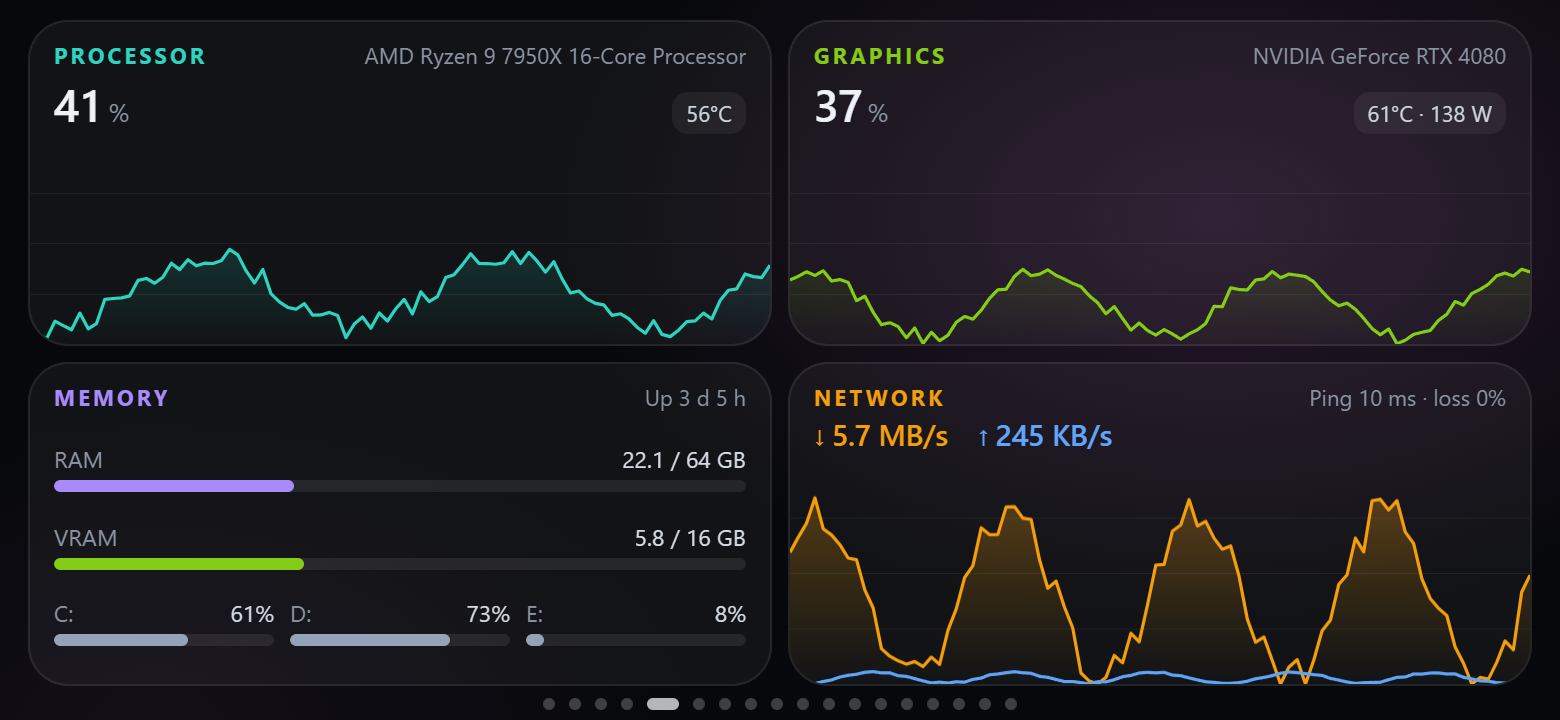
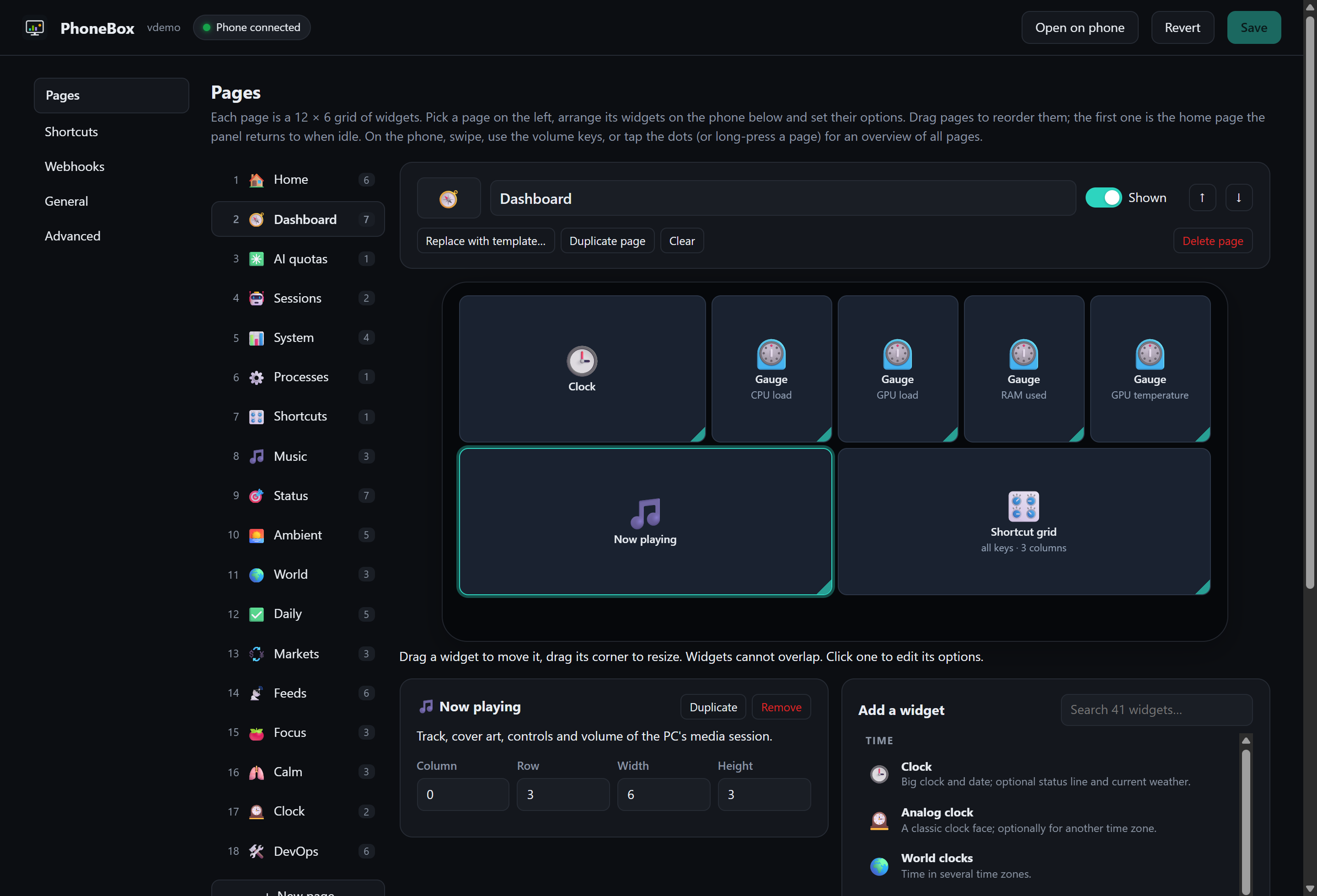
Что это такое?
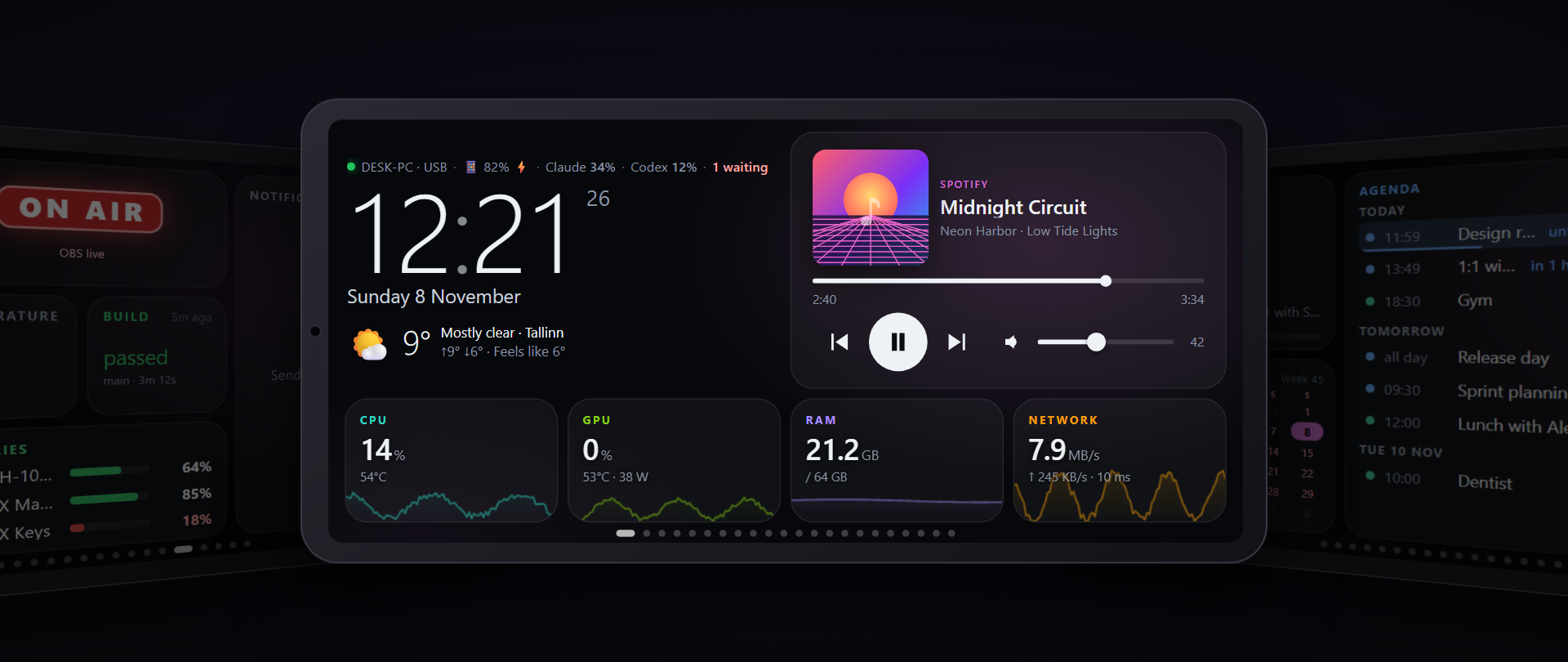
 PhoneBox превращает старый Android-телефон в настраиваемую панель для рабочего стола и сенсорный пульт управления для компьютера под Windows, Linux или macOS.
Из чего это устроено?Есть две части: полноэкранное приложение на телефоне и небольшой агент на компьютере. Панель вы создаёте в визуальном редакторе в браузере, где есть несколько страниц и живой предпросмотр.
Есть две части: полноэкранное приложение на телефоне и небольшой агент на компьютере. Панель вы создаёте в визуальном редакторе в браузере, где есть несколько страниц и живой предпросмотр.Как это запустить?На компьютере запустите скрипт установки из README: вставьте однострочную команду в PowerShell на Windows 10/11 x64 или запустите скрипт от своего пользователя на Linux или macOS. Установка скачивает последнюю версию, проверяет её SHA-256 и предлагает установить недостающие зависимости и запуск при входе в систему. Затем подключите телефон по USB или Wi-Fi.
На компьютере запустите скрипт установки из README: вставьте однострочную команду в PowerShell на Windows 10/11 x64 или запустите скрипт от своего пользователя на Linux или macOS. Установка скачивает последнюю версию, проверяет её SHA-256 и предлагает установить недостающие зависимости и запуск при входе в систему. Затем подключите телефон по USB или Wi-Fi.Что нужно в первую очередь?Телефон с Android 7+ и поддерживаемый компьютер. Для USB нужны кабель для передачи данных и включённая отладка по USB; сопряжение по Wi-Fi работает без того и другого. Релизные агенты включают .NET, так что отдельно устанавливать среду выполнения не нужно.
Телефон с Android 7+ и поддерживаемый компьютер. Для USB нужны кабель для передачи данных и включённая отладка по USB; сопряжение по Wi-Fi работает без того и другого. Релизные агенты включают .NET, так что отдельно устанавливать среду выполнения не нужно.Готов ли установщик для Windows к использованию прямо сейчас?Не без предупреждения. Релизные агенты не подписаны, пока заявка в SignPath Foundation на рассмотрении, поэтому SmartScreen или антивирус могут выдать предупреждение или заблокировать их. Сборок для Windows ARM и для musl-Linux, например Alpine, нет.
Не без предупреждения. Релизные агенты не подписаны, пока заявка в SignPath Foundation на рассмотрении, поэтому SmartScreen или антивирус могут выдать предупреждение или заблокировать их. Сборок для Windows ARM и для musl-Linux, например Alpine, нет.Всё ли одинаково работает во всех трёх системах?Процессор, оперативная память, диски, сеть и процессы работают на Windows, Linux и macOS. Данные о видеокарте, медиа и управление громкостью зависят от системы и оборудования: например, статистика NVIDIA на Windows требует nvidia-smi.
Процессор, оперативная память, диски, сеть и процессы работают на Windows, Linux и macOS. Данные о видеокарте, медиа и управление громкостью зависят от системы и оборудования: например, статистика NVIDIA на Windows требует nvidia-smi.Работает ли это без интернета?Телефон подключается к компьютеру по USB или Wi-Fi, поэтому панель работает локально. Виджеты, которые запрашивают публичные данные, могут получать их через агент на компьютере по USB, если у самого телефона нет интернета.
Телефон подключается к компьютеру по USB или Wi-Fi, поэтому панель работает локально. Виджеты, которые запрашивают публичные данные, могут получать их через агент на компьютере по USB, если у самого телефона нет интернета.Мои данные покидают мою сеть?Телеметрии, аналитики и аккаунта PhoneBox нет. Необязательные виджеты обращаются к внешним сервисам, например к погоде, квотам ИИ и GitHub, а агент проверяет GitHub на наличие обновлений. Команды и учётные данные интеграций остаются на компьютере.
Телеметрии, аналитики и аккаунта PhoneBox нет. Необязательные виджеты обращаются к внешним сервисам, например к погоде, квотам ИИ и GitHub, а агент проверяет GitHub на наличие обновлений. Команды и учётные данные интеграций остаются на компьютере.Какие условия лицензии?Проект распространяется по лицензии MIT, он бесплатный, и для работы не нужны аккаунт или облачный сервис.
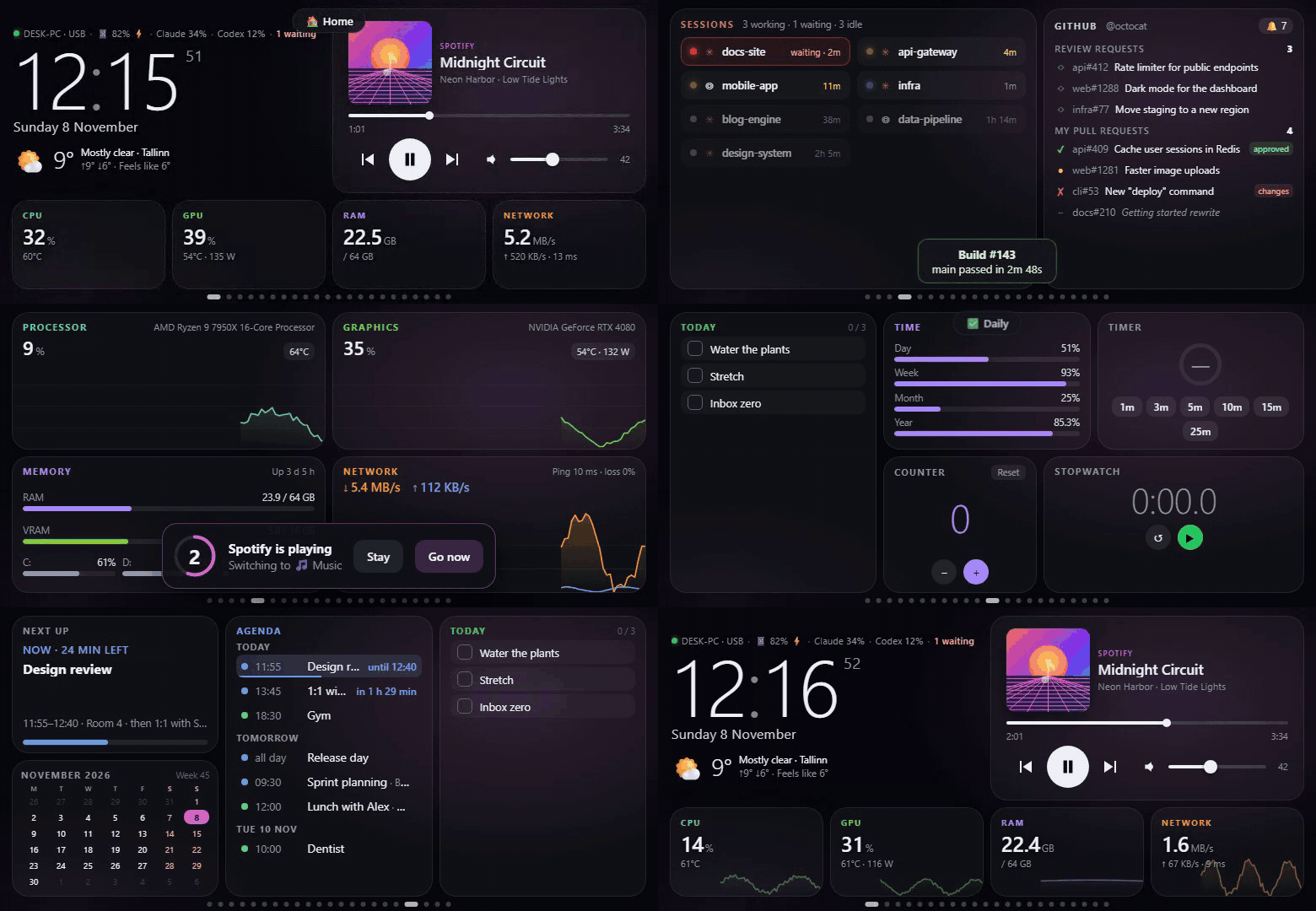
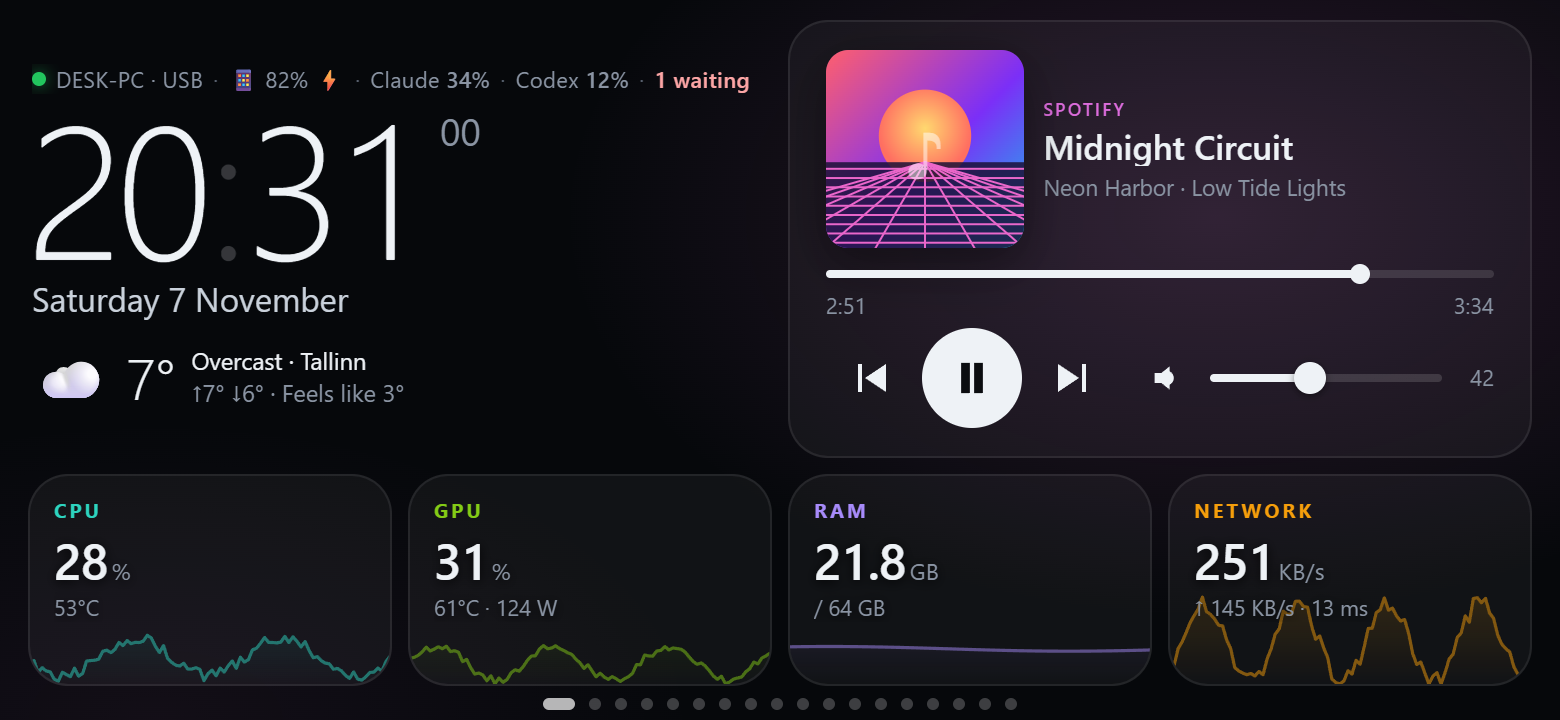
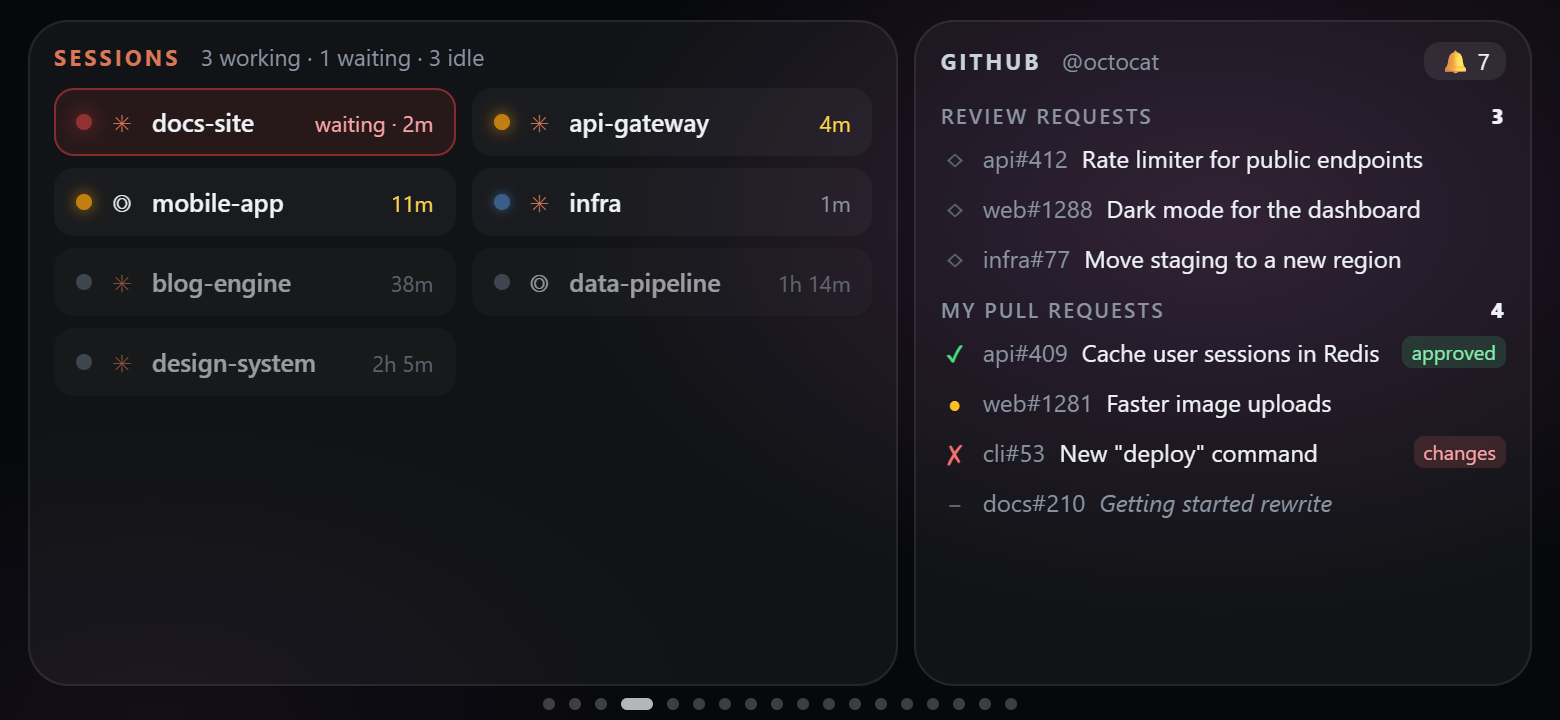
Проект распространяется по лицензии MIT, он бесплатный, и для работы не нужны аккаунт или облачный сервис.Что можно разместить на панели?Статистика системы, квоты и сессии ИИ-кодинга для Claude Code и Codex, ярлыки приложений и ссылок, макросы, управление медиа и громкостью, элементы управления Home Assistant, вебхуки, часы, погода и заметки. В README упоминаются около 120 виджетов и 30 шаблонов.
Статистика системы, квоты и сессии ИИ-кодинга для Claude Code и Codex, ярлыки приложений и ссылок, макросы, управление медиа и громкостью, элементы управления Home Assistant, вебхуки, часы, погода и заметки. В README упоминаются около 120 виджетов и 30 шаблонов.Могу ли я отвечать на запросы разрешений Claude Code с телефона?Да, но только если вы сами это включите. Тогда на запросы разрешений Claude Code можно ответить кнопками «Разрешить» или «Запретить» прямо на телефоне.
Да, но только если вы сами это включите. Тогда на запросы разрешений Claude Code можно ответить кнопками «Разрешить» или «Запретить» прямо на телефоне.Может ли один телефон работать с несколькими компьютерами?Да. Можно подключить несколько телефонов, у каждого будет своя раскладка, или переключать один телефон между сопряжёнными компьютерами.
Да. Можно подключить несколько телефонов, у каждого будет своя раскладка, или переключать один телефон между сопряжёнными компьютерами.Можно ли пользоваться этим вне домашней сети?Tailscale — необязательный вариант для подключений по Wi-Fi, а в README есть ссылка на отдельное руководство по его настройке.
Tailscale — необязательный вариант для подключений по Wi-Fi, а в README есть ссылка на отдельное руководство по его настройке.Какие есть похожие проекты?DeskBox, Android-Dex, osu, glasshouse, RunCat365, LiteMonitor, labtether, uno
DeskBox, Android-Dex, osu, glasshouse, RunCat365, LiteMonitor, labtether, unoВ каких он темах?widgets, widget, tailscale, adb, home-automation, system-monitor, remote-control, webhooks, ai-coding, dotnet, c#, csharp
widgets, widget, tailscale, adb, home-automation, system-monitor, remote-control, webhooks, ai-coding, dotnet, c#, csharp- Автор
- ersinkoc
- Размер
- 28.2 MB
- Звёзды
- 2.6K
- Обновлён
- КоммитNov 17Релизv0.9.19Nov 17
- Возраст
- 11 д
- Коммиты · 90 дней